

Renew cloud disks
Overview
When a CDS Instance with the "Subscription" billing type expires, the service is automatically suspended. For seven days following expiration, the system will disable the instance while retaining data and sending renewal reminders to users. If renewed within this period, the original service resumes automatically. If not, and the seven-day window passes, all CDS data resources are deleted and cannot be recovered. Users must repurchase the service if needed.
Description:
- After expiration, the system will send you a renewal reminder, and your data will be retained for 7 days free of charge during this period;
- During the debt period, if the disk is mounted, you can unmount it. If the disk is not mounted, you can Delete it. All other operations are prohibited
- CDS data resources expired for more than 7 days will be permanently deleted and become unrecoverable. Please renew promptly to prevent accidental data loss
- Notifications will be sent both a day before and during resource deletion. Please stay attentive to related product notifications.
Renewal type
Currently, Baidu AI Cloud supports two renewal methods: automatic renewal and manual renewal.
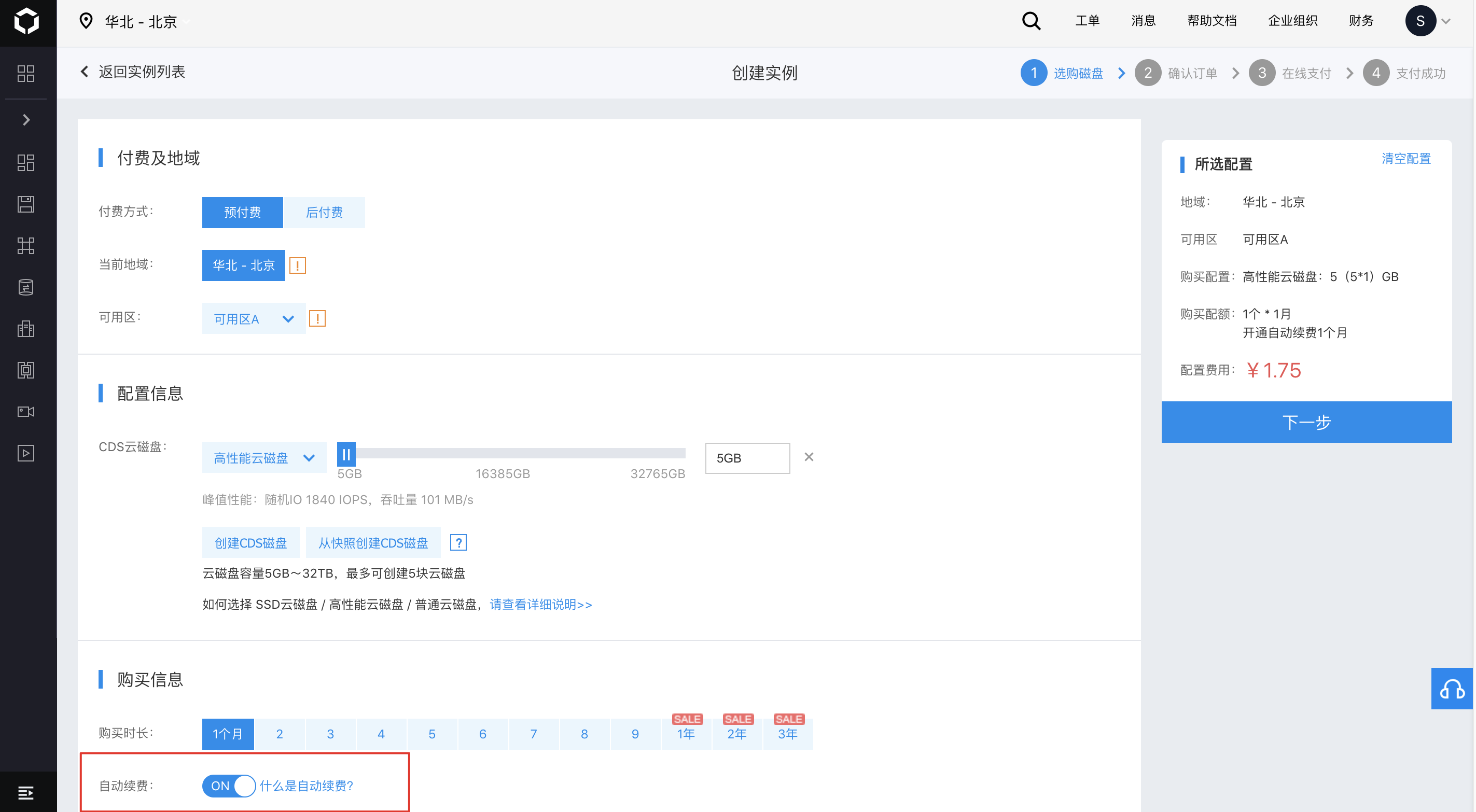
Auto-renewal
If Auto-renewal is enabled for an instance with attached disks, Subscription-type disks attached by default will also have Auto-renewal enabled automatically. If a Subscription-type disk is detached and later reattached to a BCC instance with Auto-renewal enabled, the disk will inherit the same Auto-renewal settings as the instance. The automatic renewal feature periodically renews your cloud resources by deducting fees automatically 7 days before the instance's expiration. Users will receive SMS and email notifications regarding the renewal success or failure.
Description:
- Ensure that your account balance is sufficient to enable the automatic renewal service;
- If automatic renewal fails due to insufficient account balance 7 days before expiration, the system will retry automatic deduction 3 days before expiration. If this deduction is successful, the auto-renewal for the current period is completed; if it fails again, a final attempt is made 1 day before expiration.
- After disk expiration, usage will be restricted. Resources are retained but not Auto-renewed; manual renewal is required;
- If you manually renew a resource during a period, automatic renewal will not take place.
Manual renewal
Manual renewal for subscription-type disks can be initiated at any time.
1. Enter the CDS Disk List page
To access the "CDS Disk List" page, navigate to "Product Services > Baidu Cloud Compute BCC > Disk.\
2. Renew
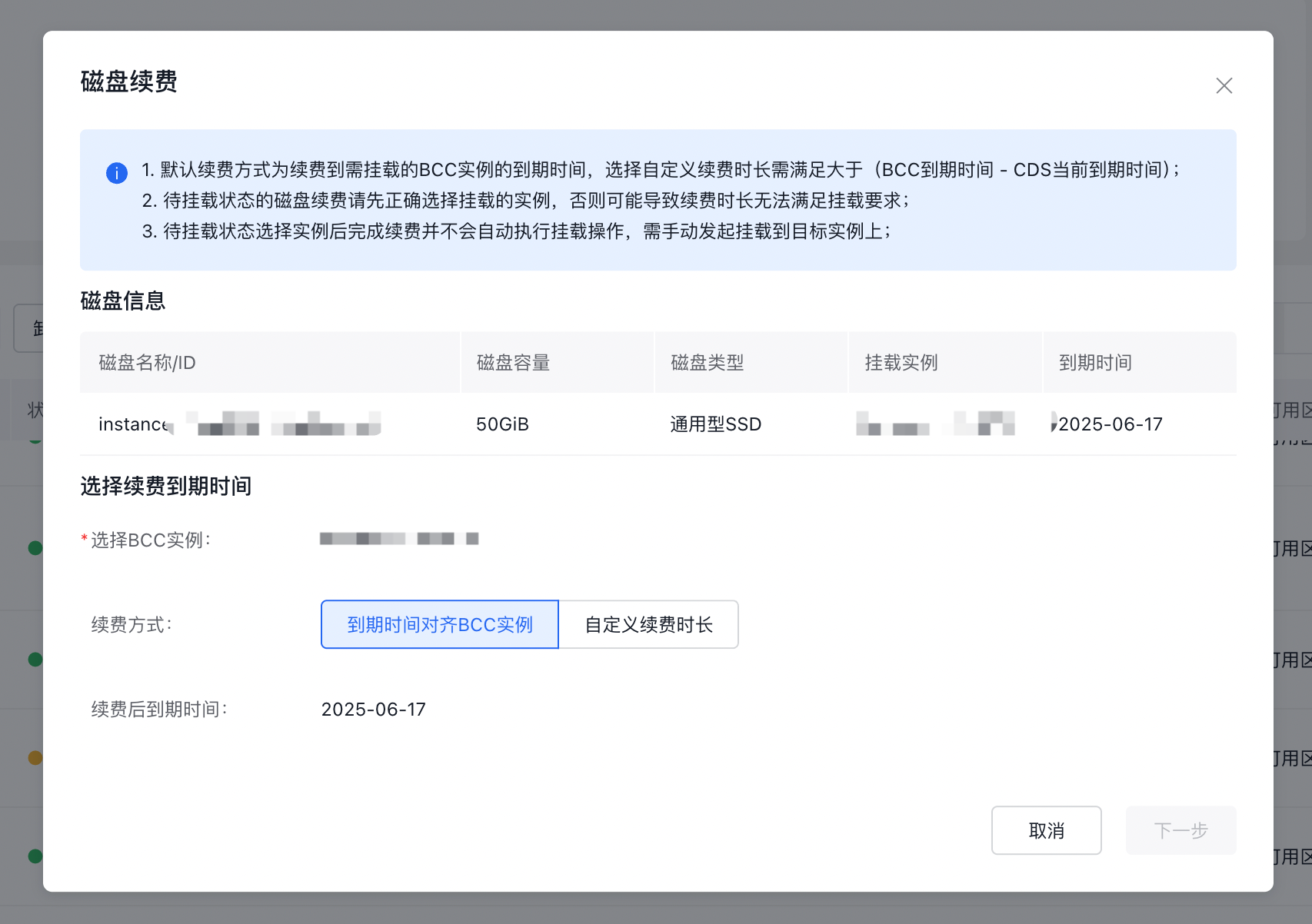
Choose the CDS disk you'd like to renew and click "Renew" to configure renewal settings. The default disk renewal policy is "Align Expire Time with BCC Instance," applicable when the disk's expiration is earlier than the BCC instance's expiration. Alternatively, you can opt for "Custom Renewal Duration," suitable when the disk's expiration matches or exceeds the BCC instance's expiration or when you'd like to benefit from extended duration by renewing for a full cycle.
Description:
- If you select "Custom Renewal Duration" for attached disks, the selected duration must be at least equal to (BCC instance expiration time - current time).
- You can also click on the CDS disk name to access its details page and proceed with renewal.