

Extend Disk Partition on Windows System Disk
Updated at:2025-11-03
Overview
This document uses Windows Server 2008 R2 x86_64 Chinese version as an example; other Windows versions are similar. If you have questions during partition expansion, contact us via Ticket.
Operation guide
Expand system partition
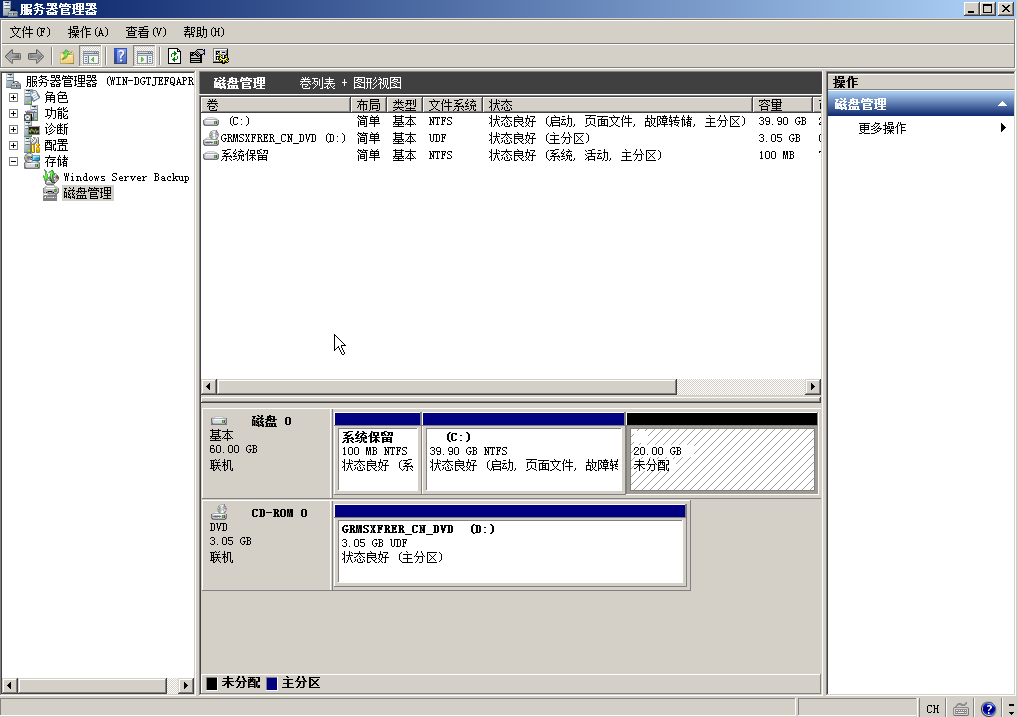
Let's assume the original system partition is 40G. Keep the data in the original partition and expand its size to 60G.
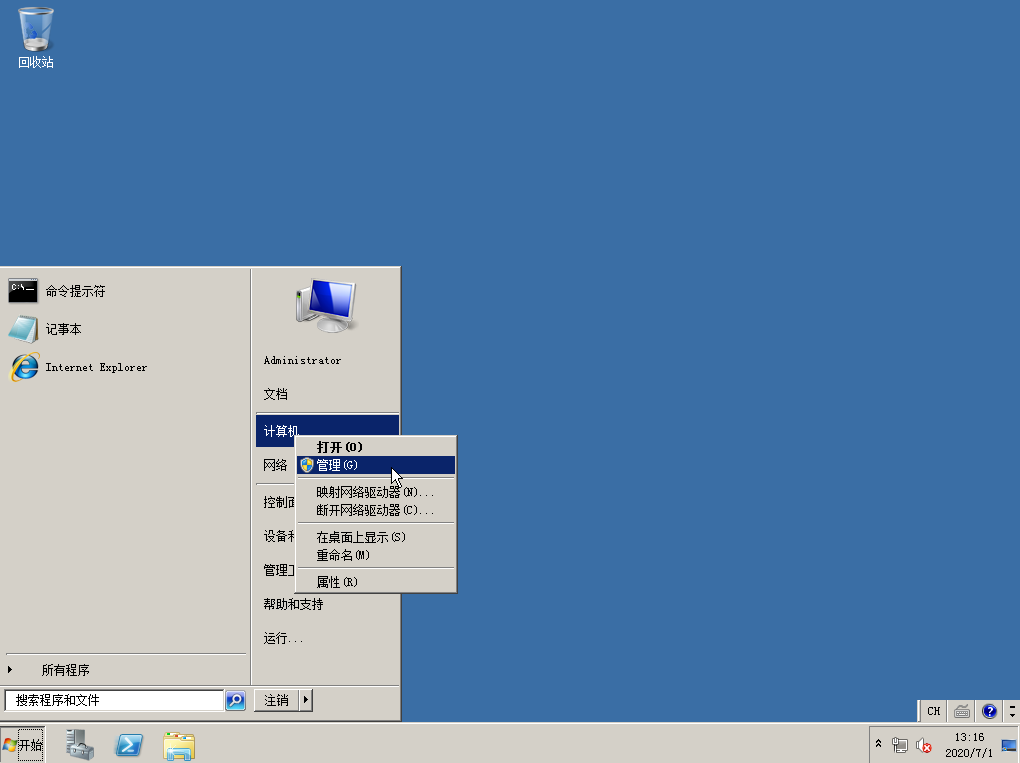
1. Sign in to the Windows host
After logging in, click Start and go to Management.
2. Select Storage > Disk Management from the left navigation bar
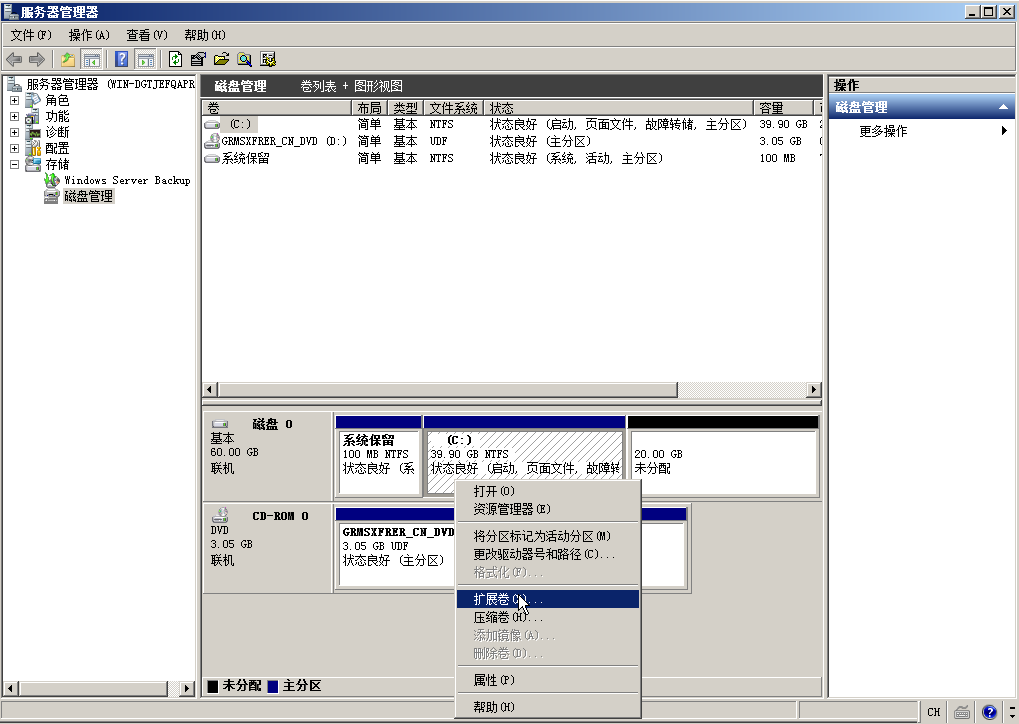
3. Expand volume
Right-click on the C drive and choose Expand Volume.
Description:
- Original data will not be lost
4. Next
In subsequent steps, simply click Next continuously to complete partition expansion.