Delete a snapshot
Updated at:2025-11-03
Overview
Baidu AI Cloud offers a free credit quota of 512 snapshots per Cloud Disk Server, including 256 Automatic Snapshots and 256 Manual Snapshots. When the snapshot credit quota is reached, outdated snapshots must be deleted.
Operation guide
1. Sign in to the Baidu AI Cloud
Sign in to Baidu AI Cloud official website.
- If you have not registered, you must first [register an account](UserGuide/Register an account.md#Register a Baidu Account).
- If you have already registered, directly Sign in.
2. Log in to BCC Console
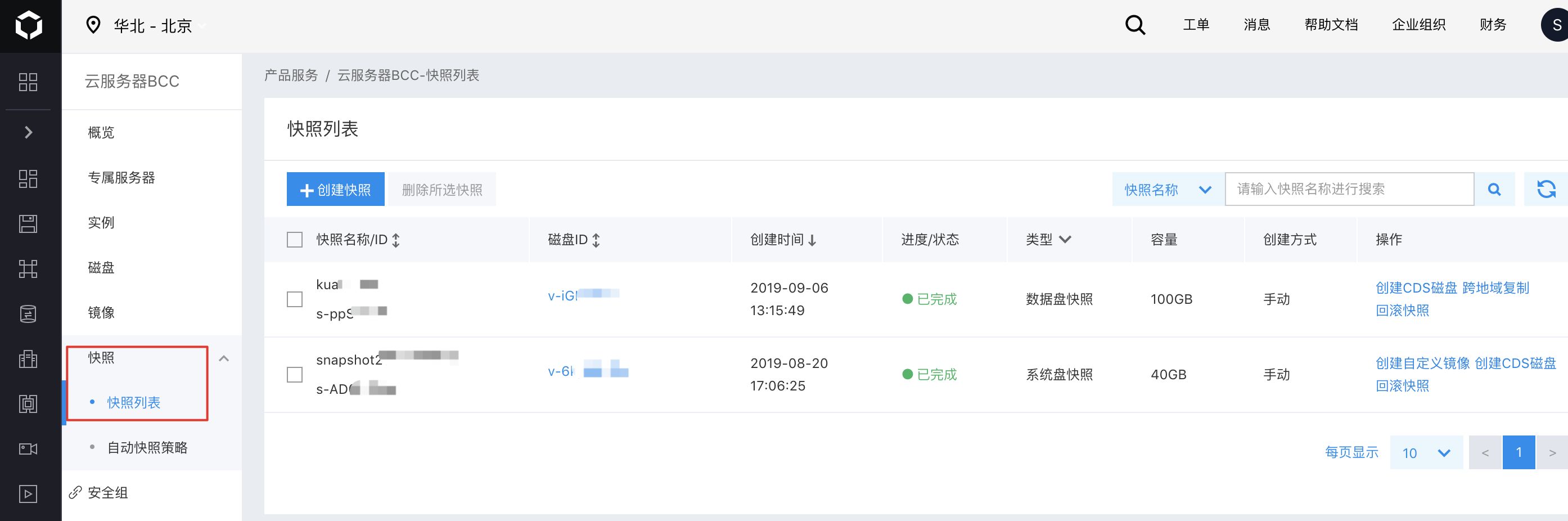
In the console, navigate to "Product Service" > "Baidu Cloud Compute (BCC)" in the left navigation bar to open the BCC Instance List page. Then click "Snapshot" on the left to access the Snapshot list page.
3. Delete snapshot
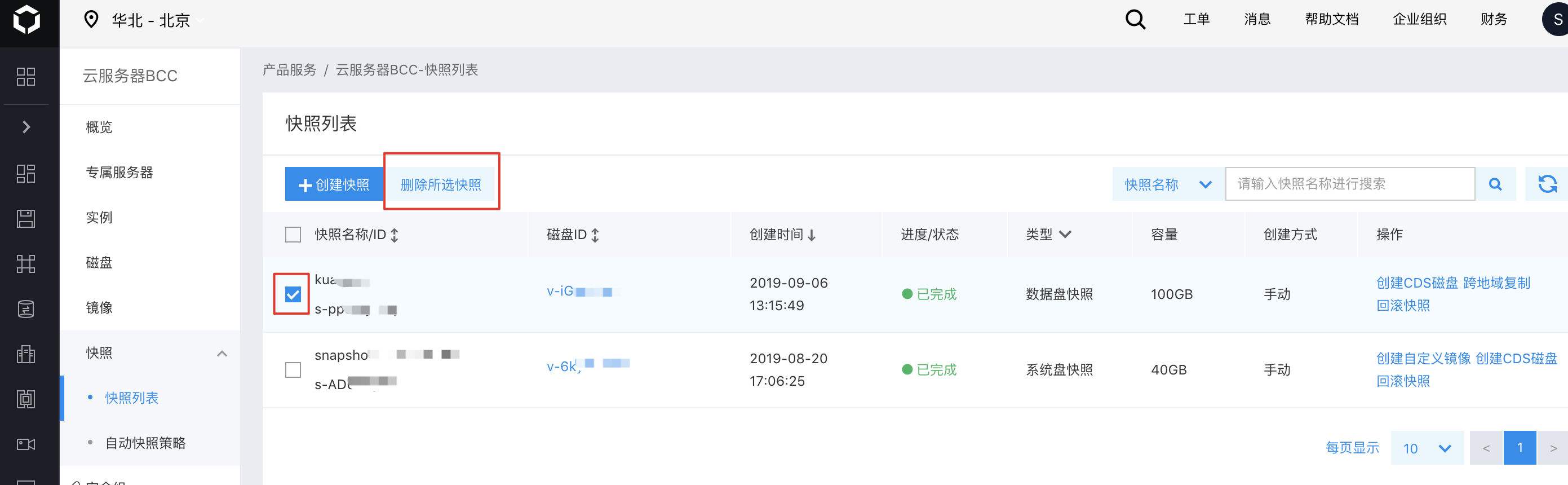
On the Snapshot list page, select one or multiple snapshots using the checkboxes, and click the "Delete Selected Snapshots" button to remove the chosen snapshots.