

Manage instant probe tasks
Updated at:2025-11-03
Create instant probe task
- Click on the "Site Monitor" and "Instant Probe" tabs in the left navigation bar to access the Site Task List page.
- Select the protocol type you want to initiate probe for and complete the form. For field definitions, refer to Timed Probe Task.
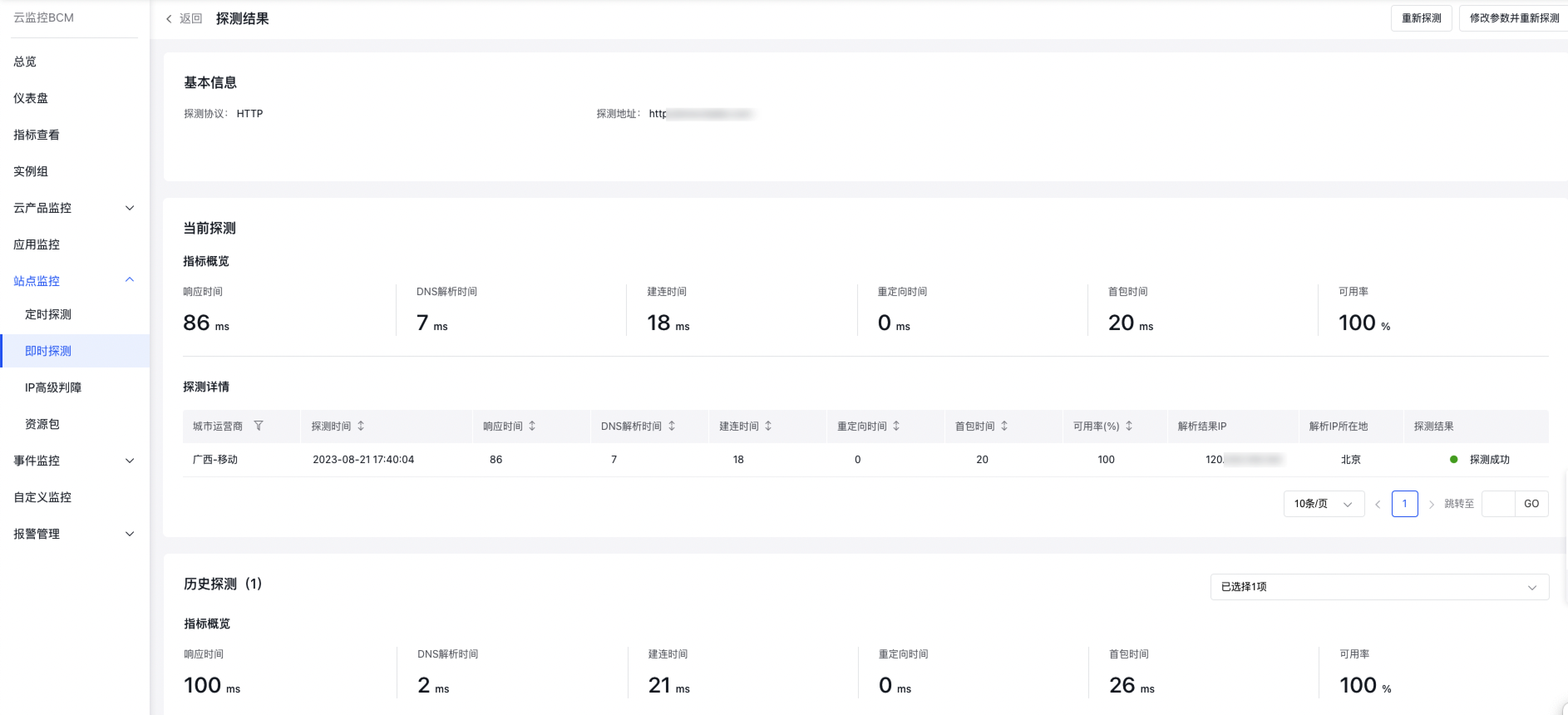
- After completing the configuration, click "Probe Now." Once successfully created, it will redirect to the Probe Result Details page, where results can be expected within 1-3 minutes. You can compare current probe results with historical ones.
Manage instant probe tasks
- Click on the "Site Monitor" and "Instant Probe" tabs in the left navigation bar to access the Site Task List page.
- Click on the "Historical Records" tab to view the Instant Probe Task List page.
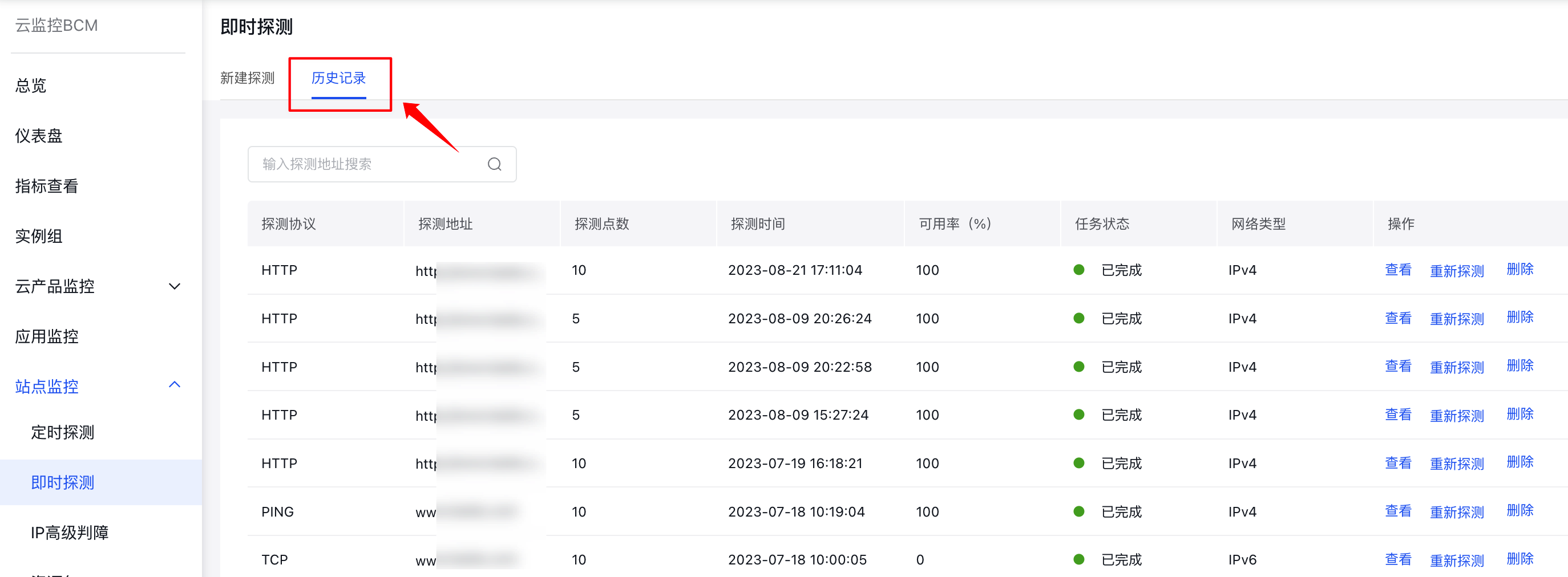
- You can view, re-probe, or delete tasks for efficient management.
Description:
- Re-probe: Click to re-probe the current task. The page will reload, and a new probe record will be added to the Historical Records List page.
- Modify parameters and re-probe: Click to access the Modify Parameters page, where all parameters from task creation will be preserved and can be adjusted, except for the probe protocol and probe address.