Event Delivery History
Updated at:2025-11-03
Event Delivery History
Function overview
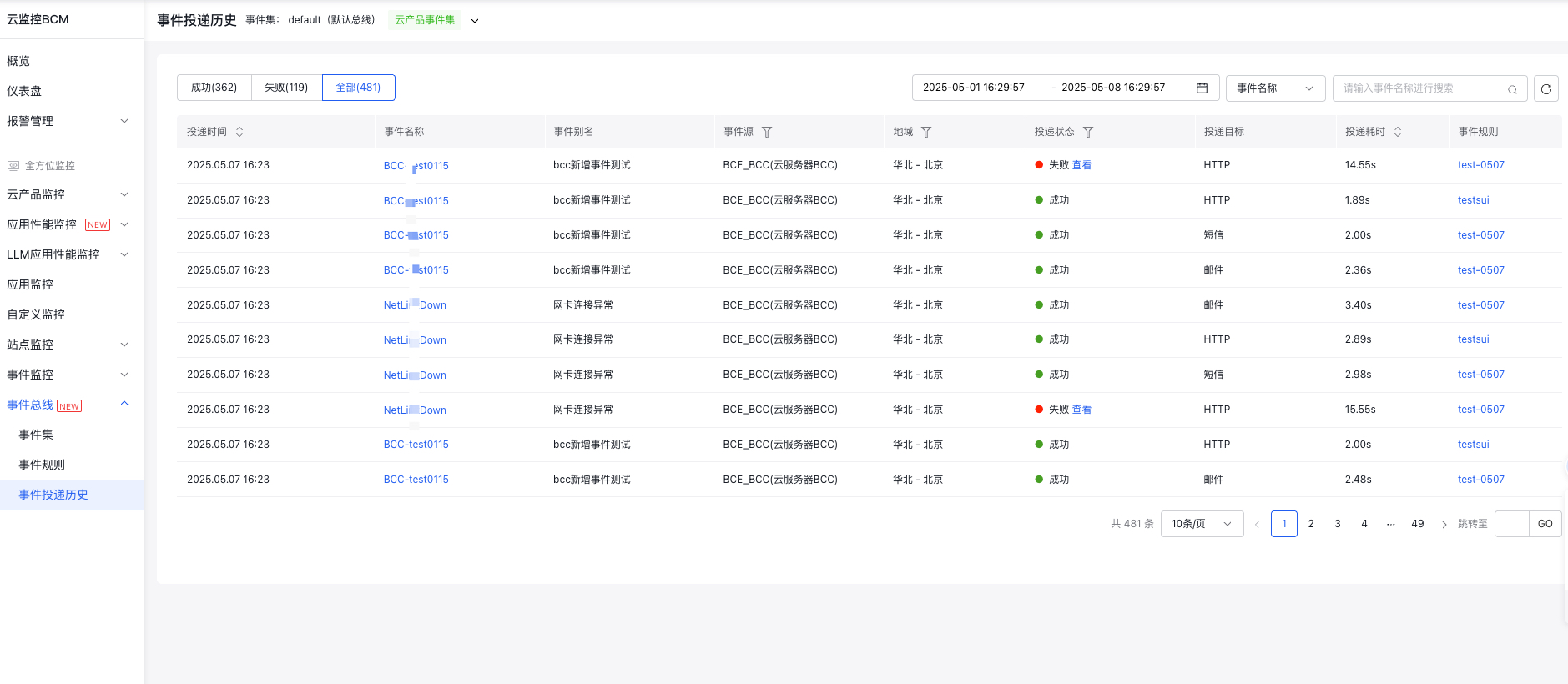
When event rules are triggered, you can filter delivery history by event source, delivery status, and other criteria on the Delivery History page.
View event delivery history
Log in to Baidu AI Cloud, navigate to Baidu Cloud Monitor (BCM), and click "Event Bus - Event Delivery History" in the left menu to access the Event Delivery History List page.
- You can sort by event delivery time and delivery latency, filter by event source and delivery status to view events of interest, and can also search for specific events
- Click View Specific Reasons for failed delivery events