Event Set
Overview
The event set is a collection of events that stores received event messages. The event bus offers cloud product event sets as well as custom event sets.
- Cloud product event set
It can receive various events that occur during the operation of cloud products, such as service fault, component exceptions, and performance degradation. Users can configure event rules for cloud product events in the event bus module or set event alarm strategies in the event alarm configuration of the alarm management. Currently support multiple cloud product events including Baidu Baremental Compute (BBC), Baidu Cloud Compute (BCC), dedicated gateway, physical dedicated line, MapReduce BMR, and Cloud Container Engine (CCE). For details, refer to: Cloud Product Event List.
- Custom event set
Custom event set must be created and managed independently to receive events from your applications or service events. Events from your own applications can only be published to custom event sets.
Note: Custom events under the original Custom Monitor - Custom Scope have been migrated to Event Bus - Custom Event Set. Modify historical events in the event bus.
The usage workflow for custom events is as follows:
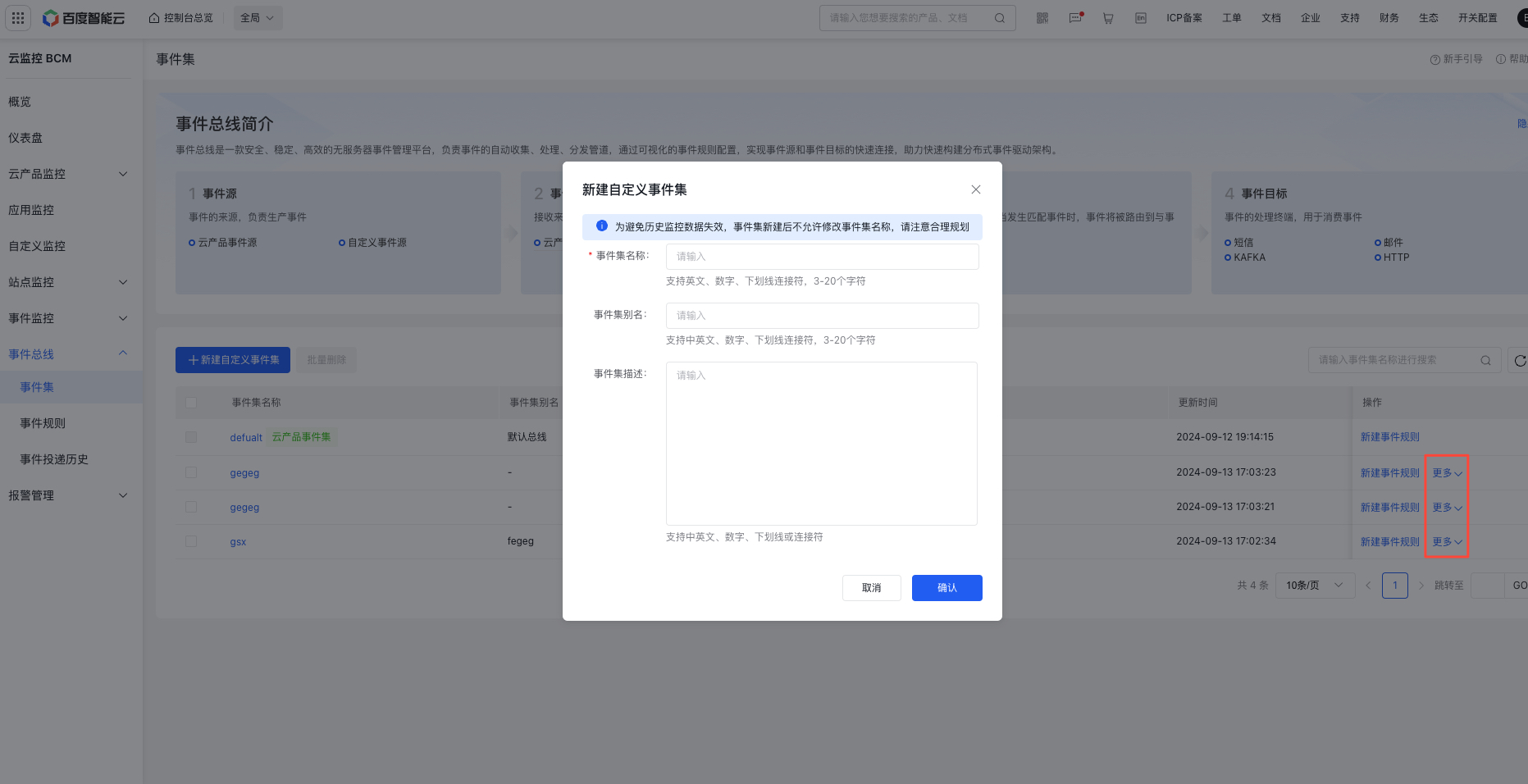
- Create a custom event set in the event bus
- Add custom event sources and monitor events
-
Push data via the event bus API. For details, see: Push Event Data Via Event Bus .
Note: The custom event push API provided in the original custom scope only supports pushing historical events. For newly created events in event bus custom event sets, please use the new event push API for pushing
- Click Event Bus - Event Set - Event Set Details to view pushed custom events
- For custom events, configure event rules in event bus or set event alarm strategies in the event monitor module of alarm management
Event set list
- The default of the cloud product event set is system-generated and cannot be modified
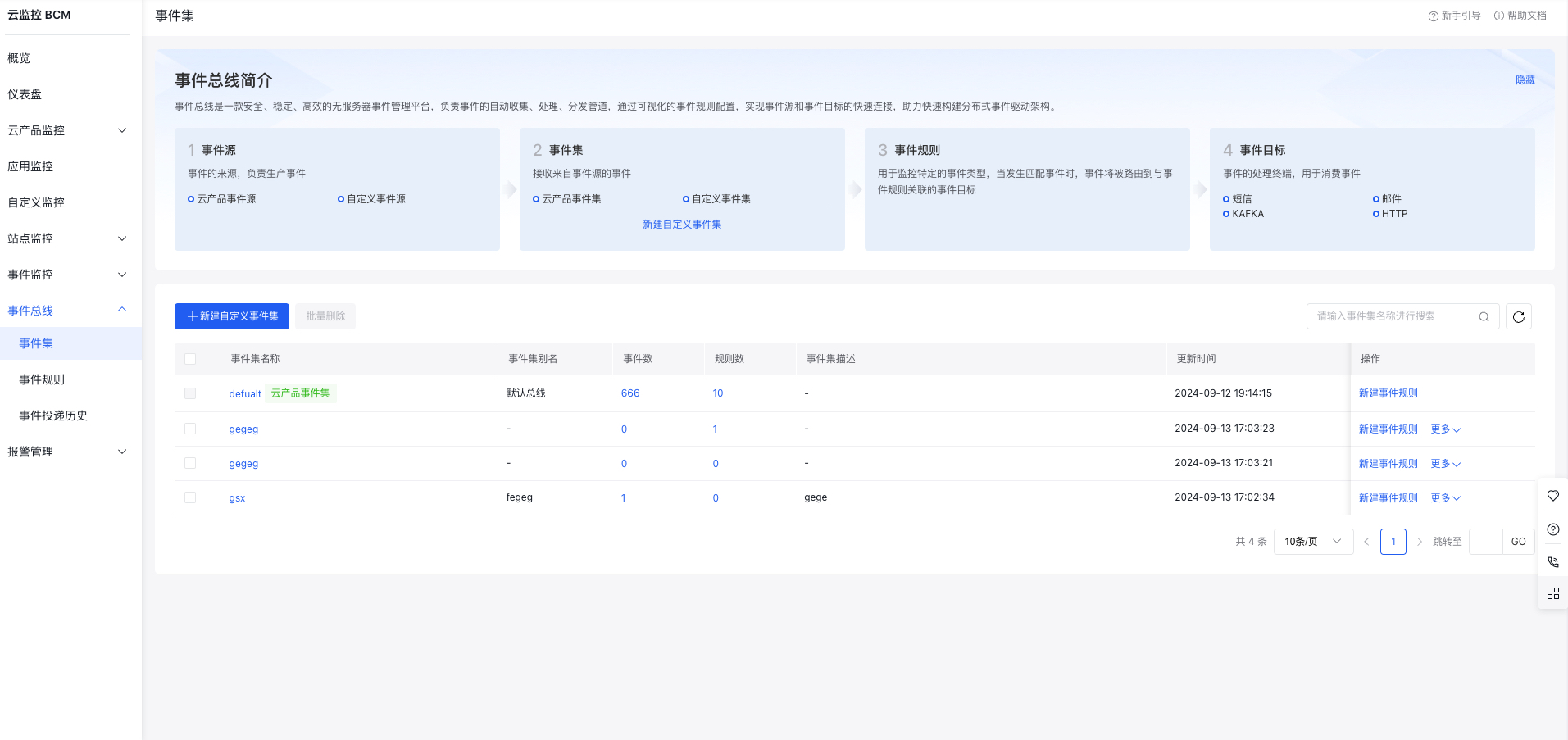
- Support creating custom event sets, which can be edited, modified, or deleted
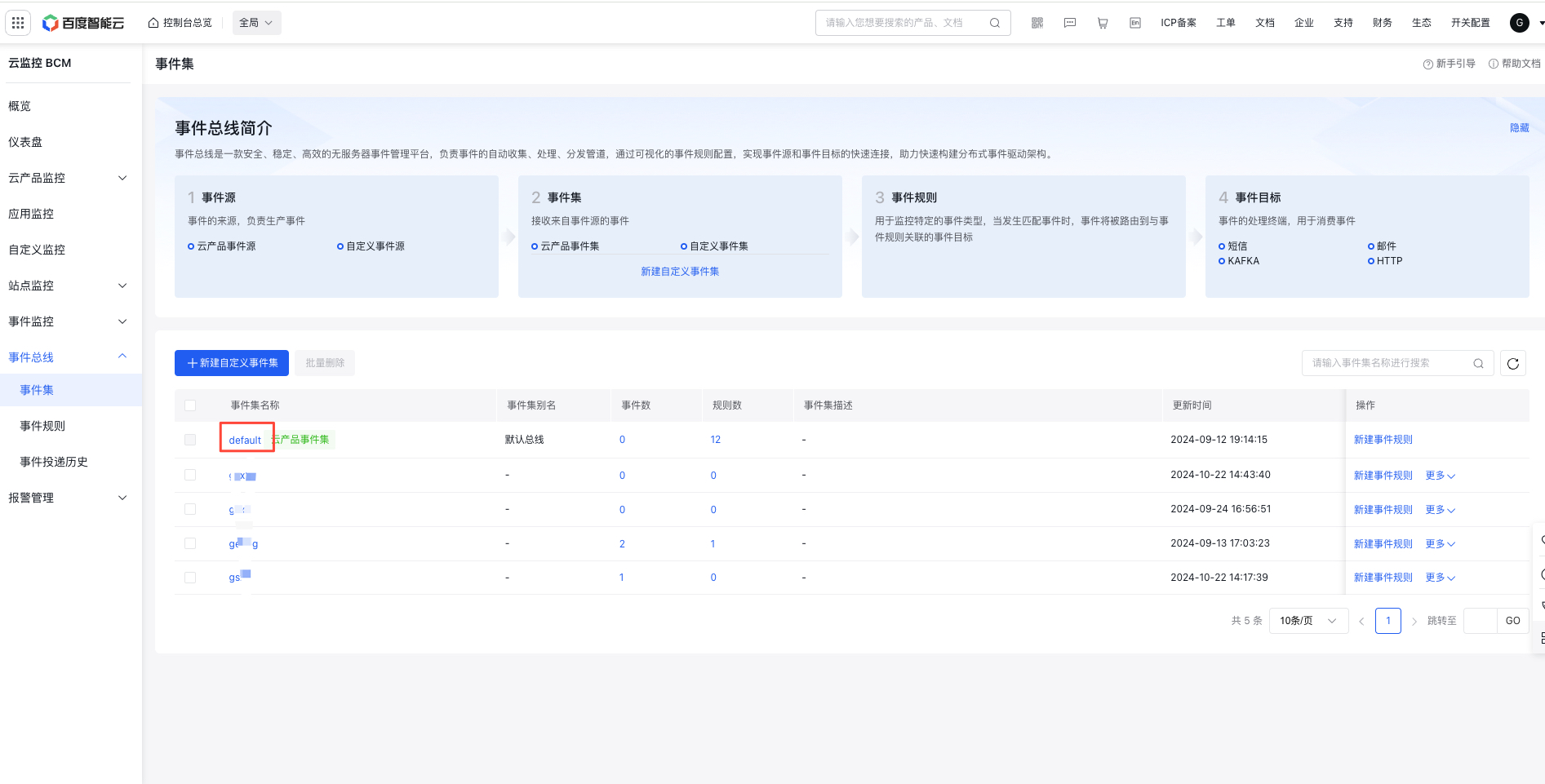
Event set details
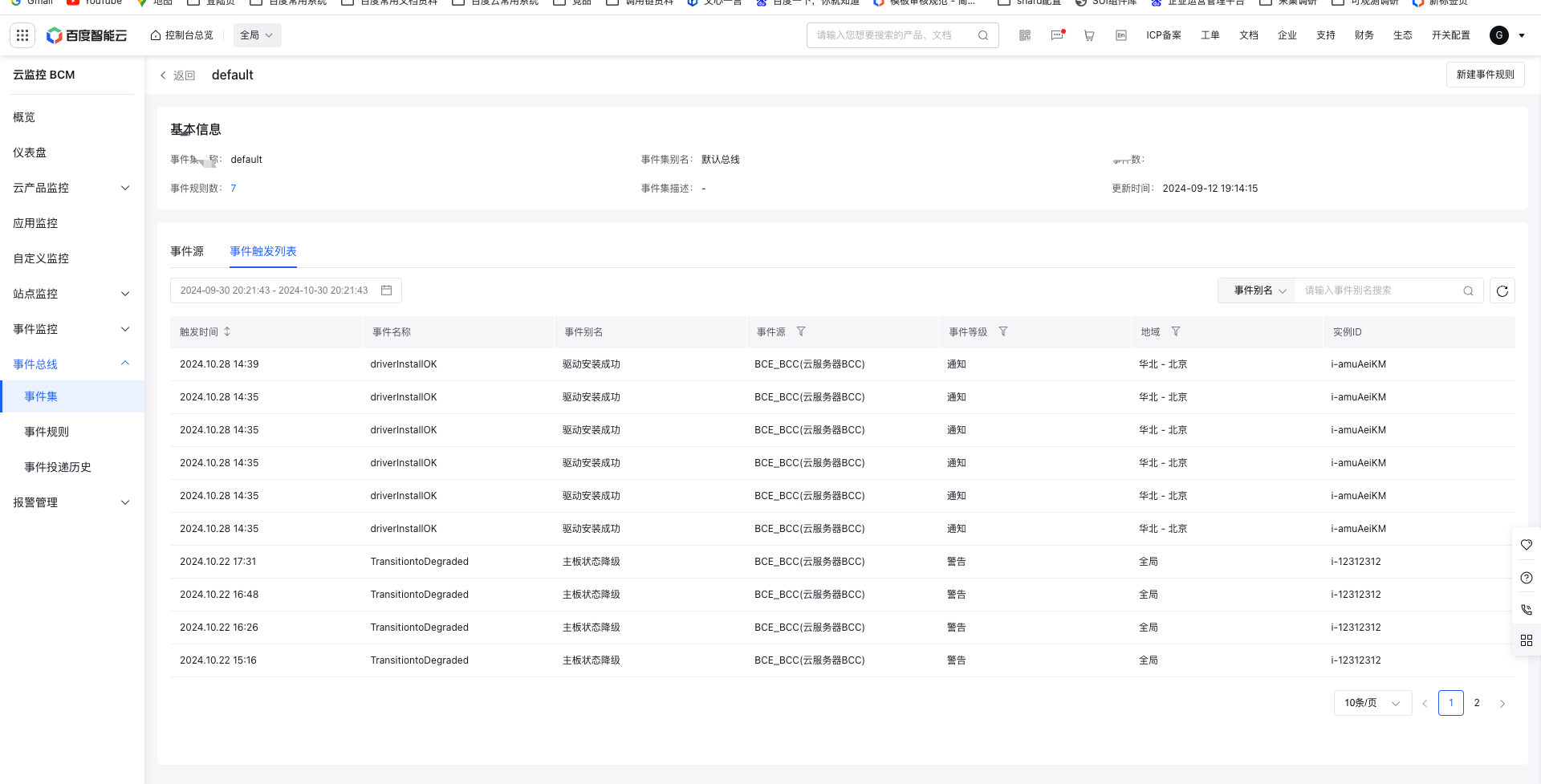
Click the event set name to access the event set details page, which displays basic details of event set, event sources, event lists, and historical triggered event lists
Event sources and event list
Event sources and event list
Click the event source tab and the event source list is displayed in the left, while the event list corresponding to the selected event source is displayed in the right. Cloud product event sources and events are generated by default and cannot be edited or deleted. Custom event sources and events can be edited or deleted
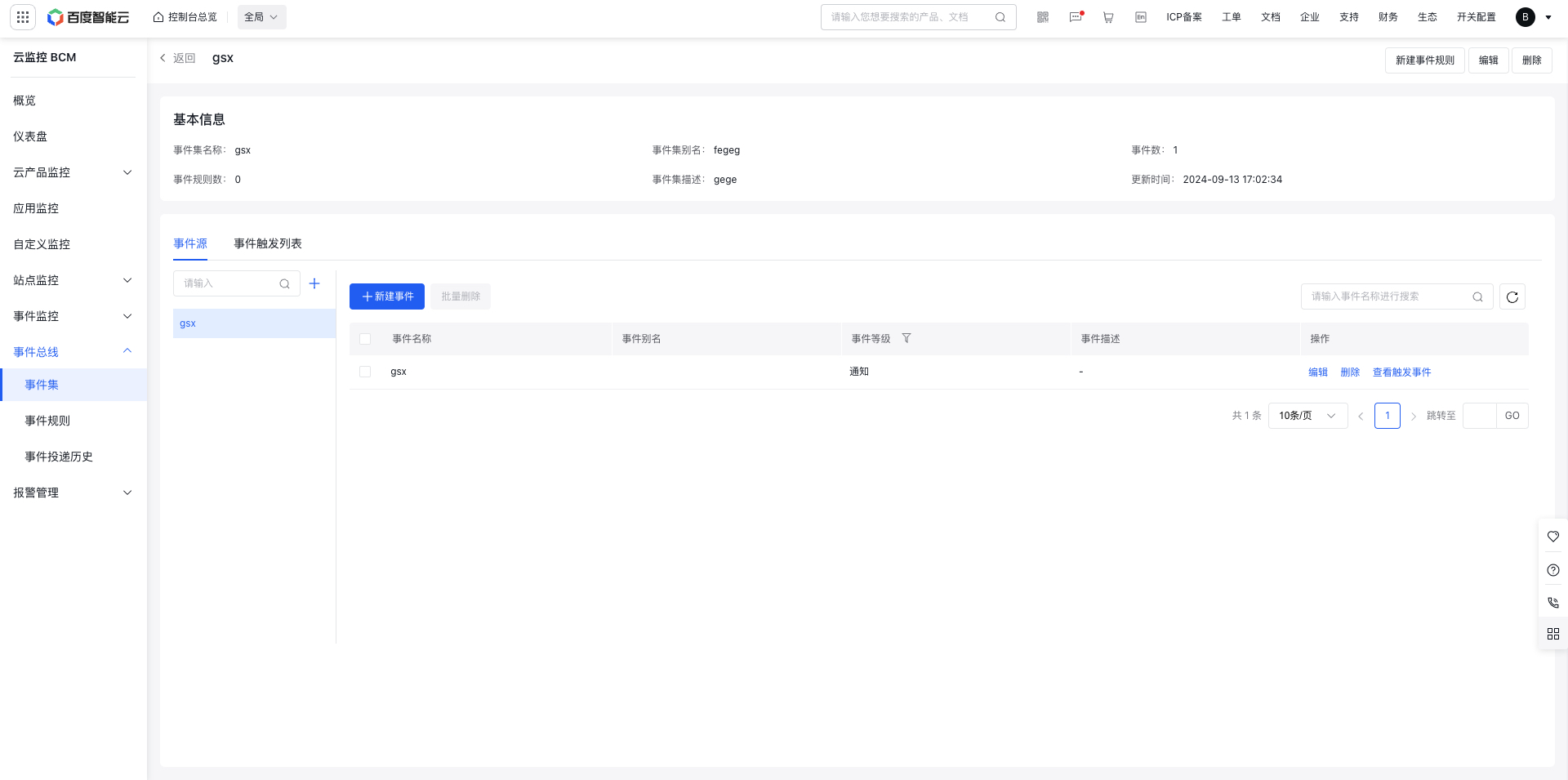
}New custom event source and event
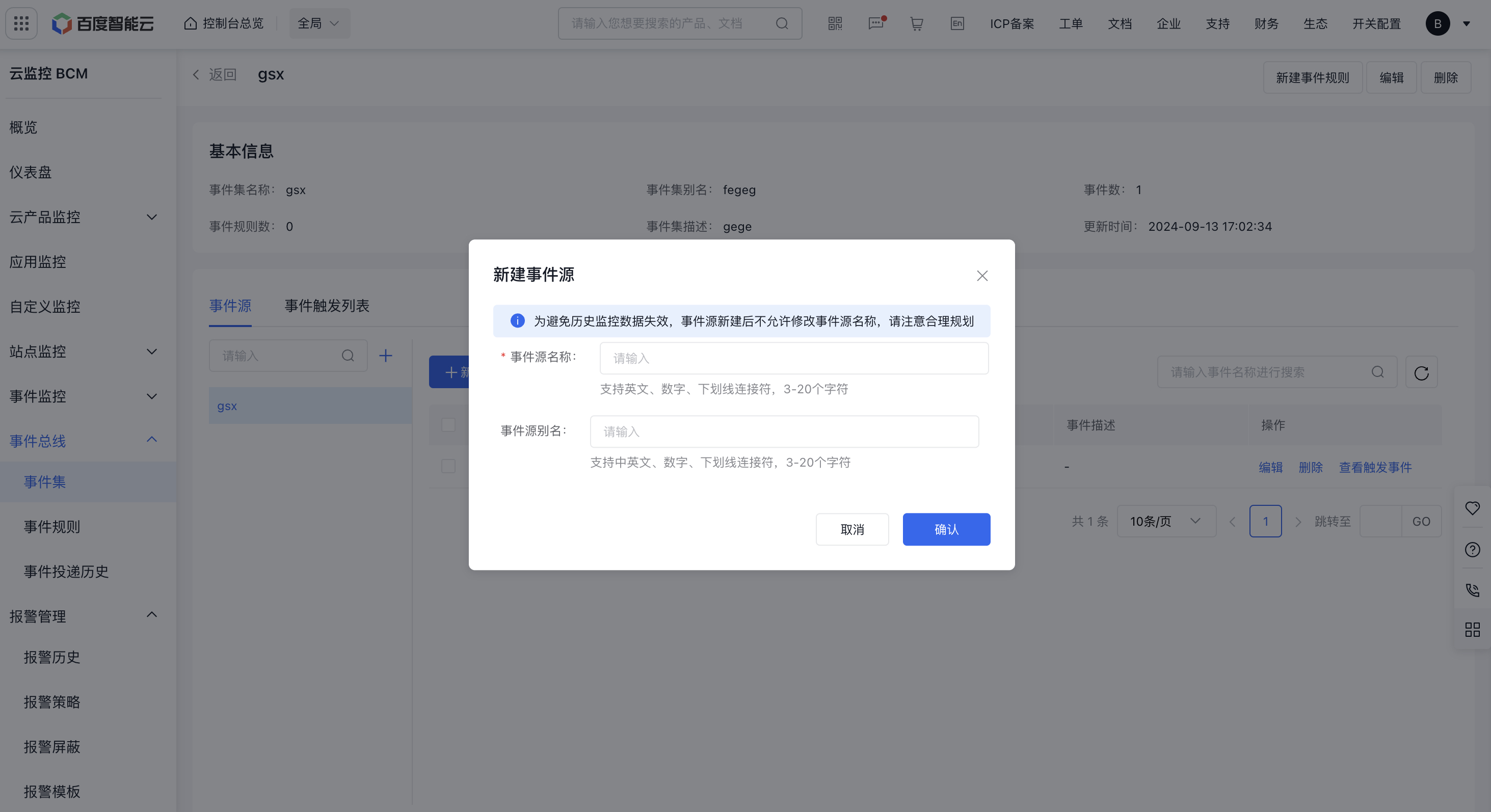
Click New Event Source, complete the information, so that an event source is successfully registered!
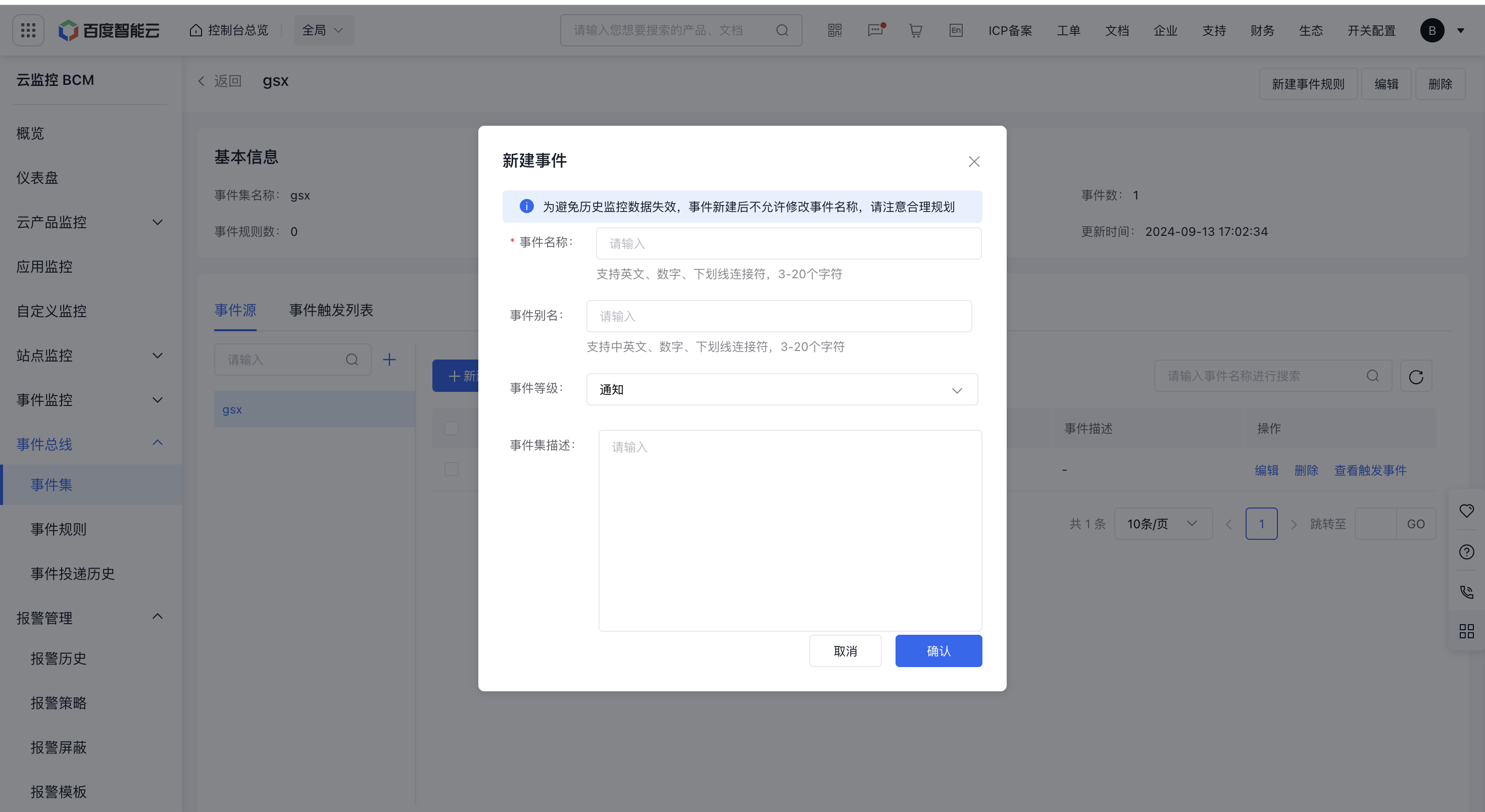
Click New Event and fill in the relevant information, and then the event is successfully registered. After completing the event information configuration, you can view all events in the event list. For event pushing, refer to API: Event Bus Push Event Data
View historical trigger events
Click the Trigger History tab to view historical event triggers
- At the top of the list, you can filter triggered events by event level, event source, and region
- At the top right of the list, you can adjust the time span to search events by their occurrence time, or filter by event name, alias and cloud product instance ID