

Alarm Template
Updated at:2025-11-03
Function overview
The Alarm Template feature under Baidu Cloud Monitor provides predefined alarm rules for efficient reuse in subsequent alarm strategies. It enhances the batch creation of alarm rules for single or multiple resources within the same cloud service. The alarm template includes recommended rules based on the metrics of each cloud service and allows the creation of custom rules.
Add notification template
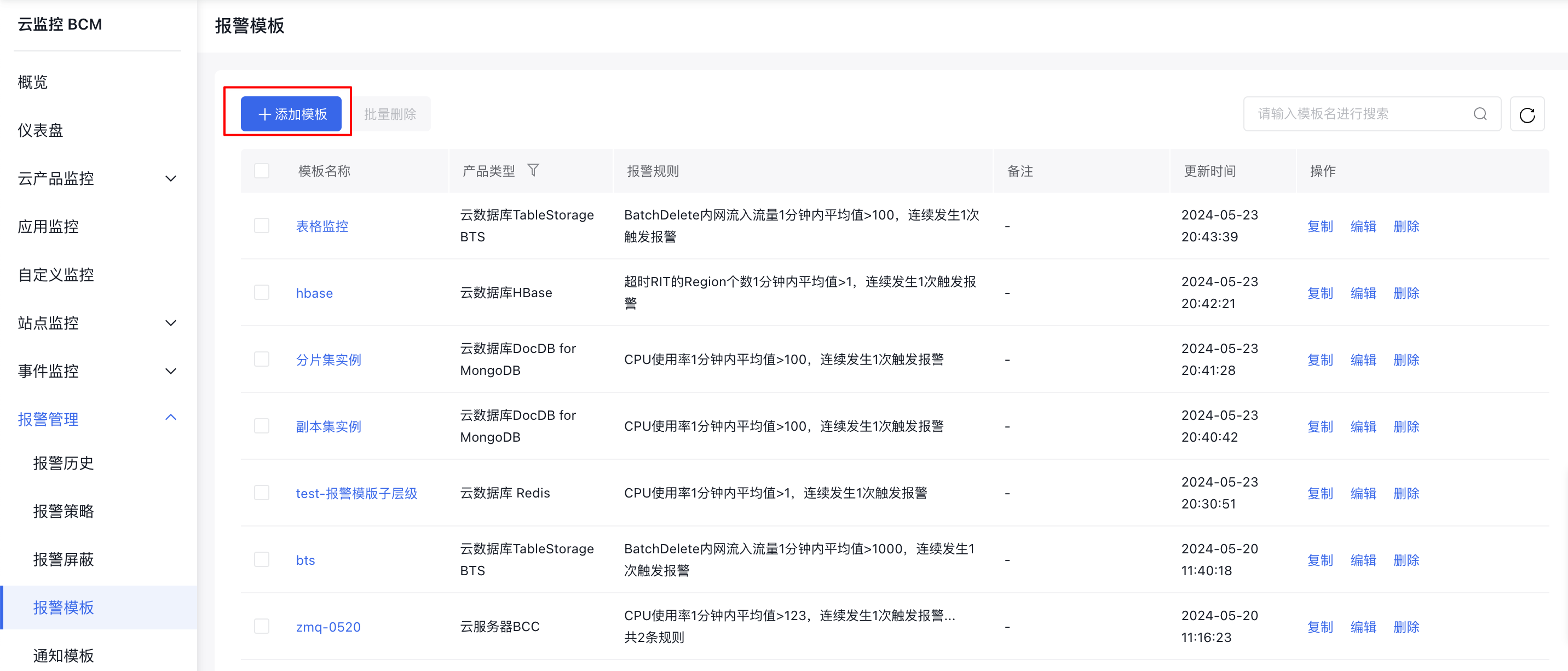
- Log in to Baidu AI Cloud, select Baidu Cloud Monitor (BCM), and navigate to Alarm Management in the left navigation bar to access the Alarm Template page.
- Click Add Template to access the Add Template interface.
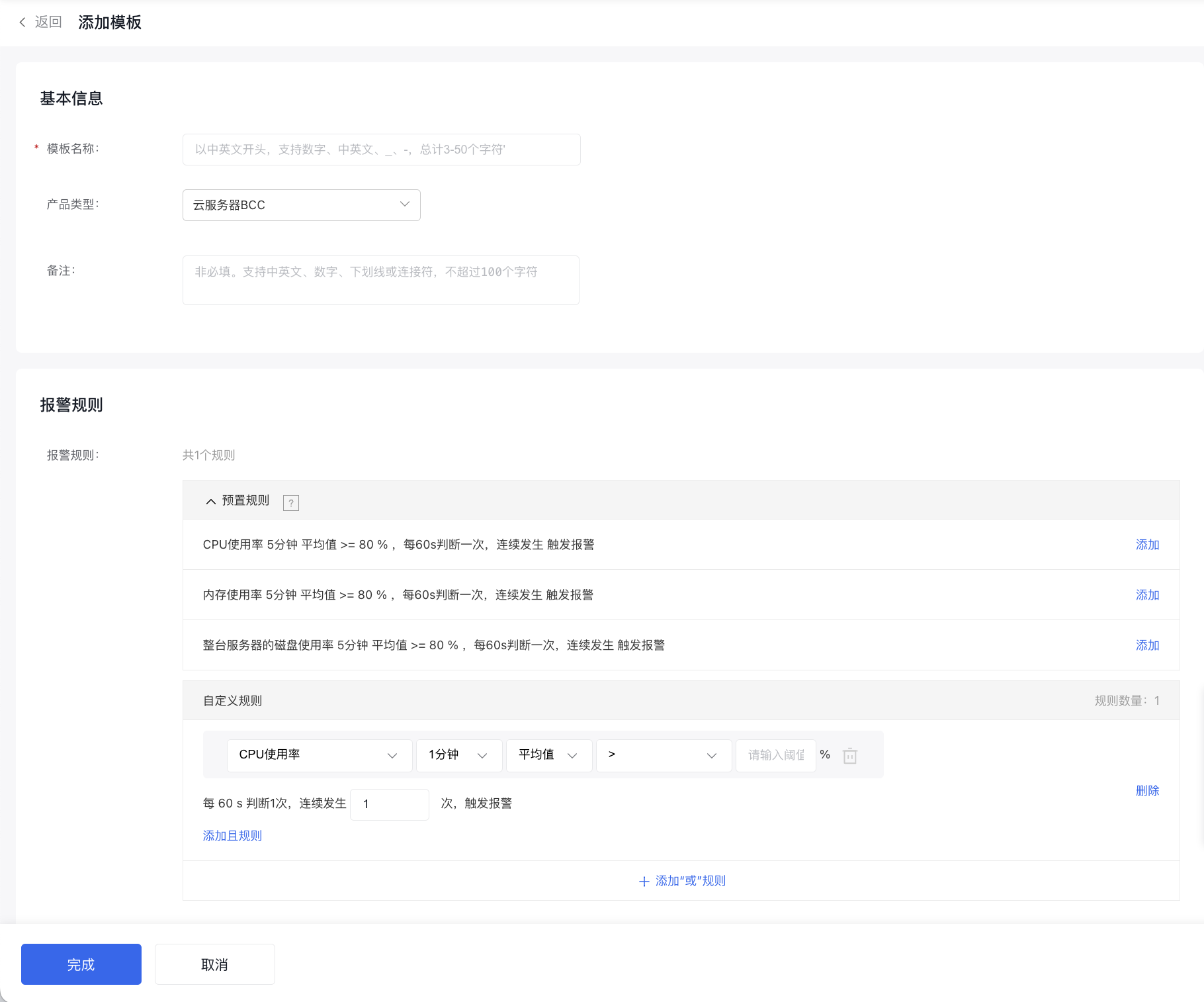
- On the Add Template page, create a unique alarm template while ensuring no duplication in template names.
Configuration items
Alarm rules in the alarm template are divided into two parts: “Preset Rules” and “Custom Rules”.
- Preset rules: Based on the experience of setting high-frequency metrics across cloud services, “Preset Rules” are provided to enable users to refer to them and to improve the creation efficiency when creating alarm templates. Note: The alarm rules in preset rules are for reference only. You can flexibly reuse them as needed. Click the Add button, and the corresponding rule will be automatically merged into the Custom Rules list as a custom rule, supporting editing and deletion.
- Custom rules: Define alarm rules based on specific user requirements.
View alarm templates
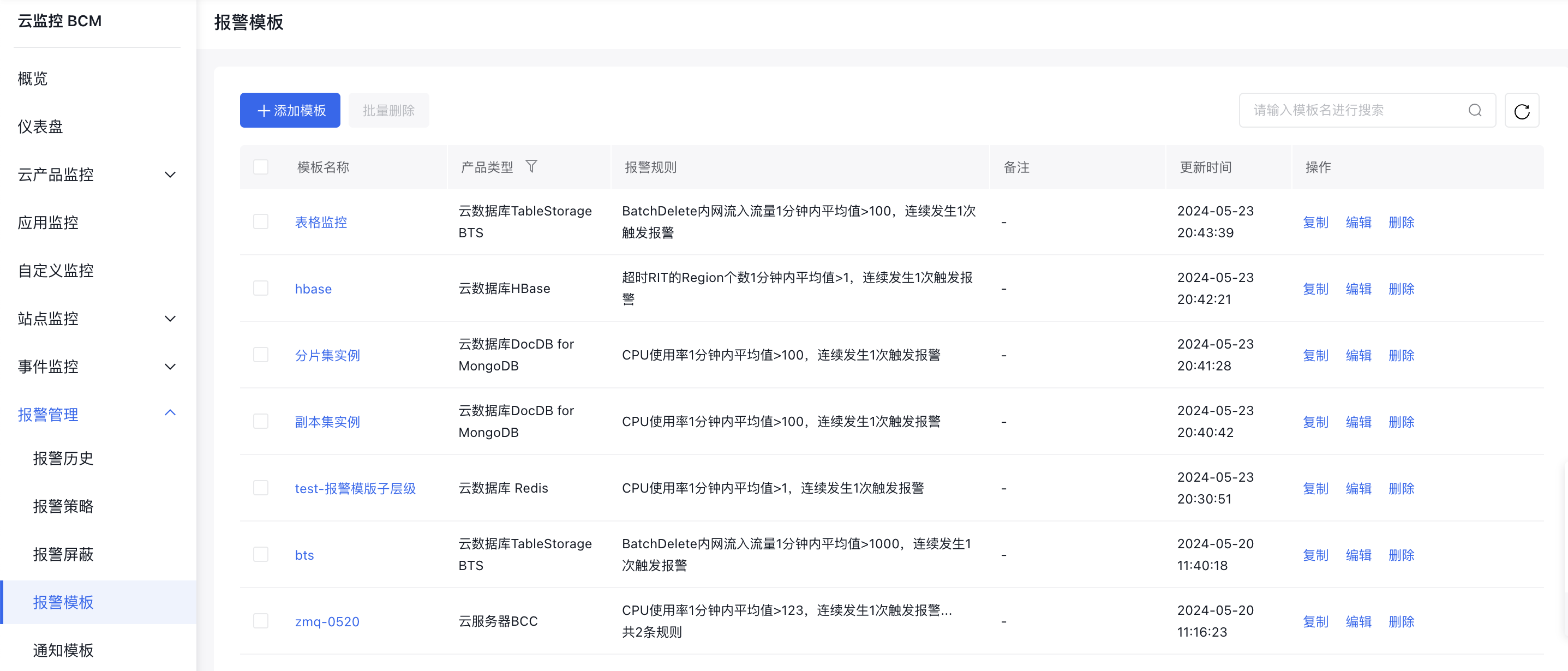
- Log in to Baidu AI Cloud, select Baidu Cloud Monitor (BCM), and navigate to Alarm Management in the left navigation bar to access the Alarm Template page.
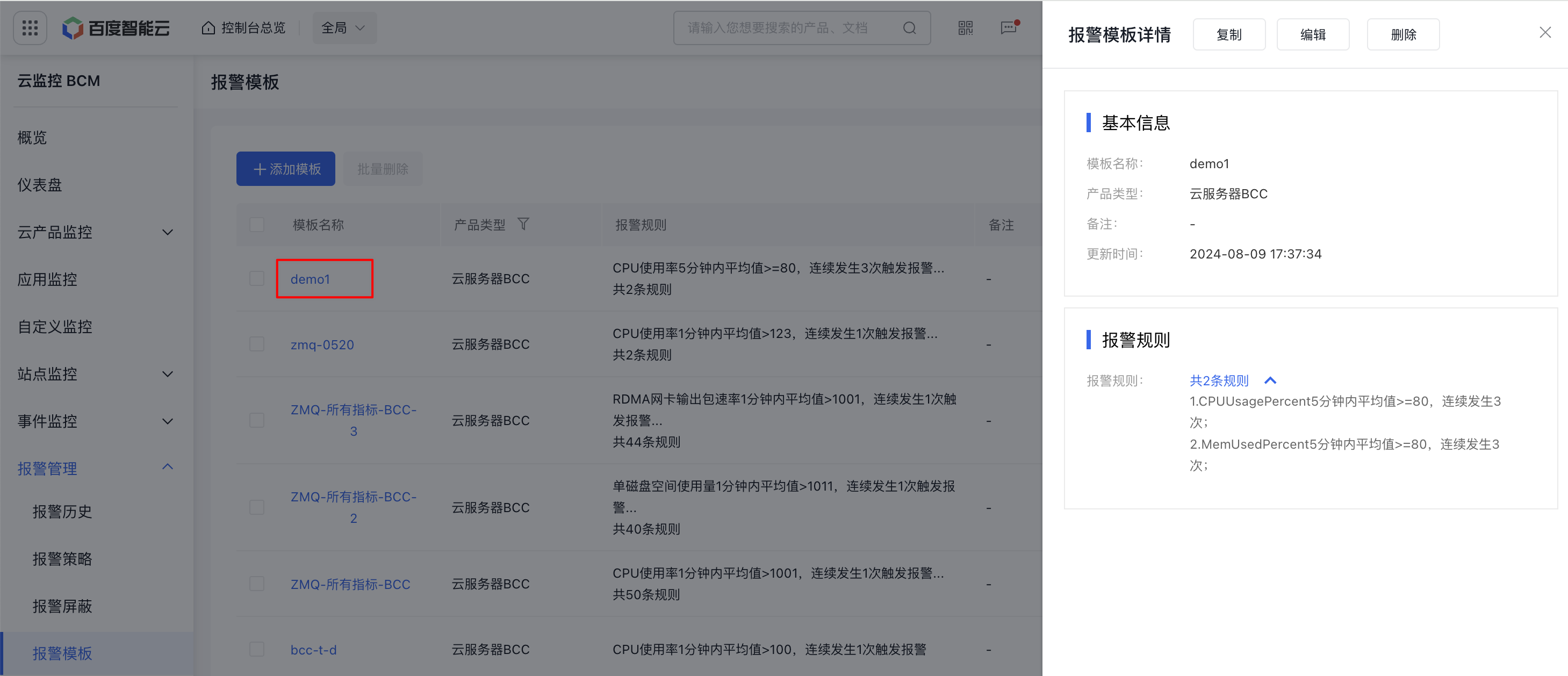
- Click on the template name to view details of the notification template.
Edit/copy/delete alarm template
- Log in to Baidu AI Cloud, go to Baidu Cloud Monitor (BCM), and click Alarm Management and Alarm Strategy on the left sidebar to access the Alarm Strategy List page.
- Use the Copy, Edit, and Delete buttons to perform individual operations such as copying, editing, or deleting an alarm strategy. By selecting the checkbox next to a strategy, you can perform batch actions like deleting alarm rules. On the Edit Template page, you can modify the alarm template. All fields are editable except the product type.
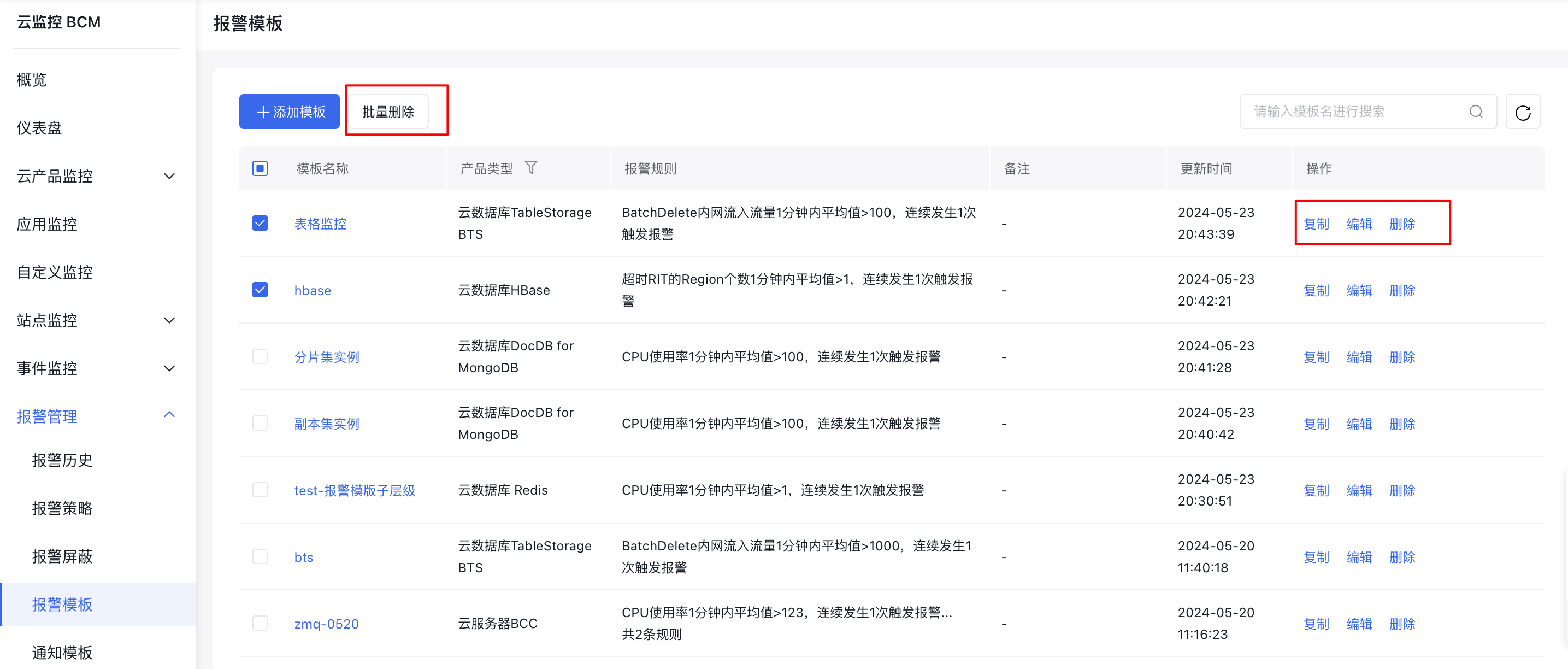
Use alarm template
After creating a alarm template, it can be used in two ways
- When creating an Alarm Strategy under the Cloud Product Monitor module, you may select an Alarm Template.
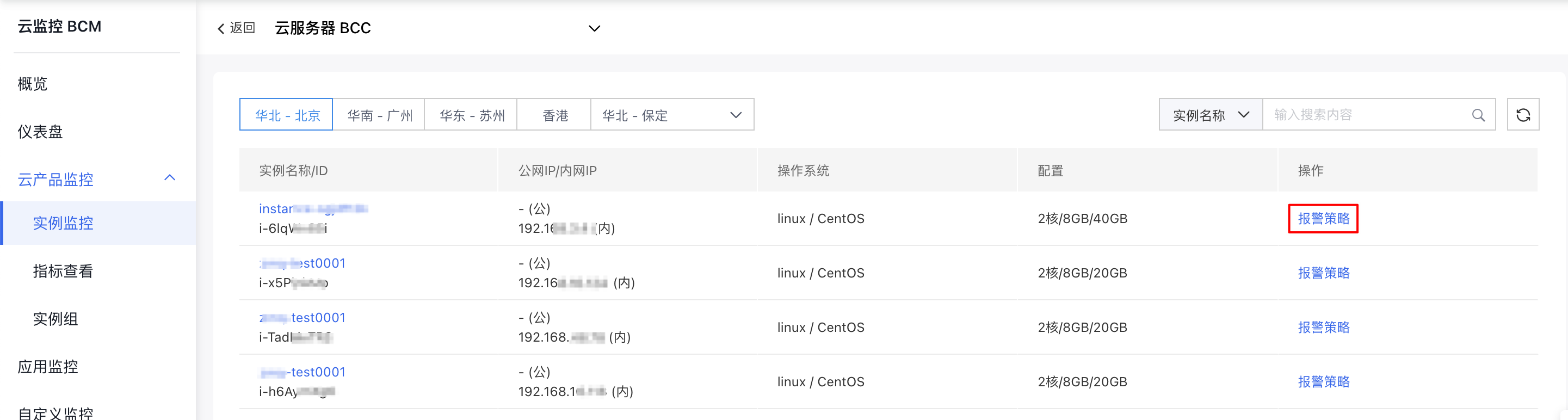
- After logging in to the Baidu Cloud Monitor (BCM) console, navigate to Cloud Product Monitor - Instance Monitor to enter the Instance List page. Then, click Add Strategy to create an alarm strategy. If you choose Baidu Cloud Compute (BCC), click on an instance, followed by Add Strategy in the Alarm Strategy module.
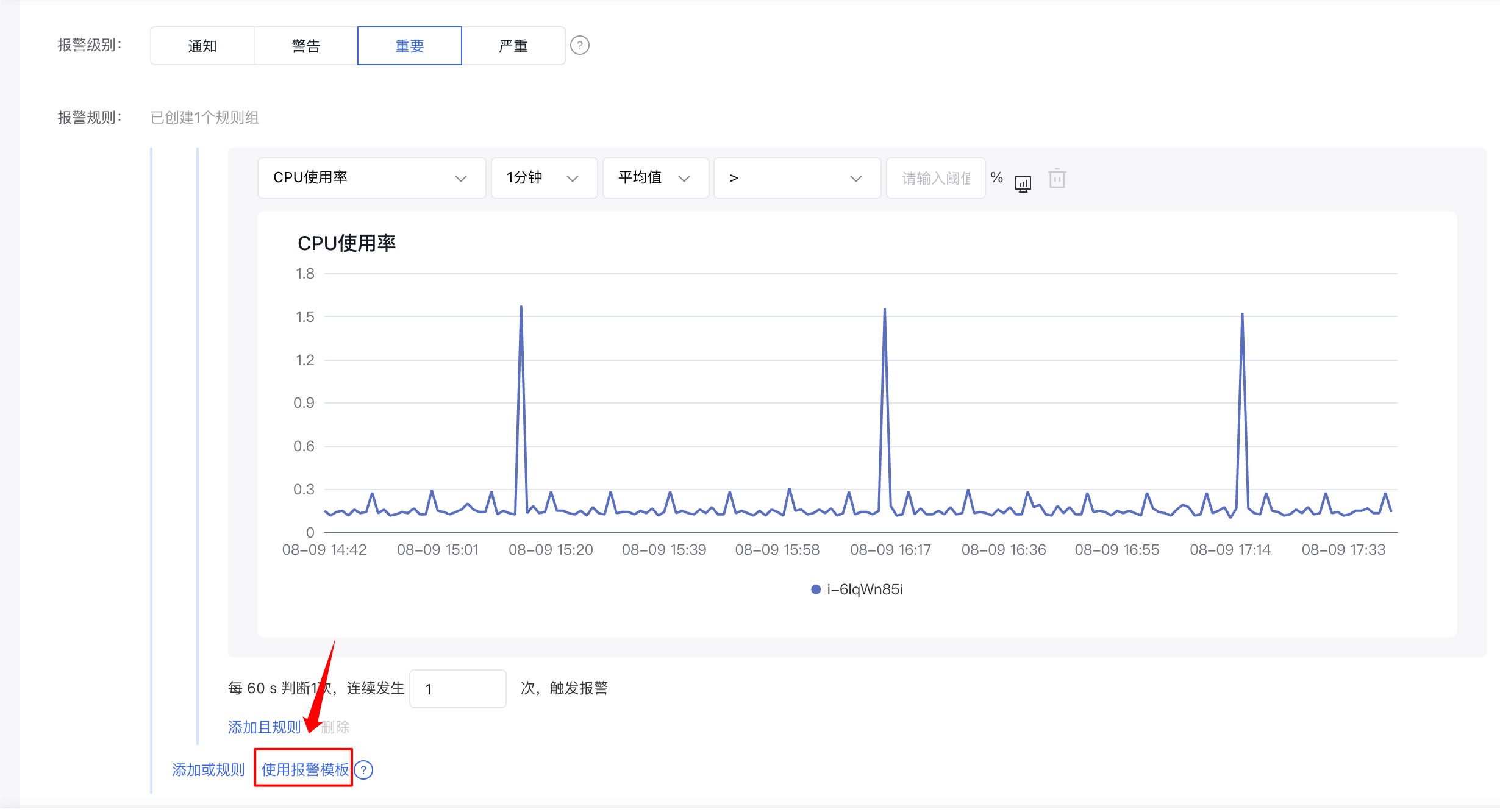
- Go to the Create Alarm Strategy page and select Use Alarm Template in the alarm rule section.
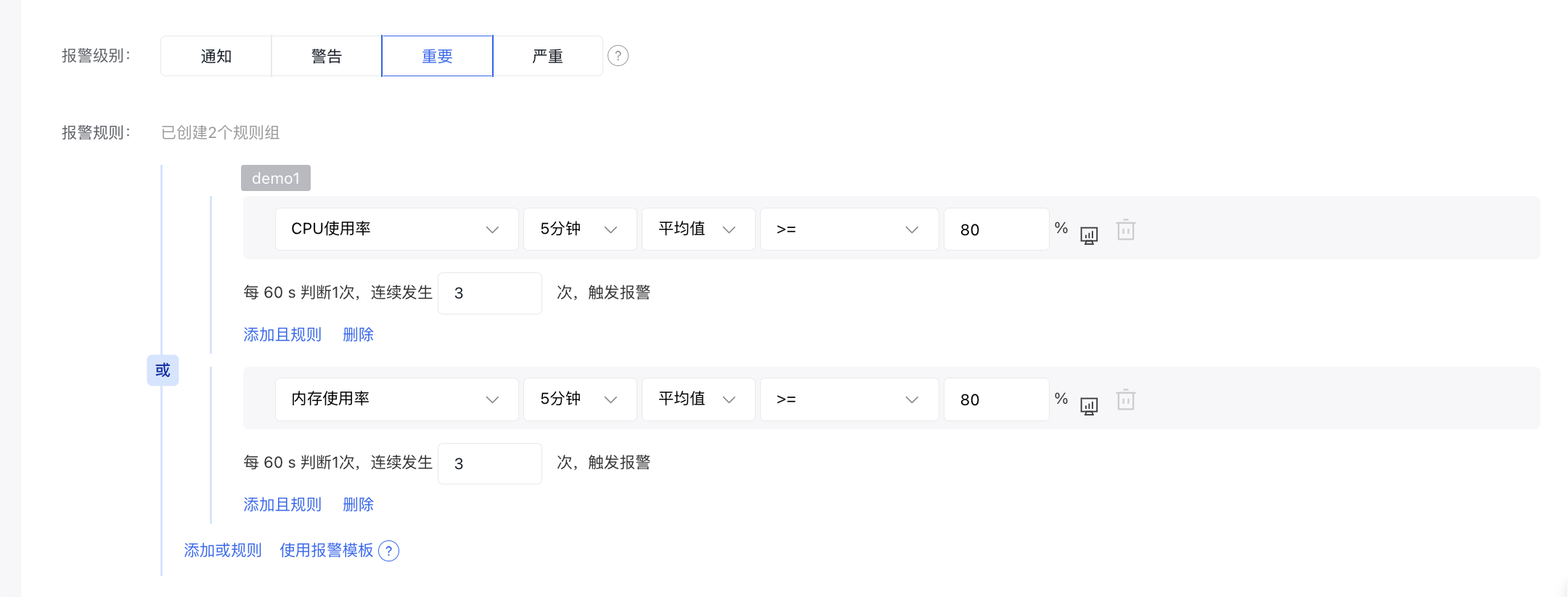
- To use an alarm template, only the rules from the selected template will be copied, allowing you to edit or delete them. Any updates to the alarm template will not impact alarm strategies that already utilize the template.
- Add strategies under the Alarm Management - Alarm Strategy module. At present, only the Metric Alarm section in Cloud Product Monitor supports the use of alarm templates.
- Once signed in to the Baidu Cloud Monitor (BCM) console, go to Alarm Management - Alarm Strategy to access the Alarm Strategy List page. Currently, only metric-based alarm strategies under Cloud Product Monitor support the alarm template feature.
- After arriving at the Create Alarm Strategy page, select the cloud product type to create an alarm strategy. Within the alarm rules section, you can opt for preset alarm templates, though these are not enabled by default.
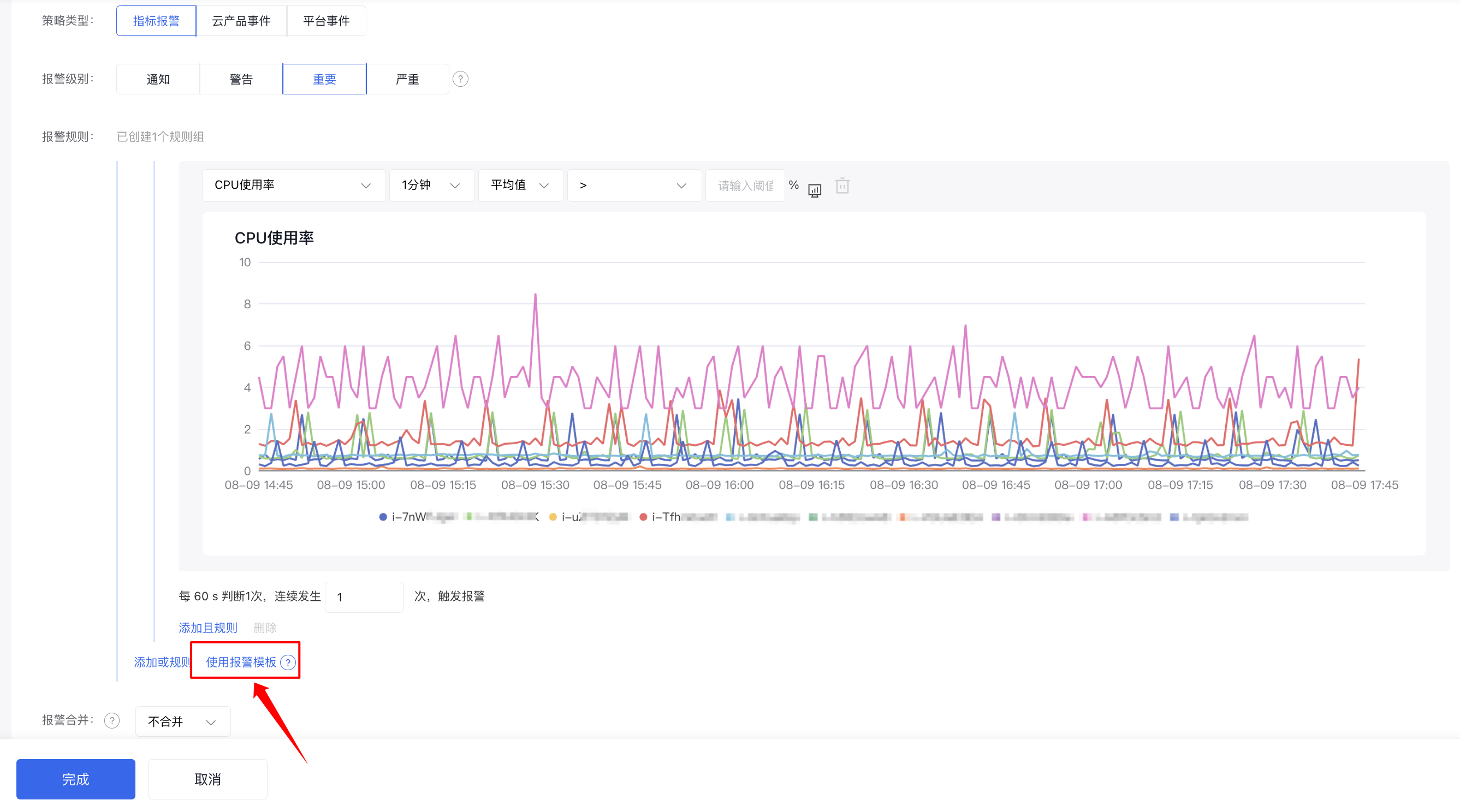
- To use an alarm template, only the rules from the chosen template will be copied, allowing support for editing and deletion. Updates to the alarm template will not influence alarm strategies already employing the template. Additionally, the alarm template list supports real-time synchronization via the refresh option.