Event Rules
Overview
Event rules are the core functionality of the event bus, designed primarily for event filtering and extraction. Multiple event rules can be configured for each event set, and each rule can have multiple event targets. When conditions of a rule are met, events are pushed to the designated event targets.
Prerequisites
Use cloud product event sets directly or created custom event sets
Event rule list
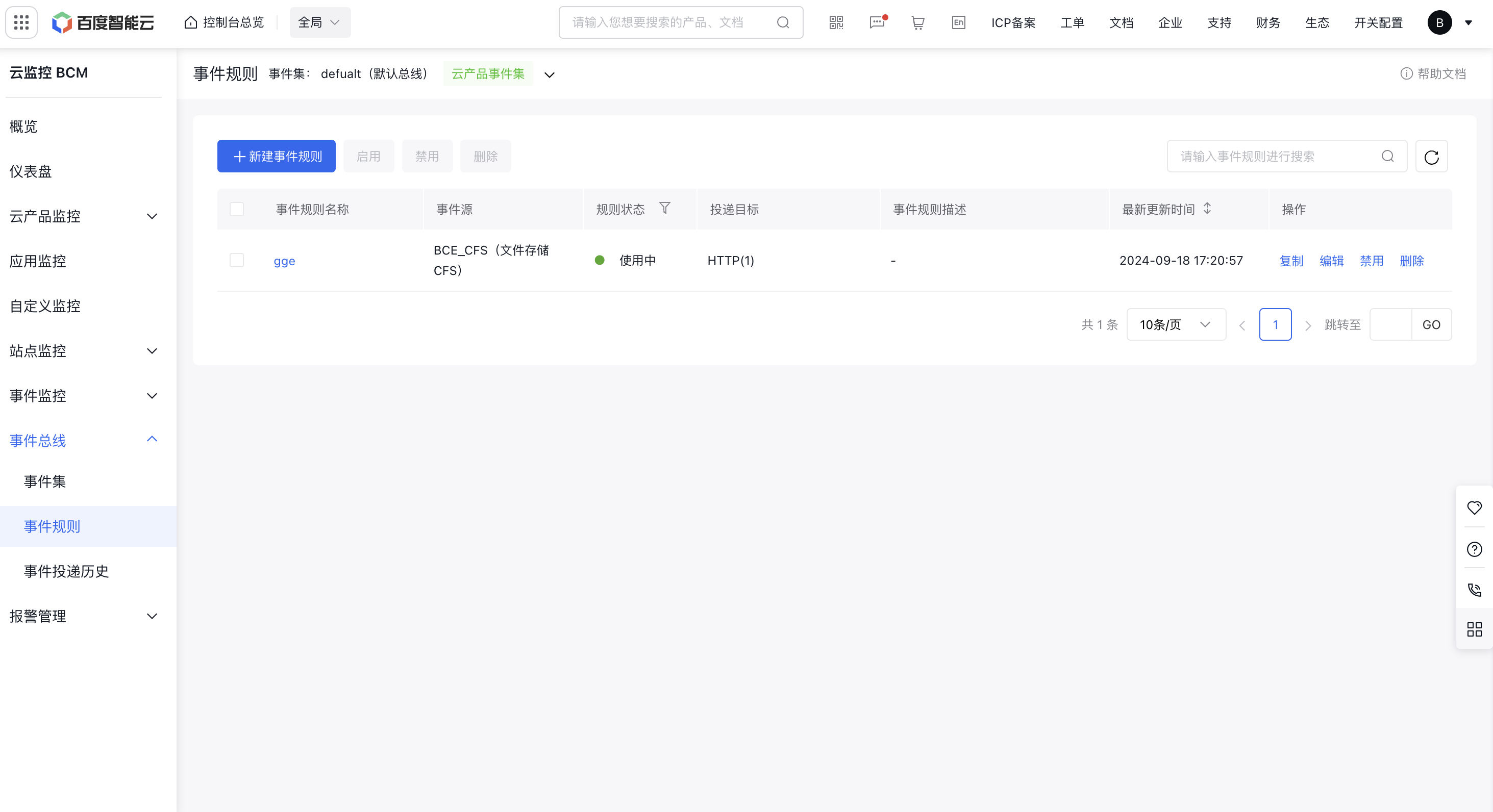
- Access Baidu Cloud Monitor platform, click Event Bus - Event Rules to access the event rules module
- The event rules list for the selected event set is displayed below. The event set can be switched in the upper left corner, and can be copied, edited, disabled, deleted, etc.
Event rules configuration
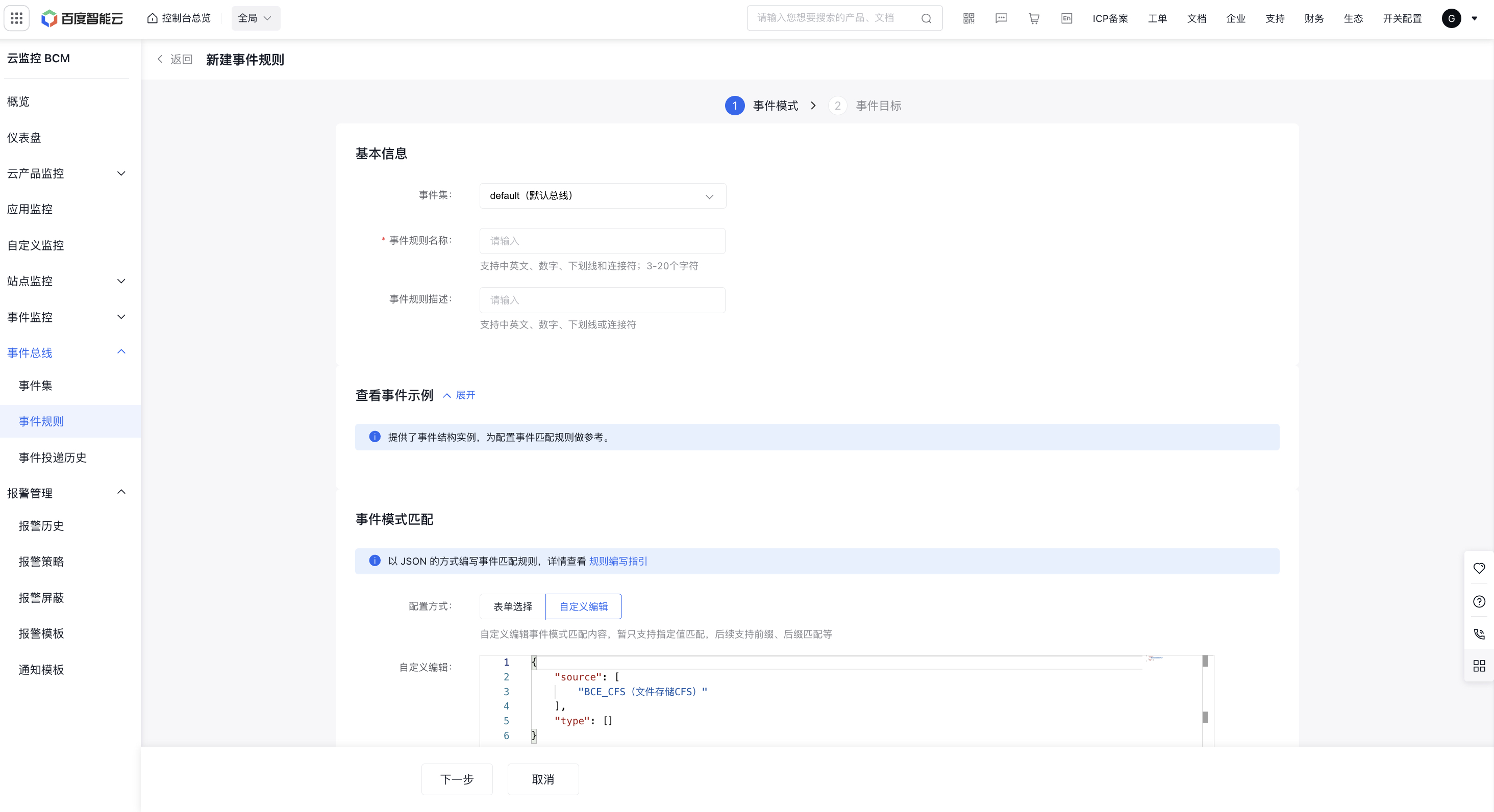
Click New Event Rule in the upper left corner of the event rule list to access the event rule configuration page. Fill in the relevant information as prompted on the page, as shown below:
-
Basic information:
- The event set defaults to the one selected in the external list, and you can switch it manually
- Event rule name is required, description is optional
- Event example: Click to view an example event structure, which can serve as a reference for configuring event matching rules.
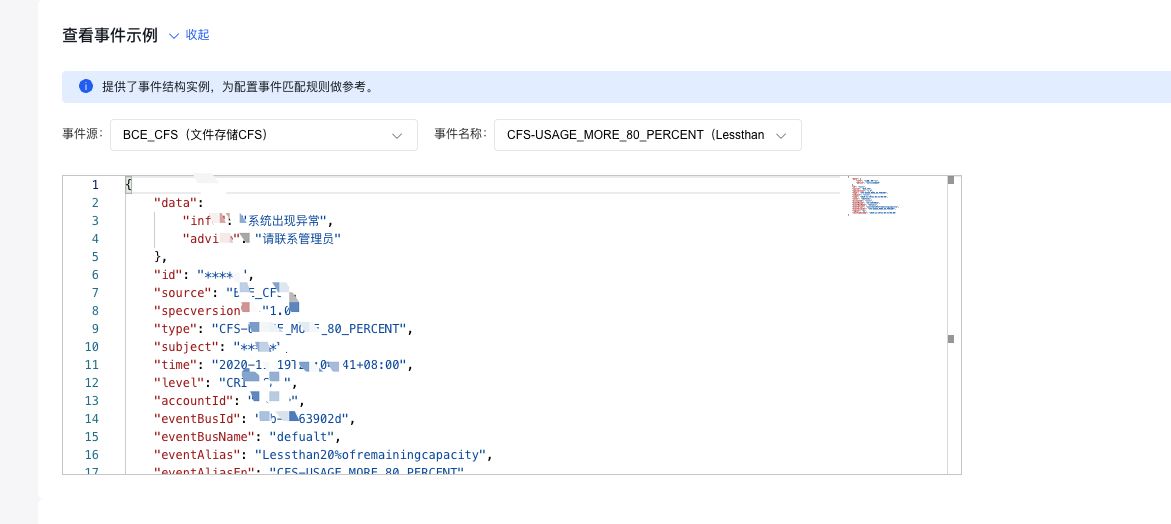
- Event matching: It is used for filtering and screening events. Define event types that can be matched and triggered. You can quickly configure event matching rules through selection methods, or switch to custom event matching to fill in default event content for customized event matching. Currently, only specified value matching is supported. More matching rules will be supported in Phase II. For details, see Event Pattern.
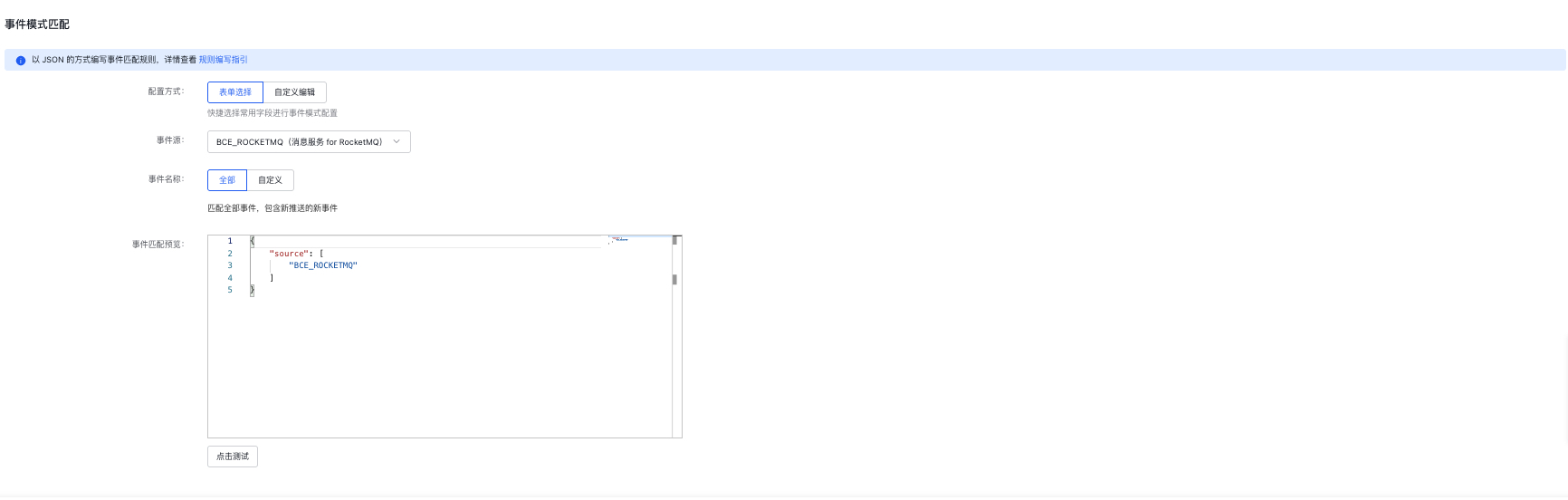
Note: Click test to perform event matching tests, which must correspond to the above event examples; otherwise, events will not be matched
Event delivery target
On the event rules configuration page, click Next to configure event delivery targets, which support HTTP, Kafka, SMS, email, and other event delivery targets
- Support adding multiple event delivery targets, with one at least
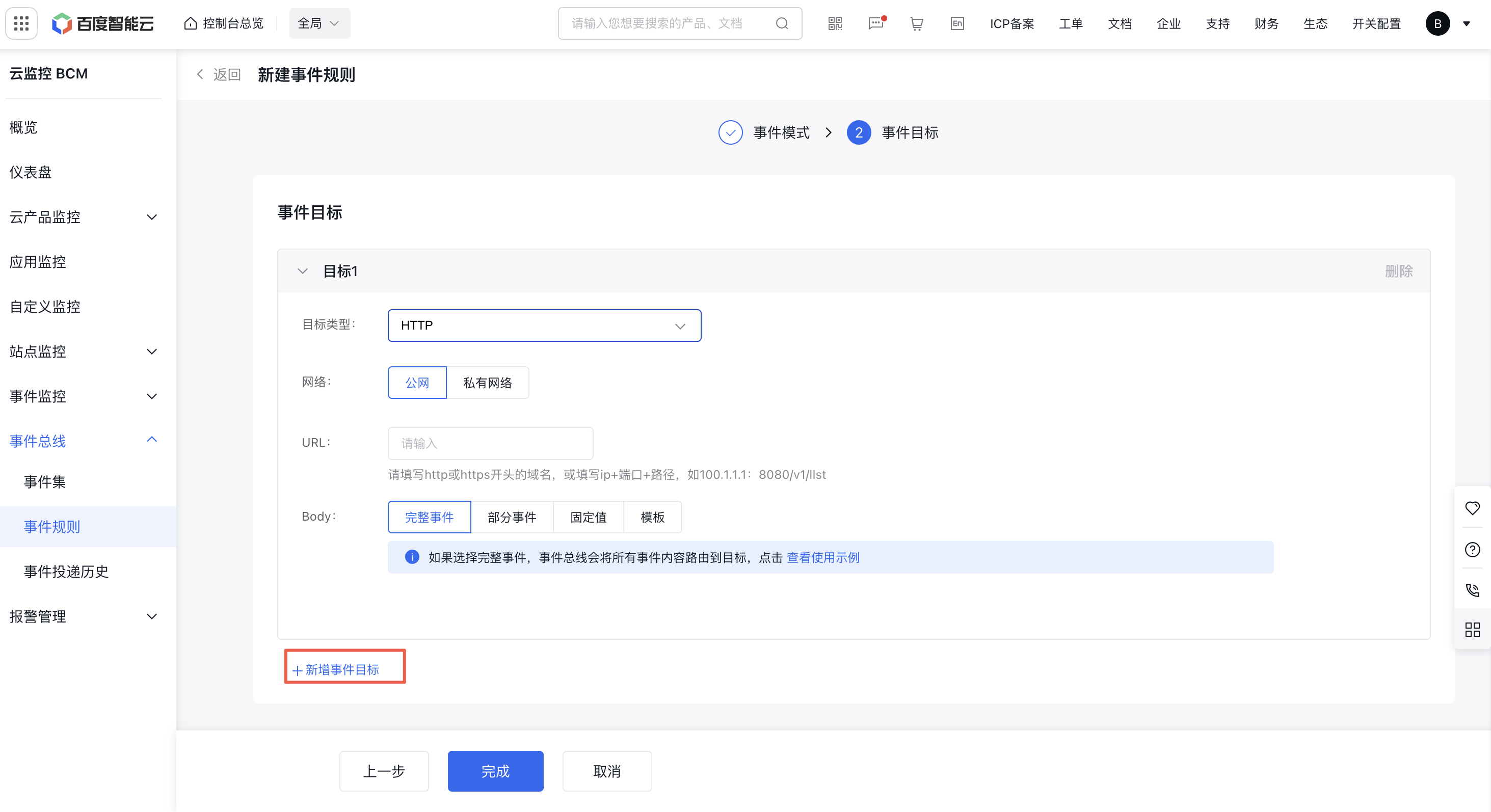
HTTP
Select HTTP as the delivery target to deliver events to the corresponding HTTP destination (HTTPS is not currently supported)
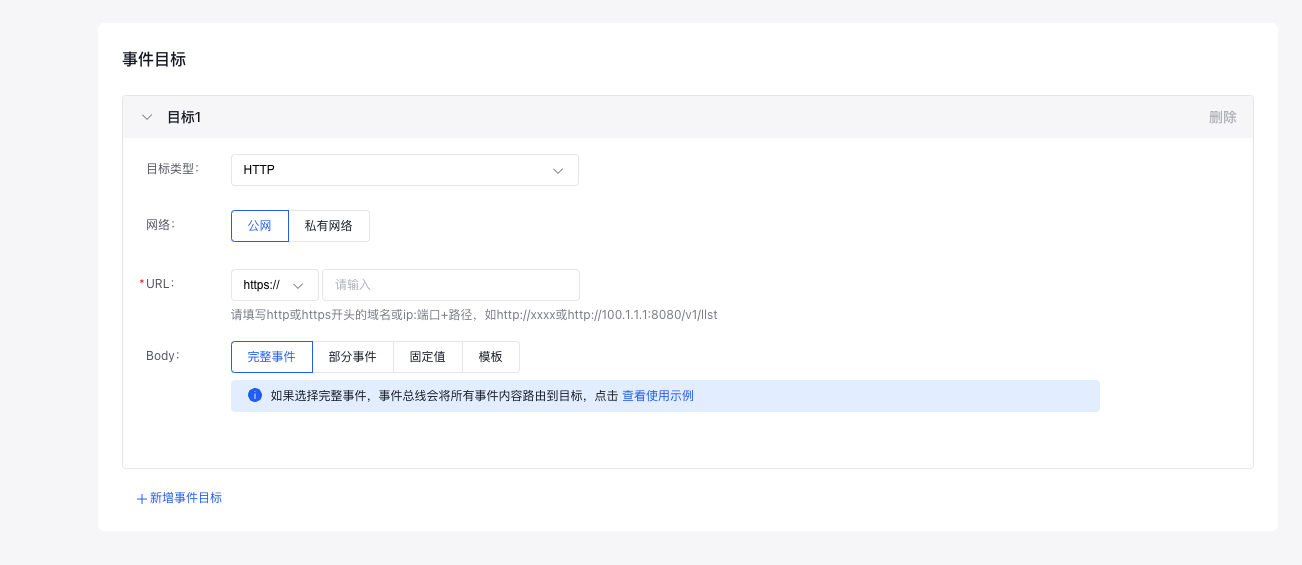
- Network: Support both public network and virtual private cloud
-
URL:
- Public network requires URL, supports domain names starting with HTTP or IP+port+path format (HTTPS is not currently supported)
- Virtual private cloud requires VPC and URL address, and only supports IP + port + path format starting with http (HTTPS is not currently supported)
- Body: Support delivery of complete events, partial events, fixed values, templates, etc. For details, see Event Content Conversion
SMS
Select SMS as the delivery target to receive corresponding events via SMS
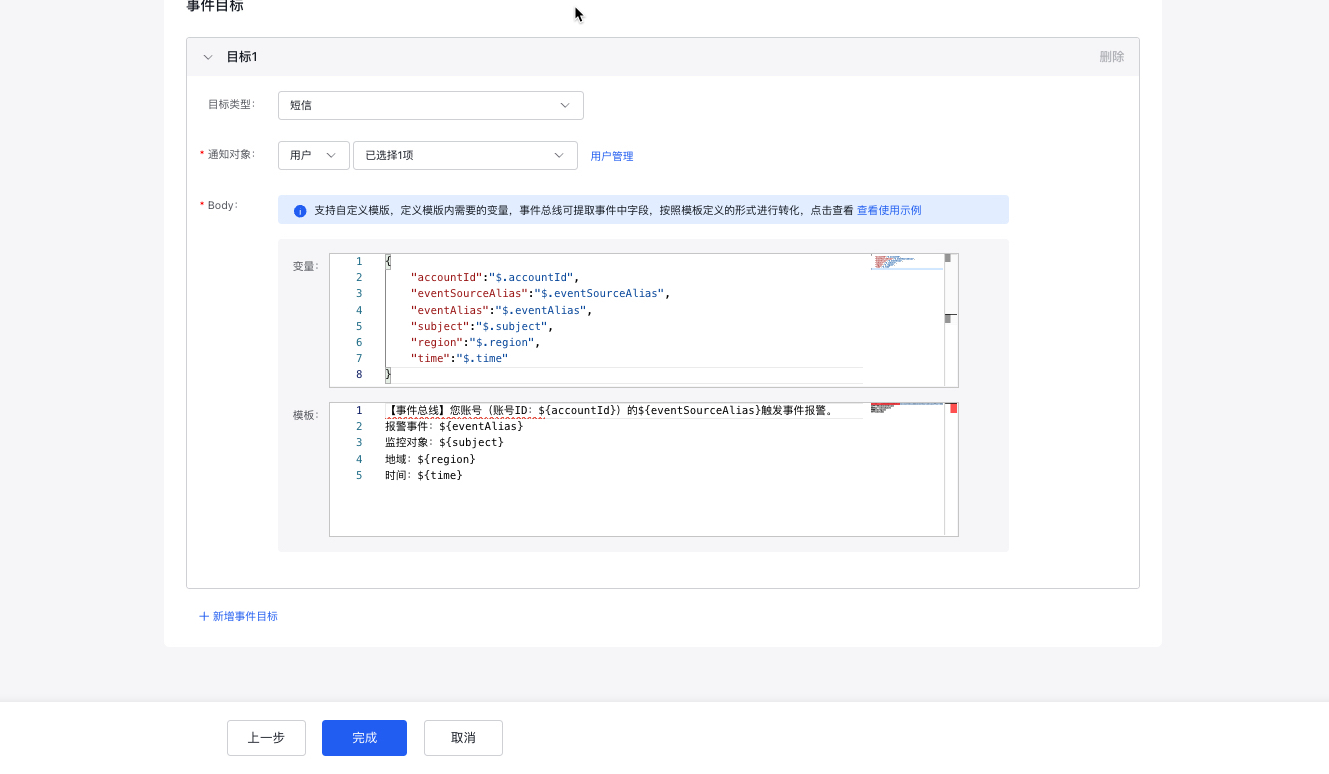
- Notification object: Select the notification object, which can be a user or a group
- Body: Support variable template pattern, with default variables and templates provided for custom editing. See Event Content Conversion for details
Select SMS as the delivery target to receive corresponding events via email
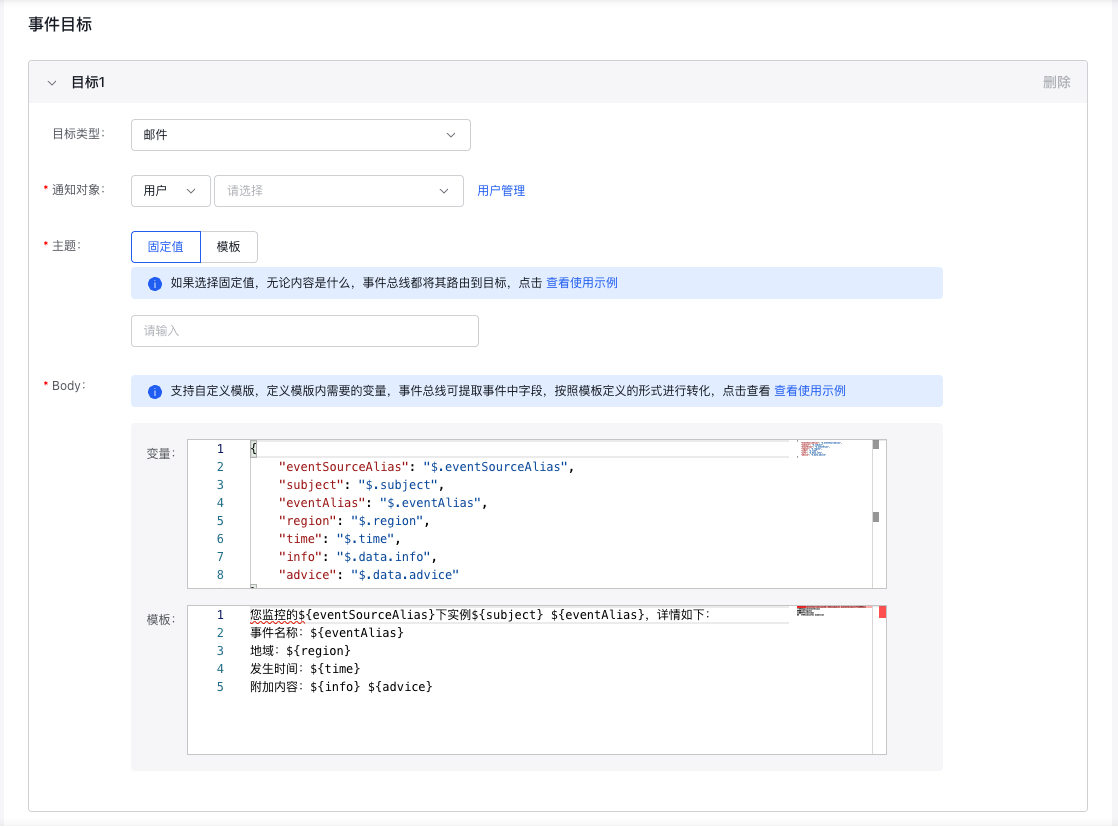
- Notification object: Select the notification object, which can be a user or a group
- Topic: Support fixed values and templates. For details, see Event Content Conversion
- Body: Support template method. For details, see Event Content Conversion
Kafka
Select Kafka as the delivery target to deliver events to the corresponding HTTP destination. (Note: The product dump switch must be enabled in the Kafka cluster for normal delivery)
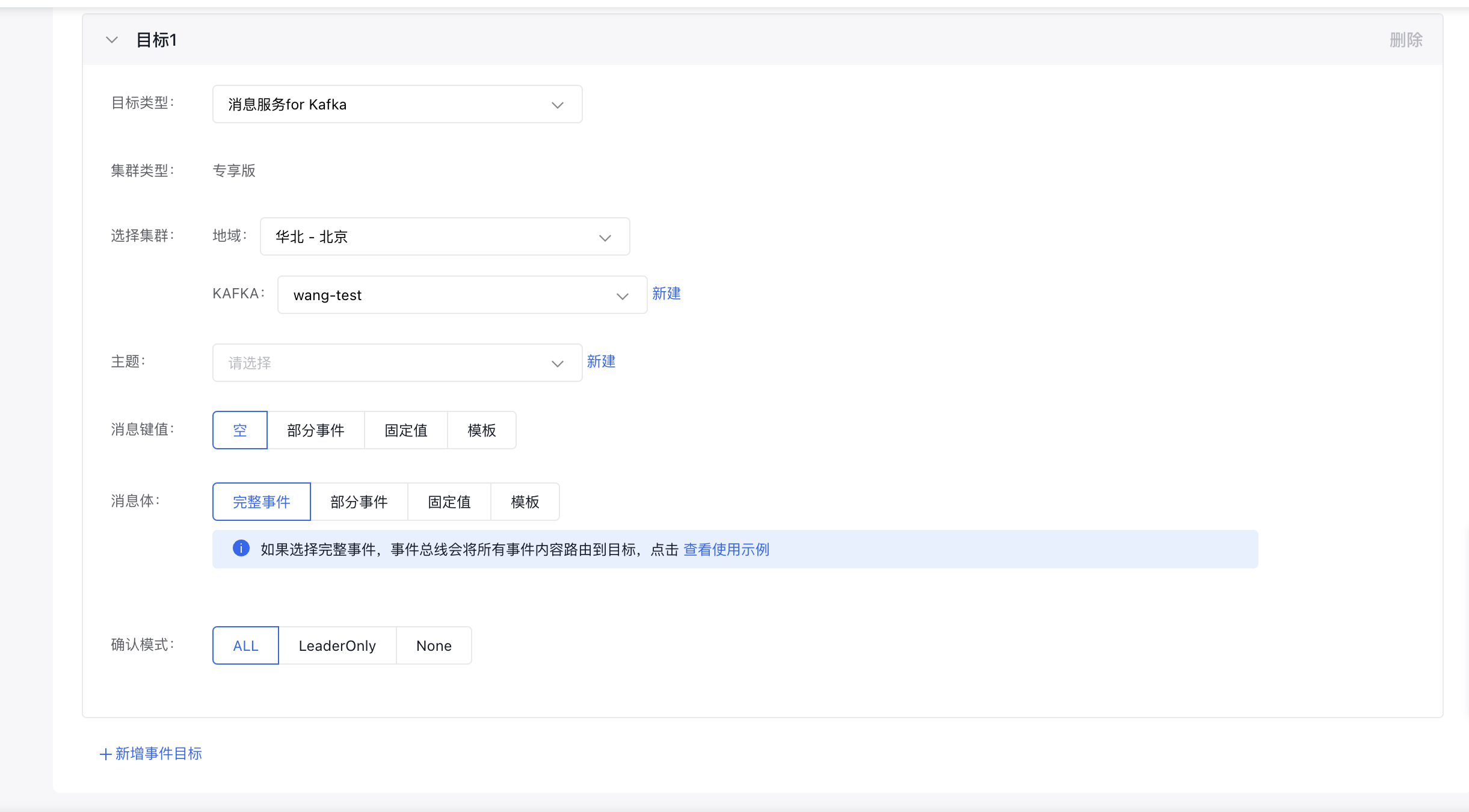
- Kafka configuration: Select the cluster and corresponding topic
- Message key value: Support empty, partial events, fixed values, variable template pattern. For details, see Event Content Conversion
- Message body: Support complete events, partial events, fixed values, variable template. For details, see Event Content Conversion
-
Acknowledgment mode:
- ALL: The producer waits for all ISR replicas to acknowledge successful message writing.
- LeaderOnly: The producer waits for the Leader replicas to successfully write the message and return an acknowledgment.
- None: The producer does not wait for any acknowledgment after sending the message and directly considers the message sent successfully.
Event rule details
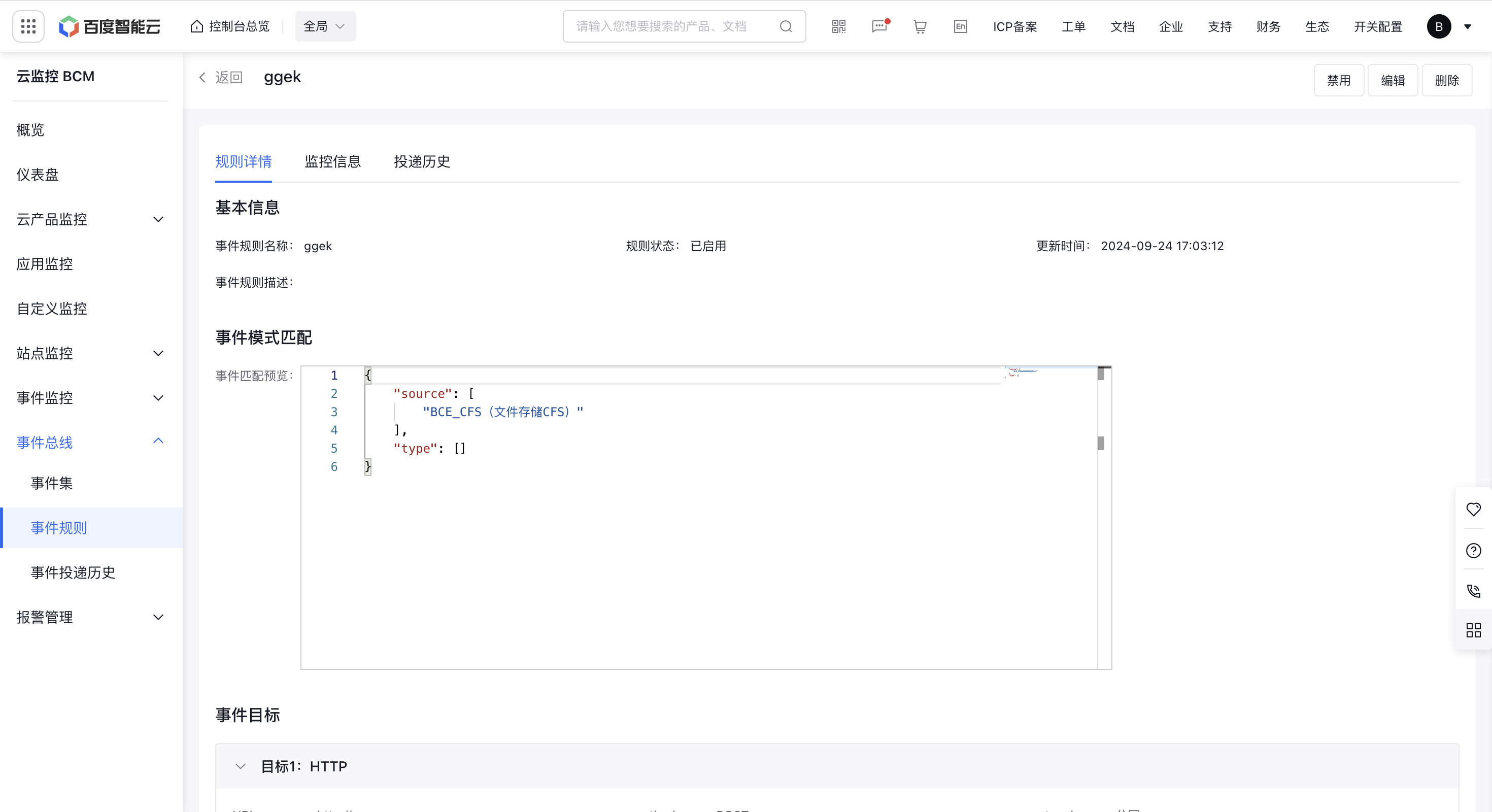
Basic information of event rules
Display detailed information of the event rule configuration, including basic information, event pattern matching information, and event delivery target information
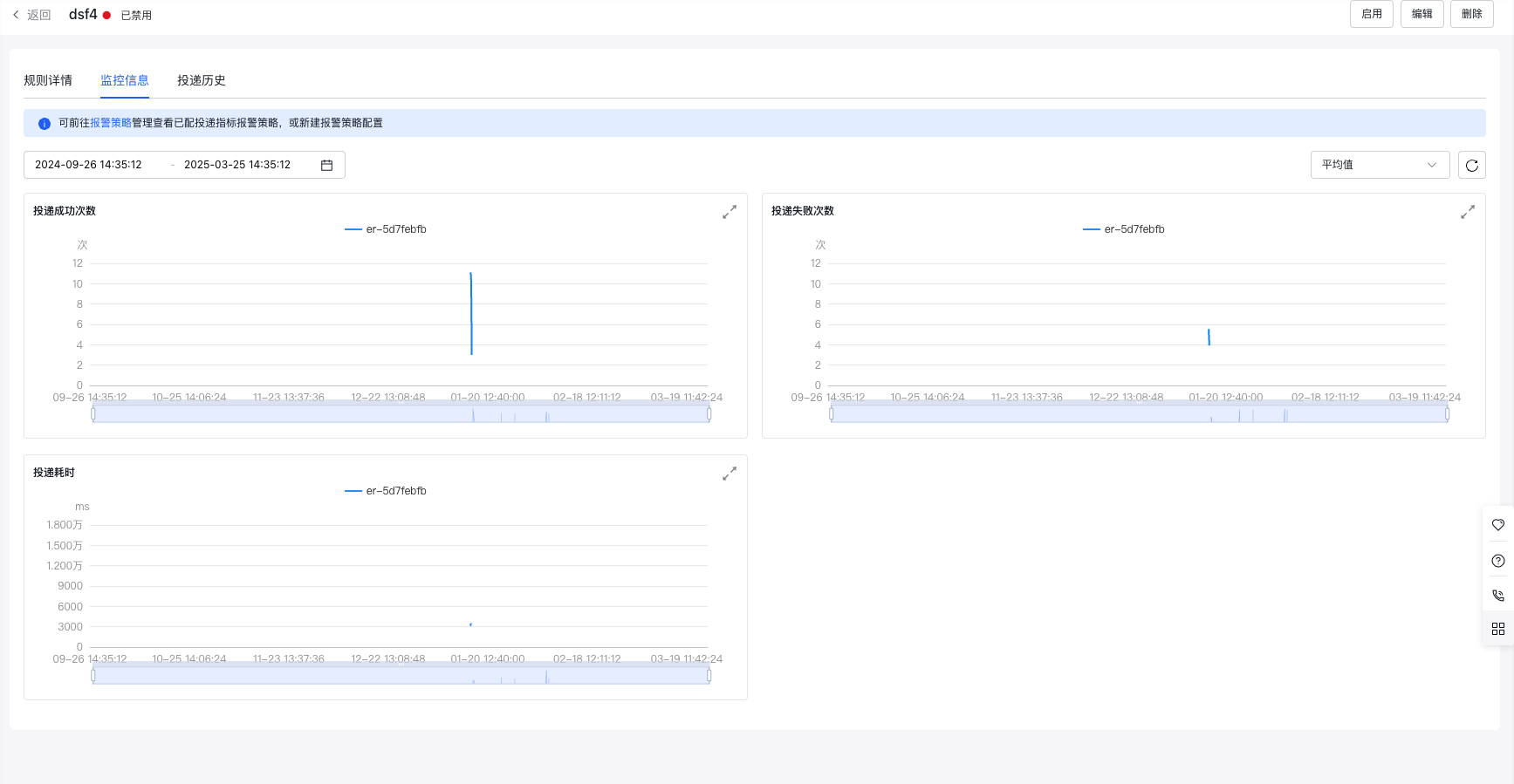
Event rules delivery monitor
Display delivery monitor information for current event rules, including successful deliveries, failed deliveries, delivery latency, etc. You can jump to the BCM alarm module to quickly create event delivery metric alarms
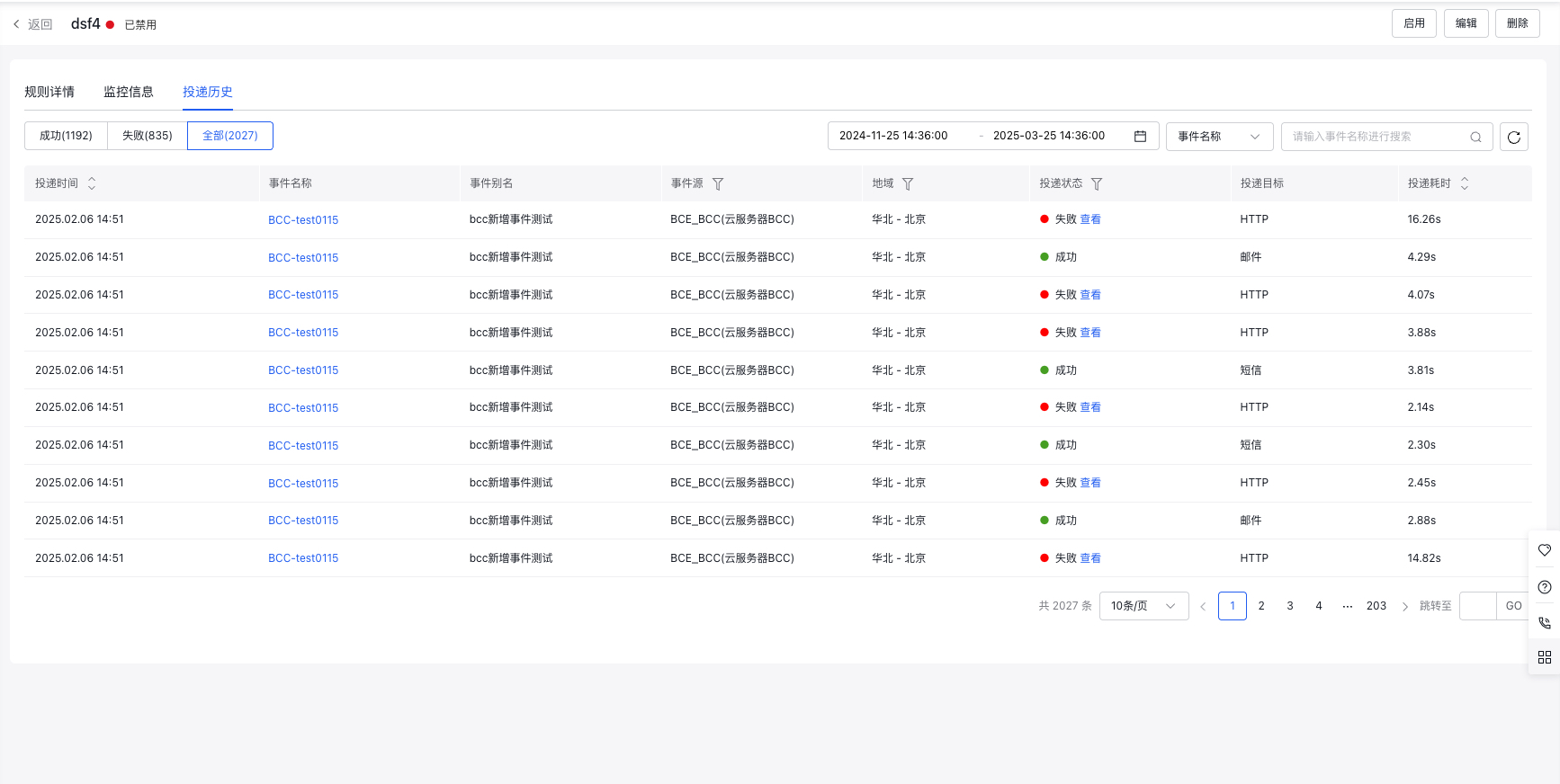
Event rule delivery history
Display the delivery history of current event rules. You can search for specific events or sort by event delivery time and latency, and filter by event sources and delivery status to view events of interest. Click failed delivery events to view specific reasons for failed deliveries