

Alarm strategy
Function overview
When in is necessary to monitor usage and operations of each cloud service resource, you can configure appropriate alarm strategies for BCM-integrated services, including threshold alarms for resource consumption metrics or event alarms for instance/service status via event monitor. In addition, reasonable alarm strategies can also be configured for probe nodes in site monitor, instances in application monitor, and metrics in custom monitor.
Basic concepts
| Term | Description |
|---|---|
| Product type | Management service name supported by BCM. |
| Region | Details about all regions currently supported by the cloud product. |
| Monitor Object | The effective scope of an alarm strategy supports configuration across dimensions such as all instances, instance groups, instances, and tags. - All instances: All instances included in the current product. - Instance group: Display the list of instance groups configured for the current product, supporting real-time refresh. For creating an instance group, refer to: Instance Group. - Tag: For details, refer toTag Management. |
| Strategy type | The effective scope of an alarm strategy supports configuration across dimensions such as all instances, instance groups, instances, and tags. - All instances: All instances included in the current product. - Instance group: Display the list of instance groups configured for the current product, supporting real-time refresh. For creating an instance group, refer to: Instance Group. - Tag: For details, refer toTag Management. |
| Alarm level | Alarm level types: Users can choose notification, warning, important, or critical levels based on the impact of alarms on their services. Customized alarm levels will appear in alarm notifications. |
| Alarm Rule | Support selecting an alarm template or adding custom rules. Multiple alarm rules can be configured for the same monitor object, and both “AND” and “OR” relationships are supported between multiple alarm rules. - “AND” rule: An alarm is triggered only when all alarm metrics and conditions are met. - “OR” rule: An alarm is triggered when any single alarm metric and condition is met. - Debounce strategy: Support custom settings, that is, an alarm is triggered only after the alarm rule is met consecutively for a specified number of times. |
| Alarm merging | By default, alarms are sent individually; however, it supports 1-minute alarm notification aggregation. If a strategy applies to multiple monitoring objects and alarms are triggered for several objects at the same time, they will be delivered in a single notification. |
| Alarm repeat notification | When an alert is generated, you can define specific frequencies and counts for repeated notifications. |
| Insufficient data alarm | Custom configuration is available to enable or disable no-data alarms. After selecting Trigger, you can define rules for no-data alarms, specifying how long the no-data condition should persist before an alarm is activated. |
| Alarm notification | Support selecting the alarm notification templates for rapidly setting alarm notification. Refer to Alarm Notification Template for adding alarm notification templates. |
| Alarm callback | For details, refer to Alarm Callback. |
Add the alarm strategy
Below are examples of cloud product metric monitor and event monitor:
- Metric monitor alarm
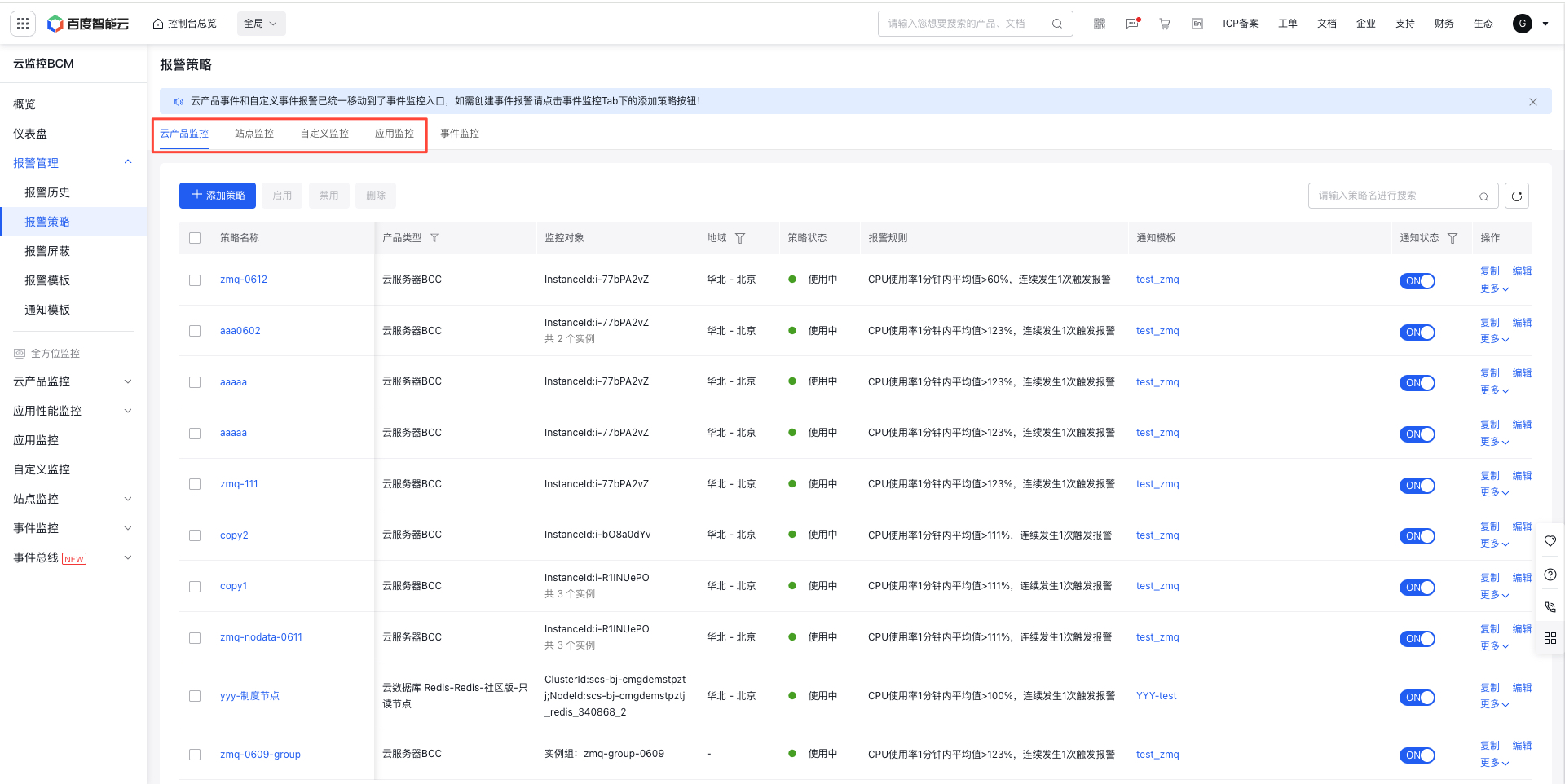
- Log in to Baidu AI Cloud, go to Baidu Cloud Monitor (BCM), and click Alarm Management, then navigate to Alarm Strategy and Cloud Product Monitor on the left sidebar to access the Alarm Strategy List page.
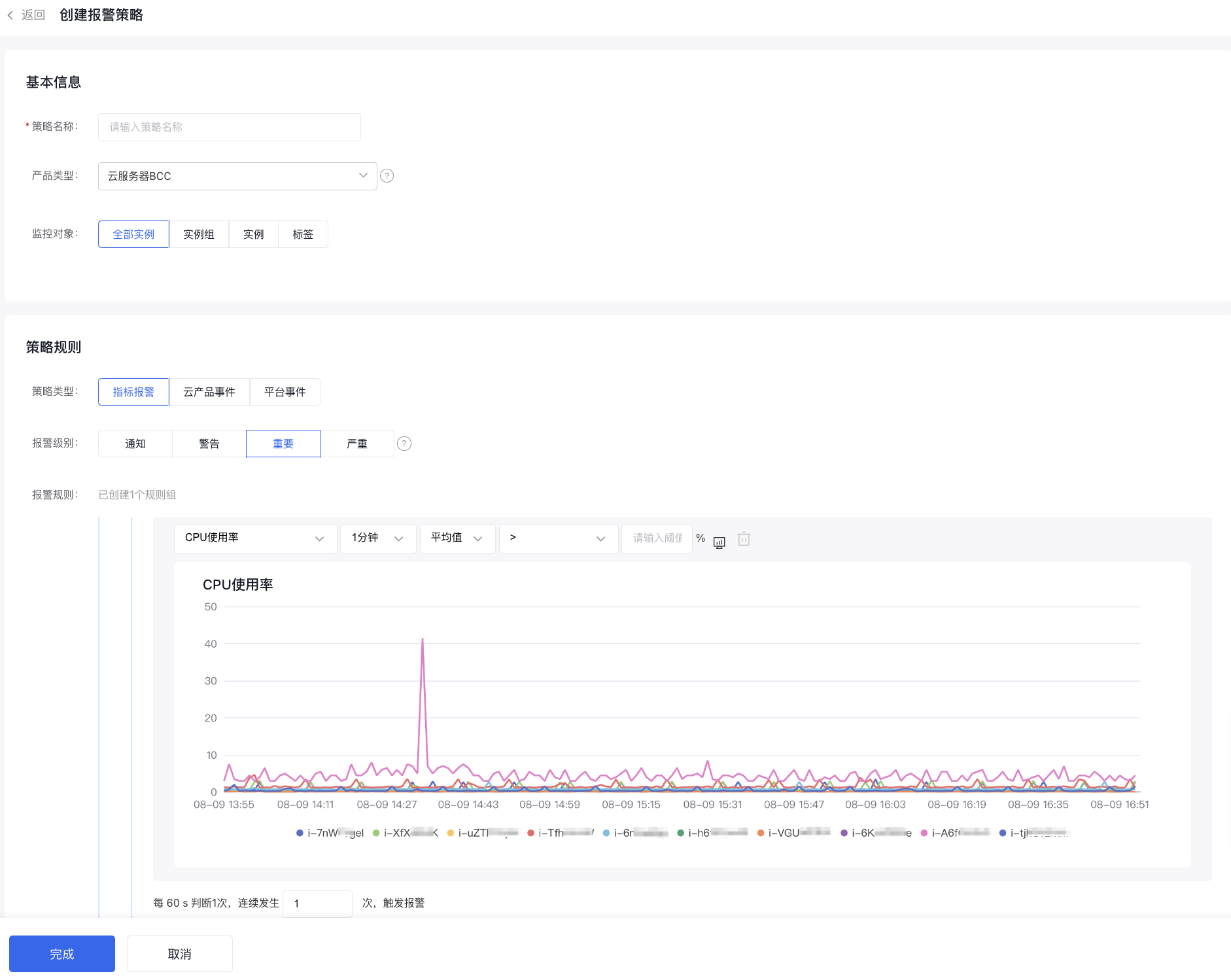
- Click the Add Strategy button to open the Create Alarm Strategy page, and fill out the form to set up a metric monitoring strategy.
- Event Monitor
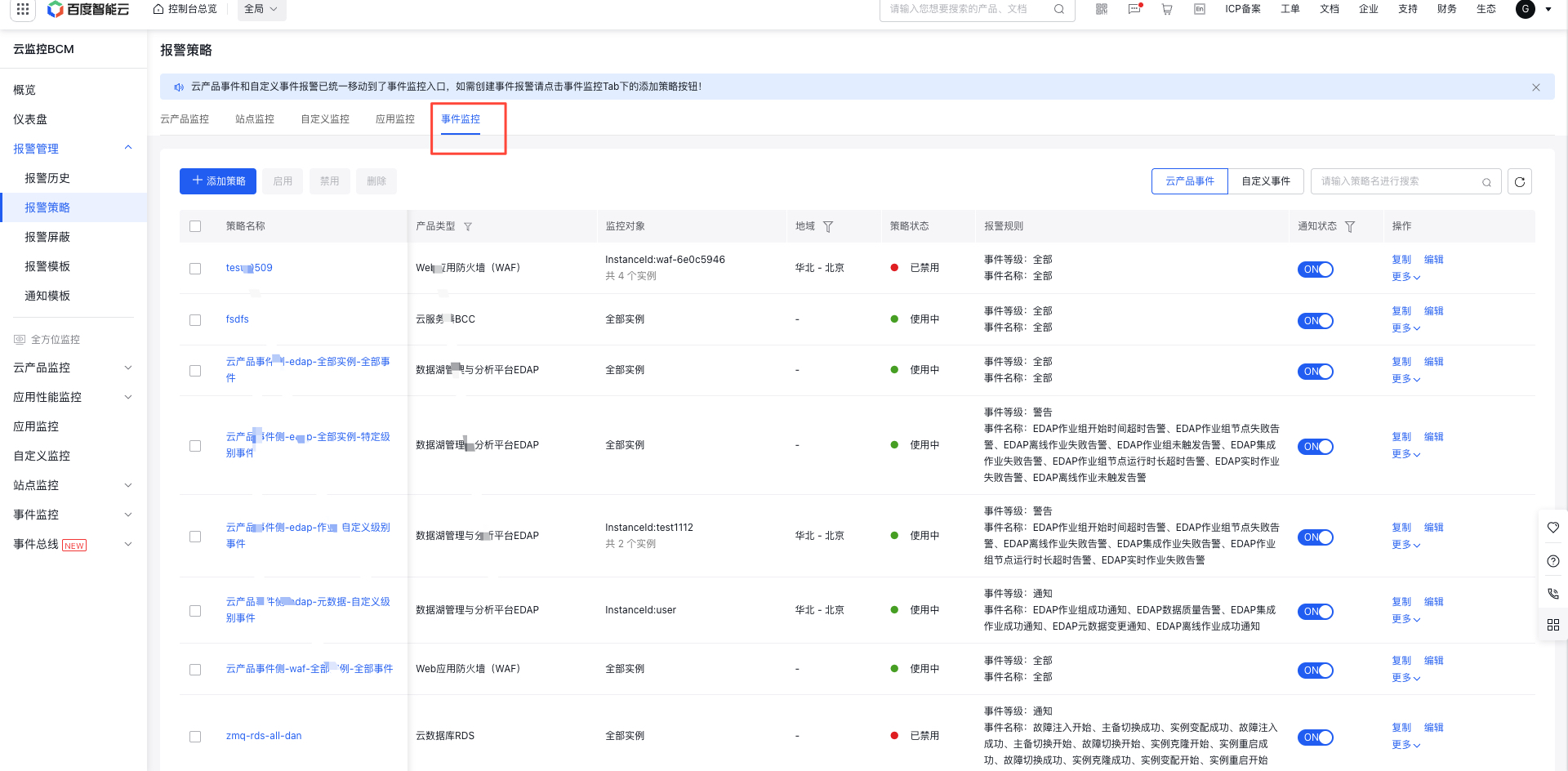
- Log in to Baidu AI Cloud, go to Baidu Cloud Monitor (BCM), and click Alarm Management, then navigate to Alarm Strategy and Event Monitor on the left sidebar to access the Alarm Strategy List page.
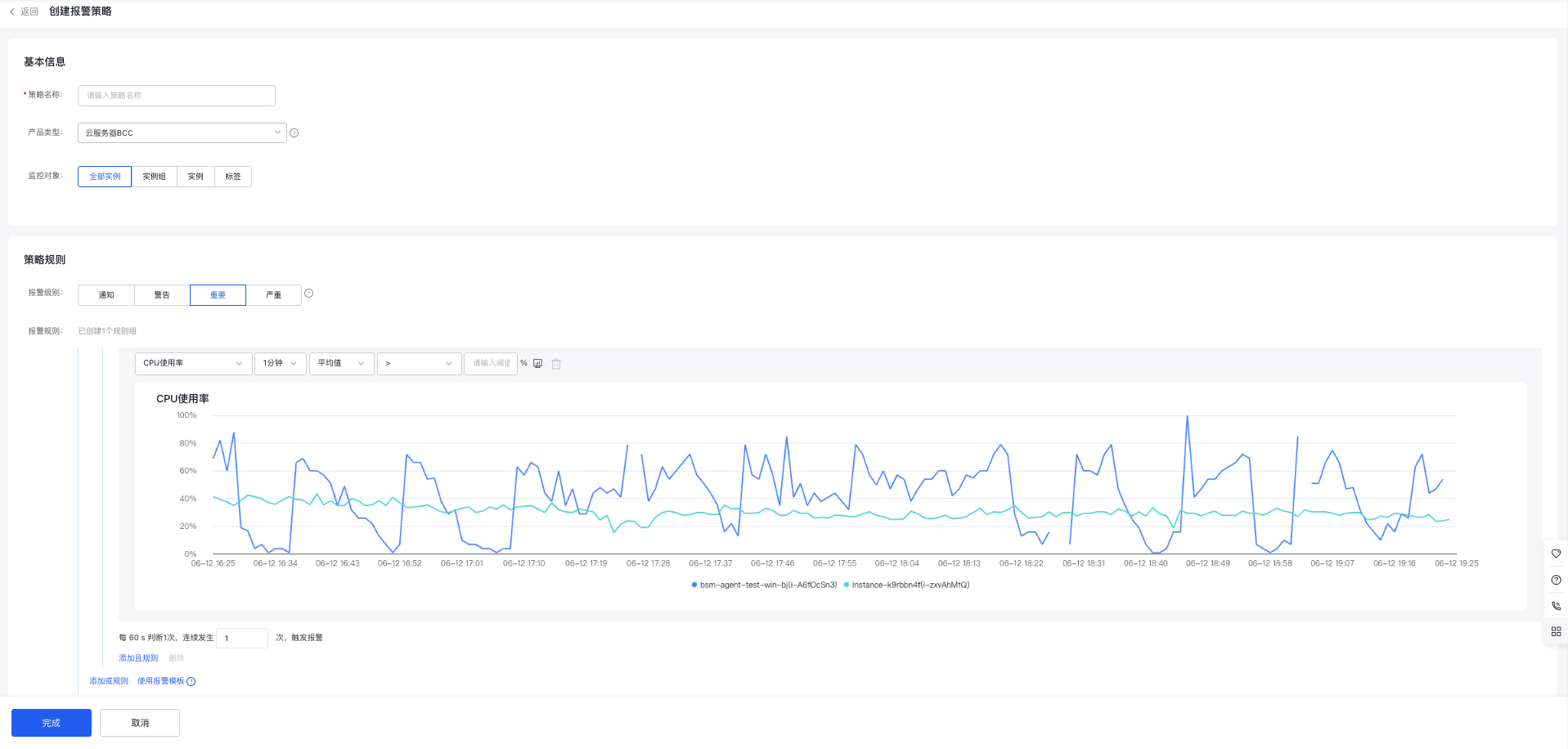
- Click the Add Strategy button to open the Create Alarm Strategy page, and fill out the appropriate form to set up an event monitoring strategy.
Description:
The default event level is All, meaning all existing events are included. You can customize your selection by choosing one or more event levels. When an event occurs, you can set up notifications for that event.
Copy/edit/delete/enable/disable alarm strategy
- Log in to Baidu AI Cloud, go to Baidu Cloud Monitor (BCM), and click Alarm Management and Alarm Strategy on the left sidebar to access the Alarm Strategy List page.
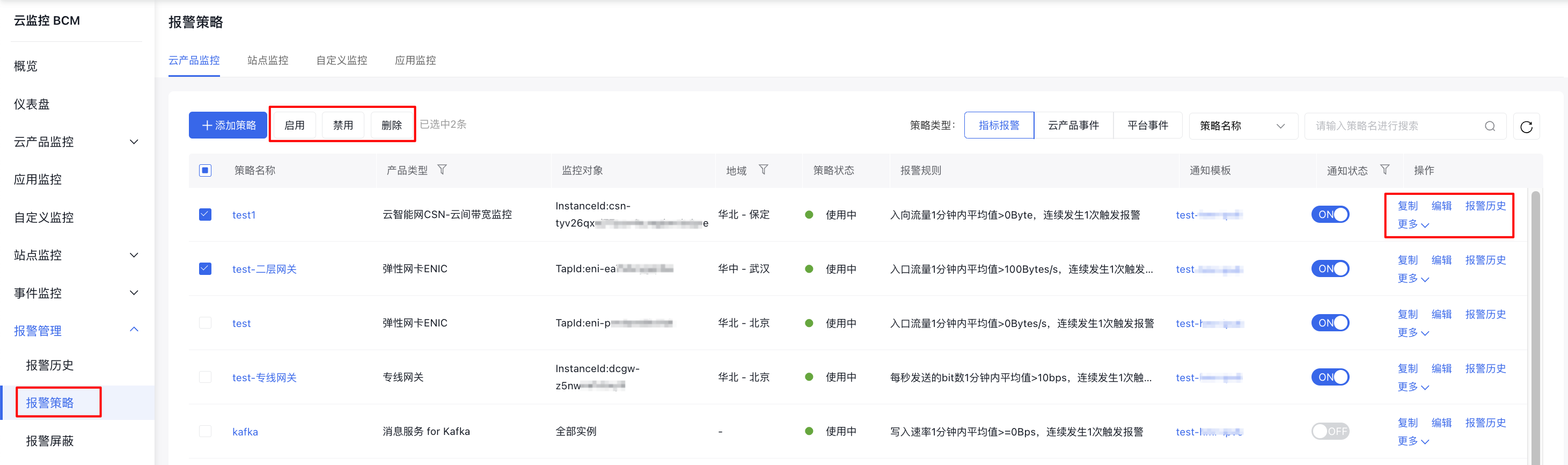
- Use the Copy, Edit, Delete, Enable, or Disable options in the operations column to manage individual alarm strategies. By selecting the checkbox next to a strategy, you can perform batch actions like deleting, enabling, or disabling alarm rules.
Enable/disable alarm notification
- Log in to Baidu AI Cloud, go to Baidu Cloud Monitor (BCM), and click Alarm Management and Alarm Strategy on the left sidebar to access the Alarm Strategy List page.
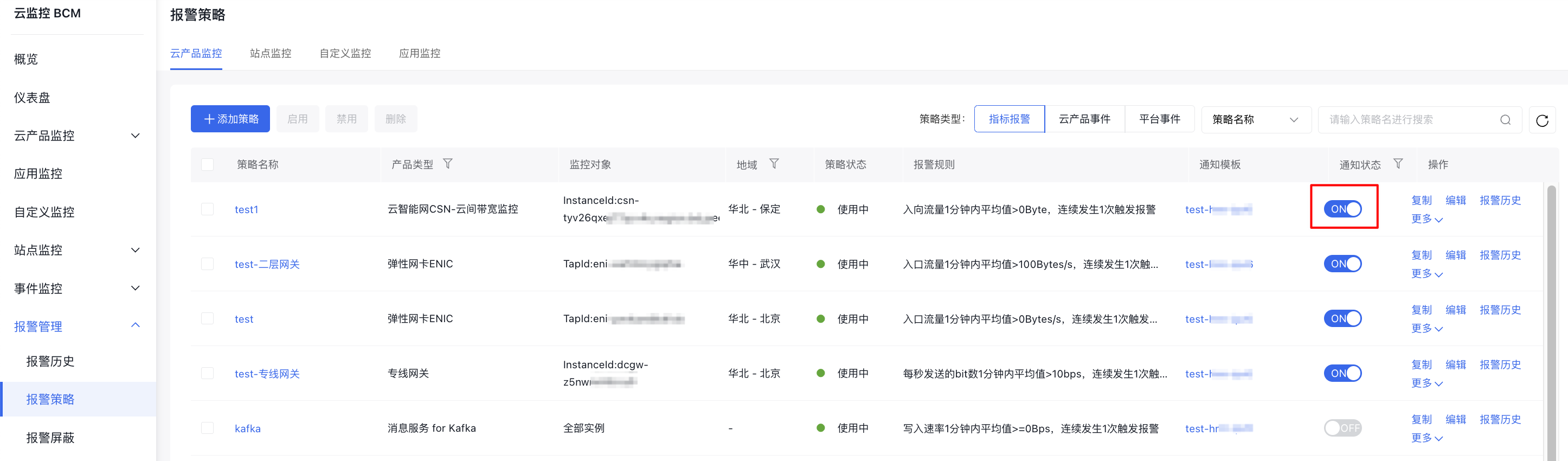
- In the Notification Status column, ON means alarm notifications are active, while OFF means they are inactive.
Description:
When disabling alarm notifications, you will not receive email related to alarm strategy or SMS related to alarm notification, but the BCM platform will record alarms during the disabled period. Refer to [Alarm History](#View alarm history) for viewing methods.
View Alarm Strategy details
- Log in to Baidu AI Cloud, go to Baidu Cloud Monitor (BCM), and click Alarm Management and Alarm Strategy on the left sidebar to access the Alarm Strategy List page.
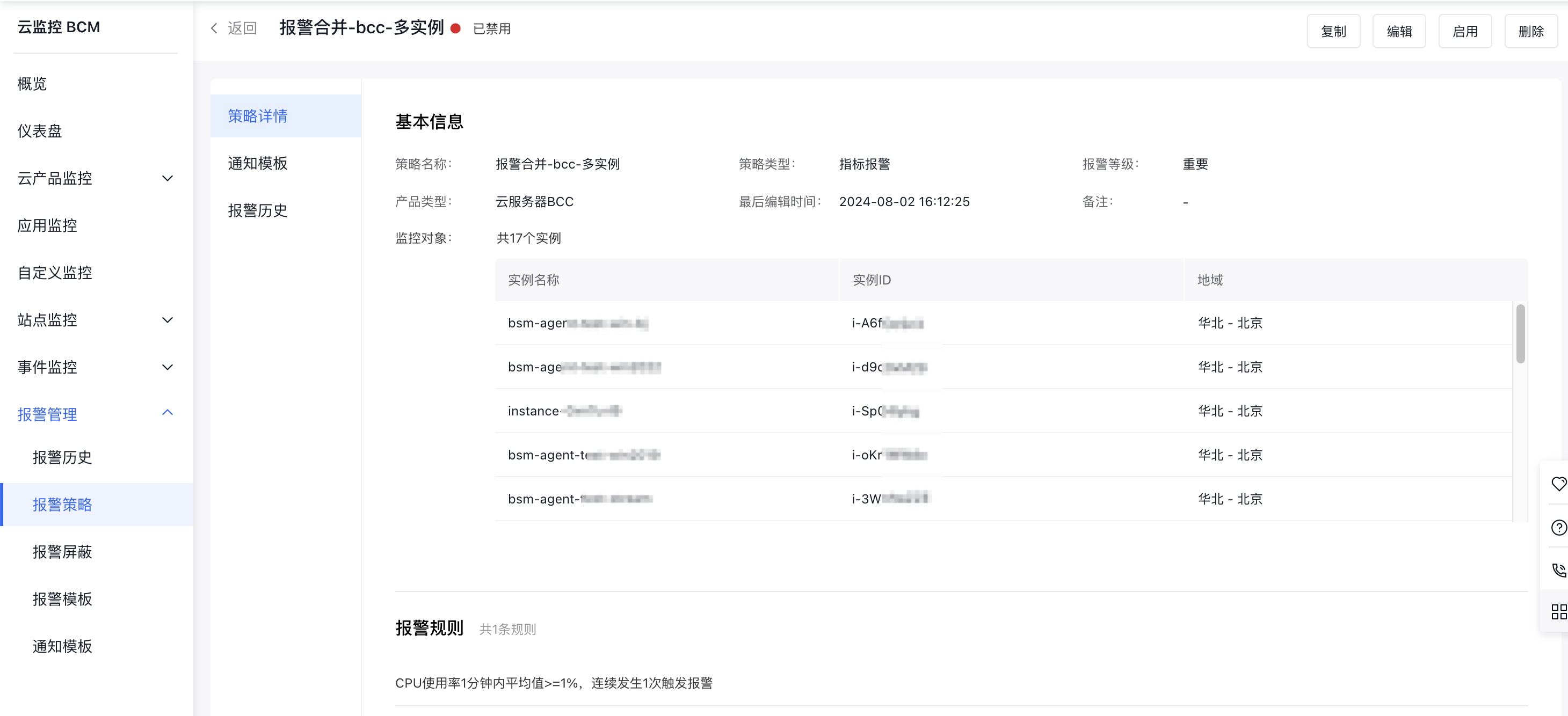
- Click the Alarm Strategy name to view detailed information about the current alarm strategy.
Description:
To make strategy editing easier, the alarm strategy details page includes Copy, Edit, Delete, and Enable/Disable buttons, letting you perform these actions directly on the page while viewing the details.