

View Metrics
Updated at:2025-11-03
Function overview
The View Metrics feature enables a quick comparison of monitoring data across multiple objects and metrics. Users can show data for the same metrics from different objects in a single trend chart or combine multiple metrics on one page, making it easier to quickly analyze and compare data, identify exceptions, and determine root causes.
View Metrics
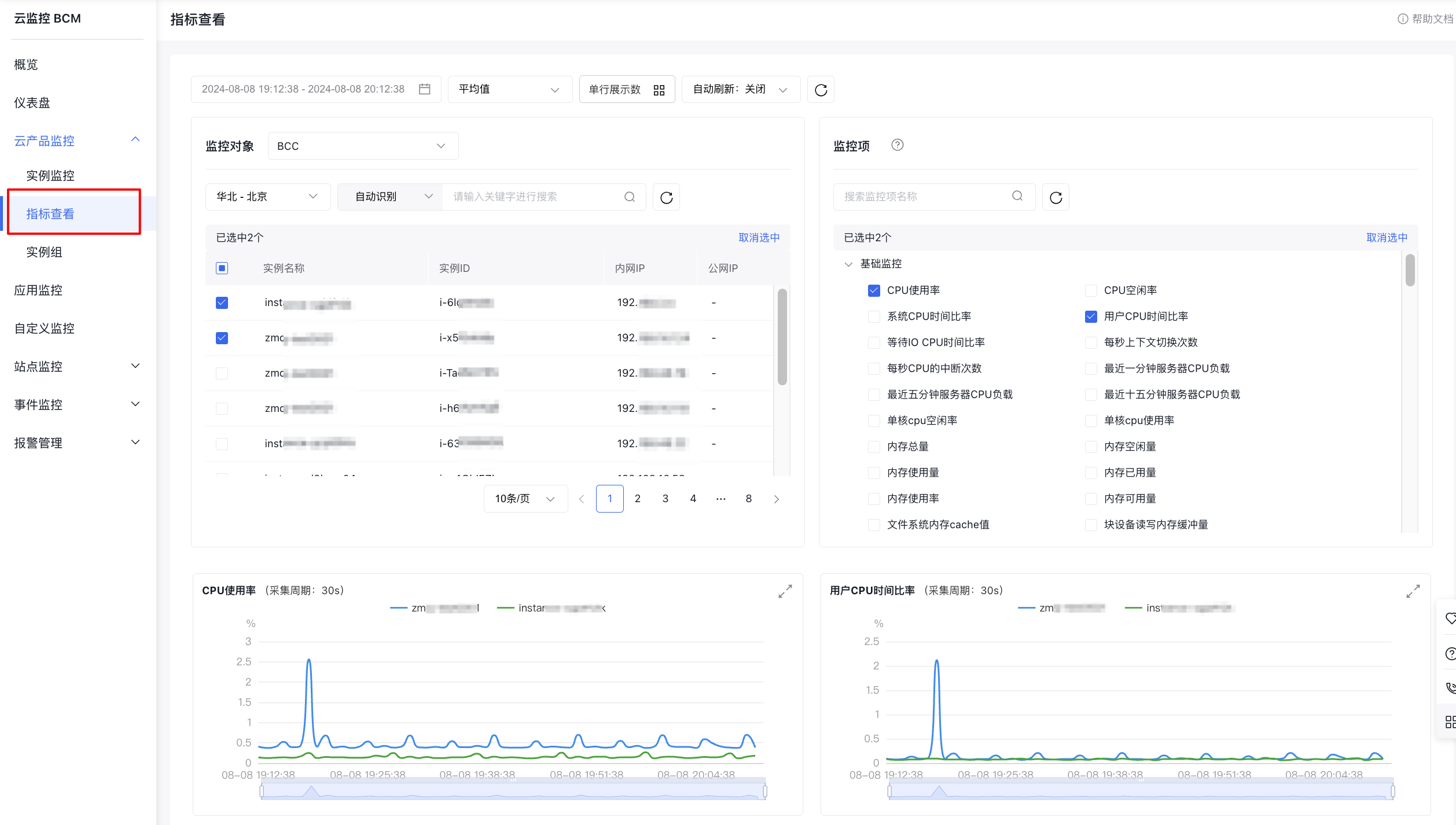
- Log in to Baidu AI Cloud, navigate to Baidu Cloud Monitor (BCM), and click on the Cloud Product Monitor and View Metrics button in the left navigation bar to open the View Metrics page.
- In the left Monitor Object module, select the desired cloud service from the dropdown menu to view its details. After selecting a monitor object, choose one or more metrics from the right metrics module. You can then view the monitoring data. The upper-left corner allows you to set the time range, statistic method, number of records per entry, and automatic refresh interval.
Usage restrictions:
- You can select up to 50 monitor objects at once.
- A maximum of 10 metrics can be selected at the same time.