High Defense EIP
Updated at:2025-10-16
Advanced defense EIP is a solution that strengthens the DDoS defense capabilities of Baidu AI Cloud products. Users simply bind the advanced defense EIP to a DDoS advanced defense instance. Once traffic surpasses the default cleaning threshold of the instance, automatic traffic cleaning is triggered to protect against DDoS attacks. This document outlines product billing, usage guidelines, and operation procedures for advanced defense EIP.
Product description
Users can choose from the following two security-featured products for purchase:
- When purchasing an EIP, select a standard line, such as standard BGP, and choose the DDoS Basic protection type to enjoy default free protection up to 5Gbps (1Gbps for the Hong Kong region). For more details, visit https://cloud.baidu.com/doc/EIP/s/rlus7qknu.
- When purchasing an EIP, choose the advanced defense BGP line and select the DDoS Advanced protection type, which offers Tbps-level professional DDoS protection capabilities. Refer to the Advanced Defense EIP-DDoS Attack Protection Capability documentation for details.
Product billing
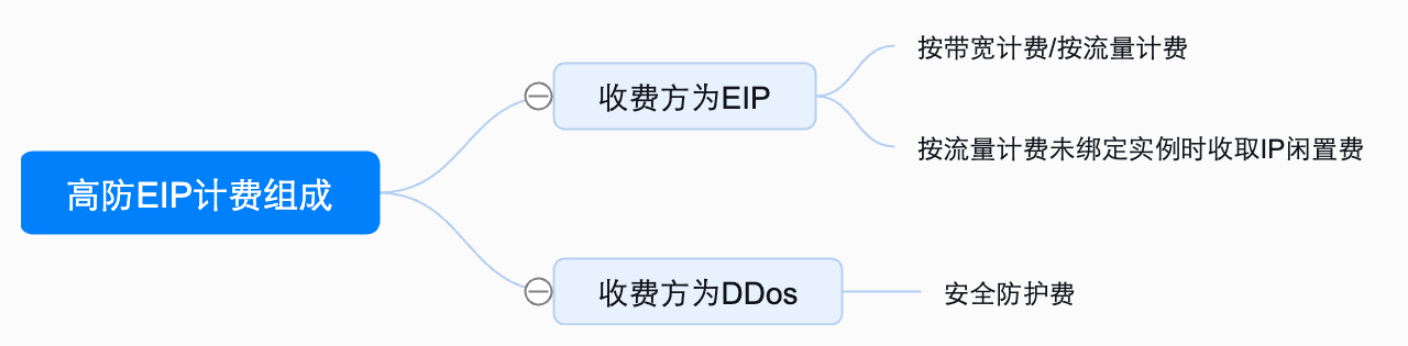
- The billing rules with EIP as the charging party are as follows:
| Region | Charge item | Description | Unit price |
|---|---|---|---|
| Beijing; Baoding; Wuhan | Configuration fees | Postpaid bandwidth tiered pricing |
Bandwidth fee: RMB 0.002/Mbps/minute |
| Beijing; Baoding; Wuhan | Traffic cost Configuration cost |
Pay-as-you-go by traffic Enumerated pricing |
Traffic fee: ¥0.6/GB IP idle fee: RMB 0.00333/minute |
- For billing policies where DDoS is the charged party, refer to the Advanced Defense EIP-DDoS Attack Protection Capability documentation.
Operation process
Create advanced defense EIP
- Log in to the Management Console, navigate to "Product Services" - "EIP," and click "Create Instance.\
- Enter the required configuration details.
| ConfigMap | Description |
|---|---|
| Bill type | Support postpay, bandwidth-based billing, and traffic-based billing |
| Current region | Support Beijing, Baoding, and Wuhan Regions |
| Name | User-defined instance name |
| IP version | Select the IP address version type, supporting IPv4 |
| Internet connection type | Select the advanced defense BGP Internet connection type |
| Public network bandwidth | Bandwidth-based billing: 100 Mbps-5,000 Mbps Traffic-based billing: 100 Mbps-1,000 Mbps |
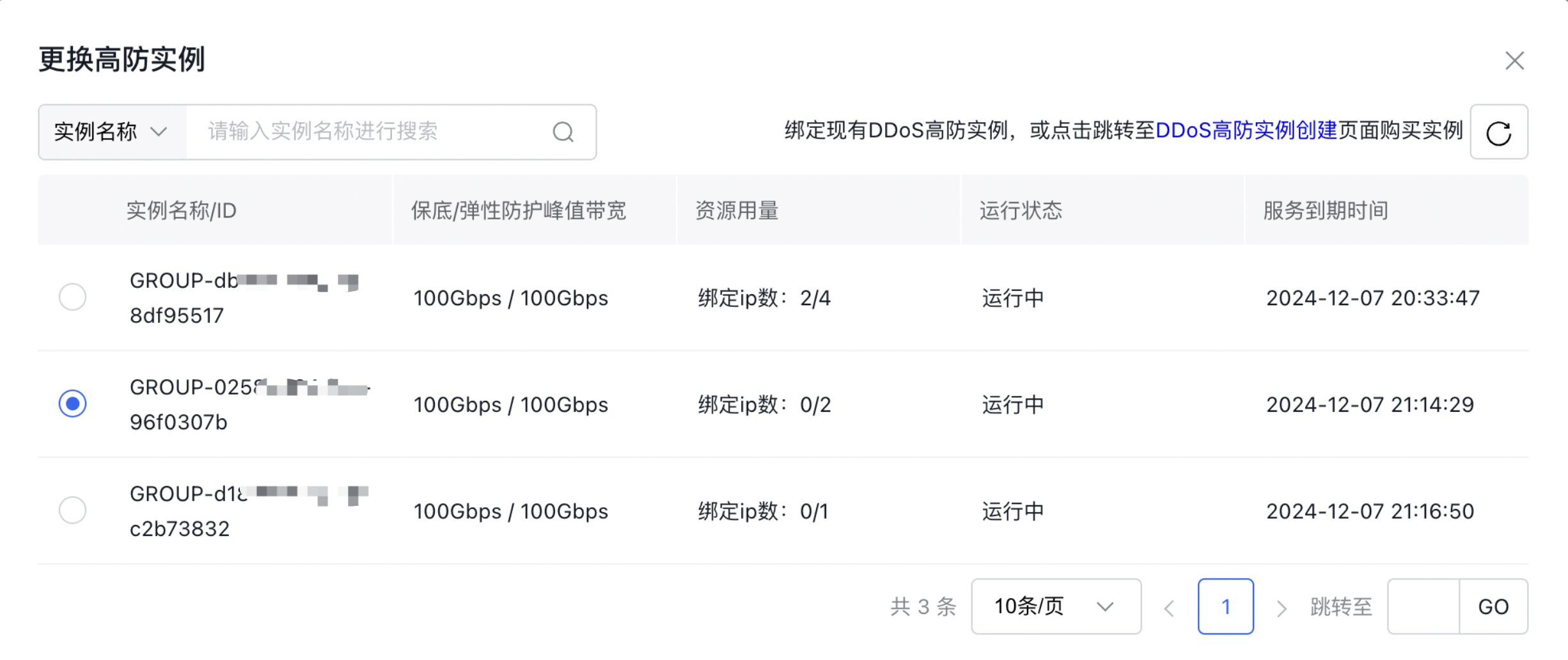
| Protection type | To select the advanced DDoS version, users must bind an existing advanced DDoS protection instance . The Existing DDoS Advanced Protection Instance List supports viewing instance name/ID, guaranteed/elastic peak bandwidth, resource usage, operational status, and service expiration time. |
| Count of purchases | Select instance purchase count |
- Once you've completed the configuration, click "Confirm Order" to proceed to the Order Confirmation page.
Delete advanced defense EIP
- Sign in to the management console and navigate to Product Service - EIP
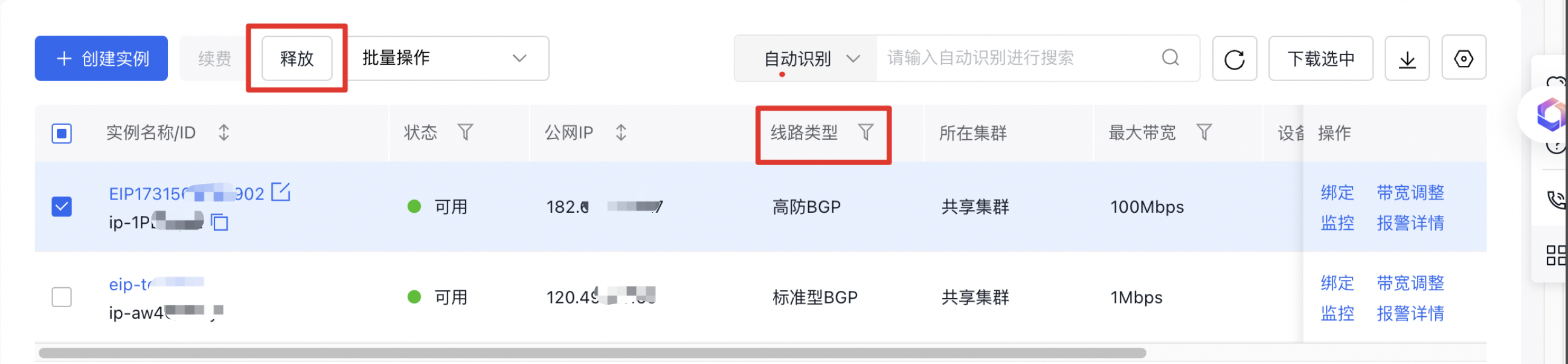
- Filter by Internet Connection Type: advanced defense BGP to select target advanced defense EIP
- Click Release to trigger a secondary confirmation dialog. Only the advanced defense EIP will be deleted without affecting the advanced defense service package
- If the advanced defense instance expires while the EIP remains active: the advanced defense EIP is marked as unavailable (not moved to bucket trash), and will be synchronously released upon the release of the advanced defense instance
- If the account is in debt, the advanced protection instance remains prepaid and not expired: It will not be unbound nor moved to the bucket trash, but marked as unavailable. After 7 days, it will be unbound and directly released
Query advanced defense IP
- Log in to the management console and go to Product Service - EIP.
- Choose "Native Protection - DDoS Advanced Version" to check the binding details between the EIP and the advanced defense instance, along with the foundational information of the advanced defense instance.
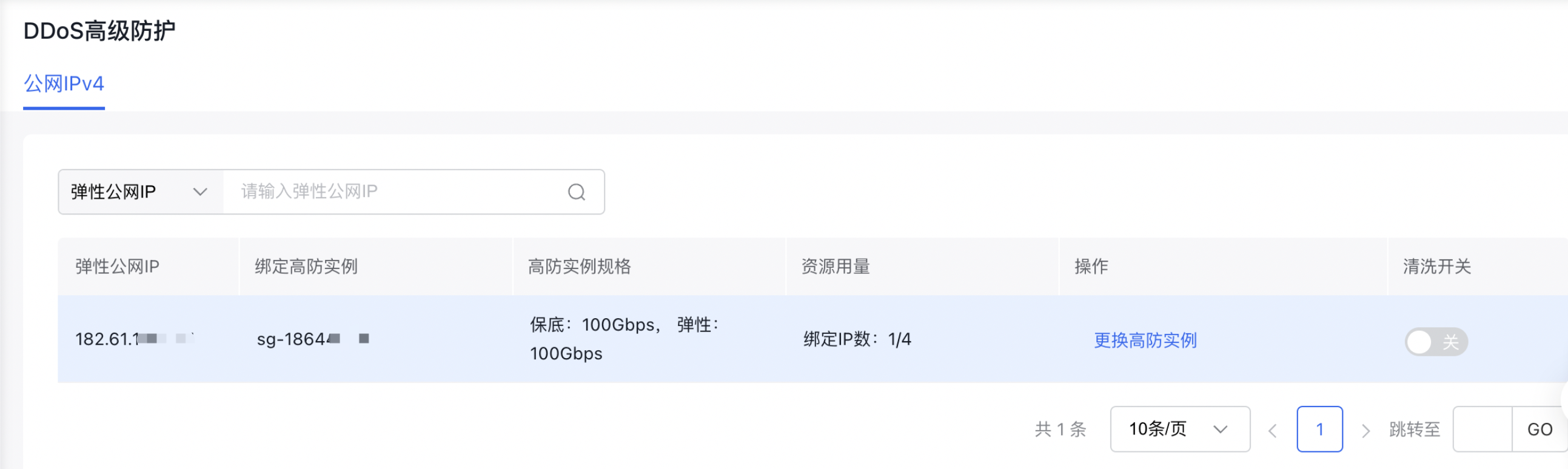
- Click the "Cleaning" switch to manually turn cleaning on or off.
- The cleaning switch is turned on by default. During a traffic attack, the monitoring system automatically detects the attack and filters out abnormal traffic. Users also have the option to manually disable traffic cleaning if needed.
Replace advanced defense instance
- Log in to the Management Console, go to "Product Services - EIP," and then navigate to "Native Protection - DDoS Advanced Edition.\
- Click "Replace Advanced Defense Instance," select the desired instance, and click "OK" to finalize the replacement.