Bind cloud resources
Updated at:2025-10-16
Bind shared IP to cloud resources
Background
Users have the flexibility to bind shared IP instances to various cloud resources like BCC/DCC/BLB to adapt to changing service needs. This can be managed through the EIPGROUP Details page or the BCC instance list. This section focuses on operating via the EIPGROUP Details page.
Operation steps
- Log in to the Management Console and go to the EIP service.
- Select EIPGROUP from the navigation menu and click on the desired EIPGROUP name to access its details page.
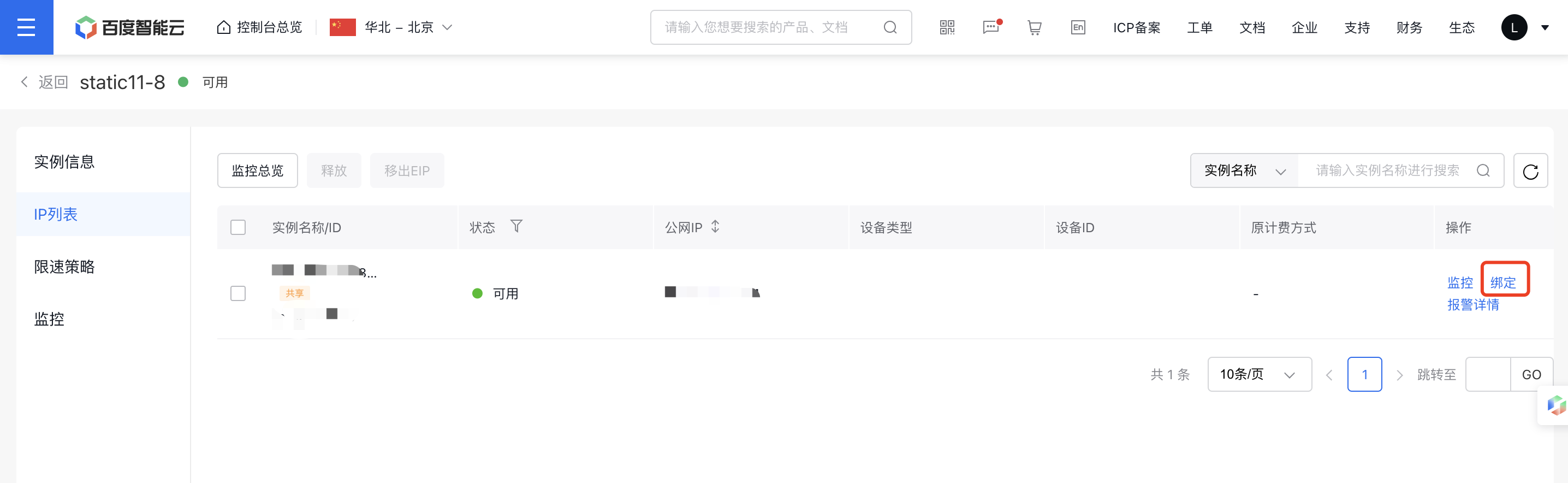
- Under the operations column in the IP list, click Bind.
- From the pop-up menu, choose the created instance such as BCC/DCC/load balancer, and confirm by clicking OK.
- After successful binding, the device type and ID will appear in the EIPGROUP details list.
Unbind shared IP from cloud resources
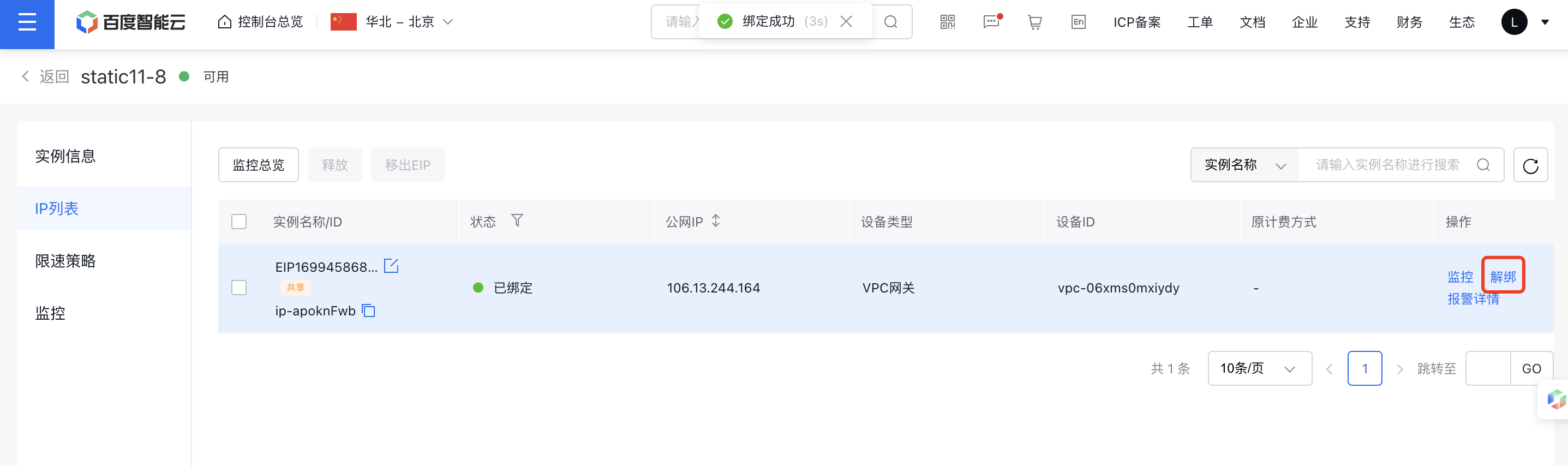
Users can unbind shared EIP instances from cloud resources like BCC/DCC/BLB to adapt flexibly to service changes. Unbinding can be performed from the EIPGROUP list or the BCC instance list.