

Bring Your Own Overseas Public IP Address to the Cloud
Overview
Baidu AI Cloud allows users to migrate self-managed public IPs from local data centers to the cloud, where they can be utilized post-migration.
Usage restrictions:
- Currently, only the Hong Kong region supports migrating locally managed public IPs to Baidu AI Cloud. Migration from regions within Mainland China is not yet supported.
- Only IPv4 addresses can be migrated to Baidu AI Cloud. IPv6 address migration is not supported.
- The locally managed public IP must be a registered address with a Regional Internet Registry (RIR).
- Migrated IP segments must have a subnet mask of at least /23.
- Timeline for migrating self-managed IPs to the cloud: Based on the completion of broadcast applications, estimated at around one month.
- Users applying to migrate their self-managed public IPs to the cloud can expect completion within approximately one month.
Solution overview
For example, to migrate a self-managed public IP address allocated by RIPE from a local data center, update the ingress information on the RIR website by changing the public IP's AS number to AS55967. Then submit a Ticket to apply for migration of the overseas public IP. After Baidu AI Cloud completes the configuration, you can use it in the EIP console.
Configuration steps
Step 1: Update route information
- Sign in to the RIPE NCC Webupdates page.
- Choose Route from the object type list and click Create.
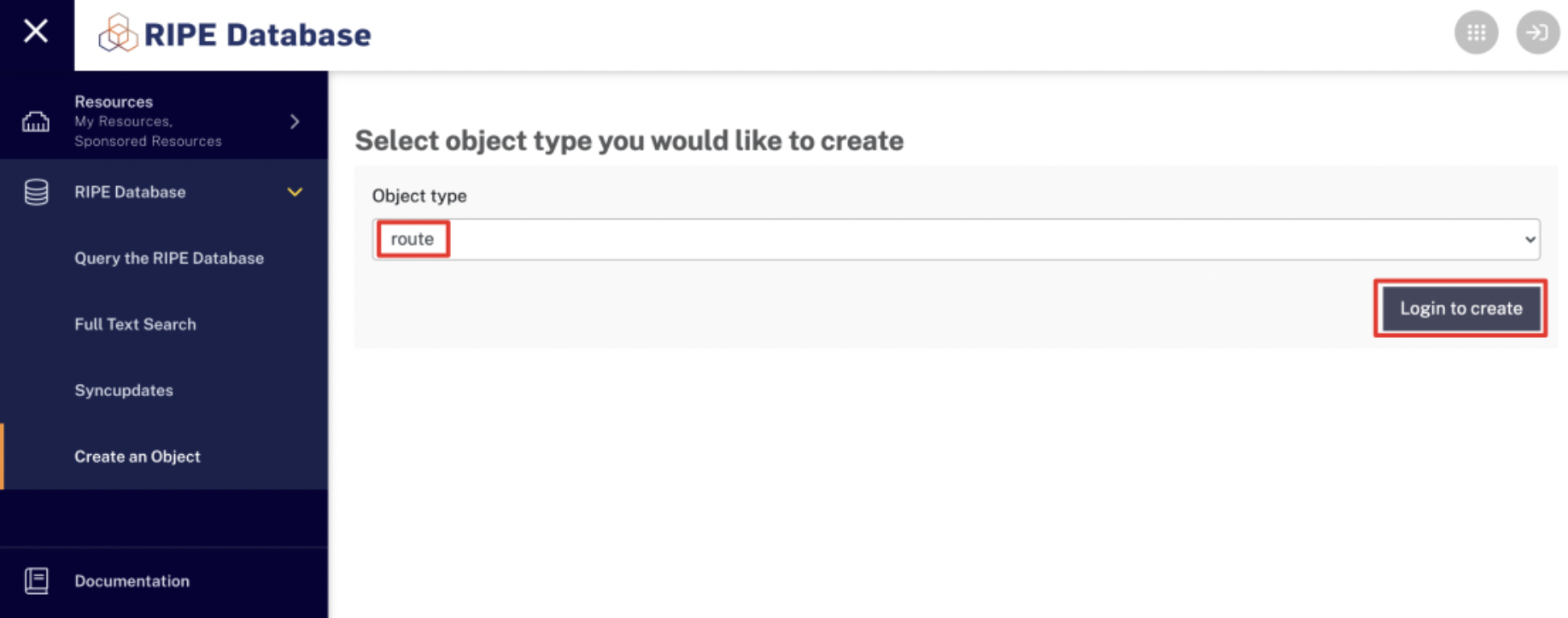
- On the Create Route Object page, input the maintainer's name.
- Enter the password in the authentication dialog and click Submit.
- Set up the Route Reflector (RR) based on the provided information, then click Submit.
| Configuration | Description |
|---|---|
| route | Enter the self-owned public IP address segment |
| origin | Enter the AS number. This example uses the fixed value AS55967 |
- After configuring the route reflector, user can check whether the configuration is successful via RADB.

Step 2: Apply to Bring Your Own public IP Address to Cloud
After updating Ingress information, submit a ticket to apply for bringing your own overseas public IP address to the cloud. The following information is required for application:
- Public IP address segment
- Region used for bringing addresses to cloud
- Confirm that the Ingress information has been updated
Step 3: Use self-owned public IPs on the Cloud
After migrating your self-managed public IP to Baidu AI Cloud, the cloud will advertise the IP range for the specified region. These IPs can be utilized via the EIP console and linked to BCC instances, NAT gateways, BLB instances, elastic network interfaces, and other cloud resources.