DDoS standard protection
Overview
Baidu AI Cloud DDoS Basic Protection offers free fundamental DDoS defense to ensure secure daily operations and reliable functionality of cloud resources. Customers can enjoy free DDoS protection up to 5Gbps (1Gbps in Hong Kong) with real-time traffic monitoring and immediate attack mitigation enabled by default.
To enable DDoS protection at the hundred-Gbps level, users can purchase the TBSP service without changing their IPs. For Tbps-level DDoS protection thresholds, users can purchase DDoS advanced protection service and switch traffic to the advanced protection IP.
Protection IP management
- Sign in to the Management Console and select Product Services - Network - EIP.
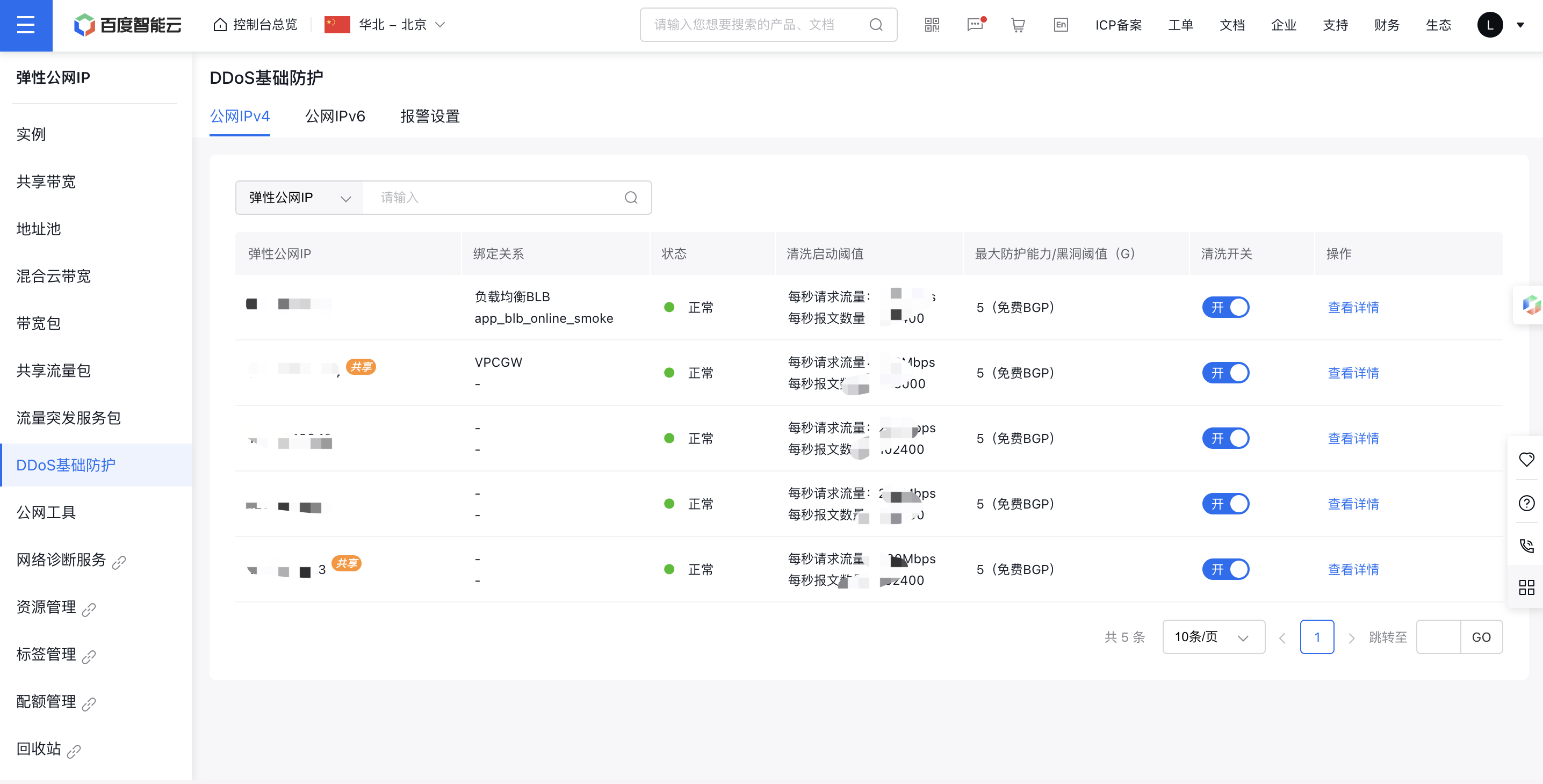
- From the left navigation menu, select DDoS Basic Protection to access the list, where you can view the current EIP instance, its associated Baidu Cloud Compute instance, DDoS protection status, cleaning trigger threshold, maximum protection capacity, and more. Refer to the table below:
| Parameter list | Description |
|---|---|
| EIP | EIP instances under DDoS protection |
| Protection Capability | The protection capacity is typically no less than 5Gbps |
| Binding relationships | Each EIP corresponds to a bound BCC/BLB |
| Status | The current status of the EIP instance includes "Normal", "In Cleaning", and "Blackhole" |
| Cleaning activation threshold | Request traffic per second, messages per second, HTTP requests per second |
| Maximum protection capacity/threshold | Blackhole trigger threshold |
| Operation | View DDoS protection service details of the current EIP instance |
Set DDoS basic protection parameters
Defend against layer 4 to layer 7 DDoS attacks such as SYN Flood, UDP Flood, ACK Flood, ICMP Flood, DNS Flood, and CC attacks. The detailed configuration steps are as follows:
- On the DDoS Protection Service List page, select the EIP instance requiring protection parameters and click View Details.

- Navigate to the details page, click Settings under Basic Information, and set the cleaning trigger value for a specific Baidu Cloud Compute or load balancer (BLB) instance. Enable the cleaning threshold, which activates protection when the threshold is reached.
The system provides recommended cleaning thresholds based on the bandwidth data of the BCC instance purchased by the user. Details are as follows:
- By bandwidth upper limit: Set DDoS protection thresholds based on the purchased public IP bandwidth limit;
- Smart threshold: Automatically adjust the DDoS protection threshold based on actual service conditions of the user;
- Custom threshold: Configure DDoS protection thresholds independently.
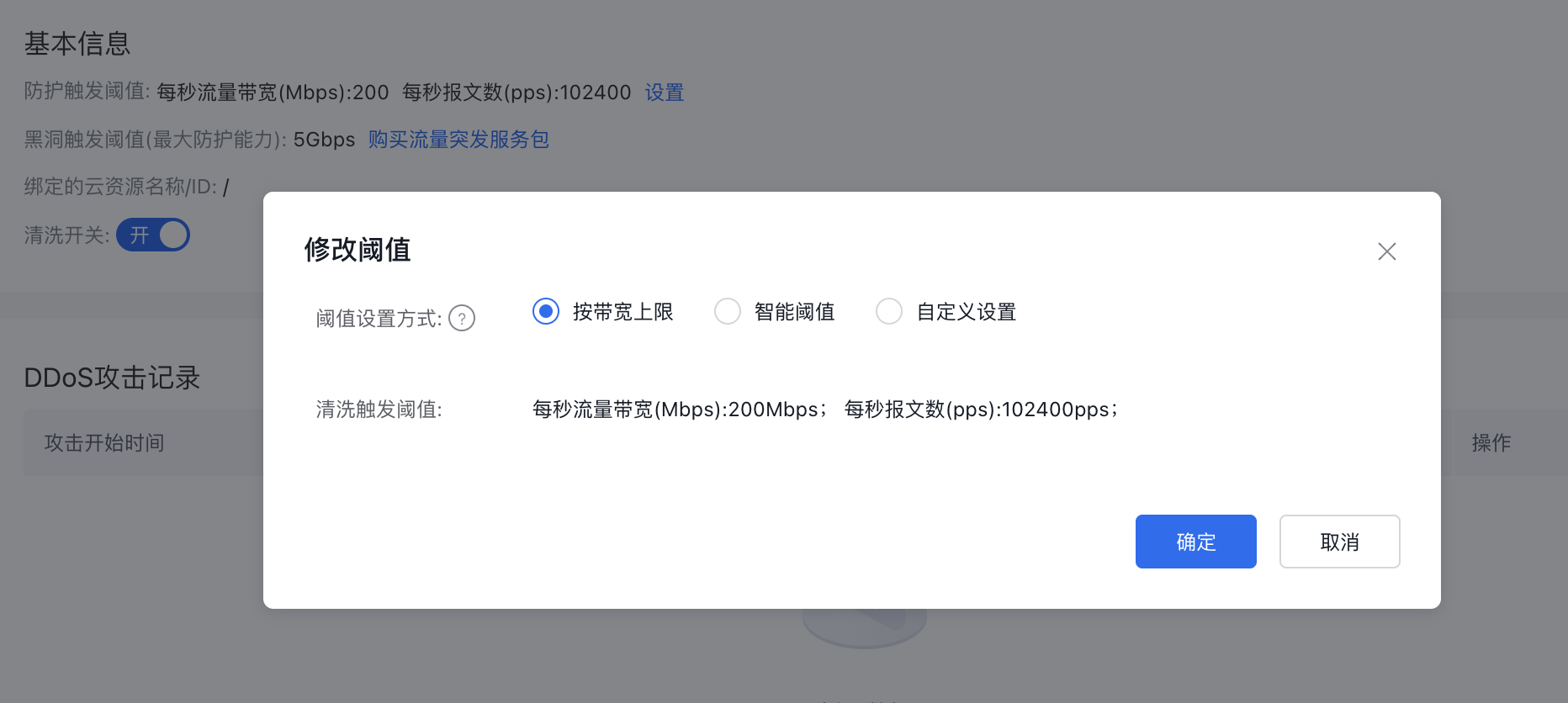
- Click OK to complete the DDoS security configuration.
Description:
- Baidu AI Cloud DDoS Basic Protection includes default 7-layer CC protection.
- For 100Gbps-level DDoS protection thresholds, please purchase TBSP service; for Tbps-level thresholds, purchase advanced anti-DDoS service.
View DDoS attack records
On the DDoS Attack Records page, review DDoS attack logs for individual BCC or BLB instances.
- In the left navigation, choose DDoS Basic Protection, locate the EIP instance requiring protection settings, and click View Details.
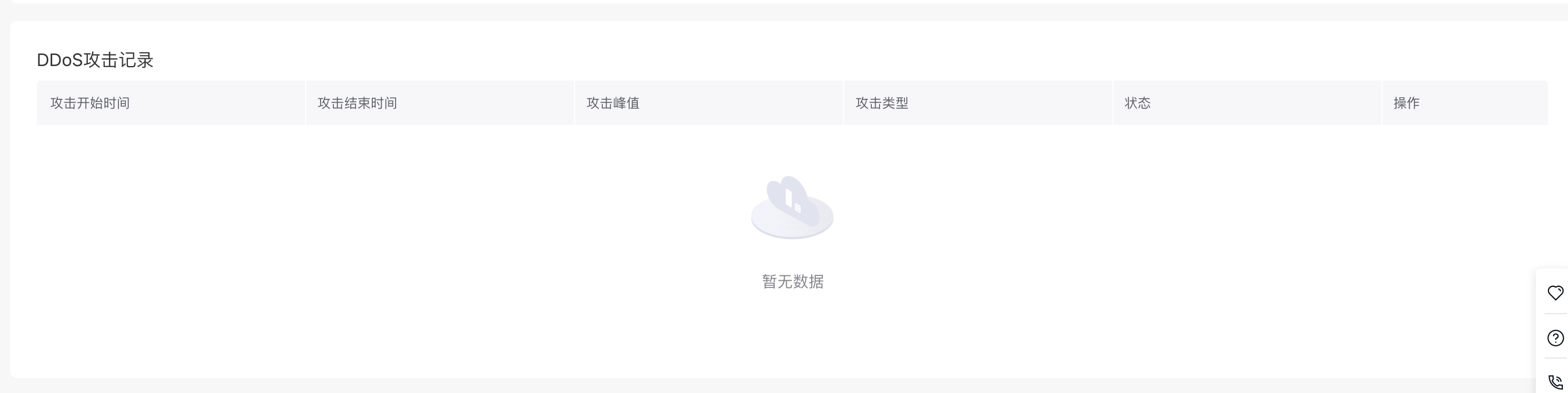
- View the DDoS Attack Records section to check the attack start time, end time, peak value, attack type, and status.
View DDoS monitor information
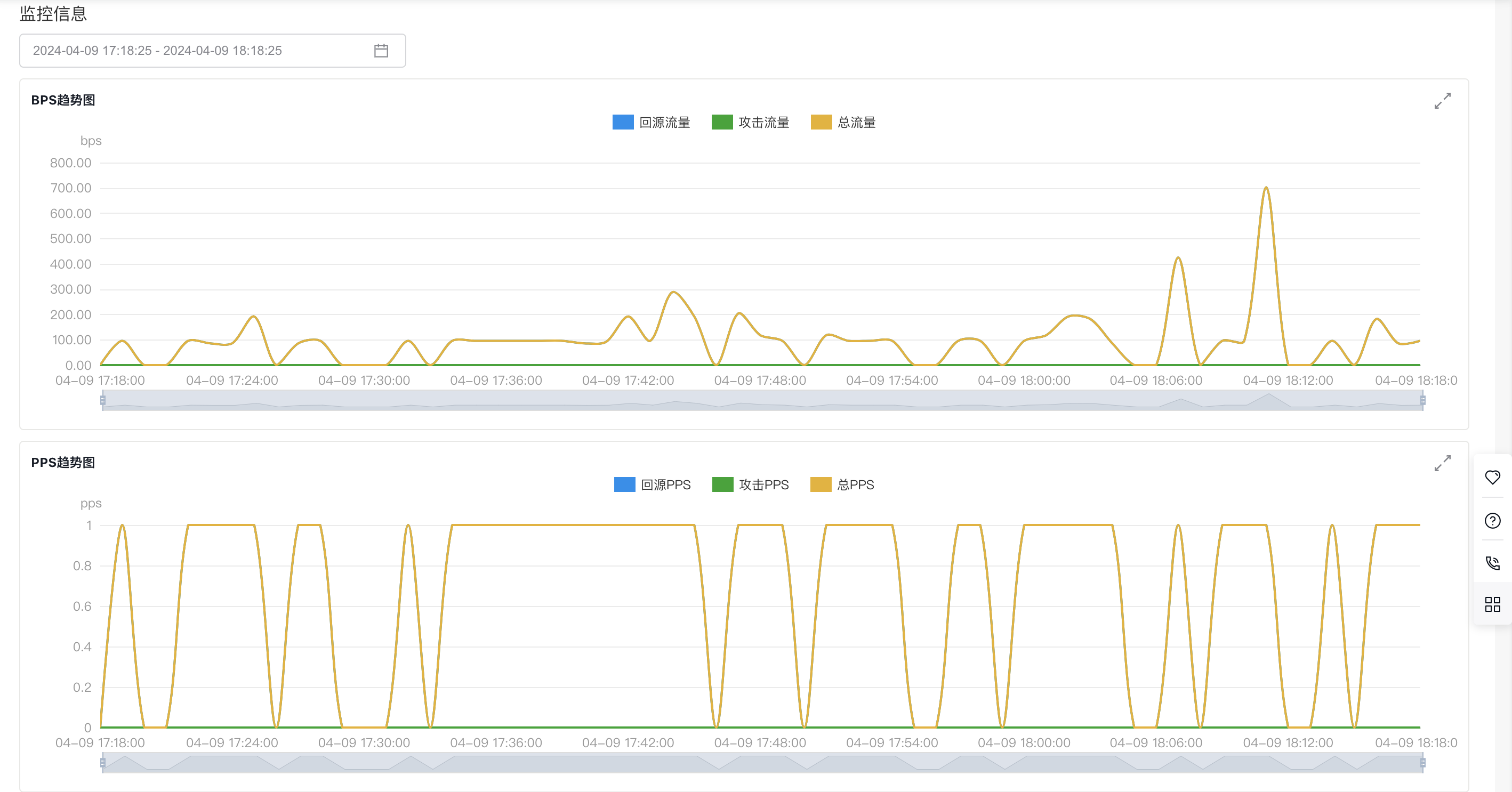
Go to the DDoS Monitor page to check network traffic reports for individual BCC/BLB instances with basic DDoS protection.
- In the left navigation, choose DDoS Basic Protection, locate the EIP instance requiring protection settings, and click View Details.
- In the Monitor Information section, filter by time to view BPS/PPS trend charts.
Notification methods of DDoS attack
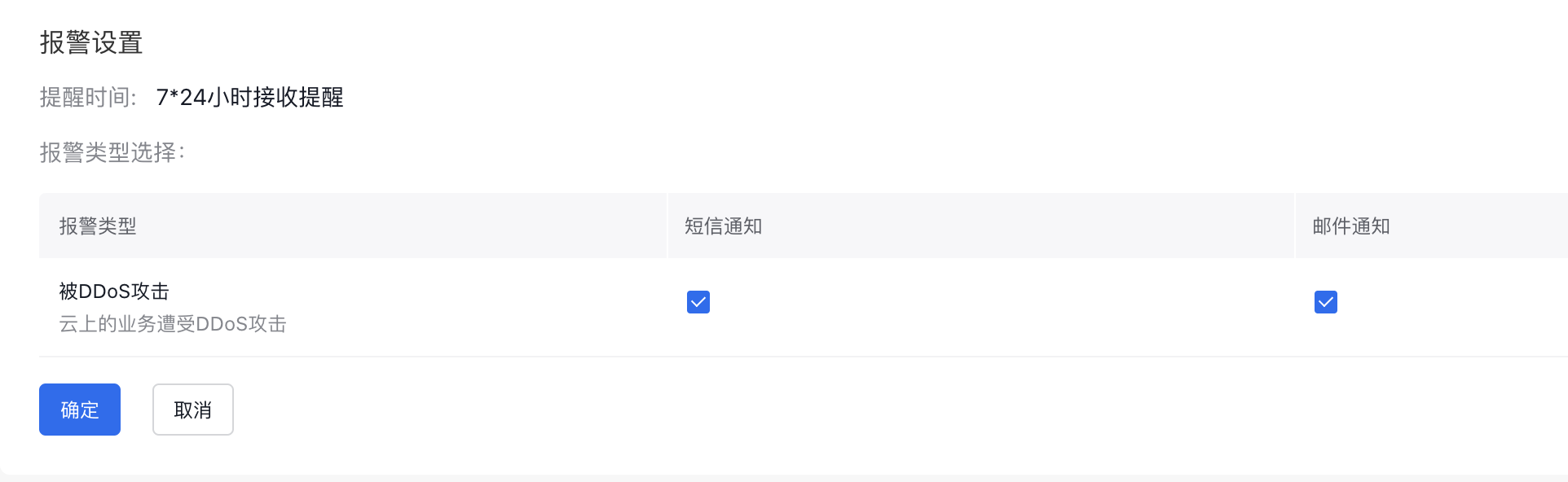
Users can conveniently standardize alarm methods and strategies across various security services.
- Navigate to Product Services > Security & Management > DDoS Protection Service to access the DDoS Protection Service page.
- Switch to the Notification Settings tab and click Settings:
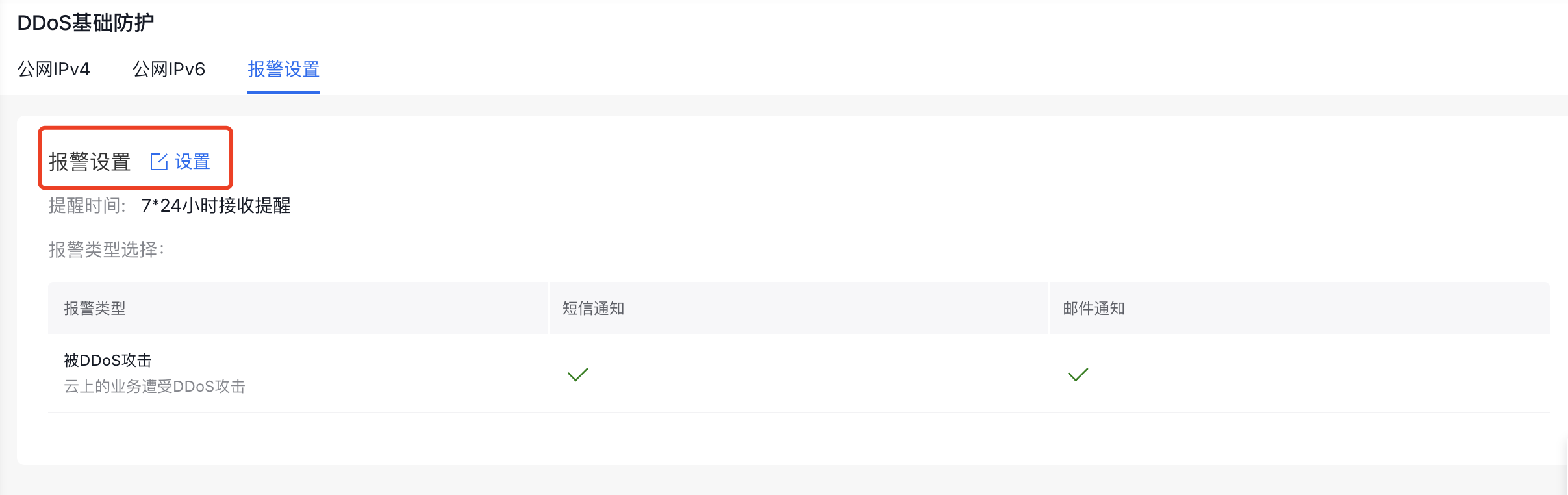
- Choose a notification method (SMS/email) and set the reminder time according to your needs.
- Click "OK" to finalize the DDoS alarm configuration.