

Monitor alarm
Updated at:2025-10-16
After adding public IPs in need of protection to a TBSP instance, monitor total ingress bandwidth, back-to-origin bandwidth, attack bandwidth, total ingress packet rate, back-to-origin packet rate, attack packet rate, and DDoS attack records through the monitoring and attack records pages to quickly access detailed protection data.
Monitor information
- Sign in to the Management Console and select Product Services - Network - EIP.
- Navigate to TBSP in the left-hand menu to view the TBSP list.
- Click the instance name to open the Instance Details page.
- Click Monitor in the left navigation menu to reach the Monitor page and review monitoring information for the protected IP.
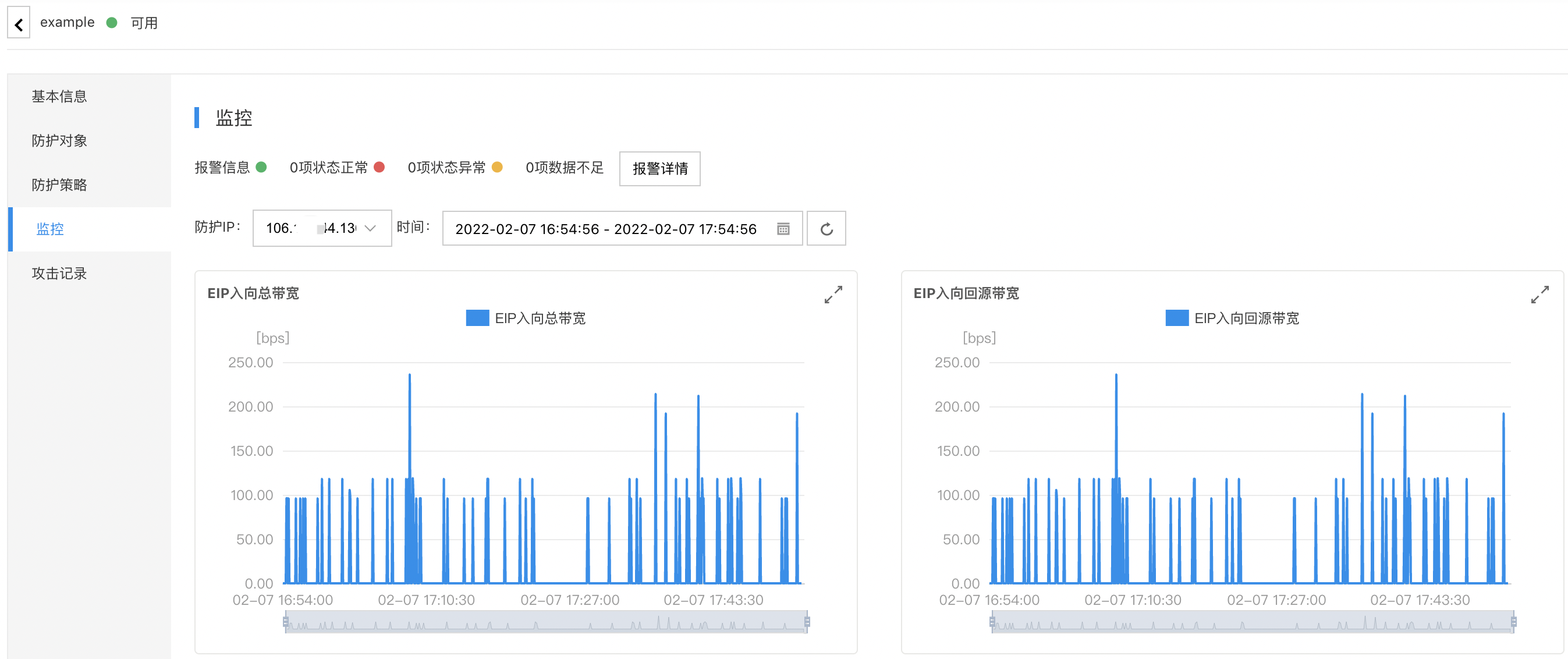
Configure alarms
Users can manage the alarm strategies of the TBSP. Click Alarm Details on the Monitor page to enter the Alarm Configuration page. For detailed steps, refer to BCM Alarm Management.
Attack statistics
-
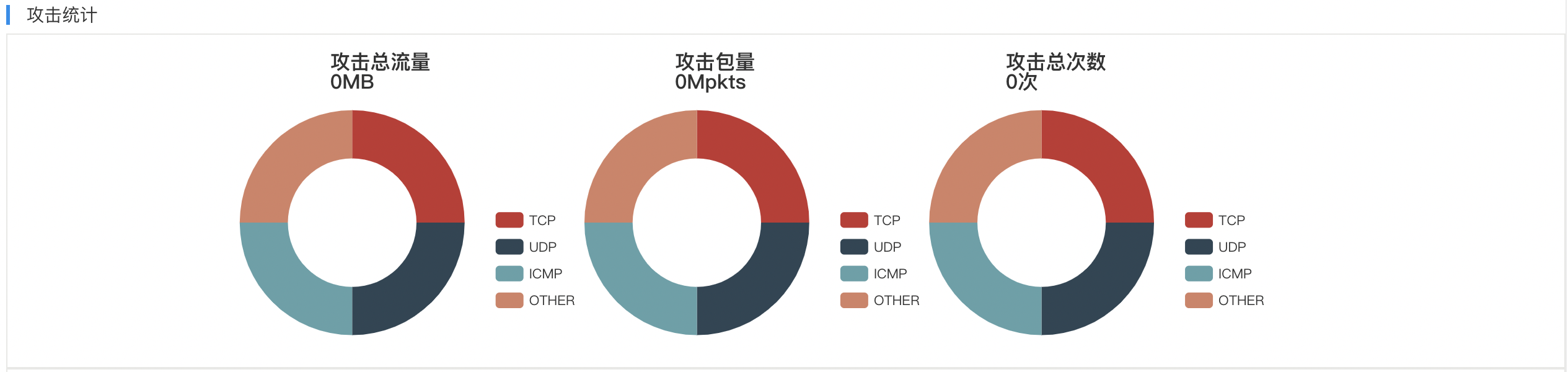
The Attack Statistics module showcases attack distributions across three dimensions: attack traffic protocol, attack packet protocol, and attack type distribution.
- Attack traffic protocol distribution: Displays the percentage of total attack traffic per protocol for selected TBSP instances over a specified time period.
- Attack packet protocol distribution: Shows the proportion of total attack packets by protocol within attack events targeting the TBSP instance during the defined time frame.
- Attack type distribution: Presents the percentage of each attack type experienced by the selected TBSP instance during the specified time frame.
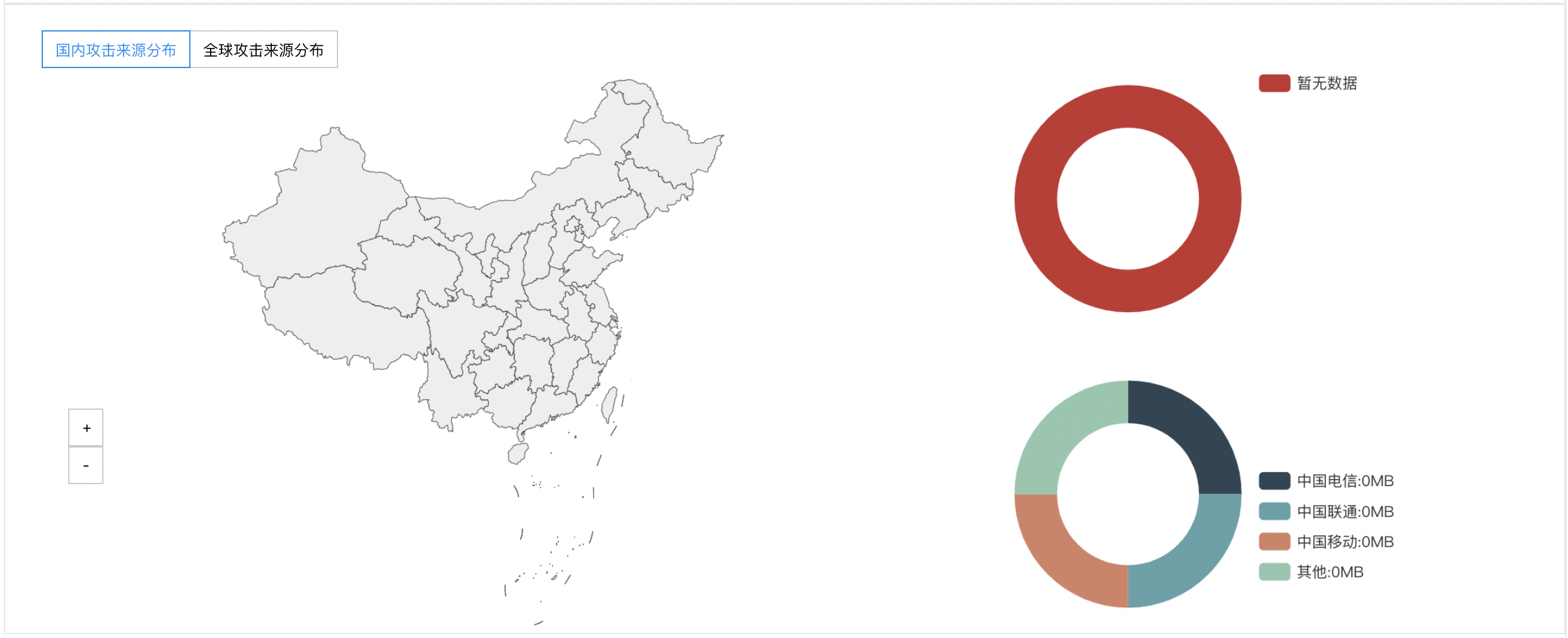
- In the Attack Source module, users can examine the distribution of DDoS attack sources domestically and globally within the given time period, enabling clear identification of attack origins and aiding in the configuration of protection strategies.
Attack records
- Sign in to the Management Console and select Product Services - Network - EIP.
- Navigate to TBSP in the left-hand menu to view the TBSP list.
- Click the instance name to open the Instance Details page.
- Click Attack Records in the left navigation menu to review attack records for protected IPs.
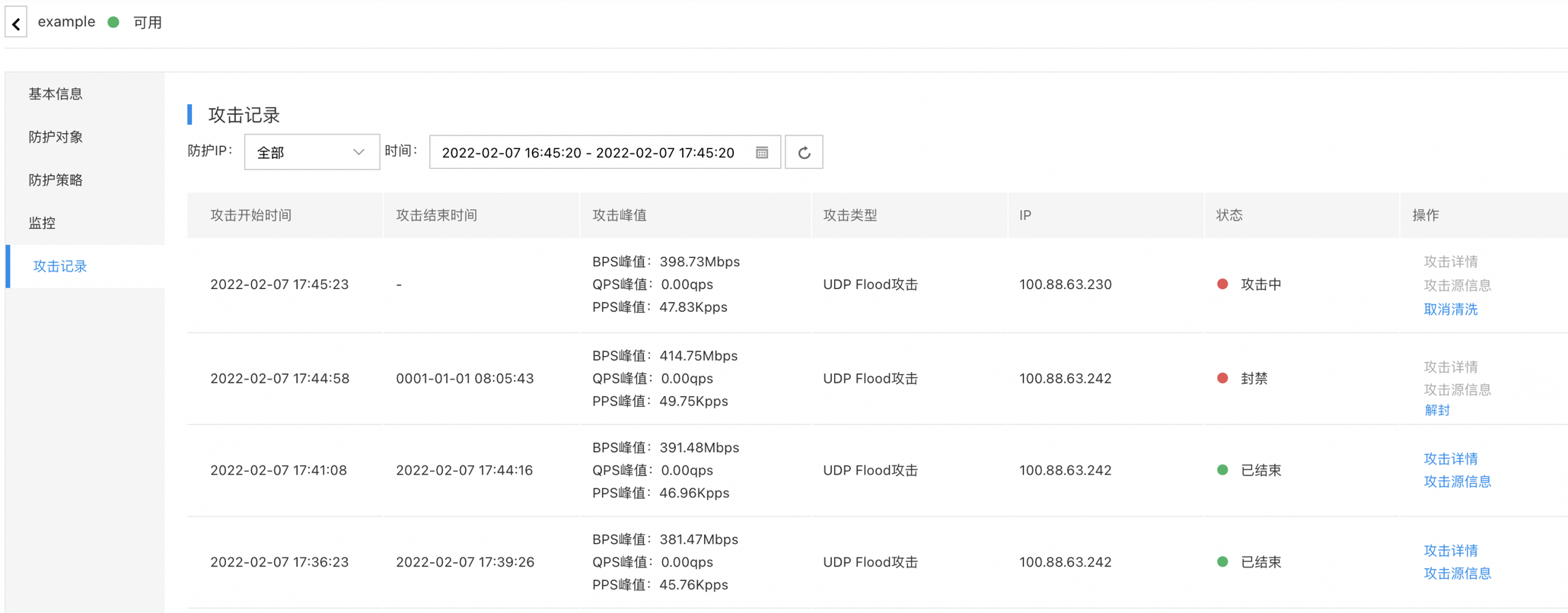
Description:
- The cleaning of protected IPs can be canceled. After cancellation, you can modify the cleaning thresholds, and retesting will occur after 5 minutes.
- Blocked protected IPs allow self-service unblocking, with up to three unblocking opportunities daily. The system resets the self-service unblocking count at 00:00 each day.