Instance management
Updated at:2025-10-16
TBSP is a network product that transparently protects against traffic bursts without requiring changes to the origin server's IP address. It leverages Baidu AI Cloud's native network to minimize risks to services caused by sudden traffic surges.
Create protection package
- Sign in to the Management Console and select Product Services - Network - EIP.
- In the left navigation bar, select TBSP to access the TBSP list.
- Click on Create Protection Package.
- Fill in the following configuration information:
| ConfigMap | Description |
|---|---|
| Bill type | Only prepay is supported |
| Current region | Support Beijing, Baoding, Wuhan, Suzhou, Shanghai, Guangzhou; toggle via region selector in the top left corner. |
| Service package name | User-defined service package name |
| IP version | Select IP version type (default IPv4; IPv6 optional) |
| Internet connection type | Select the Internet connection type for the IPs to be protected in the service package. Standard BGP Internet connection type is not supported |
| Service package IP capacity | Select the count of IPs to be protected |
| Tag unbinding | With tags, you can categorize resources by various criteria (e.g., purpose, owner, or project) |
| Purchase period | Select the purchase period, with quarterly purchases available at a 37.5% off discount for annual subscriptions |
| Count of purchases | Select purchase count of service packages |
| Auto-renewal | Auto-renewal will be enabled upon activation |
- Follow the steps to complete the payment.
- Once the purchase is successful, view the list of TBSP instances.

Add protected object
- Sign in to the Management Console and select Product Services - Network - EIP.
- In the left navigation bar, select TBSP to access the TBSP list.
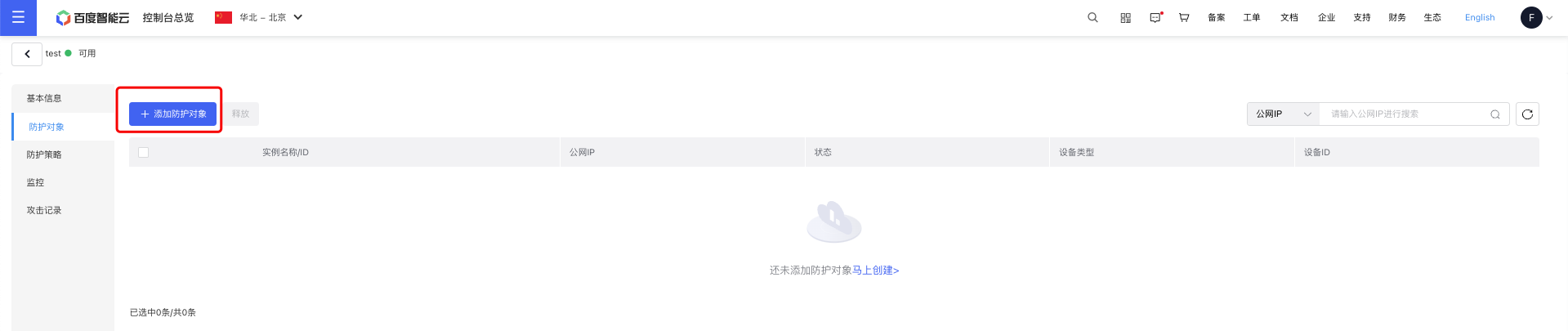
- Click on the Service Package Name within the existing instances to open the Service Package Details page and view the list of protected objects.
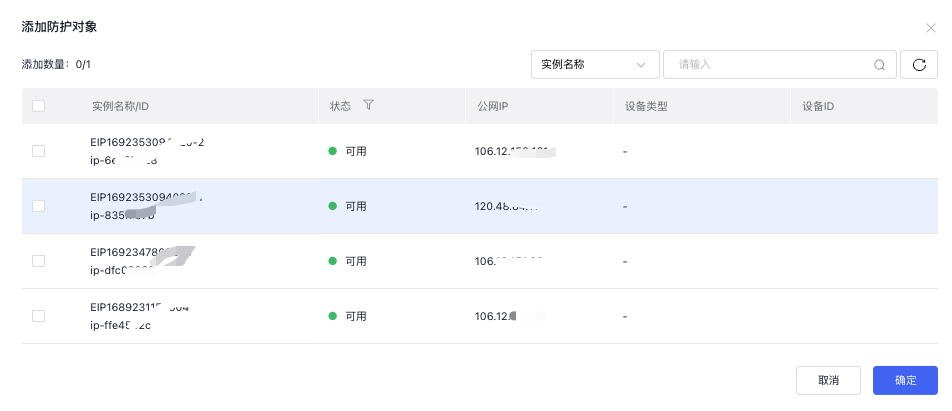
- Click Add Protection Object. A pop-up window will open.
- After selecting the IPs to be protected, the protection object will be successfully added.
Capacity scaling up
- Sign in to the Management Console and select Product Services - Network - EIP.
- In the left navigation bar, select TBSP to access the TBSP list.
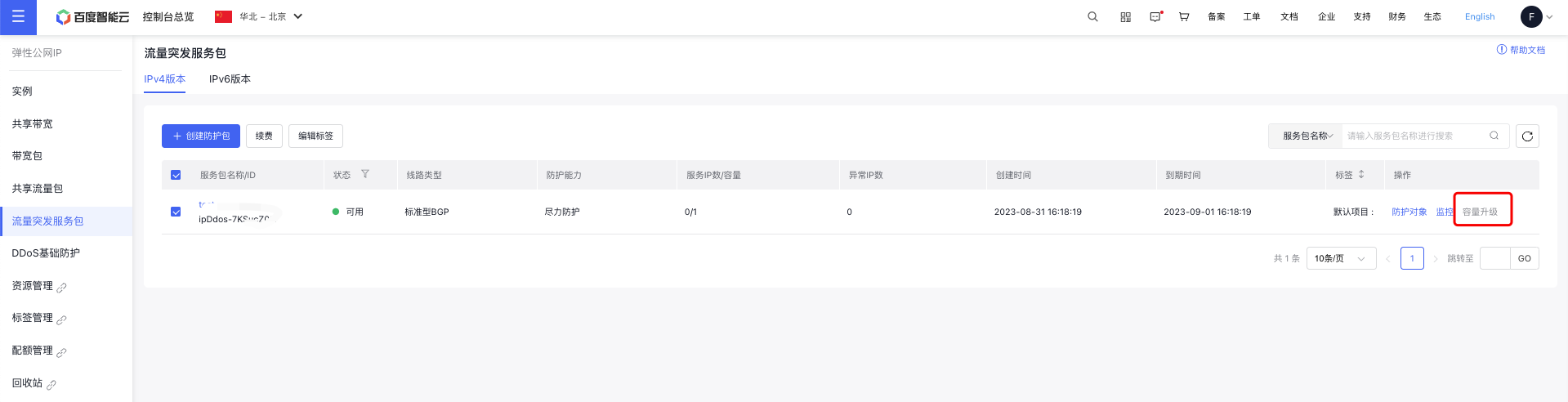
- Click Capacity Scaling Up on an existing instance to open the Configuration Change page.
- Select the desired IP capacity for the service package. The scale-up configuration will take effect immediately upon payment completion.
Description:
- TBSP capacity supports only scaling up, not scaling down.
Product renewal
- Sign in to the Management Console and select Product Services - Network - EIP.
- In the left navigation bar, select TBSP to access the TBSP list.
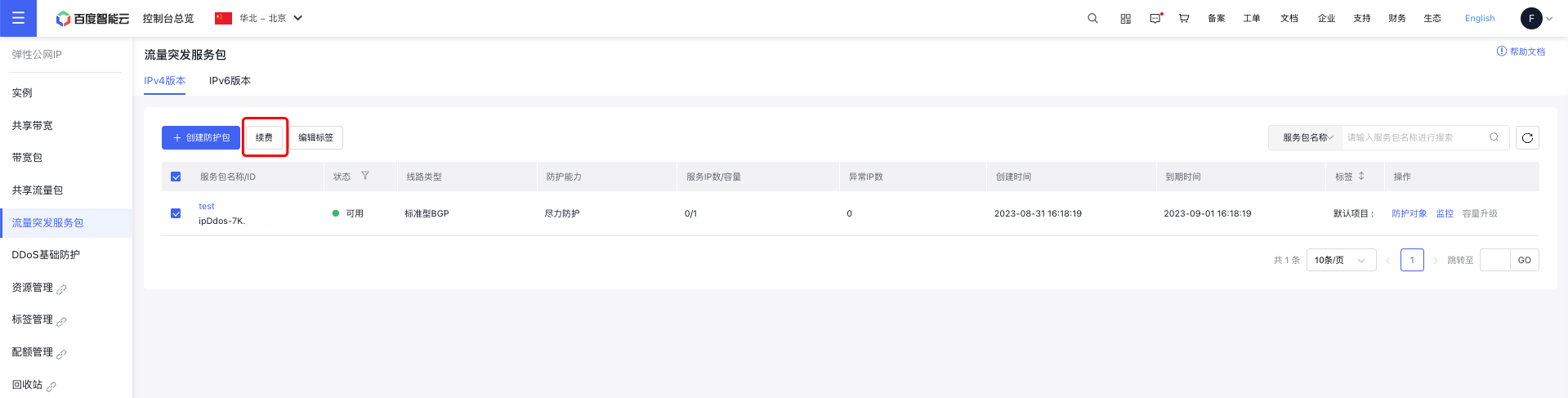
- Select the TBSP instance you want to renew, then click Renew at the top of the list to proceed to the Renewal page.
- Choose the renewal duration. The renewal process is finalized upon payment completion.