

Create learning relationship
Updated at:2025-11-11
Operation scenarios
You can configure a route learning relationship for a network instance and associate it with the target CSN route table, allowing the target route table to automatically learn the routes of the specified network instance.
Operation steps
- Sign in to the Cloud Smart Network Console.
- Click on the name of the CSN instance to access its basic information page.
- In the left navigation bar, click Route Management to navigate to the route management page of the CSN instance.
Click Create Learning Relationship to open a pop-up window.
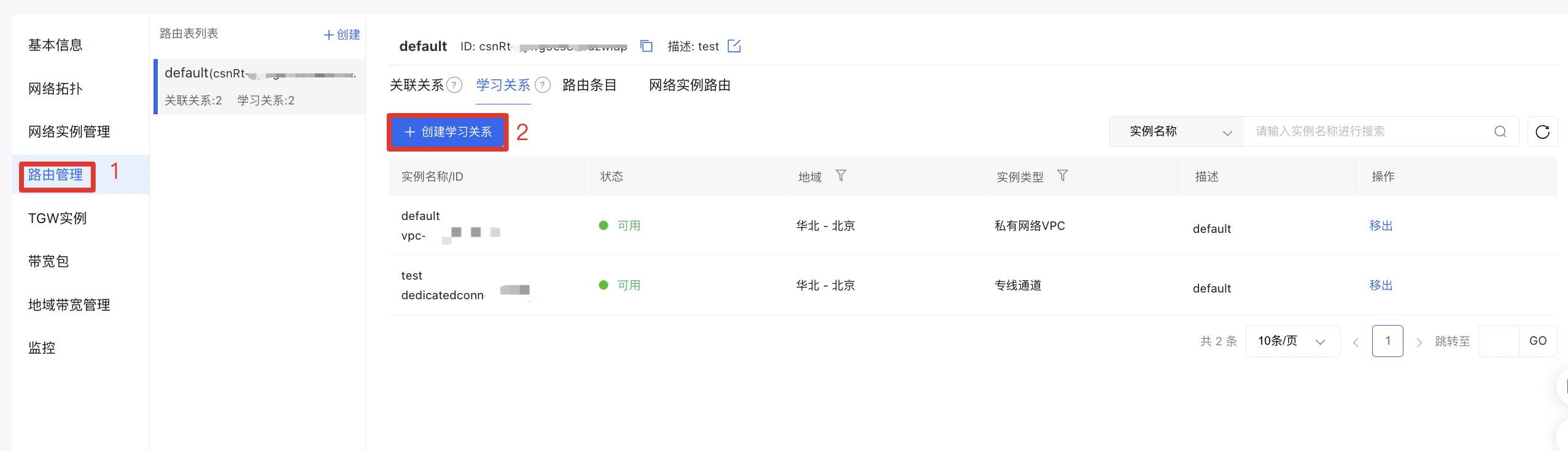
- Fill in the following configuration information:
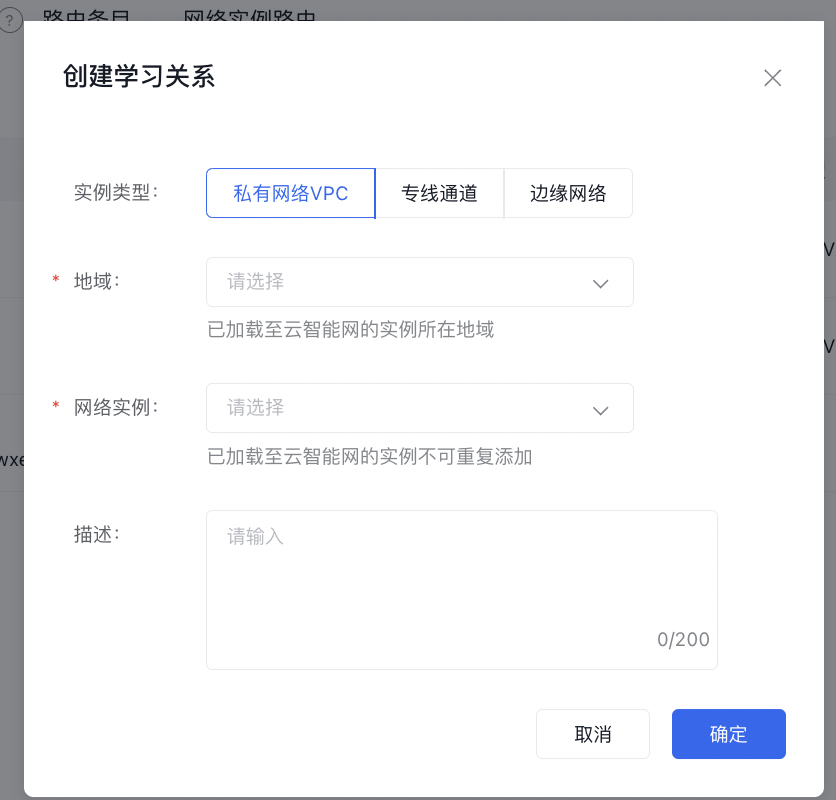
| ConfigMap | Description |
|---|---|
| Instance type | Select the type of network instance to be learned. The supported types are Virtual Private Cloud (VPC), dedicated channel, and edge network |
| Region | Select the region where the network instance to be learned is located |
| Network instance | Select the network instance to be associated with this CSN route table, so that the target CSN route table can learn the routes of this network instance. Instances already loaded into Cloud Smart Network cannot be added repeatedly |
| Description | Edit the description of the learning relationship (no more than 200 characters) |
Click OK to finalize the creation of the learning relationship.