Adjust Network Instance Bandwidth
Updated at:2025-11-11
Operation scenarios
Adjust the bandwidth of each network instance as needed to align with your business requirements.
Operation instructions
● The default bandwidth of each network instance is 100 Gbps. If you need bandwidth greater than 100 Gbps, please apply for a quota
Operation steps
- Sign in to the Cloud Smart Network Console.
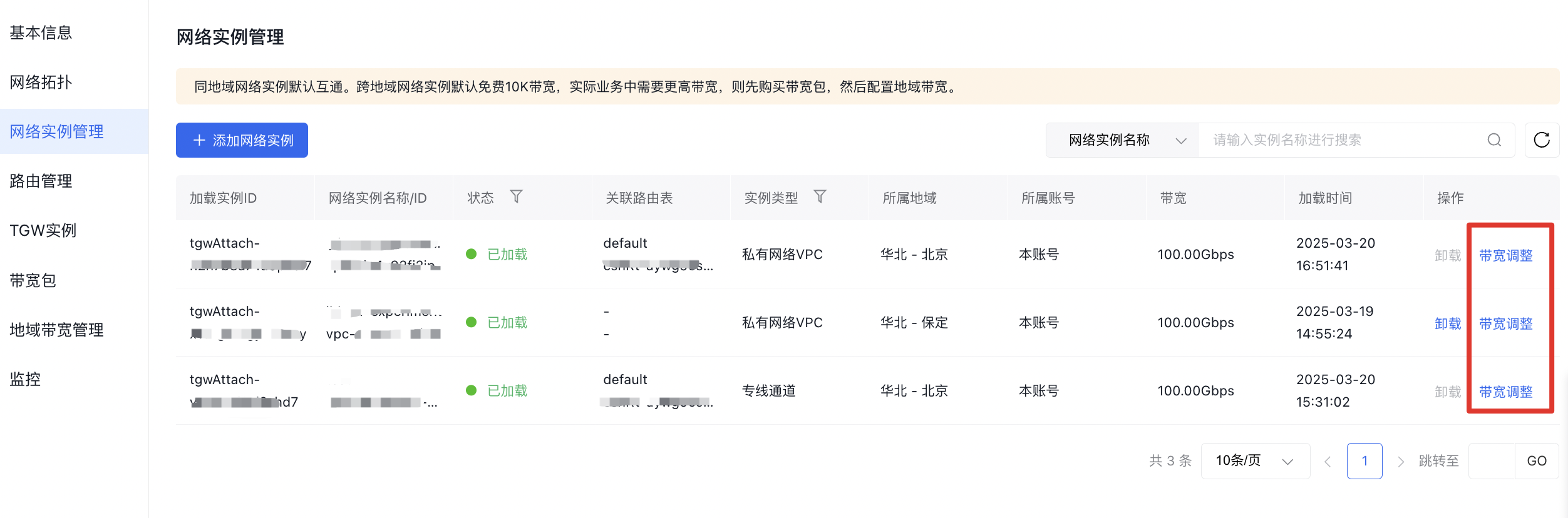
- Go to the network instance management page, locate the target instance in the list, and click "Adjust Bandwidth" in the Operation column to modify the bandwidth of the respective network instance.