Adjust Region Bandwidth
Updated at:2025-11-11
Operation scenarios
You can dynamically adjust bandwidth allocation according to your business needs to enhance network performance and resource efficiency.
Operation steps
- Sign in to the Cloud Smart Network Console.
- Click the name of the target CSN instance to access the instance's basic information page.
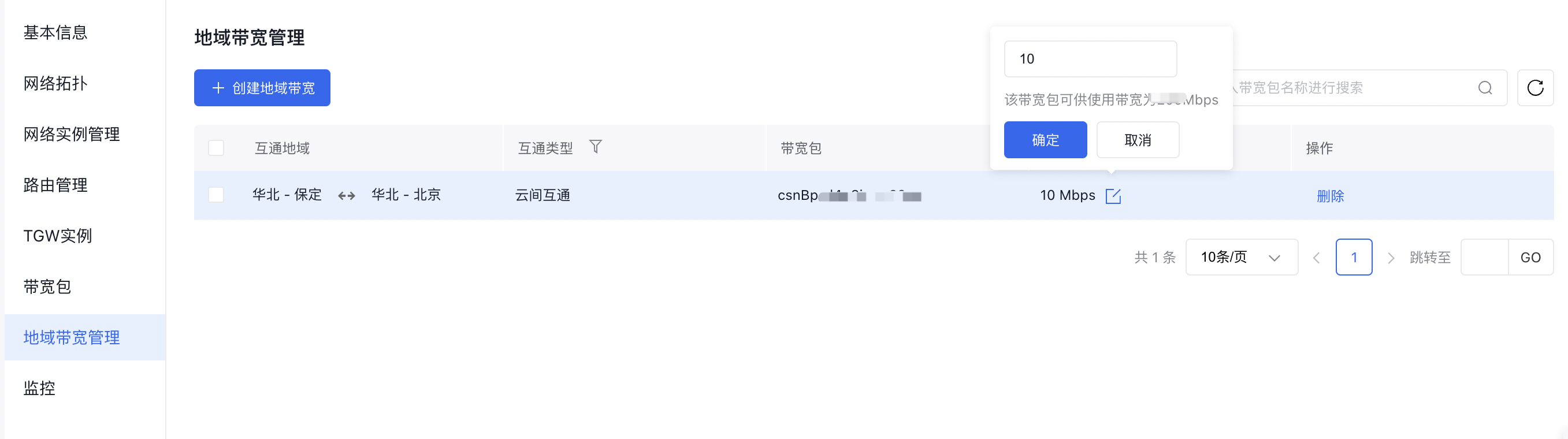
- Select Cross-region Bandwidth Package Management in the left navigation bar to open the cross-region bandwidth management page.
In the corresponding cross-region bandwidth entry, click on the Bandwidth Edit button to modify the bandwidth. The adjustment page will display the available capacity of the current cross-region bandwidth package, enabling you to allocate resources effectively.