Create custom route table
Operation scenarios
Cloud Smart Network (CSN) allows you to create custom route tables. Once created, you can attach network instances to these route tables, enabling Cloud Smart Network to forward the traffic of the instances by referencing the route table. Additionally, you can add customized routing entries, association relationships, and learning relationships to the custom route table for more flexible traffic management.
Operation instructions
● When a Cloud Smart Network is created, the system automatically generates a default route table to manage its traffic by controlling routing entries. The default route table is separate from any custom route tables, and communication between them is not possible.
● Custom route tables must be created manually and function similarly to Virtual Routing and Forwarding (VRF) in traditional routers. They are isolated from both the default route table and other custom route tables, ensuring access isolation.
● After connecting a network instance to Cloud Smart Network, you can set up an associated forwarding relationship to link the instance with a custom route table. Once configured, Cloud Smart Network forwards the network instance's traffic based on the route table. Furthermore, you can add custom routing entries, association relationships, and learning relationships to the custom route table for flexible network connectivity.
Operation steps
- Sign in to the Cloud Smart Network Console.
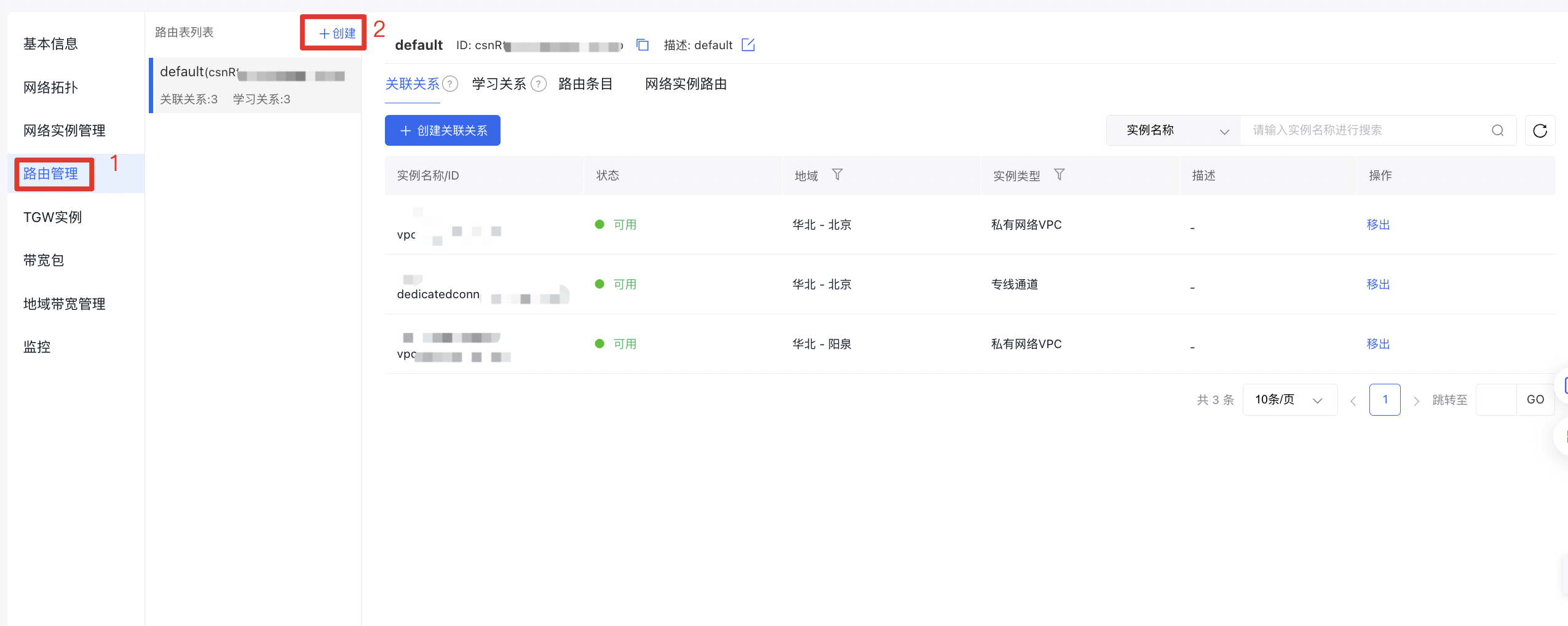
- On the Cloud Smart Network Instance page, locate the target CSN instance, click its ID, and navigate to the Route Management tab in the details page.
- On the Route List page, click + Create to open the dialog box for creating a custom route table.
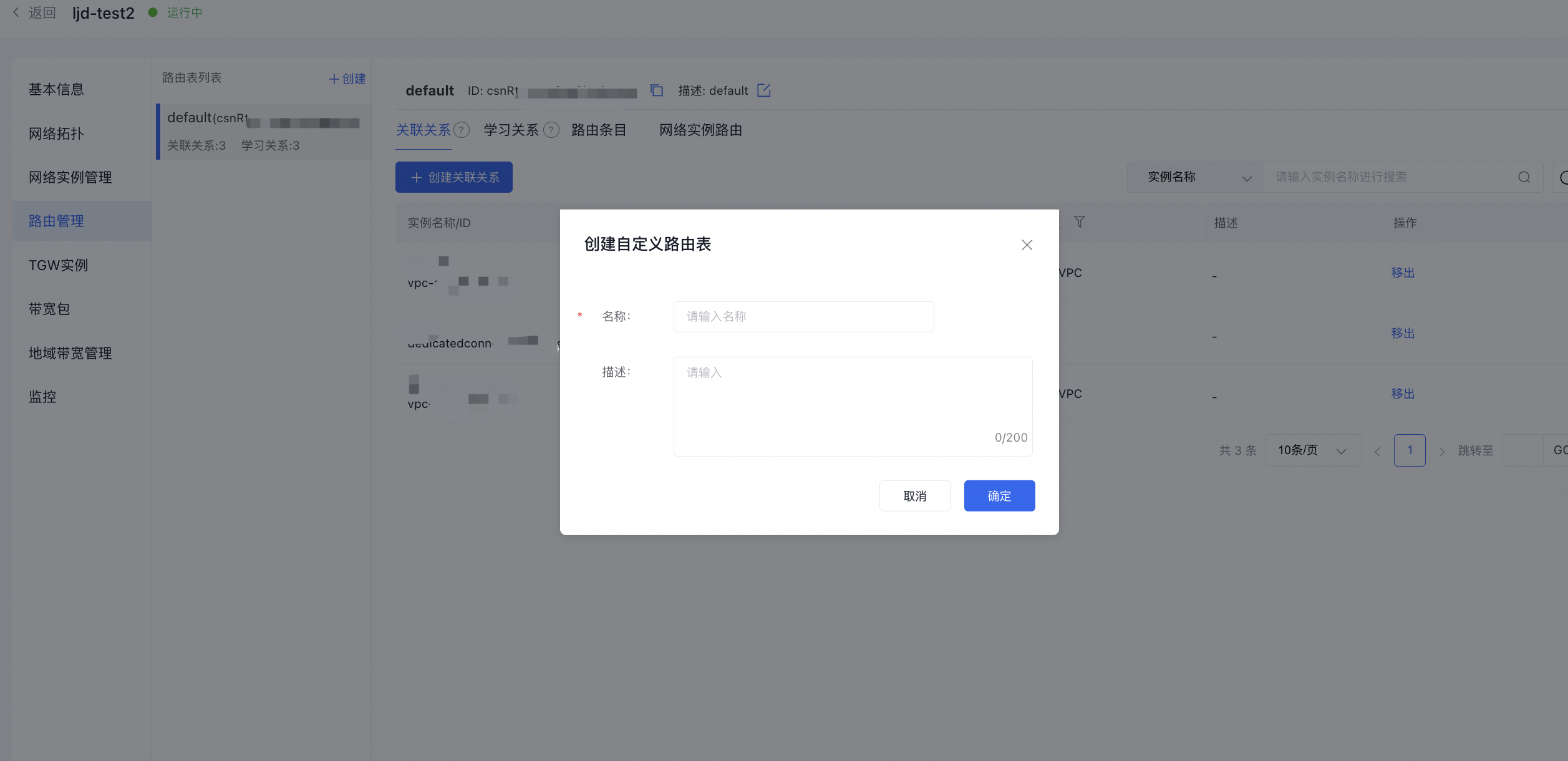
- In the Create Custom Route Table dialog box, enter the Name and Description, then click OK.