

Create Authorized Network Instance
Updated at:2025-11-11
Operation scenarios
Cloud Smart Network (CSN) allows for cross-account addition of network instances. You can share the network instances in your account with others. Once authorized, the other party can integrate these instances into their CSN to establish a network connection with you. Proceed with caution.
Operation instructions
● Each network instance can be authorized to only one Cloud Smart Network (CSN) instance.
● To authorize a dedicated channel, navigate to Dedicated Line ET > Dedicated Channel List and perform the operation there.
● After the authorization is completed, you can add cross-account network instances. For the specific addition method, please refer to Adding Cross-Account Network Instances
Operation steps
- Sign in to the Cloud Smart Network Console.
- In the left navigation bar, go to Cross-Account Authorization Management -> Authorized Network Instances to access the Authorized Network Instances page and view detailed information on authorized instances.
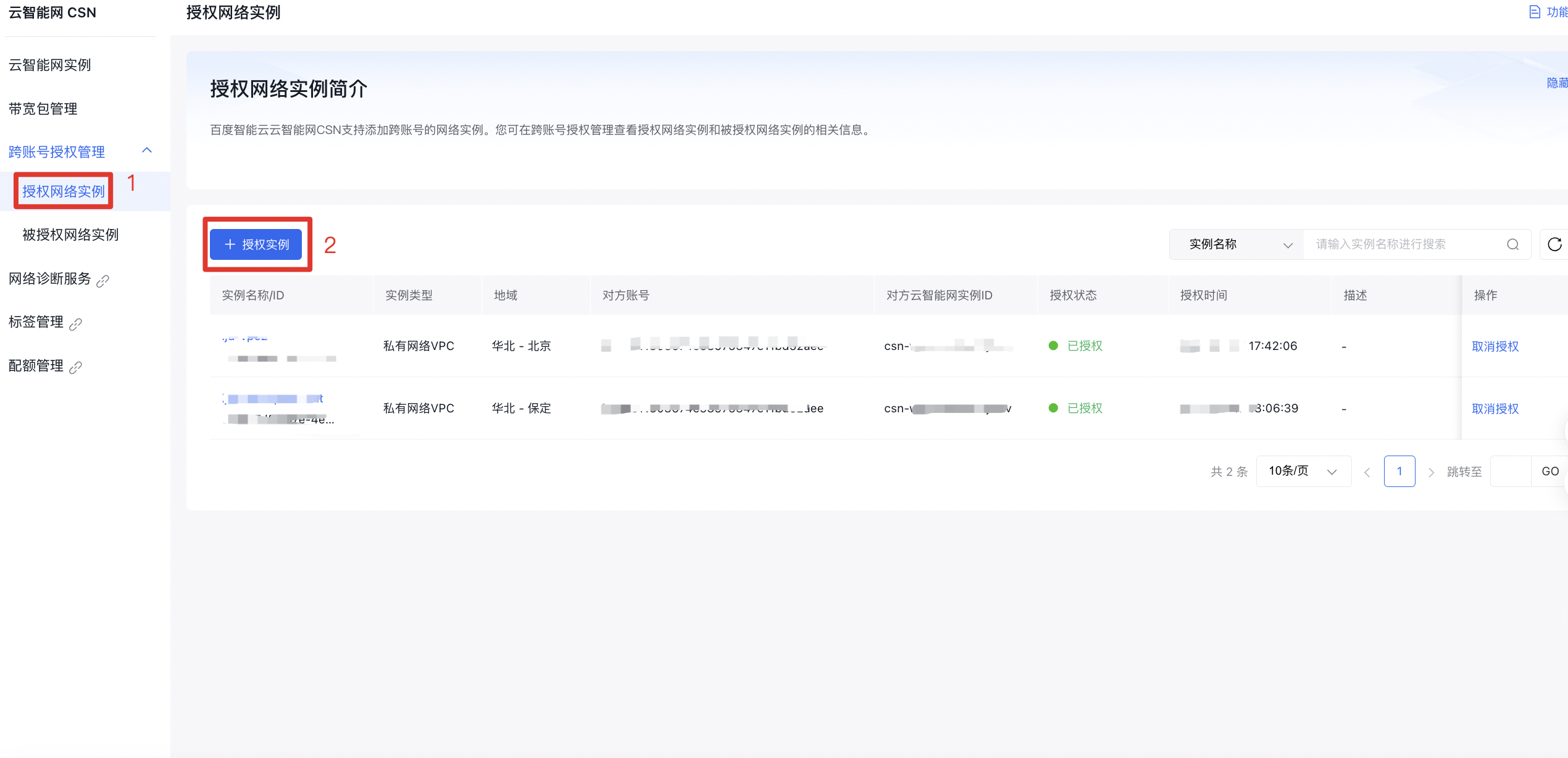
- Click on Authorize Instance, provide the other party’s account ID and their Cloud Smart Network instance ID to authorize the network instance.
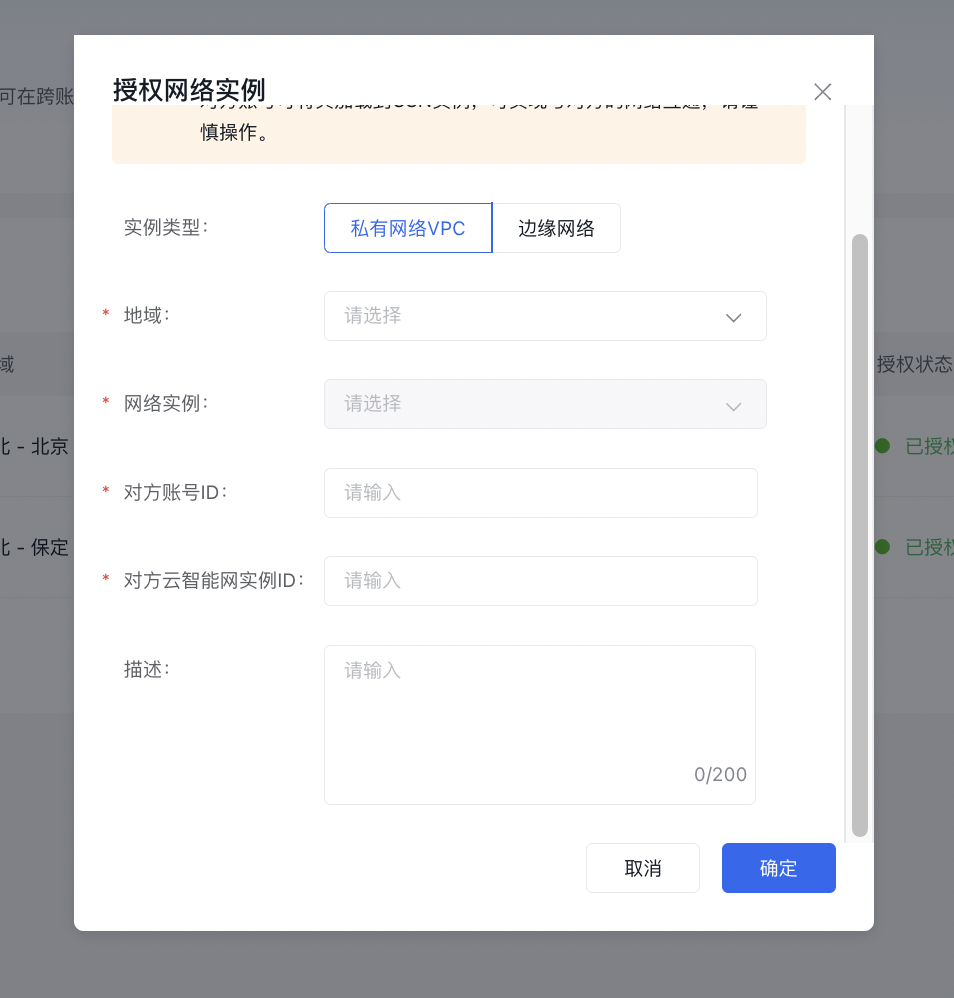
| ConfigMap | Description |
|---|---|
| Instance type | Choose the type of network instance for authorization. Supported types include Virtual Private Cloud (VPC) and edge networks. |
| Region | Select the region where the network instance to be authorized is located. |
| Network instance | Choose the network instance to be authorized. |
| Other party’s account ID | Input the target account ID to share the instance with the other account. |
| Other party’s Cloud Smart Network instance ID | Provide the ID of the target Cloud Smart Network instance to complete authorization to the other party’s CSN. |
| Description | Edit the description information of the authorized network instance (no more than 200 characters) |