Cancel Authorized Network Instance
Updated at:2025-11-11
Operation scenarios
You can withdraw the authorization of an already authorized network instance to ensure the security and control of resource access, based on actual requirements.
Operation instructions
● Once the authorization is revoked, the instance will not be deleted, but its status will change to “Unauthorized”. The instance entry will only be automatically removed after the authorized account deletes the instance.
● For an authorized network instance that has been added to CSN, if it meets the conditions for uninstallation, it will be automatically removed from CSN once the authorization is revoked.
Operation steps
- Sign in to the Cloud Smart Network Console.
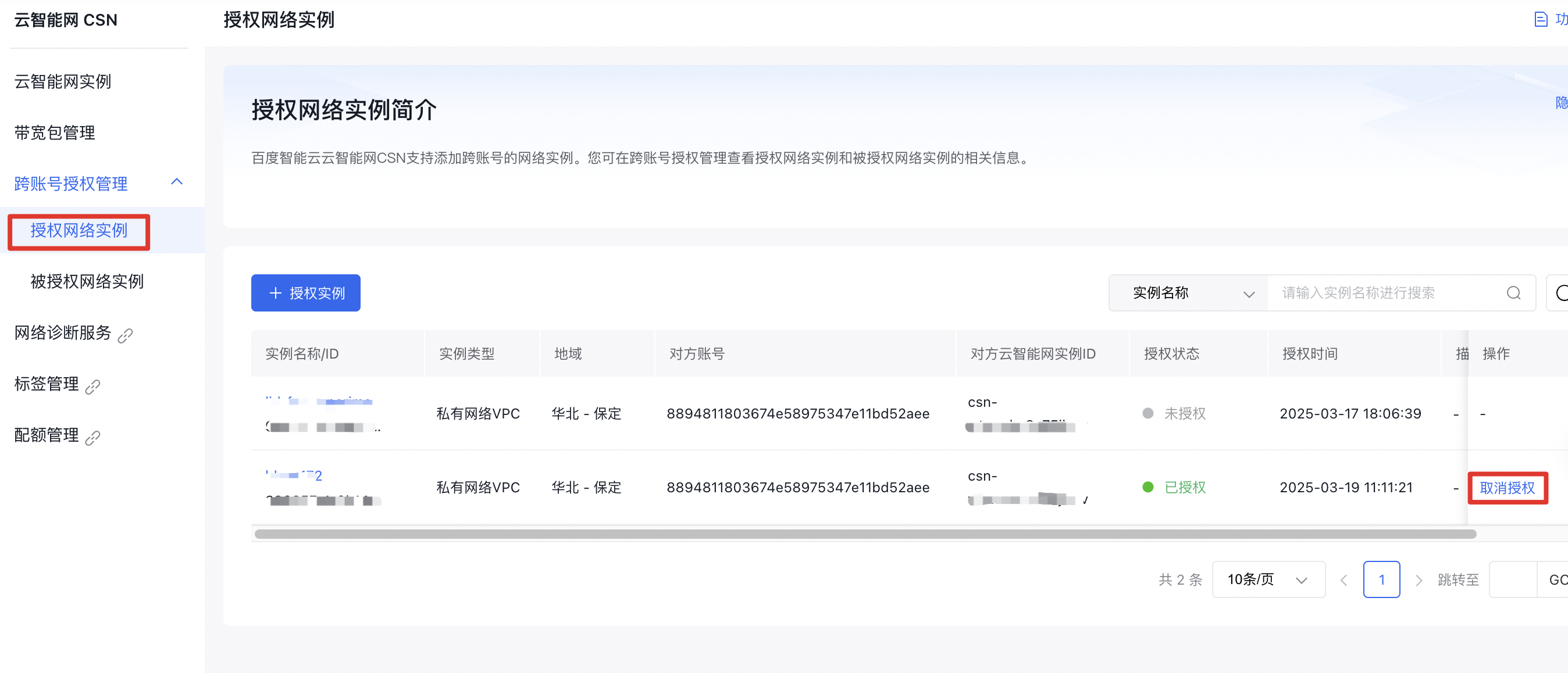
- In the left navigation bar, click Cross-Account Authorization Management -> Authorized Network Instances to enter the Authorized Network Instances page
- In the Authorized Network Instances list, click Revoke Authorization under the Operation column to remove the authorization for the network instance.