

Add Custom Route Entry
Updated at:2025-11-11
Operation scenarios
Alongside its automatic learning feature, CSN also allows users to manually add routing entries for greater route control flexibility.
Operation steps
- Sign in to the Cloud Smart Network Console.
- Click on the name of the CSN instance to access its basic information page.
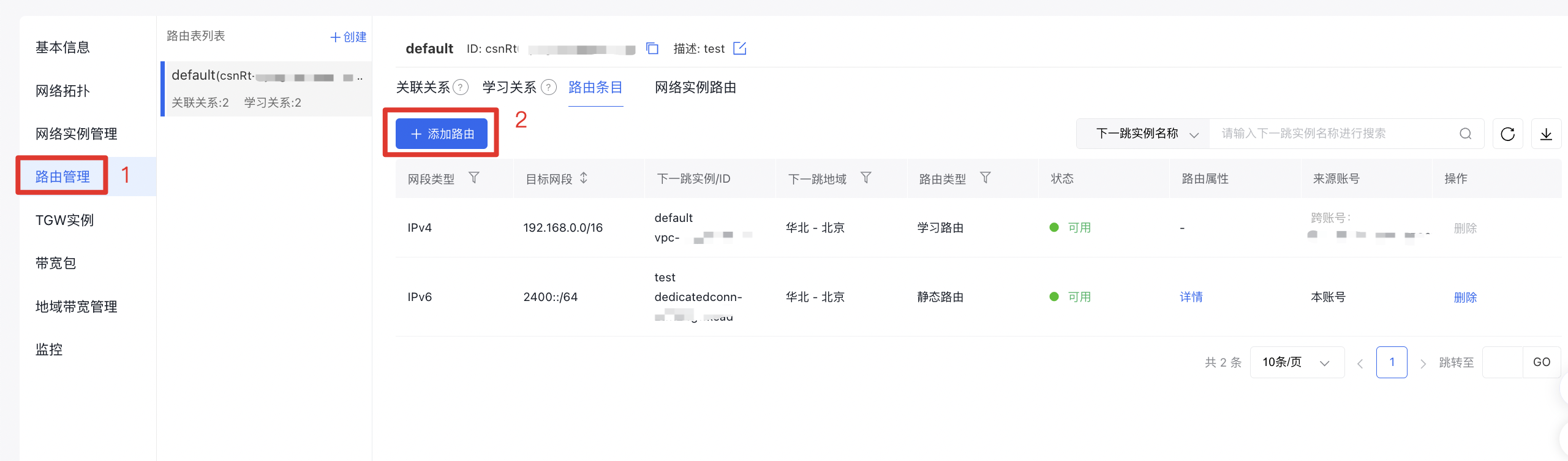
- In the left navigation bar, click Route Management to navigate to the route management page of the CSN instance.
Step 4: Click Add Route to open a pop-up window.
- Fill in the following configuration information:
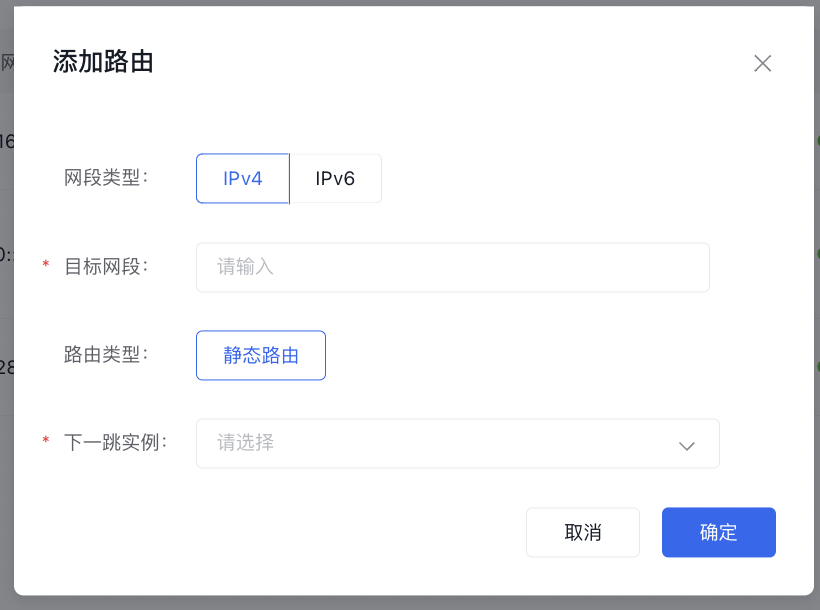
| ConfigMap | Description |
|---|---|
| Segment type | Support both IPv4 and IPv6 |
| Destination segment | Enter the destination segment |
| Route type | Currently, only static routes can be selected |
| Next-hop instance | Based on the network instances you've added earlier, select an appropriate next-hop instance to ensure traffic is routed as intended. |
- Click OK to finalize adding the route.
Related documents
API: Add routing entries