

Create cross-region bandwidth
Updated at:2025-11-11
Operation scenarios
After purchasing a cross-region bandwidth package, create cross-region bandwidth to allocate the available bandwidth.
Operation instructions
● Before creating cross-region bandwidth, please purchase a cross-region bandwidth package first. For more detailed information about cross-region bandwidth packages, see [Cross-Region Bandwidth Package Management]
● The interconnection bandwidth between regions must not surpass the bandwidth limit specified in the cross-region bandwidth package. To adjust the maximum bandwidth limit for interconnected regions, you may modify the cross-region bandwidth of other regions or upgrade the cross-region bandwidth package.
Operation steps
- Sign in to the Cloud Smart Network Console.
- Click the name of the target CSN instance to access the instance's basic information page.
- Select Cross-region Bandwidth Package Management in the left navigation bar to open the cross-region bandwidth management page.
- Click + Create Cross-Region Bandwidth
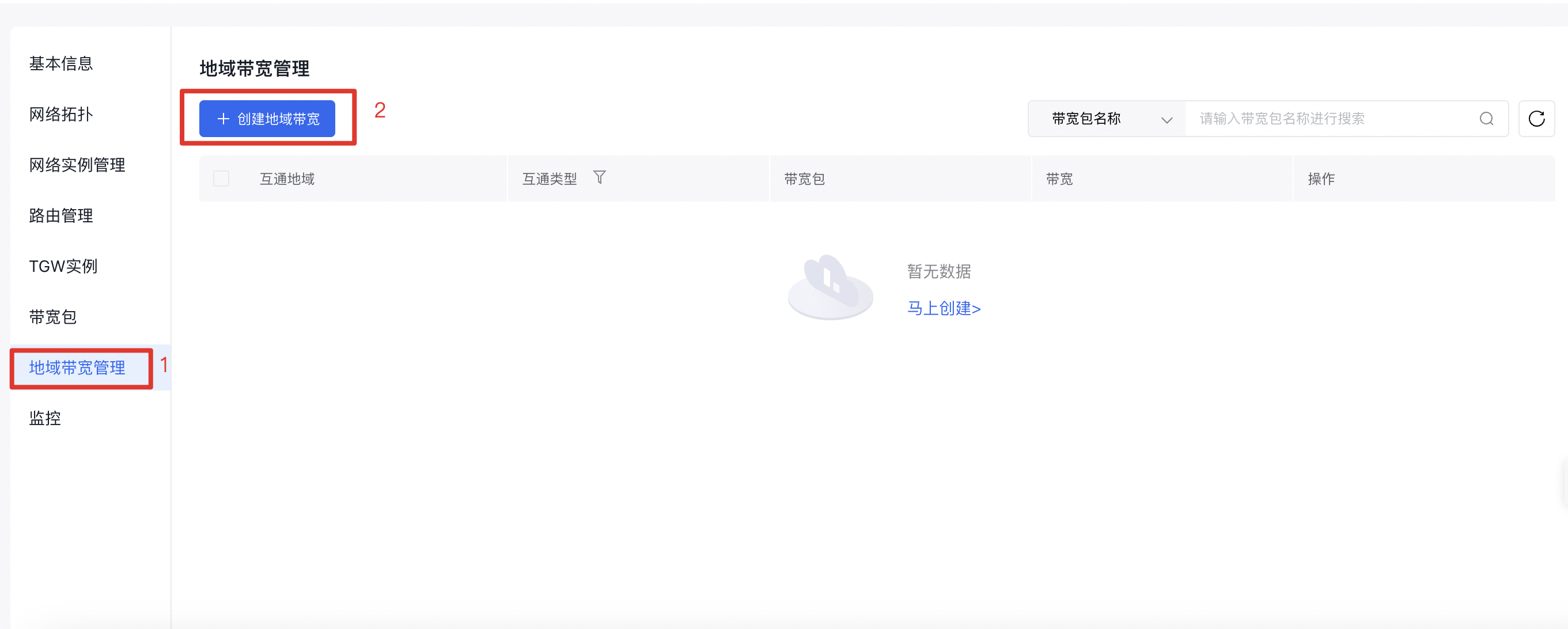
- Fill in the following configuration information
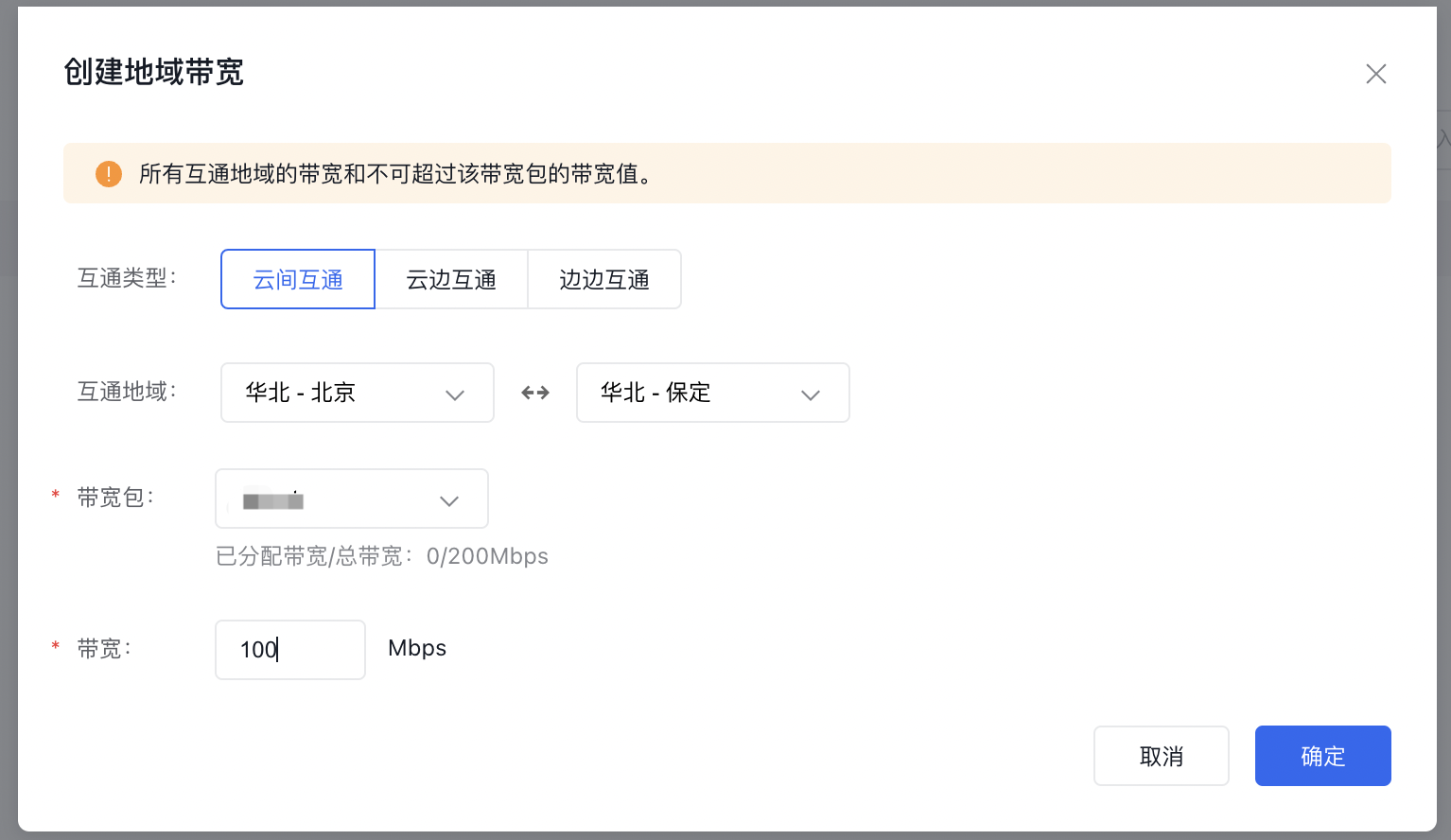
| ConfigMap | Description |
|---|---|
| Connection type | Inter-cloud connection: This cross-region bandwidth is used to enable connection between different central regions. Cloud-edge connection: This cross-region bandwidth is used to enable connection between central regions and Baidu Edge Computing (BEC). Edge-edge connection: This cross-region bandwidth is used to enable connection between different edge nodes. | |
| Interconnected regions | Choose the regions that need to be interconnected. |
| Cross-region bandwidth package | Select a cross-region bandwidth package (ensure the package is configured before creating cross-region bandwidth). |
| Bandwidth | Input the allocation value for the cross-region bandwidth to specify the desired amount of available bandwidth. |