Delete custom route table
Updated at:2025-11-11
Operation scenarios
If a specific custom route table is no longer needed, you can delete it in the console to simplify route management and free up system resources.
Operation instructions
● Before deleting a custom route table, ensure all network instances associated with the route table are removed.
Operation steps
- Sign in to the Cloud Smart Network Console.
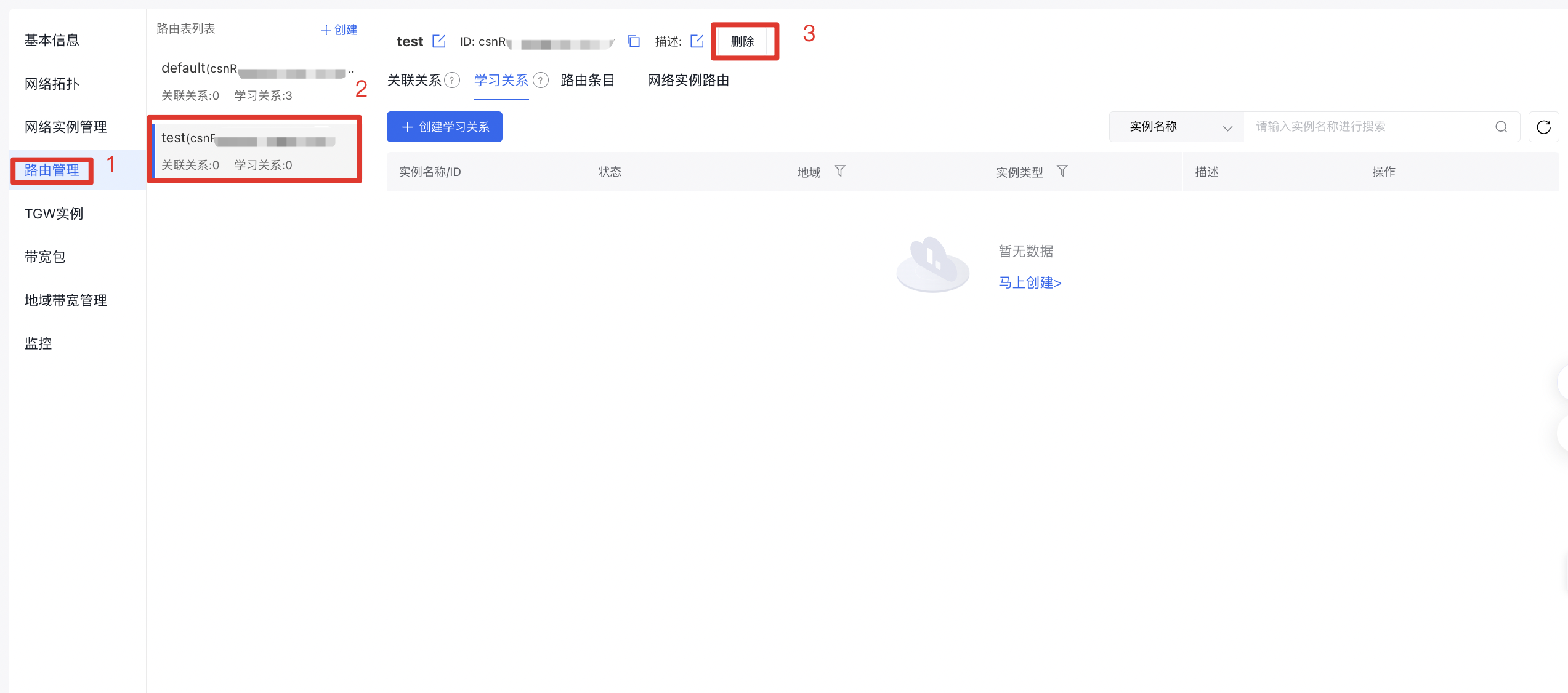
- On the Cloud Smart Network Instance page, locate the target CSN instance, click its ID, and navigate to the Route Management tab in the details page.
- In the Route Table List tab, click on the route table ID.
- On the route table details page, click Delete.
- A "Deletion Successful" message will appear at the top of the interface, confirming that the deletion is complete.