Cross-Region Bandwidth Package Management
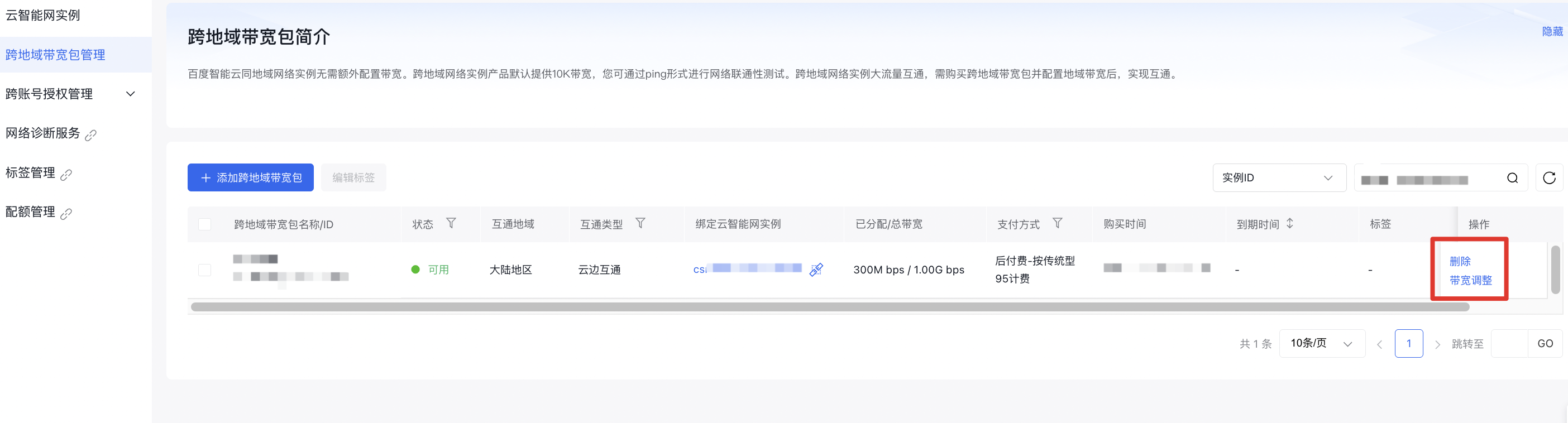
For network instances within the same region, no additional bandwidth configuration is required. Cross-region network instance products provide default bandwidth of 10K, allowing network connectivity tests via ping. For high-traffic connections between cross-region network instances, you’ll need to purchase and configure a cross-region bandwidth package to establish interconnection.
Create cross-region bandwidth package
- Log in to Baidu AI Cloud, select "Cloud Smart Network (CSN)" from the console navigation, and open the Cloud Smart Network instance list.
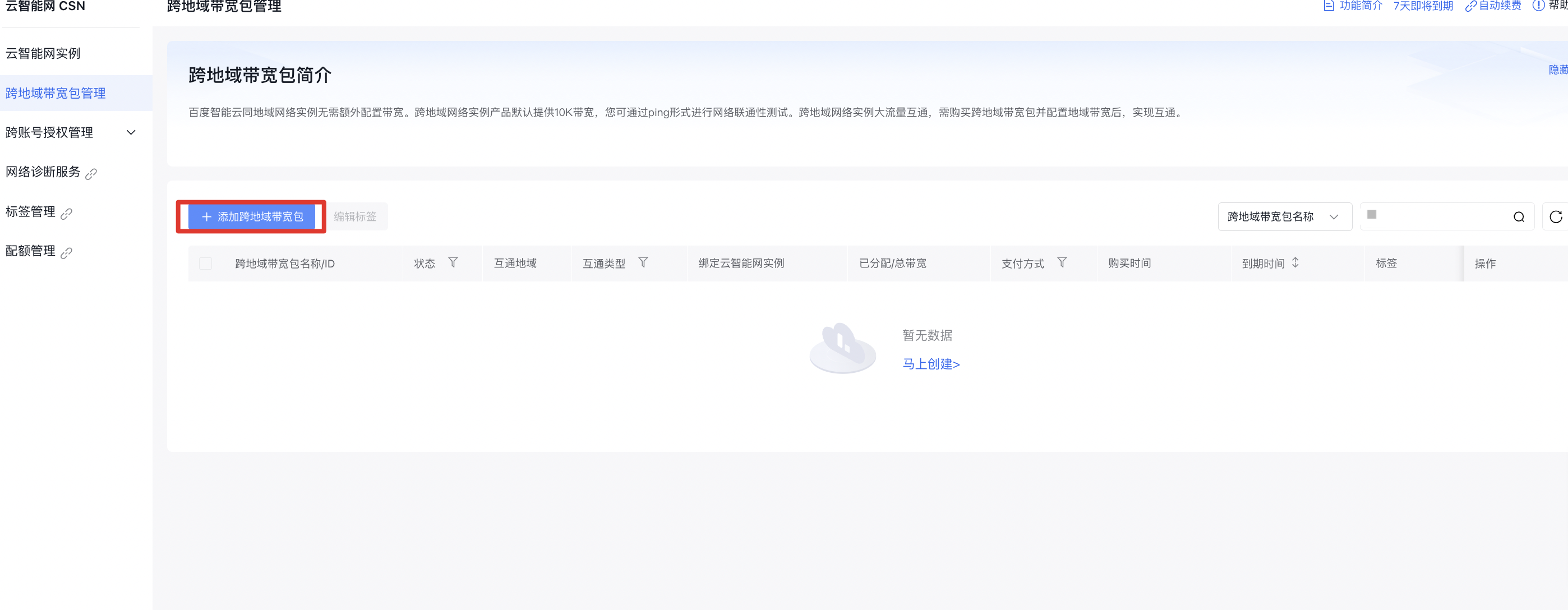
- Click "Cross-region Bandwidth Package Management" in the left-side navigation menu to go to the cross-region bandwidth package management page.
- Click "Add Cross-region Bandwidth Package" and complete the form to purchase the cross-region bandwidth package.
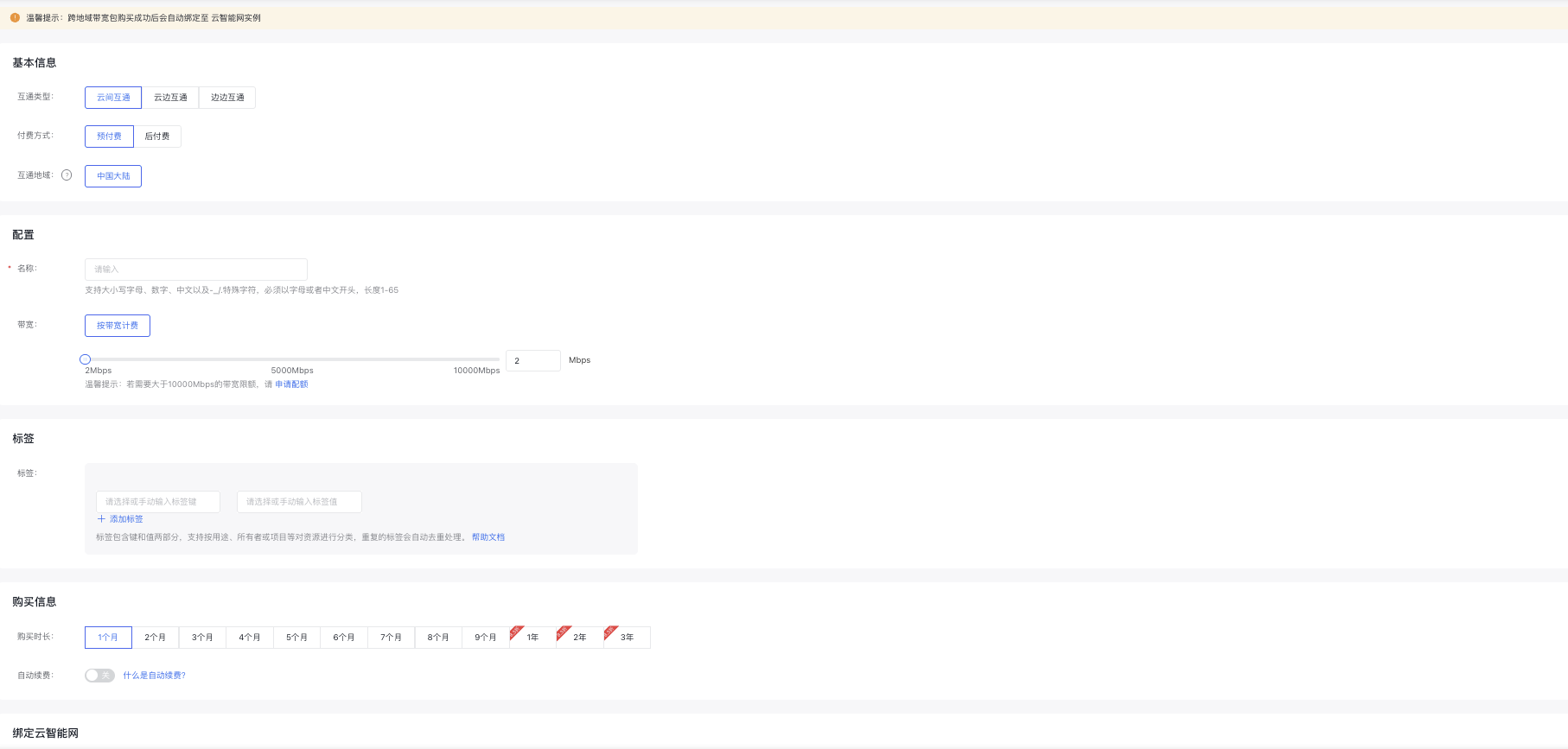
On the Add Cross-region Bandwidth Package page, you can select the connection type. Currently, inter-cloud connection, cloud-edge connection, and edge-edge connection are supported. Connection regions support Chinese mainland and cross-border.
Purchasing non-cross-border cross-region bandwidth packages:
| Connection type | Specific descriptions |
|---|---|
| Inter-cloud connection | Intranet connection between central cloud VPCs through CSN instances |
| Cloud-edge connection | Intranet connection between central cloud VPCs and edge network VPCs through CSN instances |
| Edge-edge connection | Intranet connection between edge network VPCs through CSN instances |
Note: Currently, cloud-edge connection and edge-edge connection are in the public beta stage. If you need to use them, you can submit a ticket to apply.
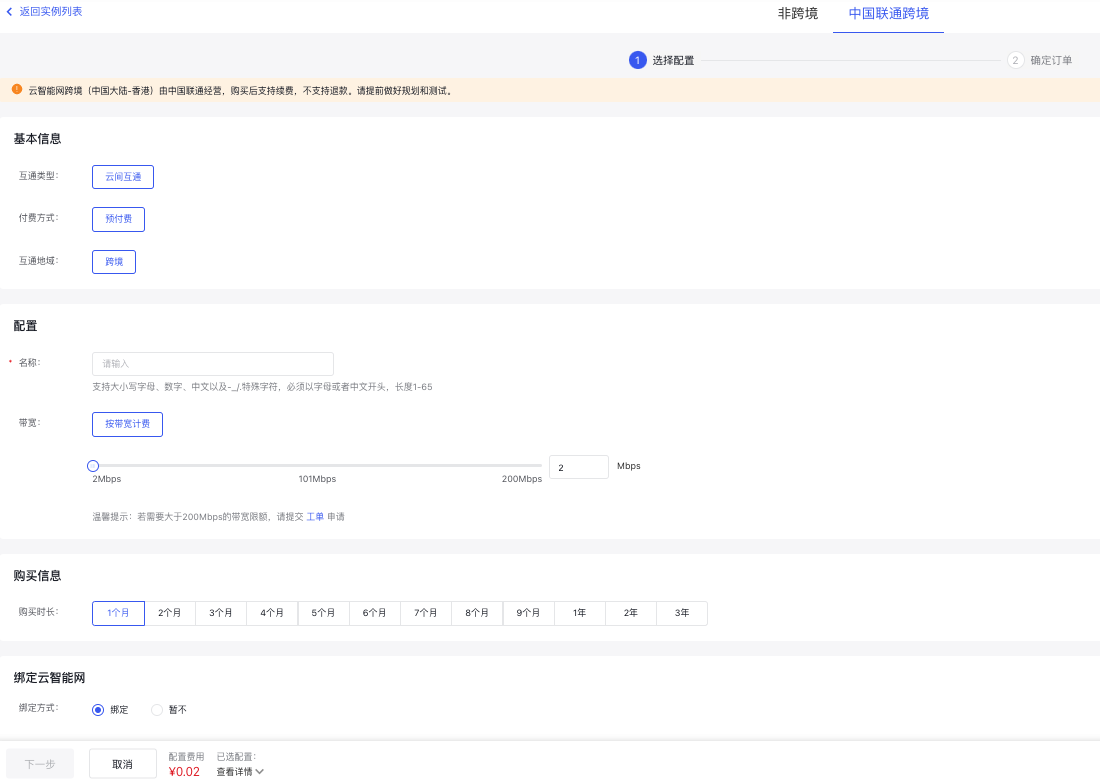
Purchasing China Unicom cross-border cross-region bandwidth packages:
Description:
- China Unicom cross-border cross-region bandwidth packages are managed by China Unicom Beijing Unicom. These packages can only be purchased after an online compliance check is conducted by China Unicom to confirm the accuracy of the submitted materials for cross-border product sales.
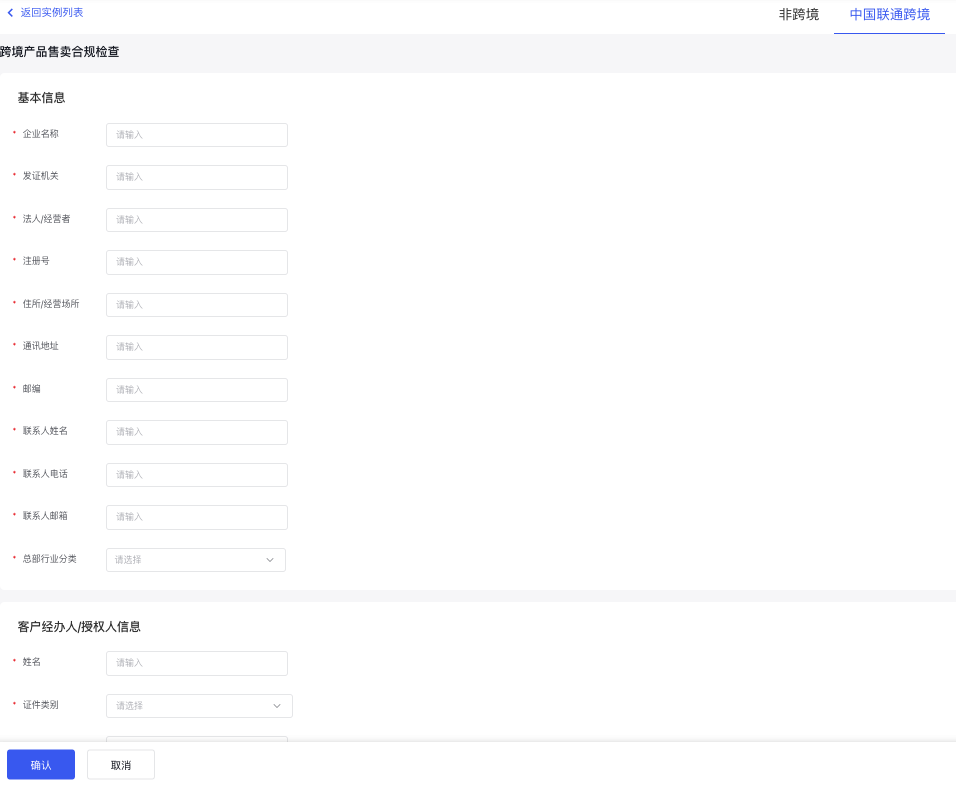
Description of configuration items
| ConfigMap | Description |
|---|---|
| Company name | Required, within 100 characters |
| Issuing authority | Required, within 50 characters |
| Legal person/operator | Required, within 50 characters |
| Registration No. | Required, in number + letter format, within 18 characters |
| Residence/business premises | Required, within 100 characters |
| Mailing address | Required, within 100 characters |
| Postcode | Required, within 20 characters |
| Contact person name | Required, within 50 characters |
| Contact person tel. | Required, in number format, within 11 characters |
| Contact person email | Required, in email format |
| Headquarters industry classification | Required |
| Name | Required, within 50 characters |
| Document type | Required |
| Document No. | Corresponding to the document type, fill in the corresponding evidence number, within 18 characters |
| Document address | Required, within 100 characters |
| Telephone | Required, in number format, within 11 characters |
| Scanned copy of enterprise documents | Must be uploaded. Supported types: jpg, jpeg, png. Image size is not less than 55 KB and not more than 10 MB |
- The China Unicom cross-border cross-region bandwidth package supports inter-cloud connections only. Payment is prepaid, and the selected connection regions are cross-border (supporting both Mainland China and Hong Kong).
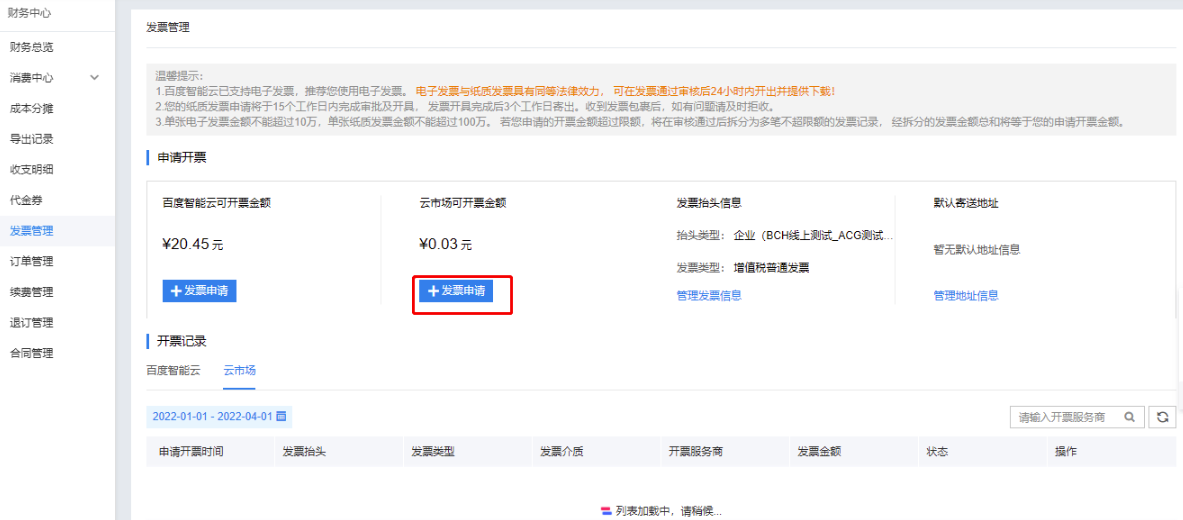
- For China Unicom cross-border cross-region bandwidth packages, payment is made to China Unicom merchants through Baidu AI Cloud Market. Therefore, for invoicing, you need to select Financial Center - Invoice Management - Cloud Market Invoicing in the Baidu AI Cloud console to submit an application to China Unicom merchants.
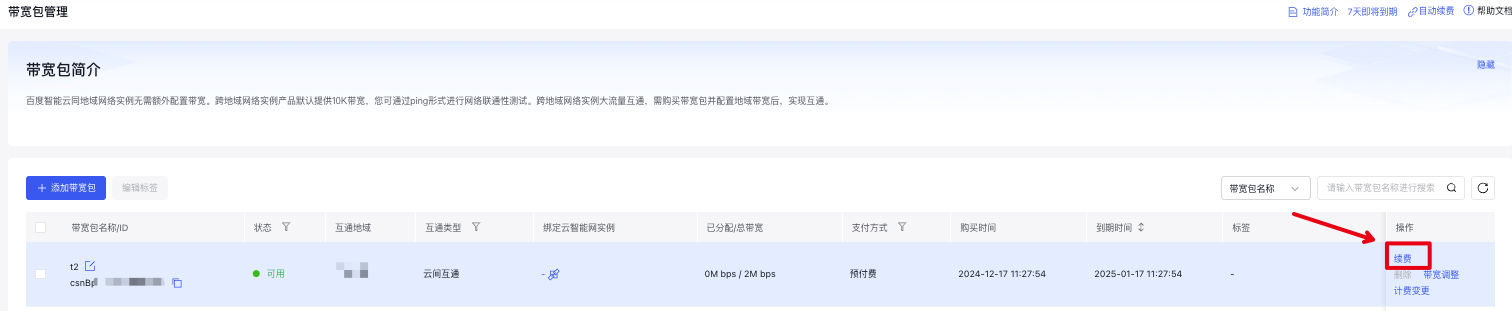
- For China Unicom cross-border cross-region bandwidth packages, the renewal entrance is operated on the cross-region bandwidth package list page, click Renew.
-
For China Unicom cross-border cross-region bandwidth packages, the following materials must be sent via email to Baidu AI Cloud staff offline. All four documents should be in color PDF format, with each page of the security commitment letter stamped with a seal and affixed with a perforated seal.
-
- A copy of the business license (with the official seal).
-
- A copy of the handler's ID card (with the official seal).
-
- An introduction letter (with the official seal).
-
- A China Unicom dedicated line business information security commitment letter (with the official seal).
-
Binding CSN instance
On the cross-region bandwidth package management page, click "Bind," select the desired instance, and complete the process to link the cross-region bandwidth package to a Cloud Smart Network (CSN) instance.
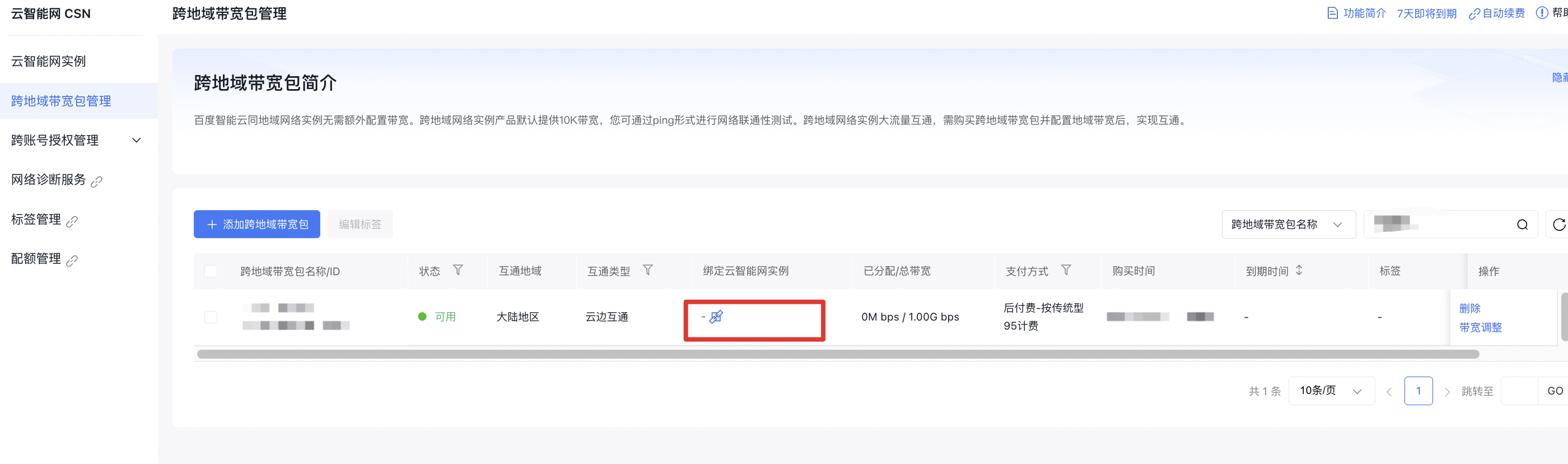
Description:
- Each cross-region bandwidth package can be bound to only one Cloud Smart Network (CSN) instance. To change the binding relationship, you must first unbind the existing relationship before reconfiguring it with a new CSN instance.
Unbinding CSN instance
On the cross-region bandwidth package management page, click "Unbind" to detach the cross-region bandwidth package from a Cloud Smart Network (CSN) instance.
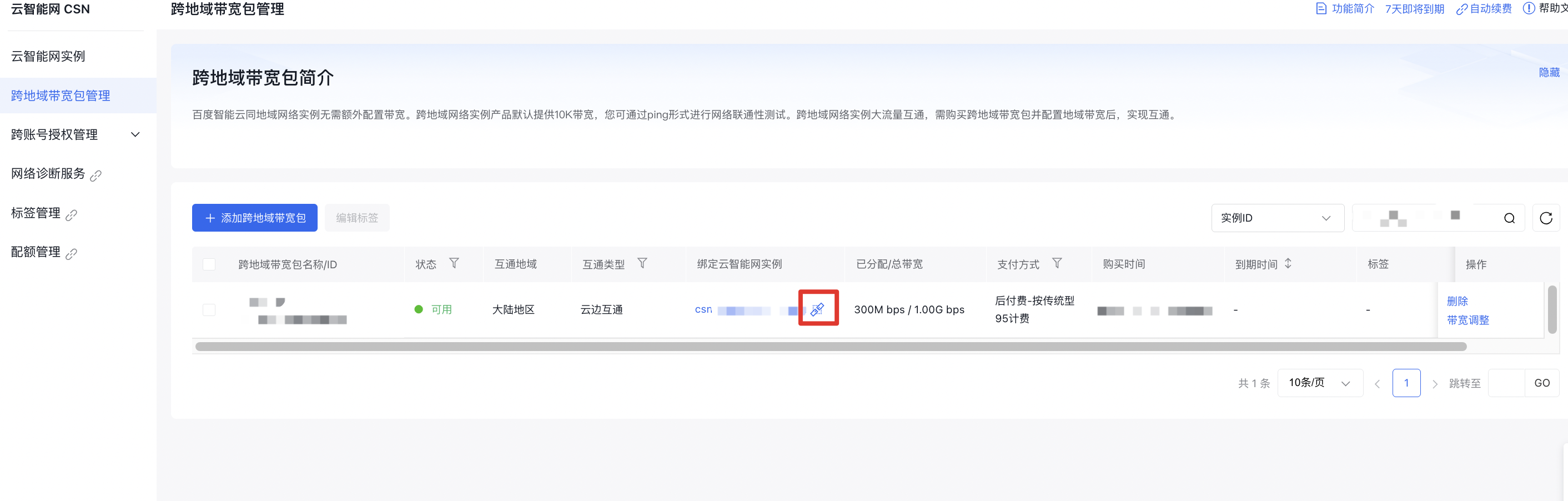
Modifying cross-region bandwidth package
On the cross-region bandwidth package management page, click "Bandwidth Adjustment," "Renewal," or "Billing Change" in the operations column, then fill out the form to complete the configuration.
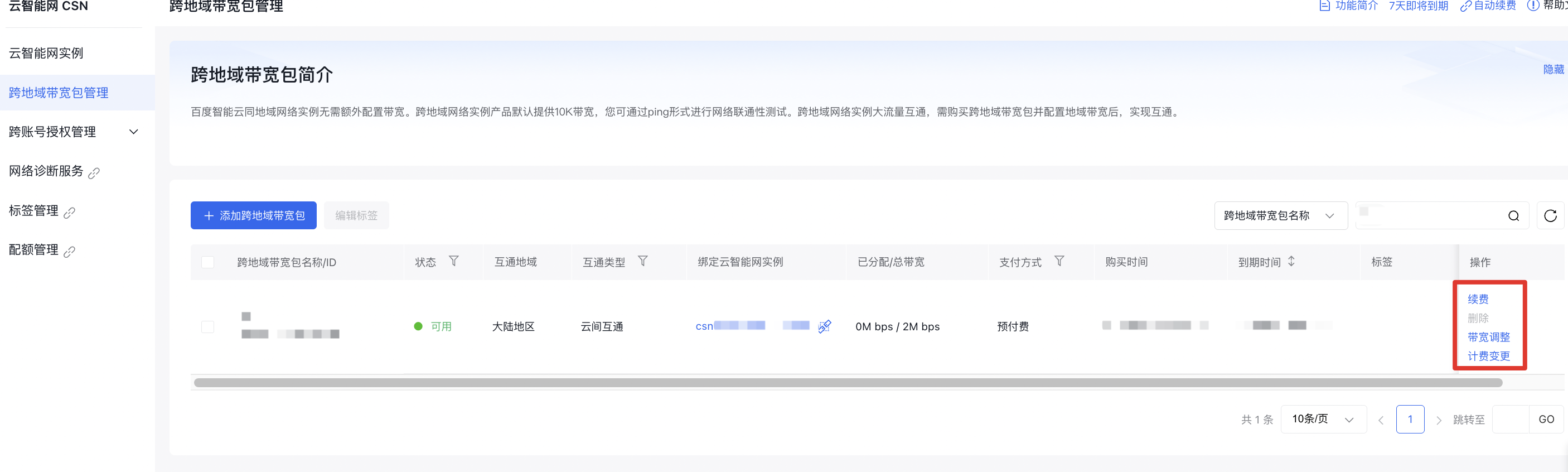
Deleting cross-region bandwidth package
Only expired cross-region bandwidth packages can be deleted. On the cross-region bandwidth package management page, click "Delete" in the operation column to remove the expired bandwidth package.