Delete Authorized Network Instance
Updated at:2025-11-11
Operation scenarios
After revoking a network instance's authorization, you can delete it to remove it from the current authorization list, allowing for easier future management.
Operation instructions
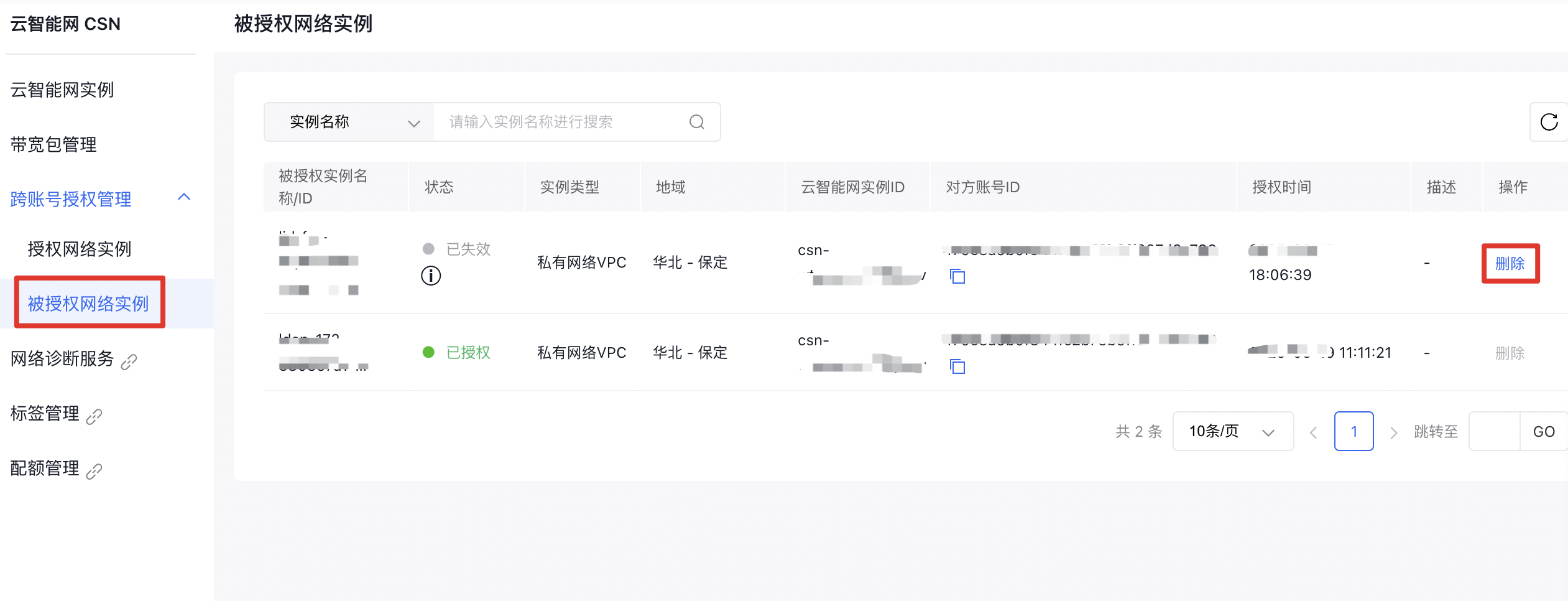
● Network instances still in an authorized state cannot be deleted directly. To delete such an instance, contact the authorizing party to revoke its authorization first.
Operation steps
- Sign in to the Cloud Smart Network Console.
- In the left navigation bar, click Cross-Account Authorization Management -> Authorized Network Instances to enter the Authorized Network Instances page.
- In the Authorized Network Instances list, use the Delete option in the Operations column to remove network instances with revoked authorization.