Delete Custom Route Entry
Updated at:2025-11-11
Operation scenarios
CSN enables flexible management of custom entries in route tables. You can manually delete unused routing entries to maintain control and accuracy of routing policies.
Operation instructions
● Only static routing entries can be deleted. To remove learned routes, navigate to the Learning Relationship Management page and perform the Remove operation for the respective learning relationship.
Operation steps
- Sign in to the Cloud Smart Network Console.
- Click on the name of the CSN instance to access its basic information page.
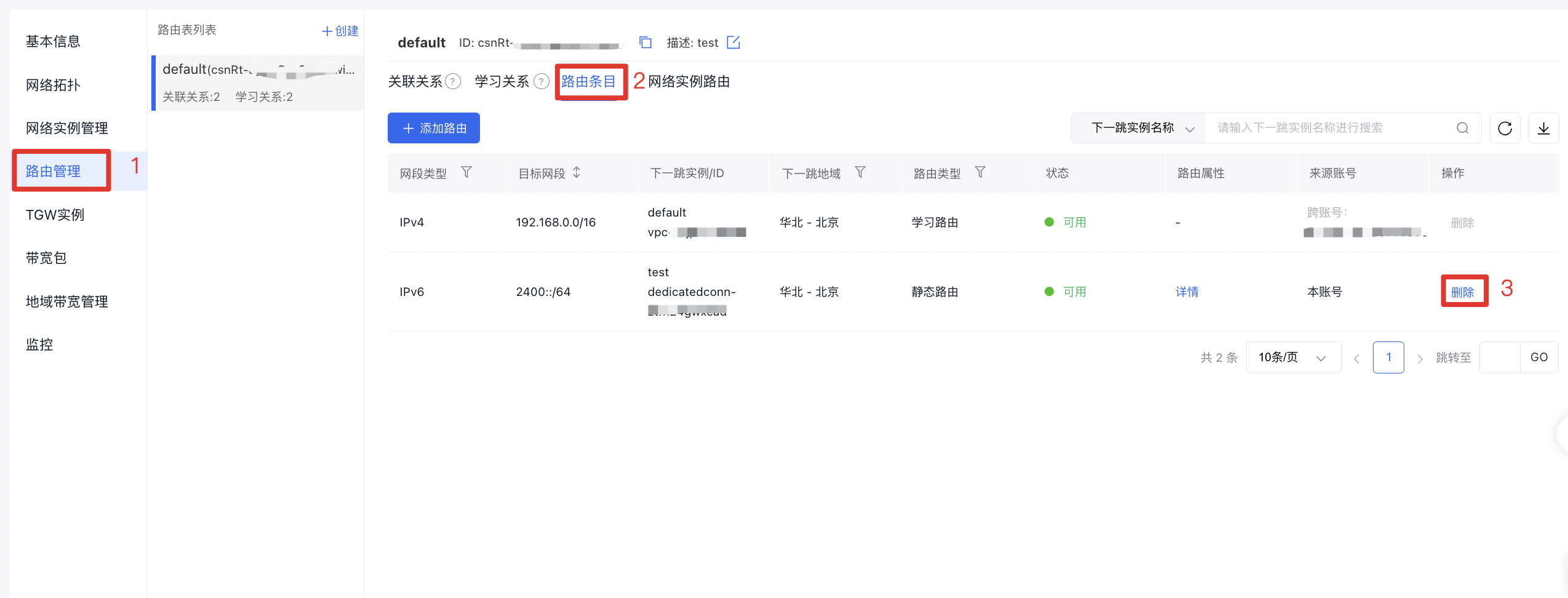
- In the left navigation bar, click Route Management to navigate to the route management page of the CSN instance.
- Access the routing entries: In the corresponding route table, locate the target routing entry, then click Delete in the Operation column to remove it.