

Identity and access management
Introduction
Identity and Access Management helps users efficiently manage resource access permissions under cloud accounts. It accommodates various enterprise roles by assigning different product permissions to employees. When your enterprise requires multi-user collaboration for resource operations, using Identity and Access Management is highly recommended.
It is applicable to the following usage scenarios:
- Medium and large enterprise customers: Authorization management for multiple employees in the enterprise;
- Technology-oriented vendor or SAAS platform provider: Resource and permission management for proxy clients;
- Small and medium-sized developers or small enterprises: Add project members or collaborators for resource management.
Create User
-
After logging into the root account, select Identity and Access Management from the console to access the user management page.
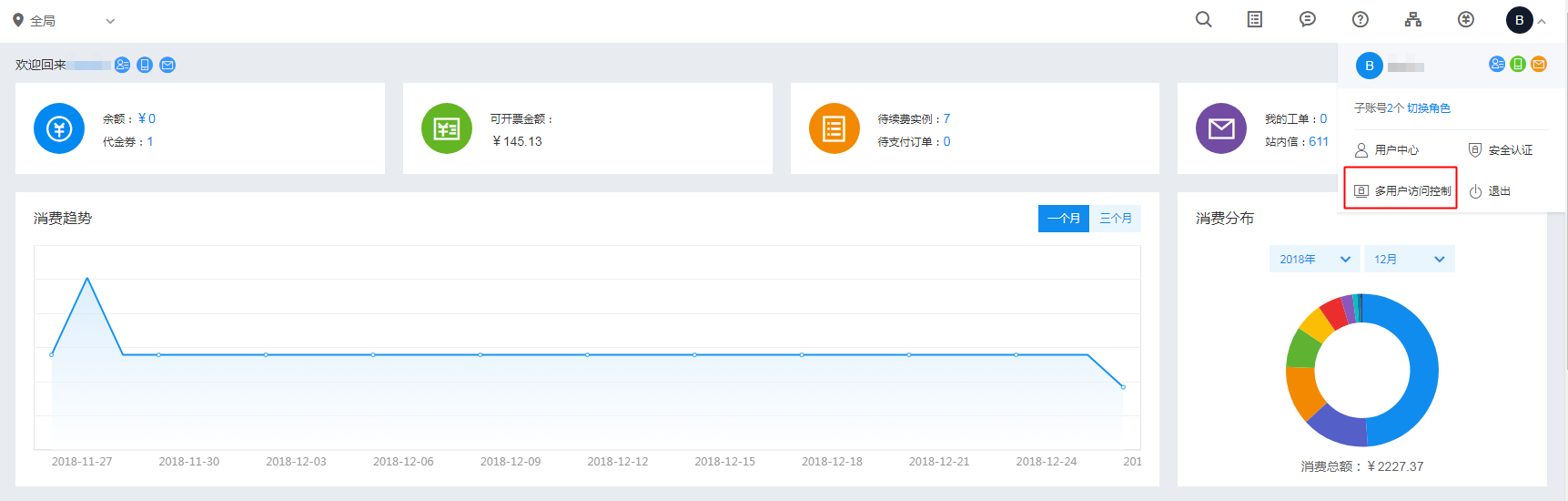
- Click on User Management in the left navigation bar, then click New User on the IAM User Management List page.
- In the New User dialog box that appears, enter the username, confirm the details, and return to the IAM User Management List to view the newly created IAM user.
Configuration Policy
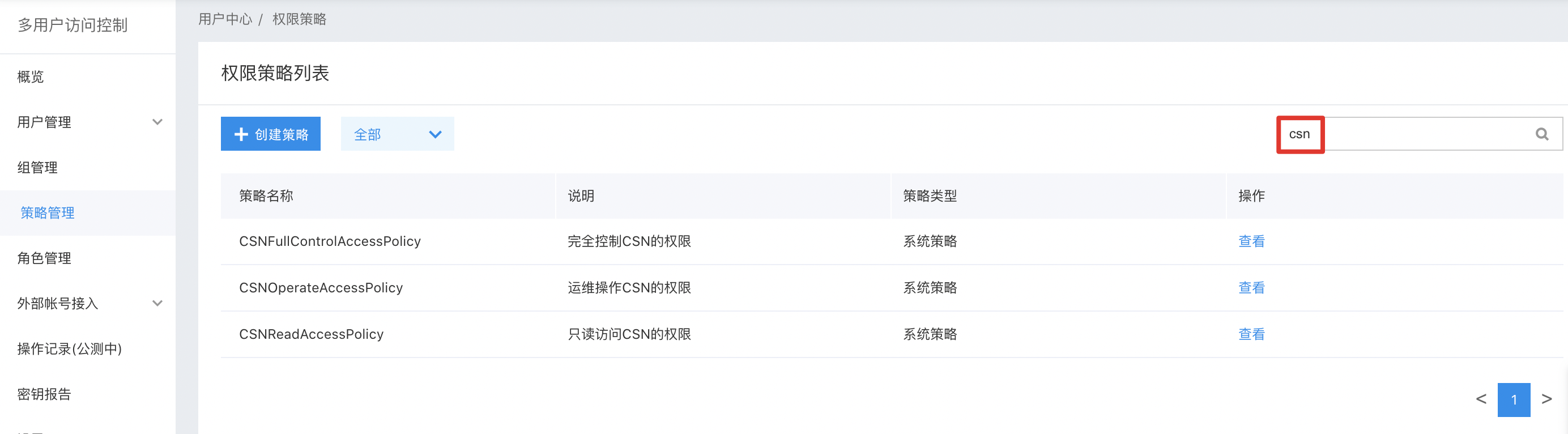
CSN supports both system policies and custom policies, allowing for product-level and instance-level permission control, respectively.
- System policy: A pre-defined set of permissions provided by the Baidu AI Cloud system for resource management. These can be directly assigned to IAM users, but users cannot modify them.
- Custom policy: A user-created, more granular set of permissions for resource management, allowing specific permissions to be configured for single instances. This provides flexibility to address the unique permission management needs of different users.
Description:
- All CSN product permissions are categorized into three types: read-only, O&M, and administration.
- For each product, O&M permissions encompass all read-only permissions. Administration permissions, in turn, include both read-only and O&M permissions. The table below highlights only areas where upper-level permissions deviate from lower-level permissions.
- Custom policies apply to specific individual instances and only take effect for those instances. As a result, they do not include permissions for instance creation.
System Policy
The system policy includes 3 types of policies: management permission, operation and maintenance permission and read-only permission. The scope of permission is as follows:
| Policy name | Permission | Permission scope |
|---|---|---|
| CSNFullControlPolicy | Full control permission for Cloud Smart Network (CSN) management | Query CSN instance list, view CSN instance details, view bandwidth package instance list, query cross-region bandwidth, view authorized network instances, view authorized network instances, modify name, edit description, add/unload network instances, create/delete association relationships, create/delete learning relationships, add/delete routes, bandwidth package configuration adjustment, change bandwidth package charge type, create/modify/delete cross-region bandwidth, add/delete authorization rules, create/delete CSN instances, create/release bandwidth packages |
| CSNOperateAccessPolicy | Permission for operation and maintenance of Cloud Smart Network (CSN) | Query CSN instance list, view CSN instance details, view bandwidth package instance list, query cross-region bandwidth, view authorized network instances, view authorized network instances, modify name, edit description, add/unload network instances, create/delete association relationships, create/delete learning relationships, add/delete routes, bandwidth package configuration adjustment, change bandwidth package charge type, create/modify/delete cross-region bandwidth, add/delete authorization rules |
| CSNReadOnlyAccessPolicy | Permission for read-only access to Cloud Smart Network (CSN) | Query CSN instance list, view CSN instance details, view bandwidth package instance list, query cross-region bandwidth, view authorized network instances, view authorized network instances |
Custom Policy
Custom policies authorize users at the instance level, differing from system policies as they apply exclusively to selected instances.
To create a policy, users navigate to Policy Management via the left navigation bar, click on Create Policy, provide a policy name, and select Cloud Smart Network (CSN) as the service type. The default policy creation method is the Visual Editor, which does not require any modifications.
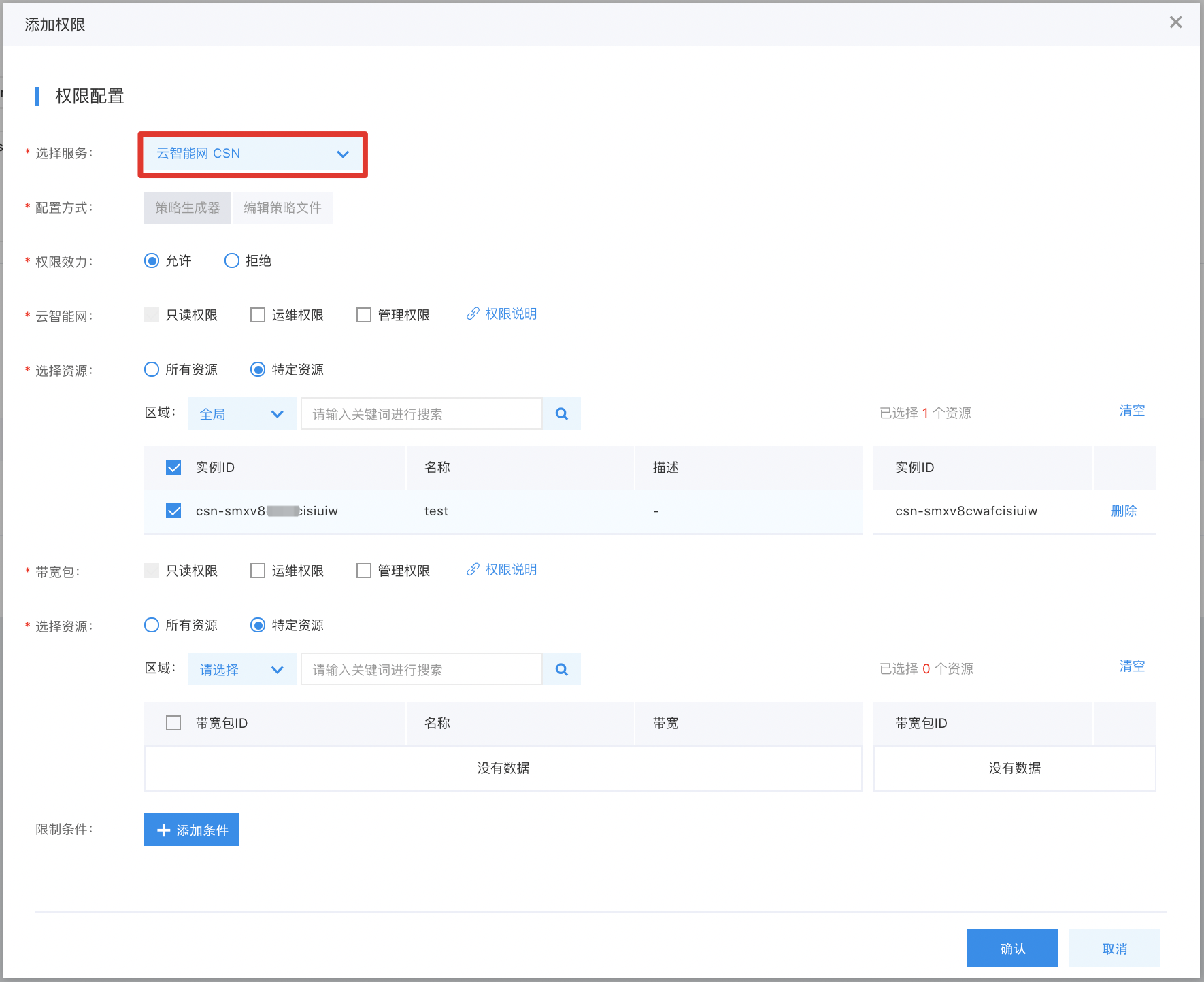
The scope of custom permission is detailed as follows:
| Products | Read-only operation | Operation and maintenance operations | Management operations |
|---|---|---|---|
| Cloud Smart Network | Query CSN instance list, view CSN instance details, view authorizing network instances, view authorized network instances | Query CSN instance list, view CSN instance details, view authorized network instances, view authorized network instances, modify name, edit description, add/unload network instances, create/delete association relationships, create/delete learning relationships, add/delete routes, add/delete authorization rules | Query CSN instance list, view CSN instance details, view authorized network instances, view authorized network instances, modify name, edit description, add/unload network instances, create/delete association relationships, create/delete learning relationships, add/delete routes, add/delete authorization rules, create/delete CSN instance |
| Bandwidth package | View bandwidth package instance list, query cross-region bandwidth | View bandwidth package instance list, query cross-region bandwidth, modify name, edit description, bandwidth package configuration adjustment, change bandwidth package charge type, create/modify/delete cross-region bandwidth | View bandwidth package instance list, query cross-region bandwidth, modify name, edit description, bandwidth package configuration adjustment, change bandwidth package charge type, create/modify/delete cross-region bandwidth, create/release bandwidth packages |
User Authorization
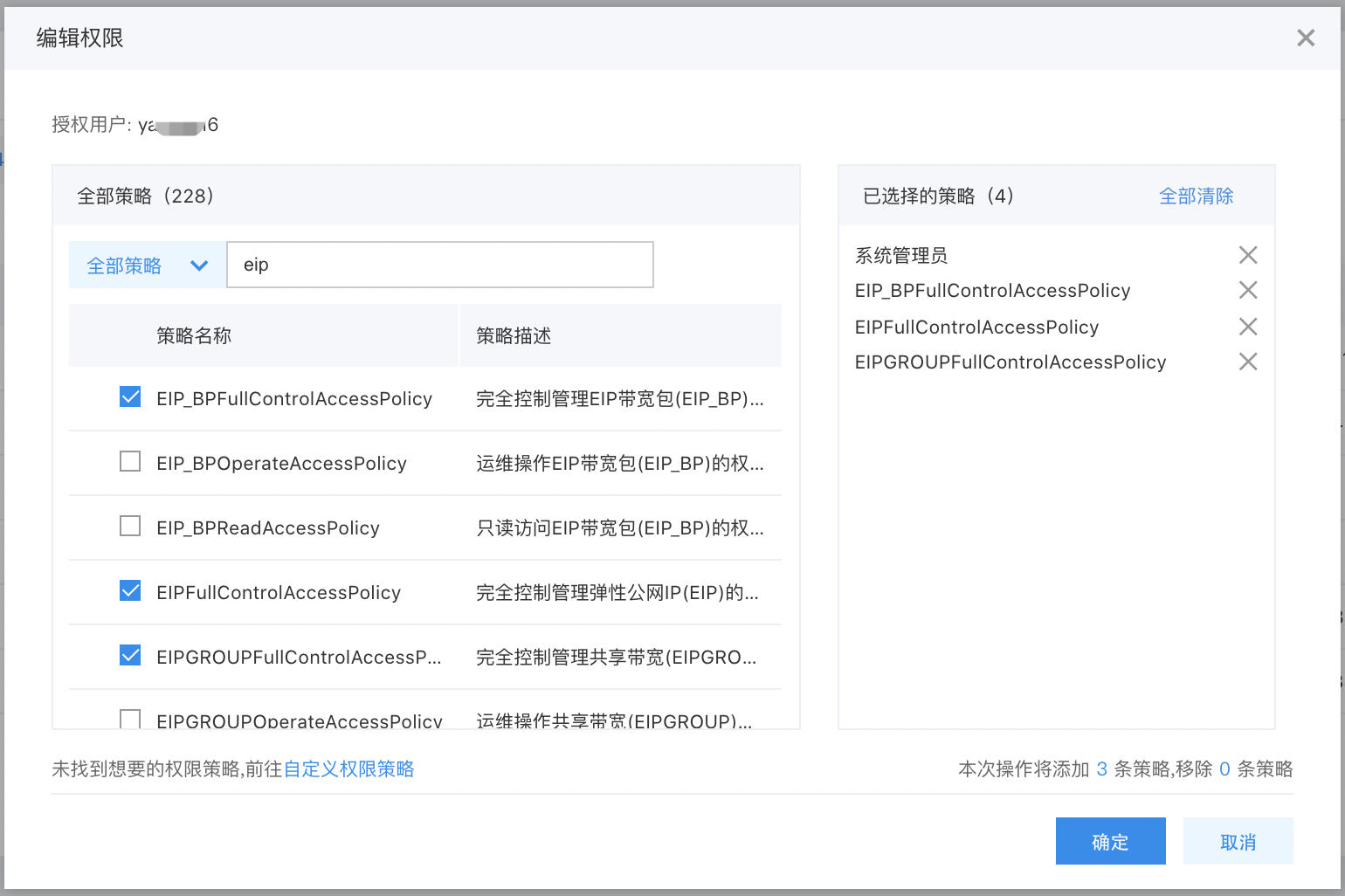
On the User Management -> IAM User management list page, find the desired IAM user and click Add Permission in the Operations column. Then, authorize the user using either a System Policy or a Custom Policy.
Sign in as IAM User
After the root account authorizes the IAM user, it can share the login link with the IAM user. The IAM user can then access the root account's management console via this link and operate or view the root account's resources based on the granted policies.
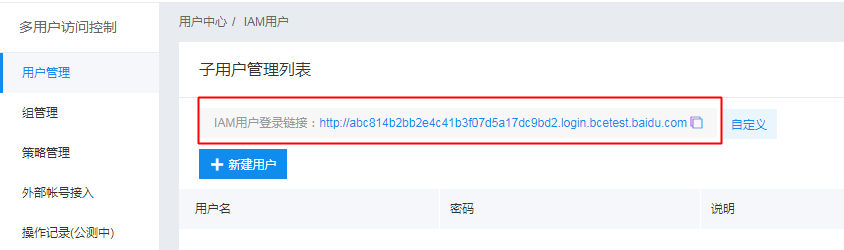
For other detailed operations, refer to: Identity and Access Management.