Delete learning relationship
Updated at:2025-11-11
Operation scenarios
To disconnect a specific network instance from CSN, you can proceed with the operation to remove the learning relationship.
Operation steps
- Sign in to the Cloud Smart Network Console.
- Click on the name of the CSN instance to access its basic information page.
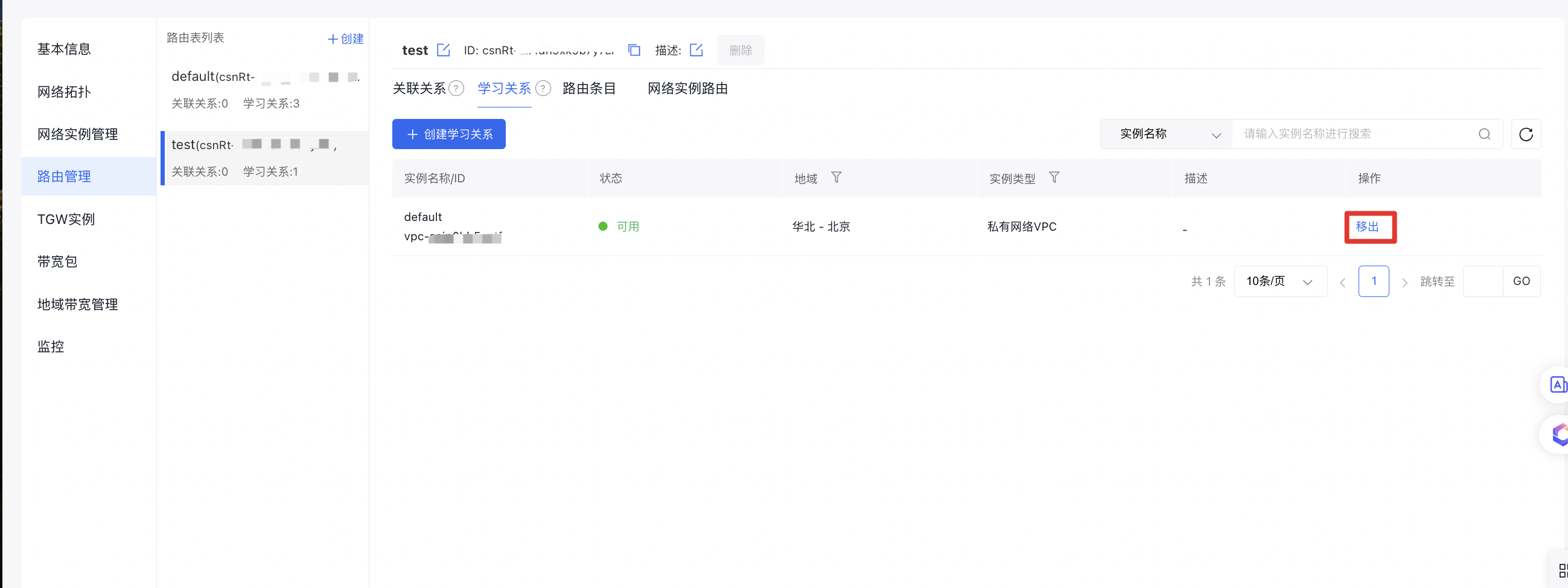
- In the left navigation bar, click Route Management to navigate to the route management page of the CSN instance.
- In the learning relationship list, locate the target network instance, then click Remove in the Operation column to remove the network instance.