Delete cross-region bandwidth
Updated at:2025-11-11
Operation scenarios
When specific cross-region bandwidth is no longer required, you can delete it to free up resources used by the bandwidth package.
Operation steps
- Sign in to the Cloud Smart Network Console.
- Click the name of the target CSN instance to access the instance's basic information page.
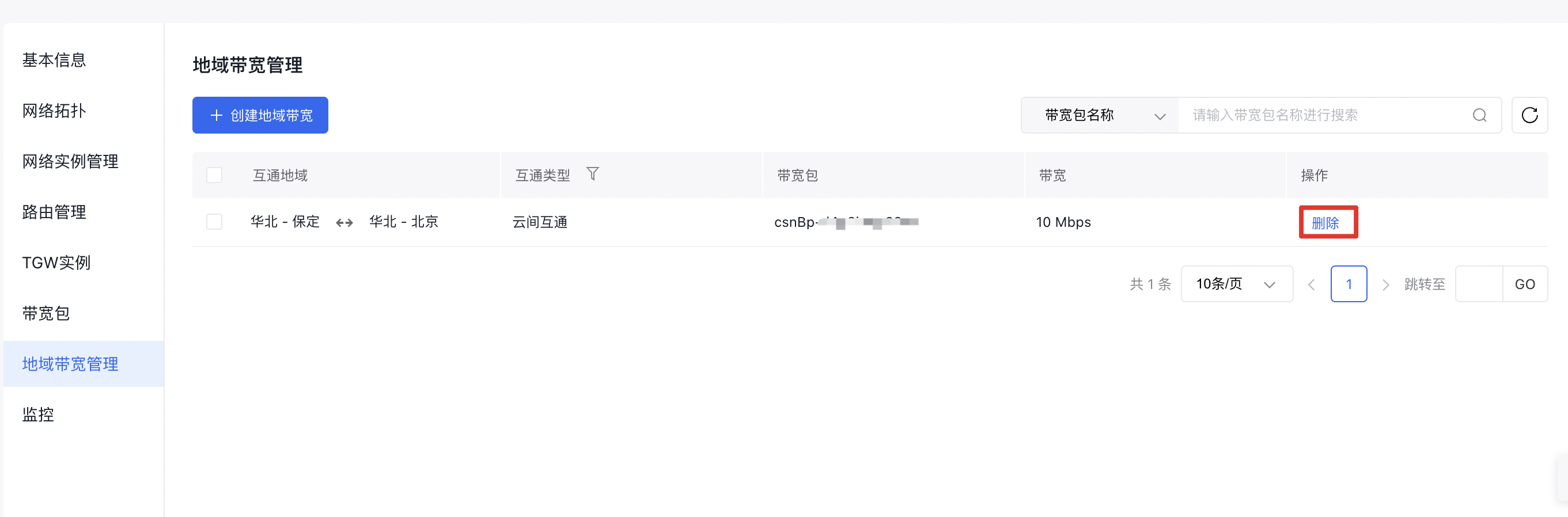
- Select Cross-region Bandwidth Package Management in the left navigation bar to open the cross-region bandwidth management page.
- In the corresponding cross-region bandwidth entry, click Delete in the operation column to delete this cross-region bandwidth entry.