

Add mount target
Once the file system is created, it will appear in the file system list. Cloud-based virtual machines, containers, and other computing resources need to mount the file system through mount targets, so it is essential to add mount targets to the file system.
Add mount target
Click the Add Mount Target button in the operation column of the file system list, or directly click the Count Statistic of mount targets in the sub-list of the file system to open the Add Mount Target page.
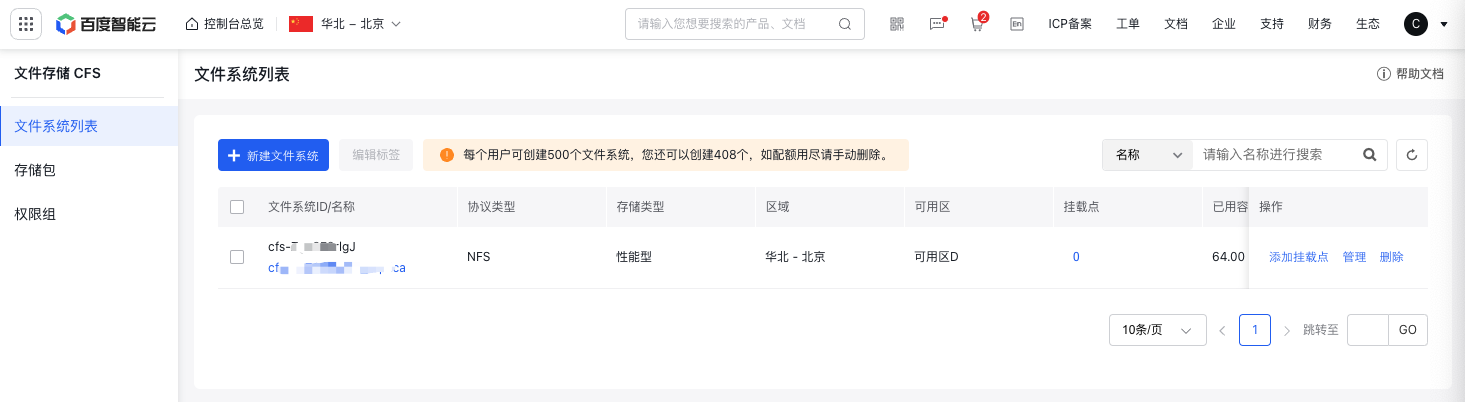
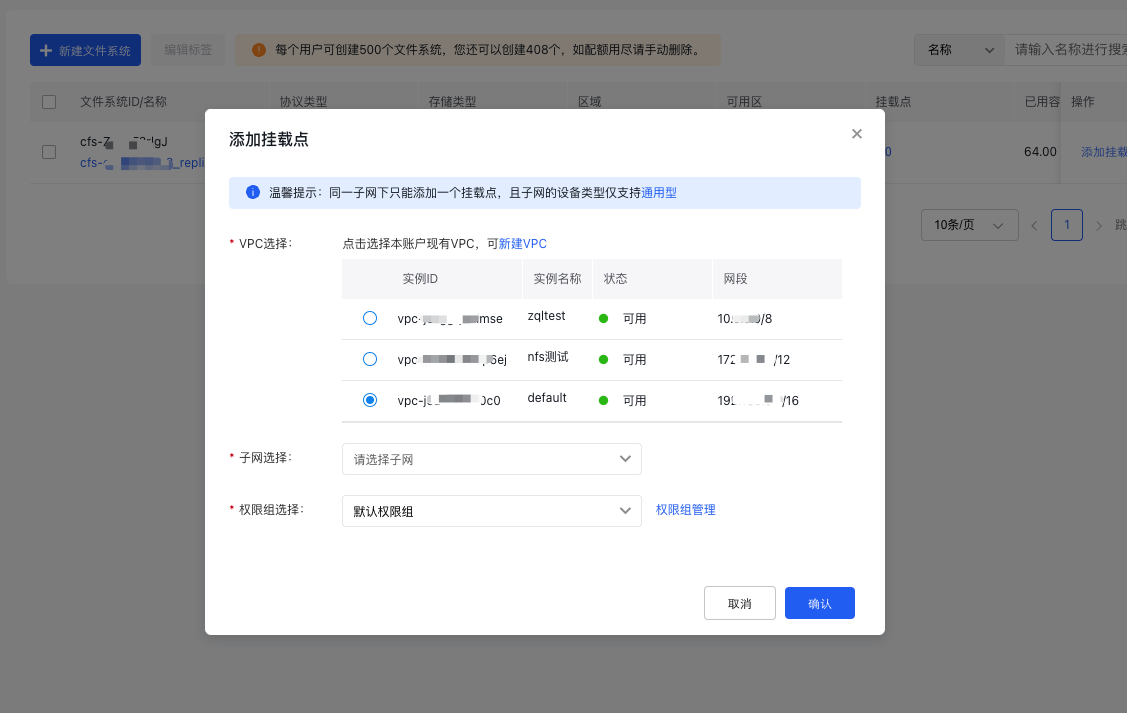
You need to choose the appropriate VPC and subnet for the mount target. Baidu AI Cloud provides a default VPC in each region, and you can also purchase the VPC service to create new ones as needed.
After selecting the VPC corresponding to the mount target, you also need to select the subnet and permission group, and other information.
Note:
- Different subnets within the same VPC can each have separate mount targets added.
- A subnet under a VPC can only have one mount target, and the subnet’s device only supports general-purpose type.
- All subnets under a VPC can create mount targets. You can select the availability zone where the virtual machine or container is located to achieve optimal access performance.
Query mount targets
After creating a mount target, go to the file system's basic information page to view the details of the mount target, including mount target ID, VPC ID, subnet, domain name, permission group, status, and other information.

Description of common status of mount targets:
| Status | Description |
|---|---|
| Running | Mount target is running normally |
| Creating | Mount target is being created |
| Deleting | Mount target is being deleted |