

Alarm management
Updated at:2025-11-11
View alarm details
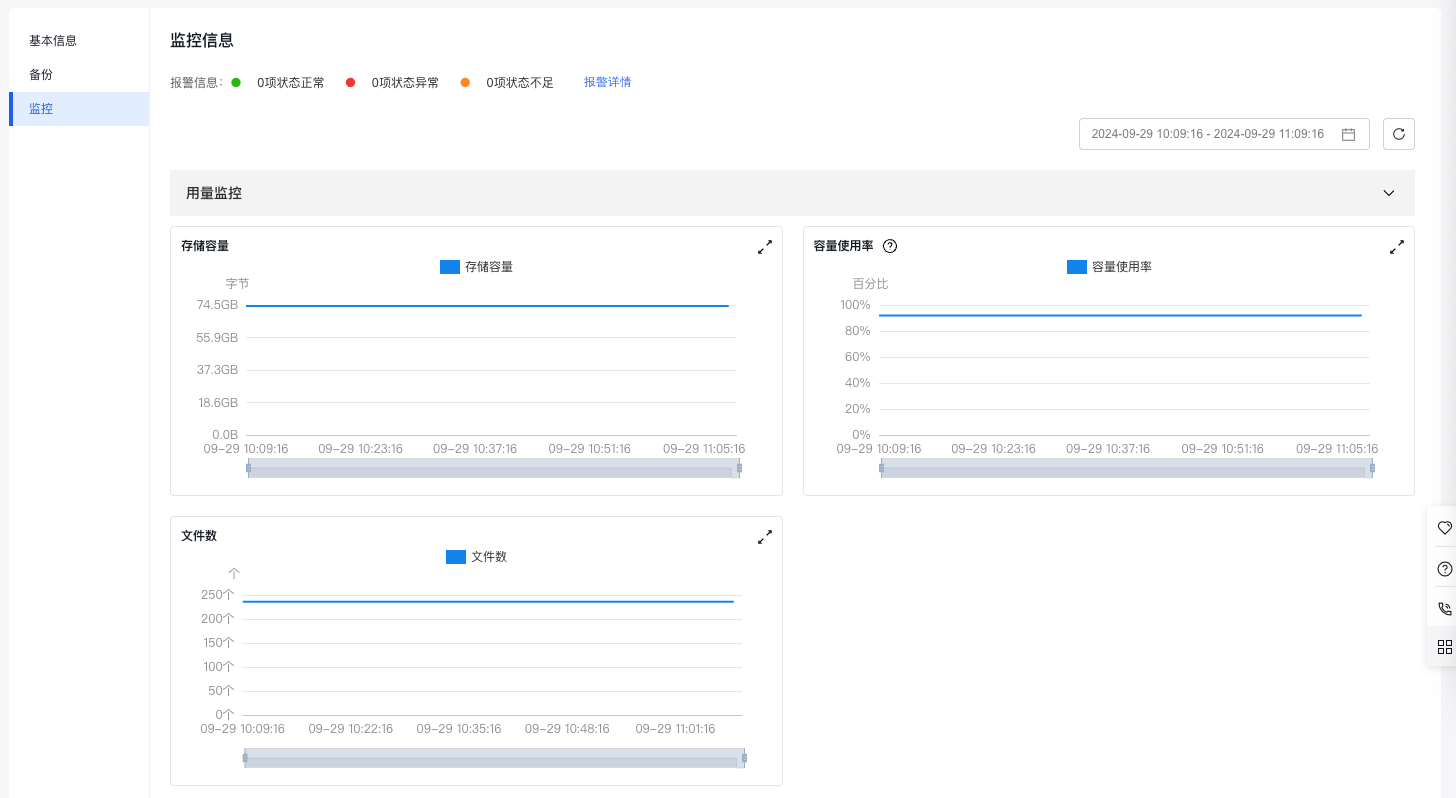
Method I to view: Access the Cloud File System (CFS) Console, and click File System List > Manage > Monitoring > Alarm Details in sequence to enter the alarm management sub-page.
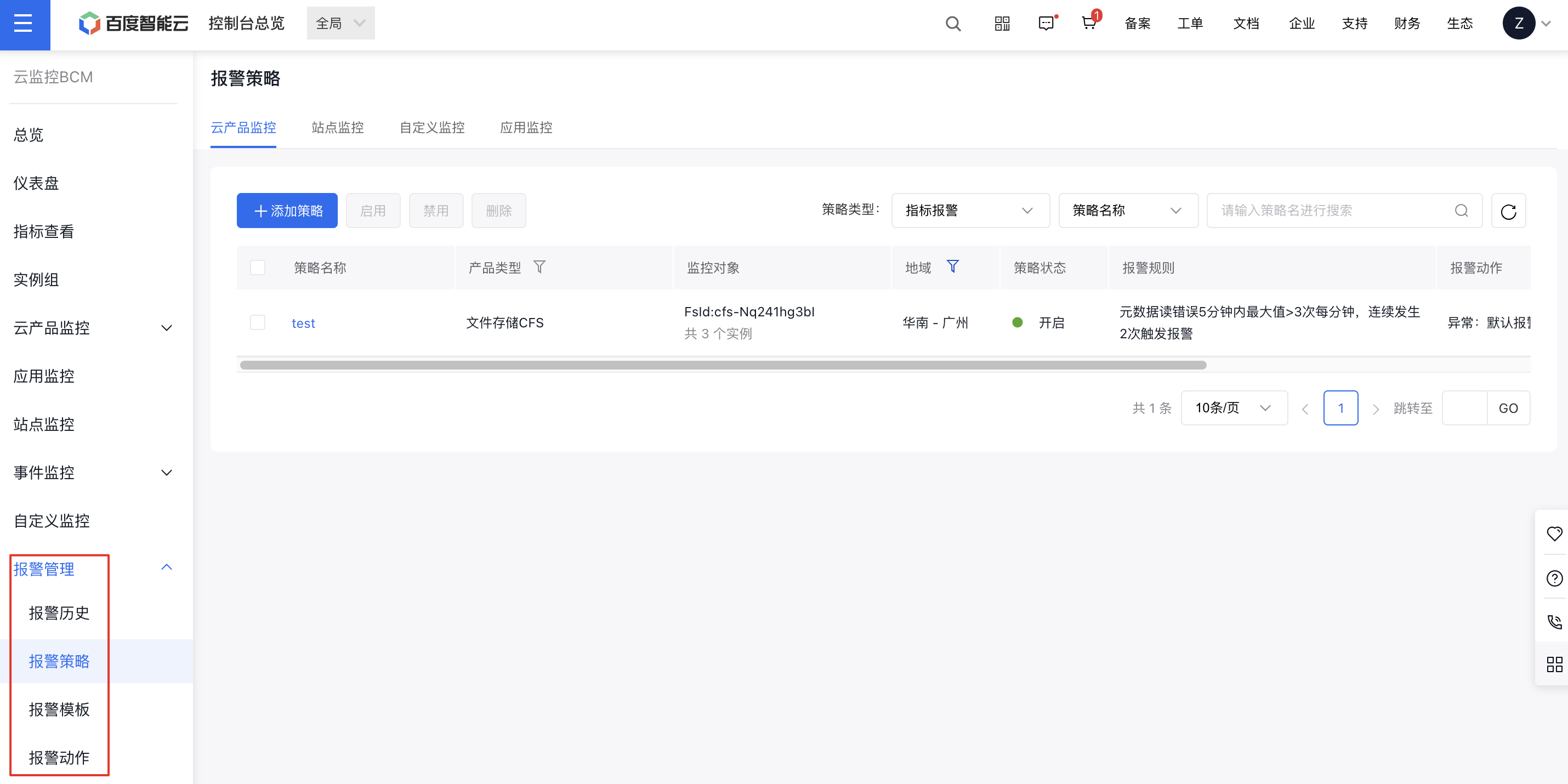
Method II to view: Access the Baidu Cloud Monitor (BCM) Console, and click Alarm Management to view information such as alarm history, alarm policies, alarm templates, and alarm actions.
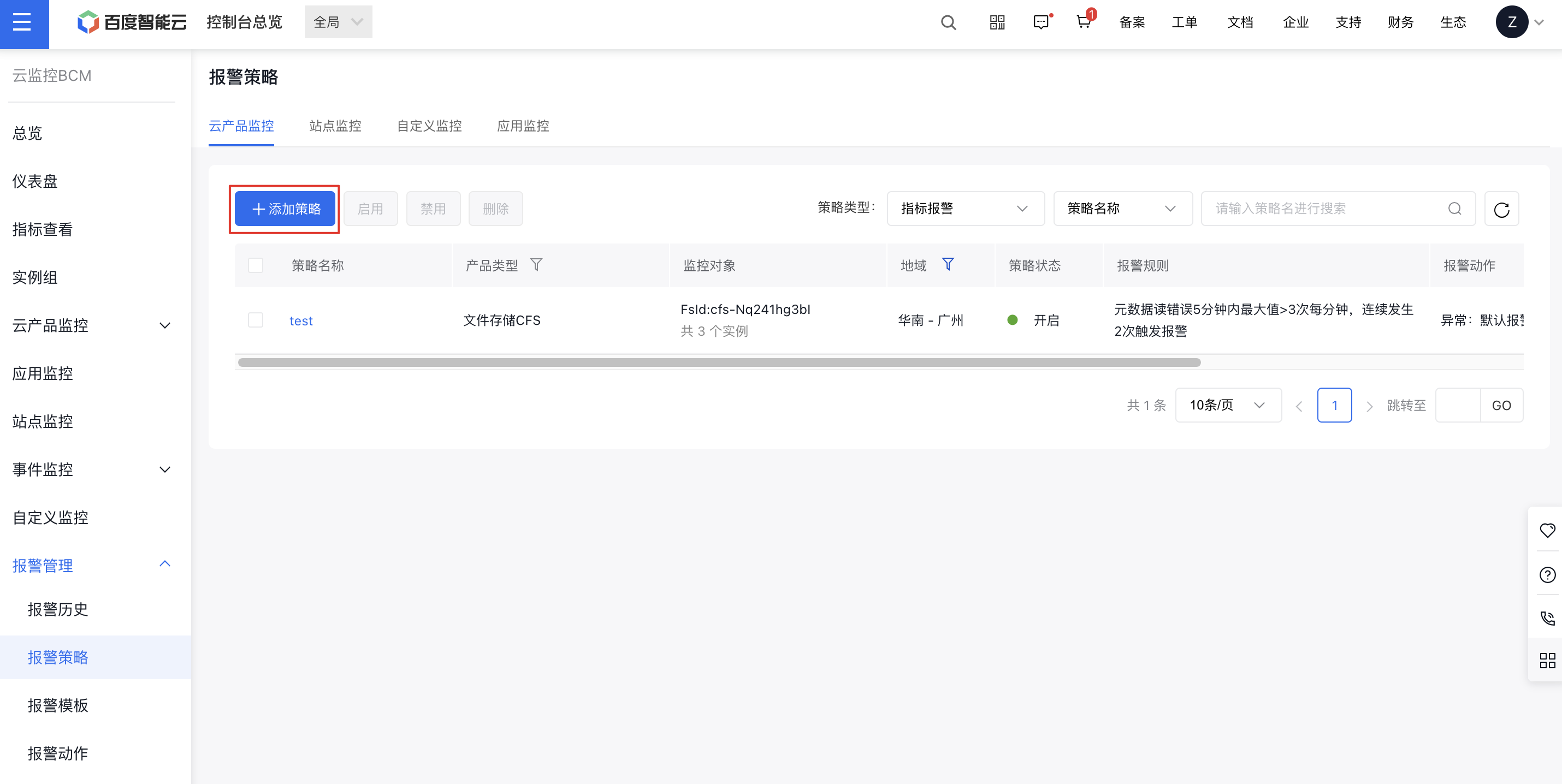
Add the alarm strategy
- Access the Baidu Cloud Monitor (BCM) Console, and click Alarm Management > Alarm Policies > Add Policy in sequence to set the alarm thresholds and notification methods for the corresponding metrics. For specific operations, refer to Alarm Action.
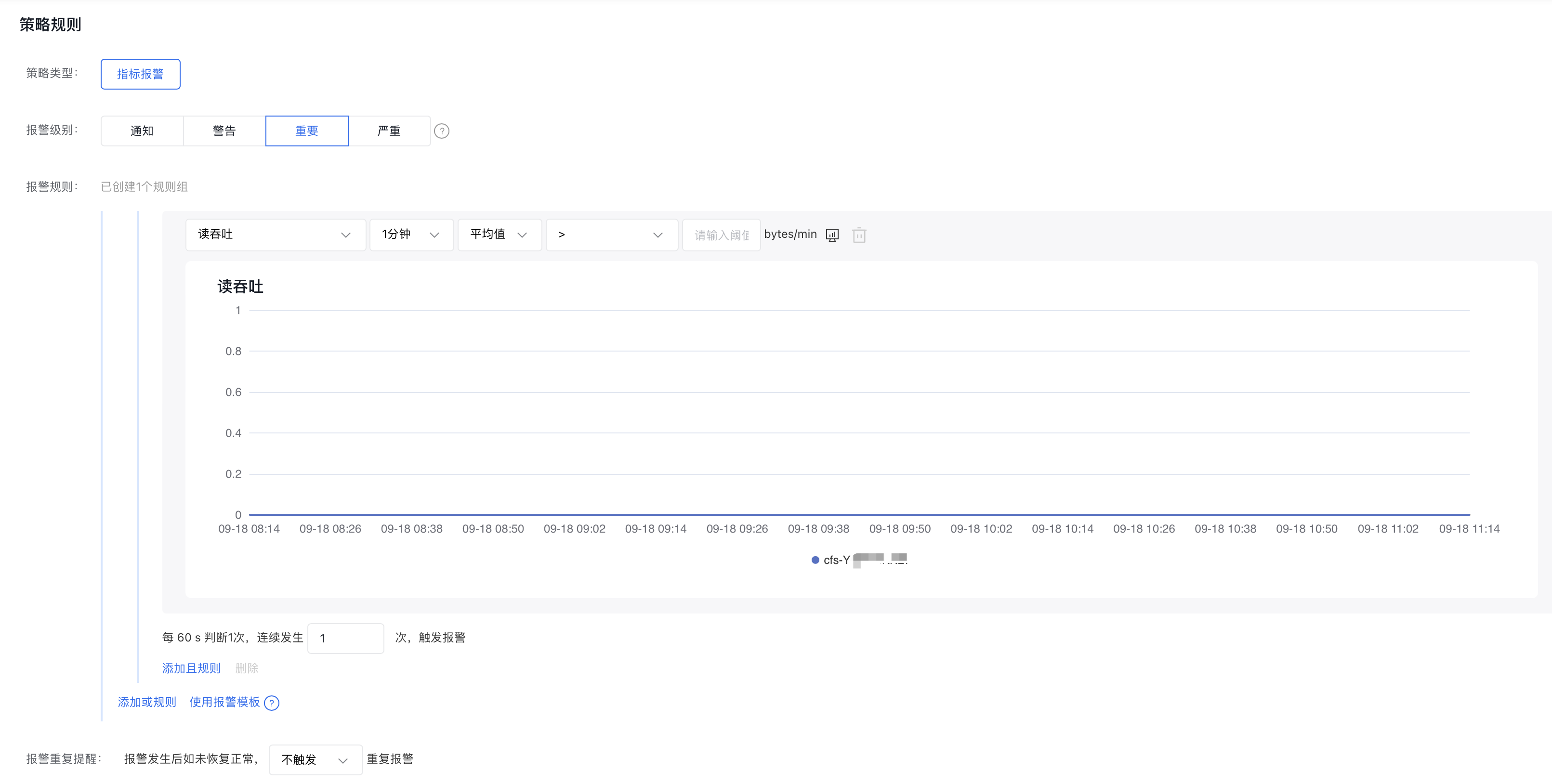
- You can customize alarm strategies on the Add Strategy page.
Management alarm strategy
Access the Baidu Cloud Monitor (BCM) Console, and click Alarm Management. You can disable and delete existing alarm policies, and disabled alarm policies can be re-enabled. For specific operations, refer to Manage Alarms.