

User management
IAM user management consists of two parts: IAM user management and message contact management
- Through IAM user management, it is possible to create and manage sub-users under the account, define their access methods to cloud resources, grant necessary resource permissions, and enforce multi-factor certification via MFA. IAM users inherently possess message contact functions;
- Through message contact management, it is possible to create and manage message contacts under the account. Before receiving account notifications, message contacts must be verified to prevent spam;
IAM user management
Create IAM user
- Sign in to the Baidu AI Cloud management console, hover over the avatar in the upper-right corner, select Identity and Access Management > User Management > IAM User from the dropdown, and click Create IAM User.
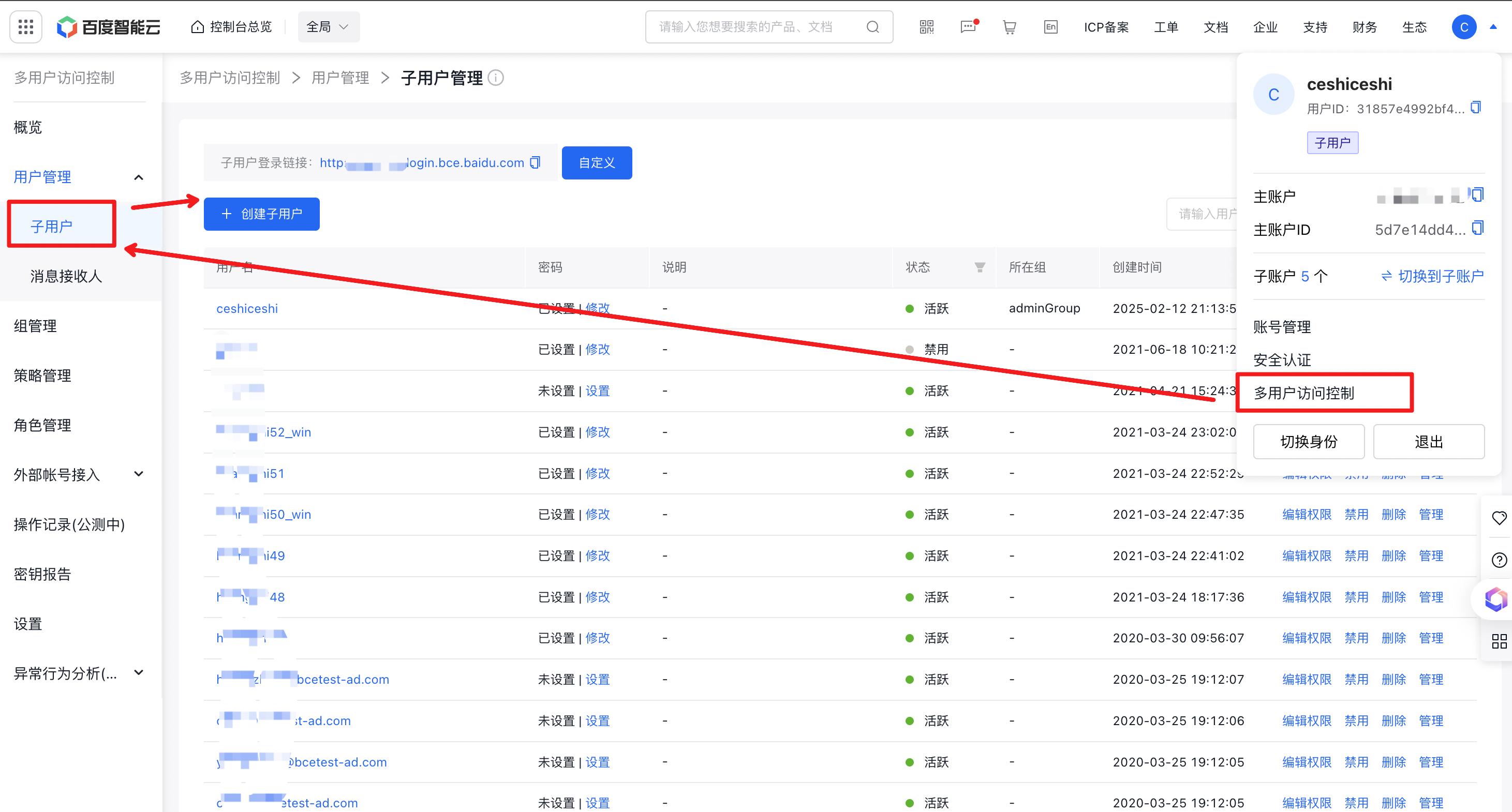
-
For the fields of name and remarks (optional) , it is possible to select how the IAM user accesses cloud account resources:
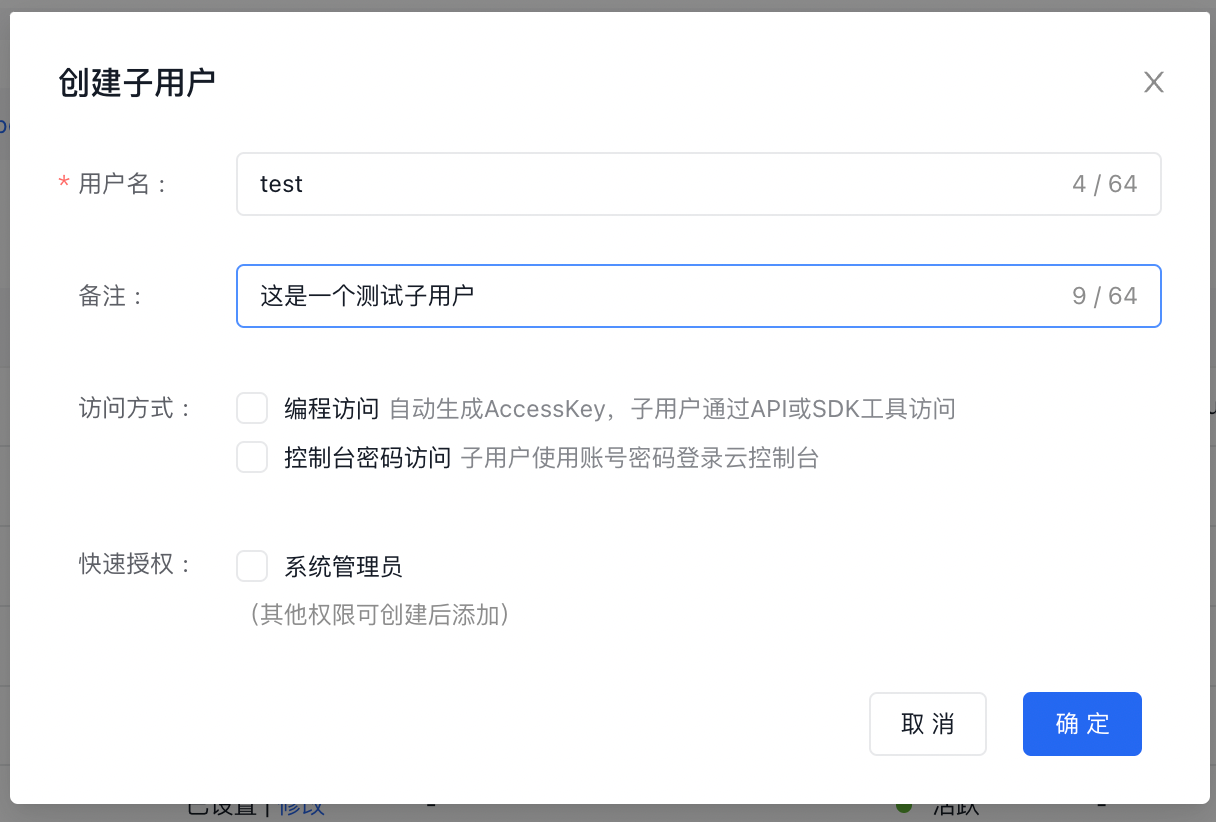
- Programmatic access: Authorize IAM users to access cloud resources programmatically. The system automatically generates a valid AccessKey and SecretKey pair for the IAM user to call AI Cloud APIs or manage/use cloud resources via SDK
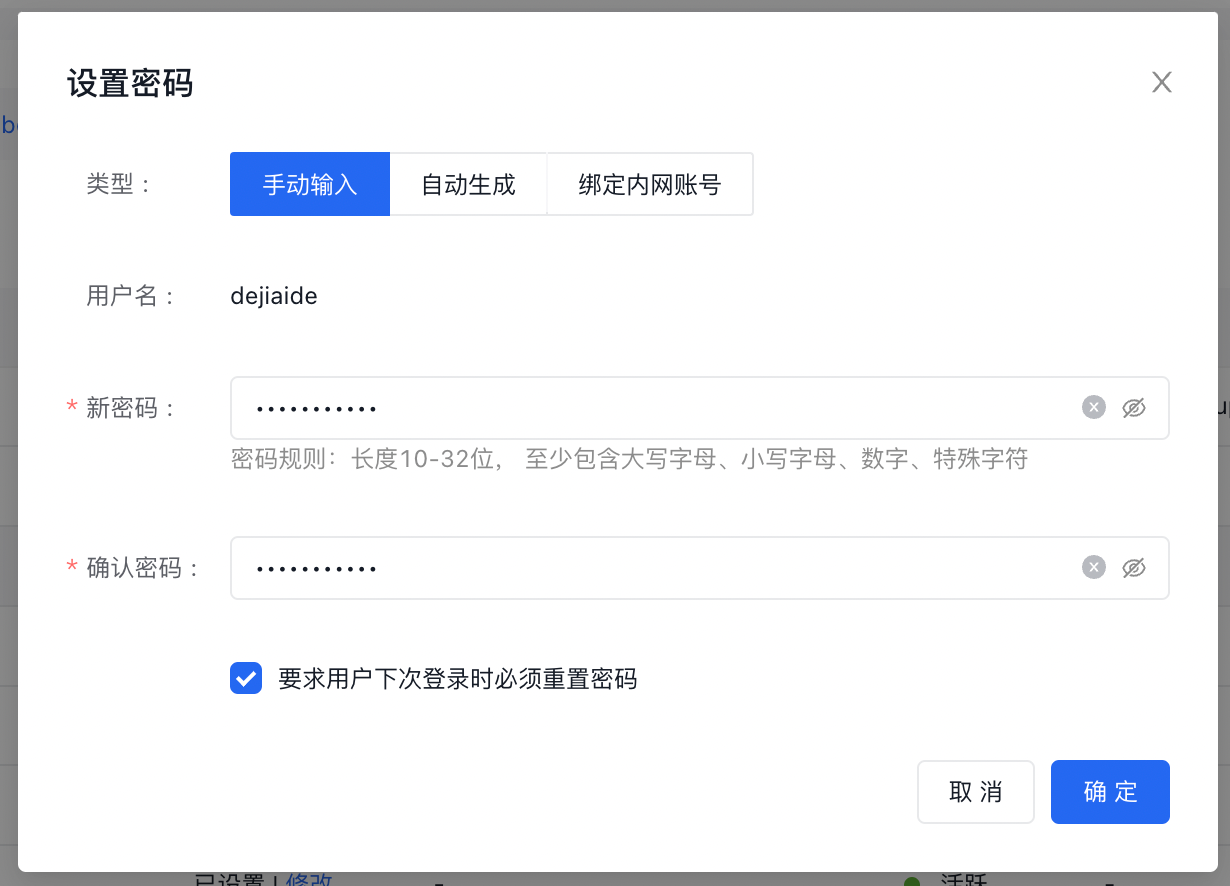
- Console password settings: Allow IAM users to access cloud resources via the console. Options include manually creating a new password, having the system automatically generate one, or binding a Baidu Intranet account for password setup. You may also require first-time users to change their password after initial login.
Typically, users need only specify one access method for IAM user interaction with cloud resources. However, assigning two access methods for a single IAM user is possible. Access permissions can be revoked for IAM users at any time during later operations.
- Under the Quick Authorization option, it is possible to select whether to grant system administrator permissions to IAM users. Once selected, the IAM user will have management permissions for all cloud resources under the account, typically used to quickly create cloud administrators for teams.
Set IAM user password
Set a login password for the new IAM user, with two sign in as IAM user options:
- Method 1 (recommended): Use the configured name + password to sign in;
- Method 2: Bind a Baidu account and sign in using the Baidu account + corresponding account password;
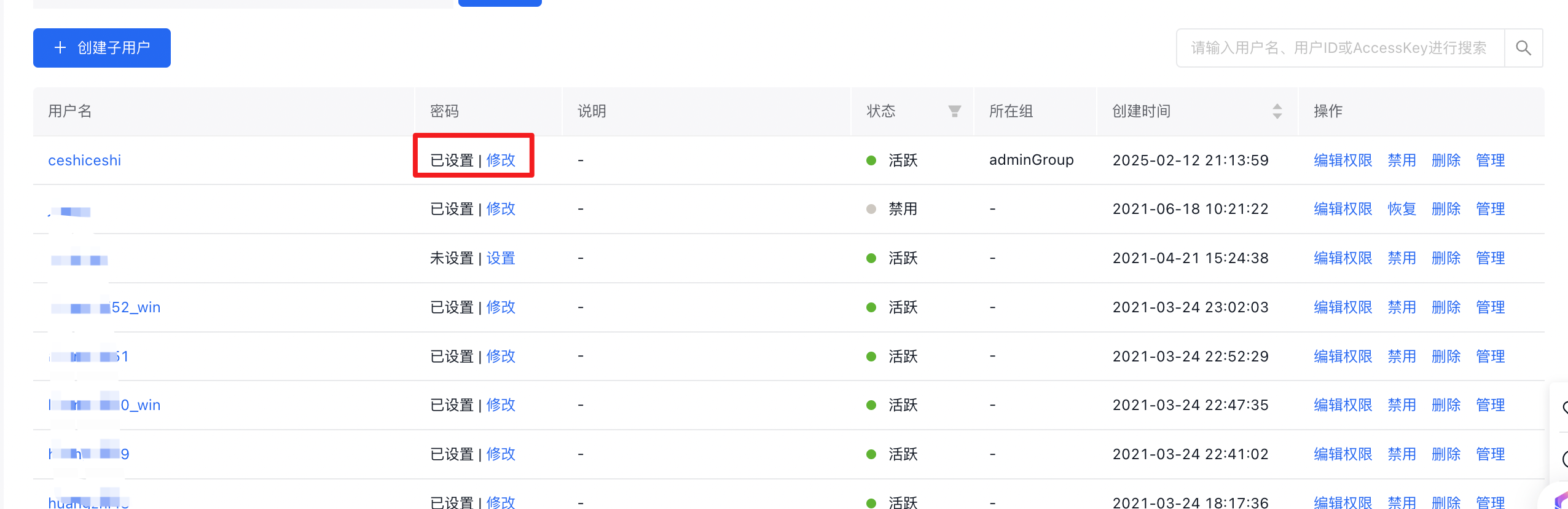
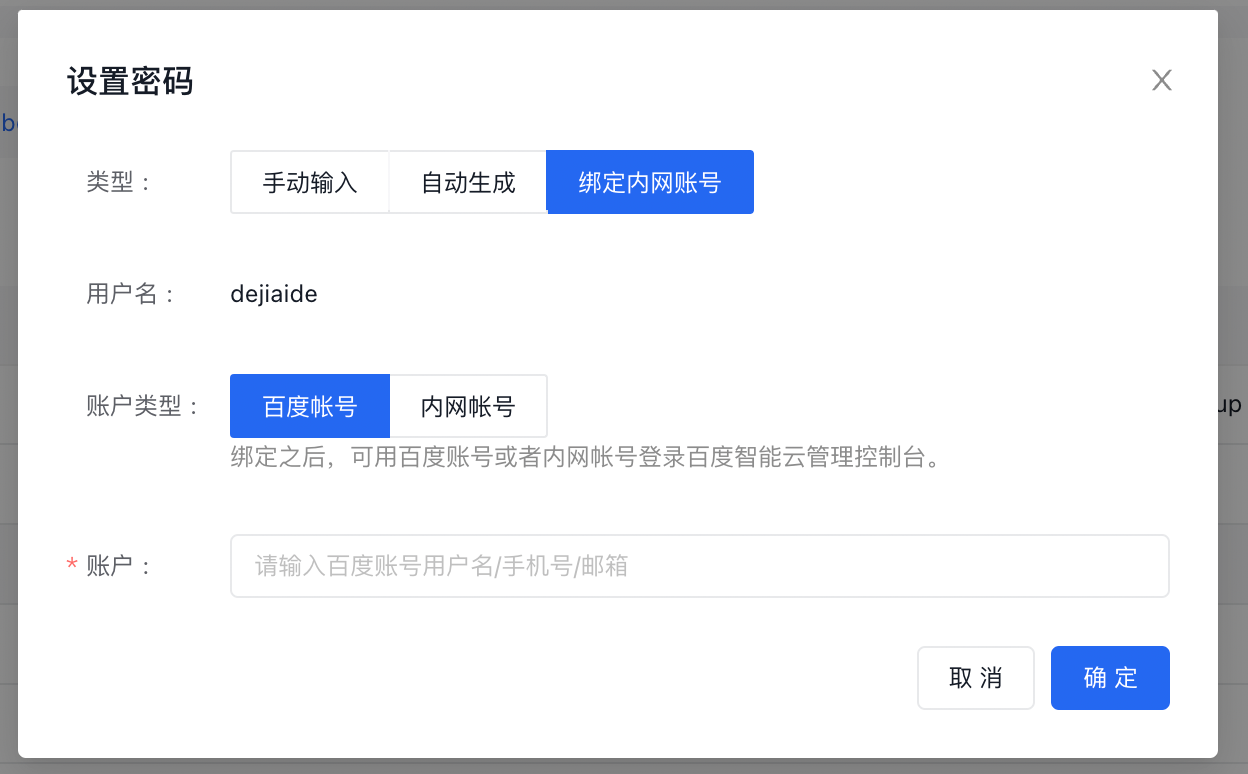
- In the Identity and Access Management - User Management - IAM Users menu, select an IAM user and click Set or Modify to configure or change the password the "Set Password" dialog box will appear. Upon successful setup, users can sign in based on [username] and [password].
- You can select Require Users to Reset Password upon Next Sign in as an IAM User, prompting IAM users to reset their password during their upcoming login.
- Alternatively, choose Bind Intranet Account followed by Baidu Account, allowing IAM users to access the cloud system using their Baidu account credentials.
Manage IAM user information
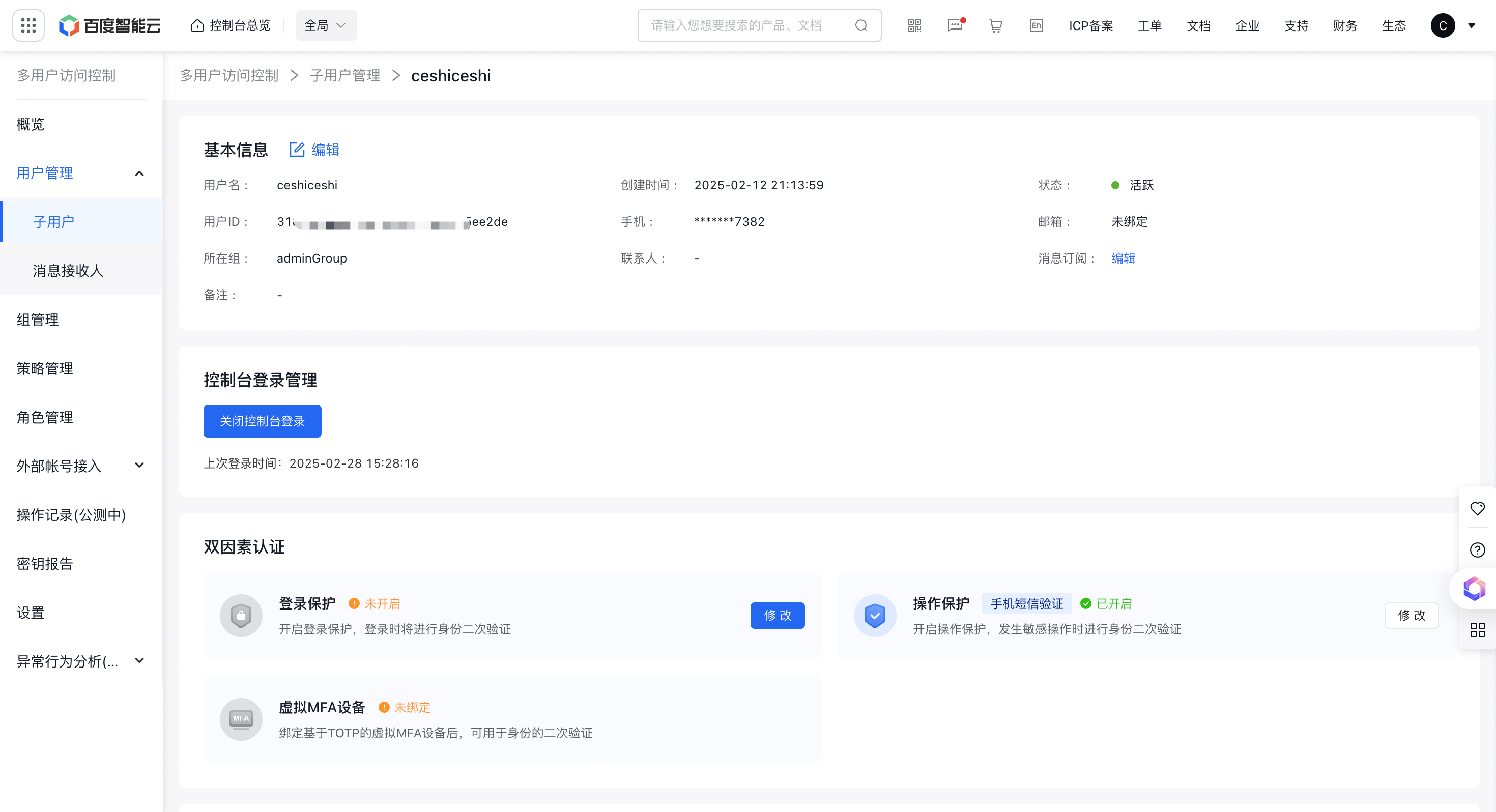
- In the Identity and Access Management > User Management > IAM User menu list, click directly on the Username or Manage to enter the IAM User Details page.
- Modify user basic information.
IAM user two factor authentication
Two-Factor Authentication is a straightforward and effective security method. It adds an additional verification layer beyond username and password, usually through SMS verification codes or one-time software-generated dynamic codes adhering to the TOTP protocol.
Currently, the two factor authentication method provides login protection and operation protection, performing secondary verification on IAM user login behaviors and their operational actions on cloud resources. For details, refer to [Two Factor Authentication](#Two-Factor Authentication).
Manage IAM user AccessKey
AccessKey management enables users to delete or generate new keys based on their needs. An IAM user can hold up to 20 AccessKey and SecretKey pairs simultaneously, though it's recommended to maintain only 2 pairs for rotation purposes. The last pair of AccessKeys can be deleted to revoke a user's programmatic access to cloud resources.
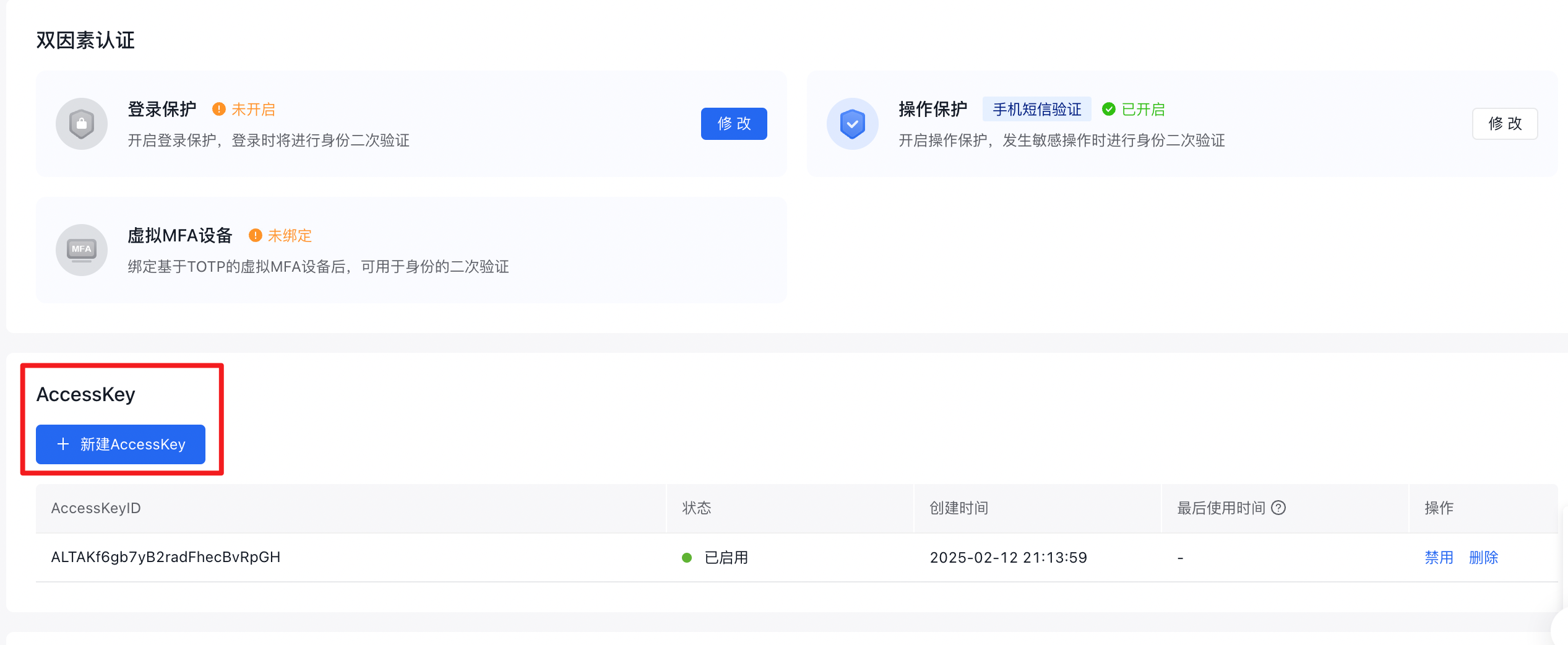
For enhanced security, refresh AccessKeys periodically.
Grant permissions to IAM users
Policy management allows adding or revoking IAM user permissions as necessary. You can grant access to multiple services and varied cloud resources to the same IAM user.

Manage IAM user API keys
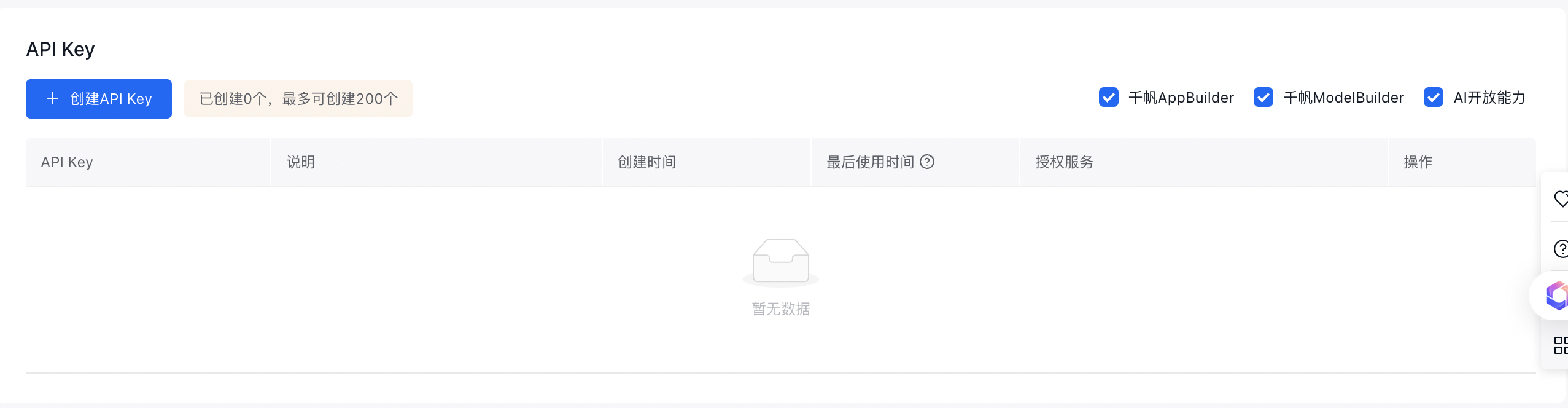
Beyond the AccessKey and SecretKey certification mechanisms, IAM provides developers with the API key certification mechanism. IAM users can directly utilize services within Qianfan ModelBuilder, AppBuilder, and AI open platform using API keys. For details, refer to API Key Introduction.
Administrator users can directly manage IAM user API keys, including their lifecycle and specific permission settings. An IAM user may be assigned up to 200 API keys.
IAM user operation logs
Operation logs: Currently recorded in the Baidu Cloud Trial product. Click View to navigate to the Baidu Cloud Trial page.

Delete IAM user
In the Identity and Access Management > User Management > IAM User menu, select the corresponding IAM user, click Delete, and then OK in the pop-up window to proceed with deletion
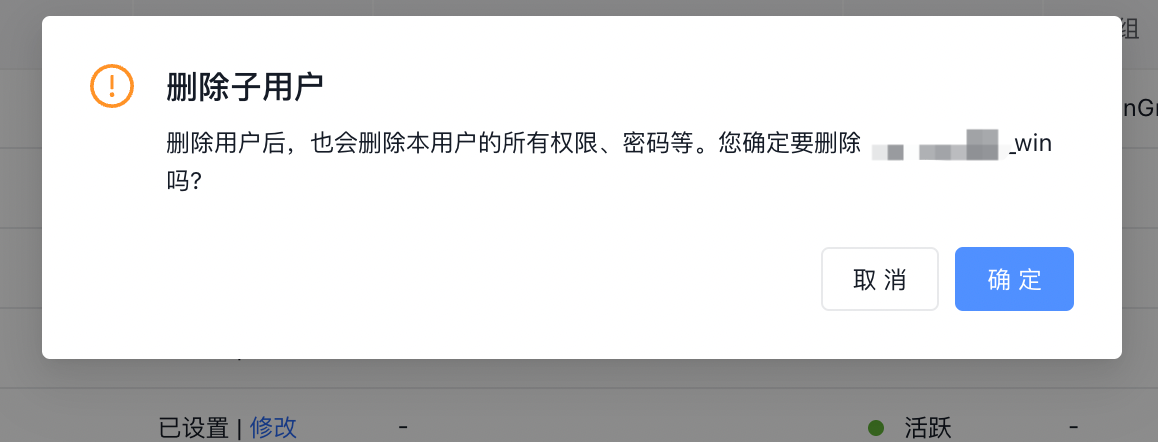
Important: Deleting an IAM user permanently removes associated permissions and passwords without recovery options. If future needs are uncertain, consider disabling the user account instead.
Inactivate IAM user
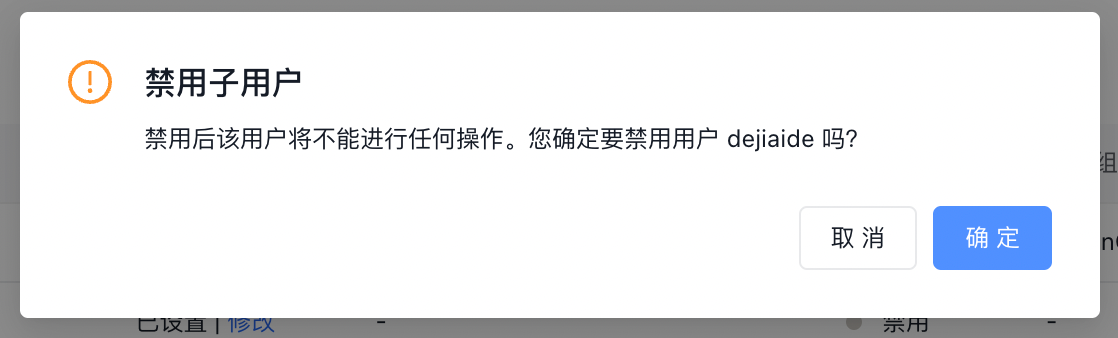
In situations where temporary suspension of an IAM user's access to cloud resources is necessary, you can use the IAM user disable feature. Navigate to the IAM User tab in User Management, select the appropriate IAM user, and click Disable to block their access. You can later re-enable the IAM user to restore their permissions.
Effect of disabling: IAM users will be unable to log in to the console or use their AK/SK or API key to make API calls to the cloud account.
Root account alias setup
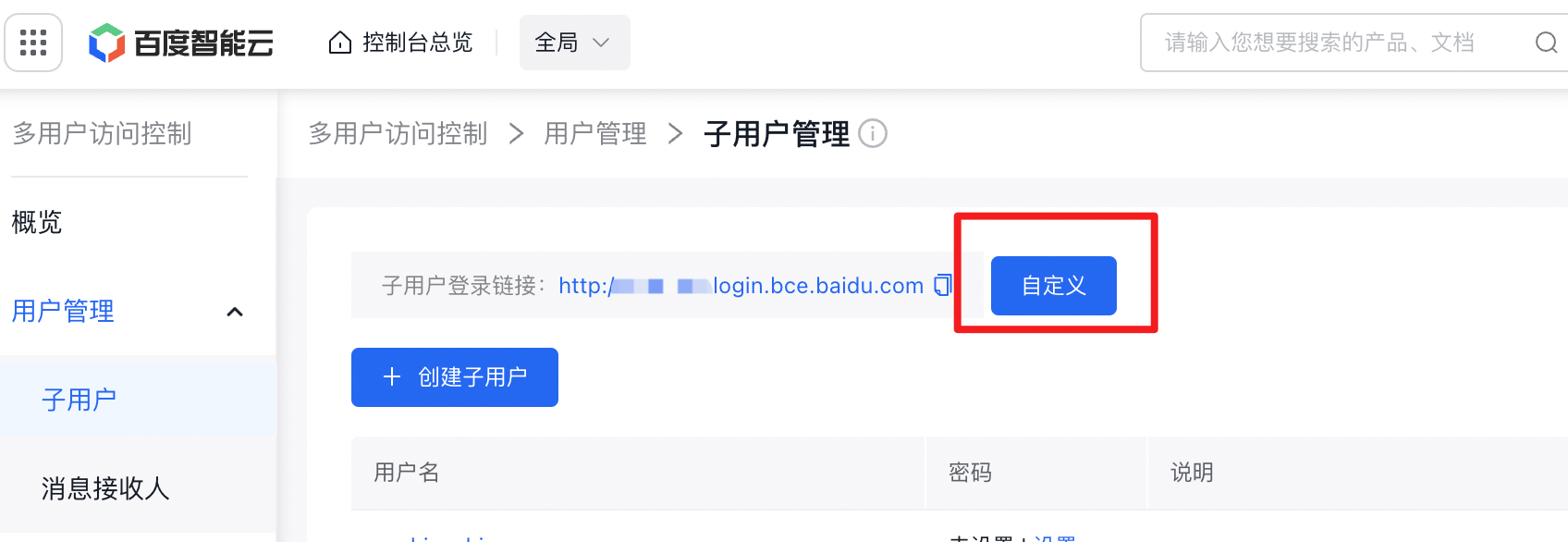
You can assign a user-friendly alias to the root account to make it easier to access the IAM user login portal and streamline the root account details input during IAM user login.
- Above the IAM user list in the Identity and Access Management > User Management > IAM User menu, click Customize to make modifications.
- Enter a personalized root account alias, click OK, and complete the security verification using your mobile phone number.
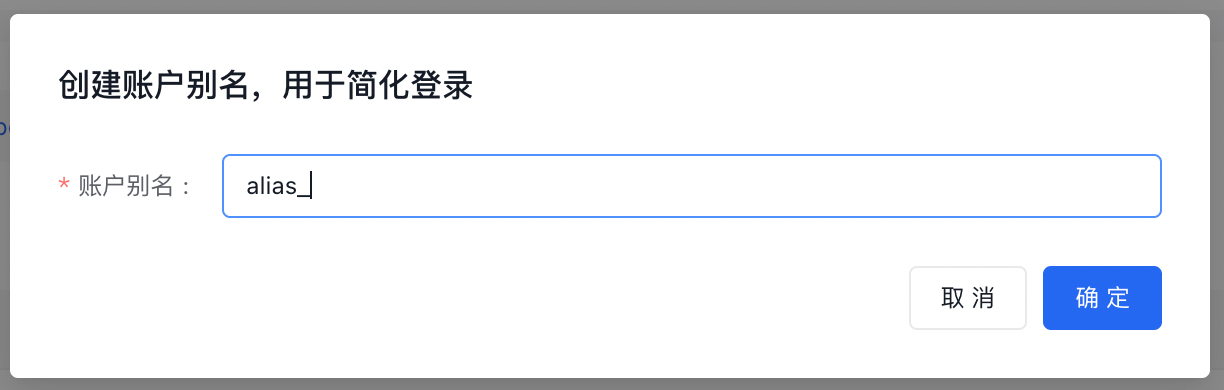
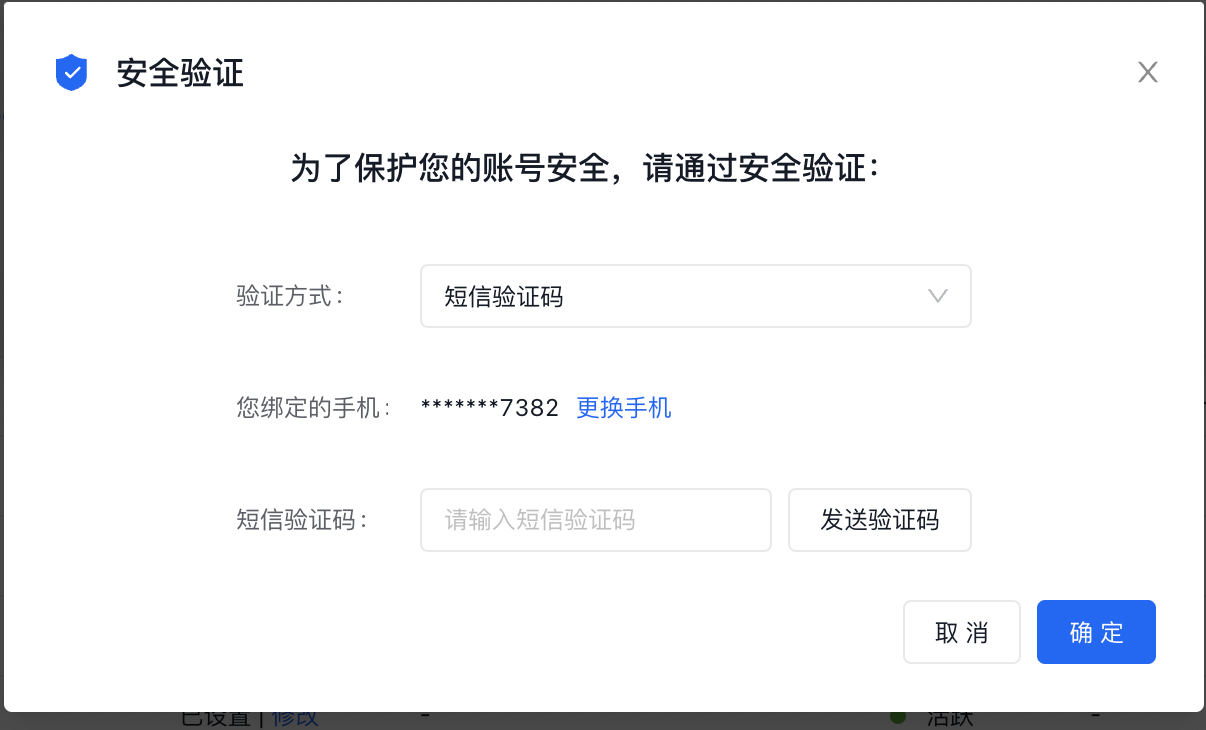
- Once updated, the IAM user login portal will be simplified, allowing IAM users to use the main account alias for login.
Message contact management
Overview
A message contact is a type of user who cannot access the Baidu AI Cloud console or carry out programmatic activities. This type of user can only be set up by the primary user or administrator IAM user to receive account-related notifications.
Historical notes
Contact Management in the former user center has been migrated to Identity and Access Management > User Management > Message Contact for unified management.
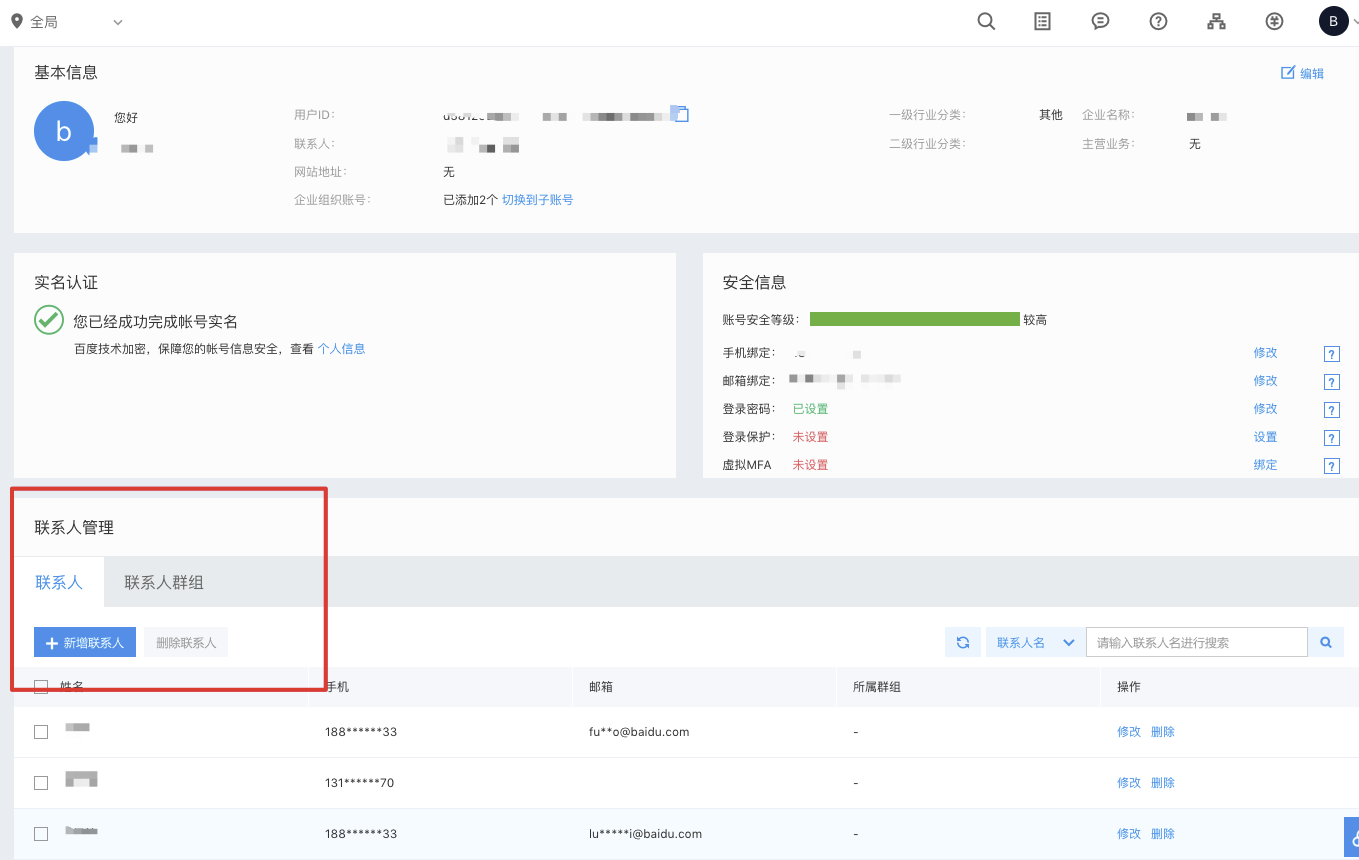
Create message contact
- Sign in to the Baidu AI Cloud Management Console, and select Identity and Access Management.
-
Select User Management > Message Contact and click Create Message Contact.
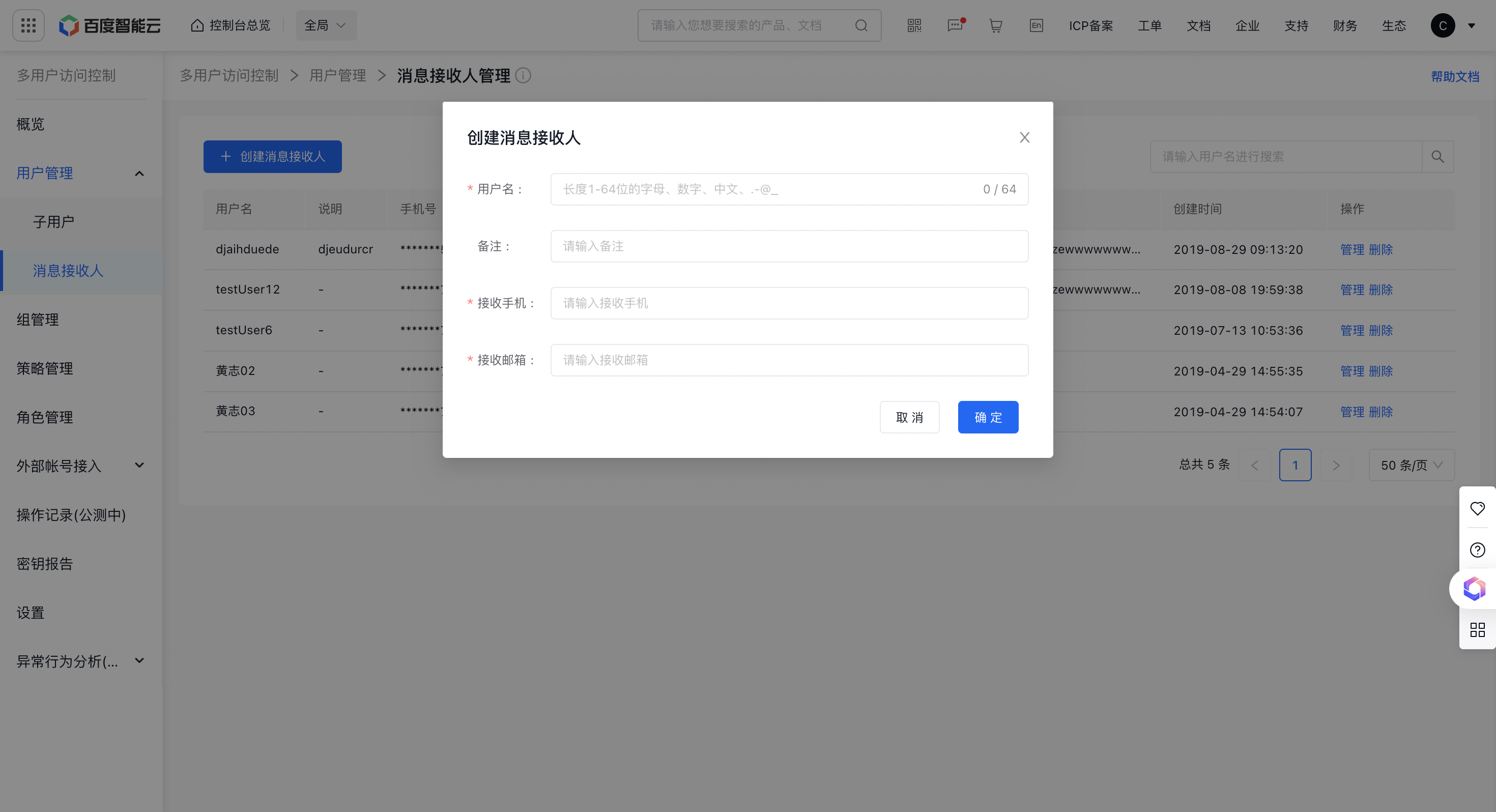
Note: Within the same account, usernames for message contacts and IAM users must be unique. Please provide valid mobile phones or email addresses to ensure successful receipt of notifications for the verification of message contact identities.
Verify message contacts
Before receiving messages from the account, the message contact must actively accept an invitation sent by the account administrator:
- Upon successfully creating a message contact, the system automatically sends SMS and email invitations to them;
- It is possible to also verify whether message contacts have passed validation by checking their SMS/email status in the message contact list. For unverified users, it is possible to resend the verification;
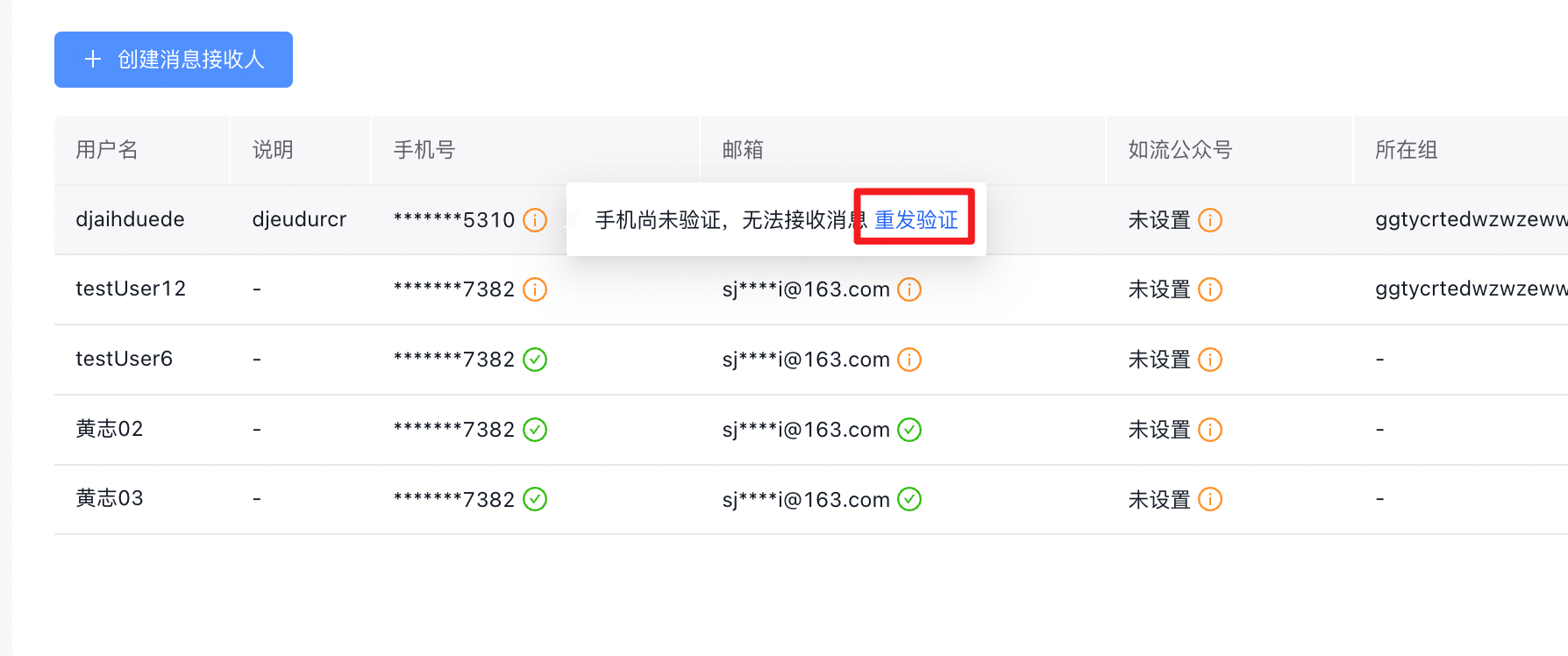
- The message contact will receive an account invitation via SMS or email. Clicking on the invitation link will complete their contact information verification process.
Subscribe to messages for message contacts
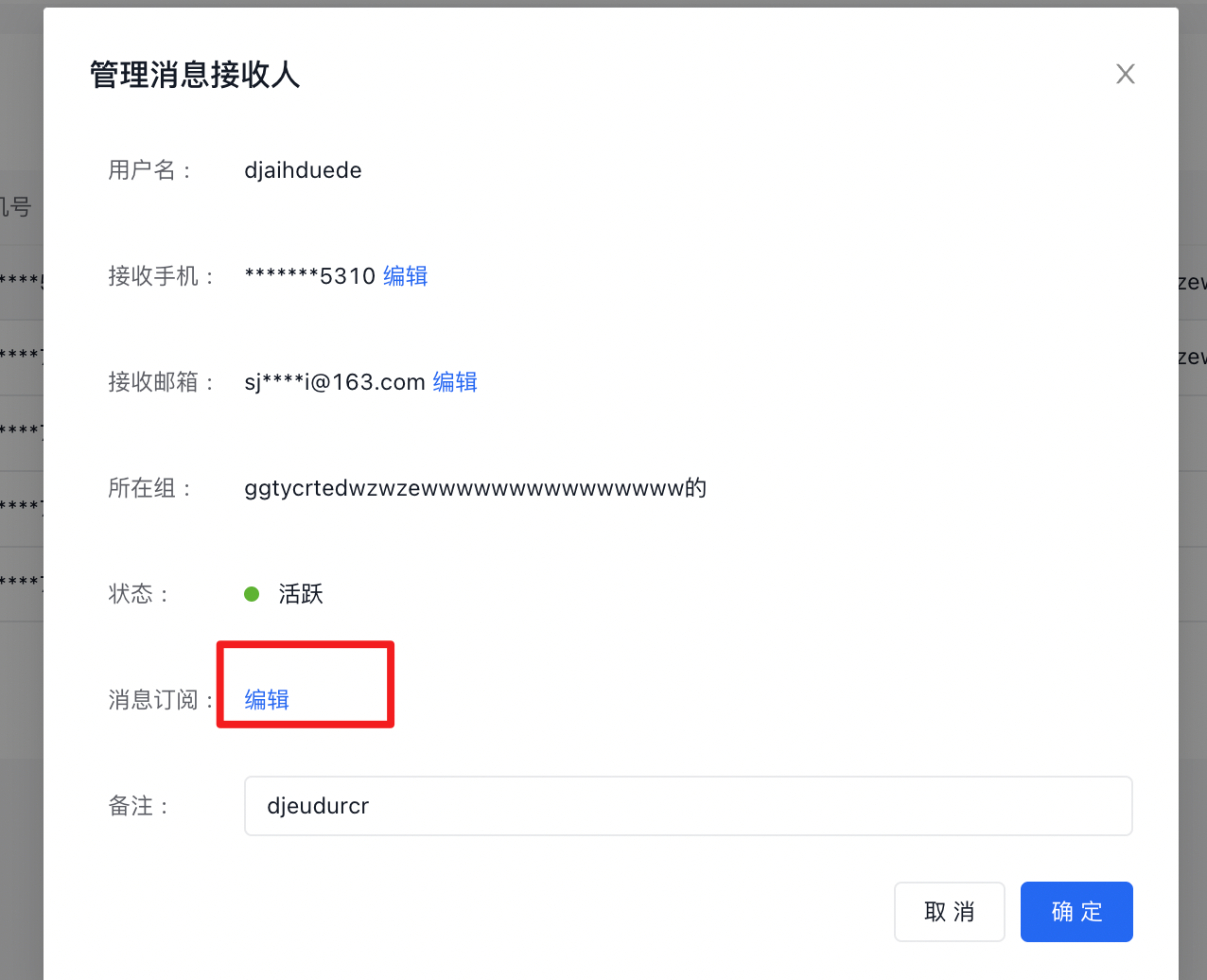
Click Manage, select Edit, and enter the Notification Center to configure message subscriptions for recipients.
Add message contacts to groups
Message contacts can be grouped to enable coordinated subscriptions to notifications. For example, Baidu Cloud Monitor (BCM) can be set to use group members as alert recipients.
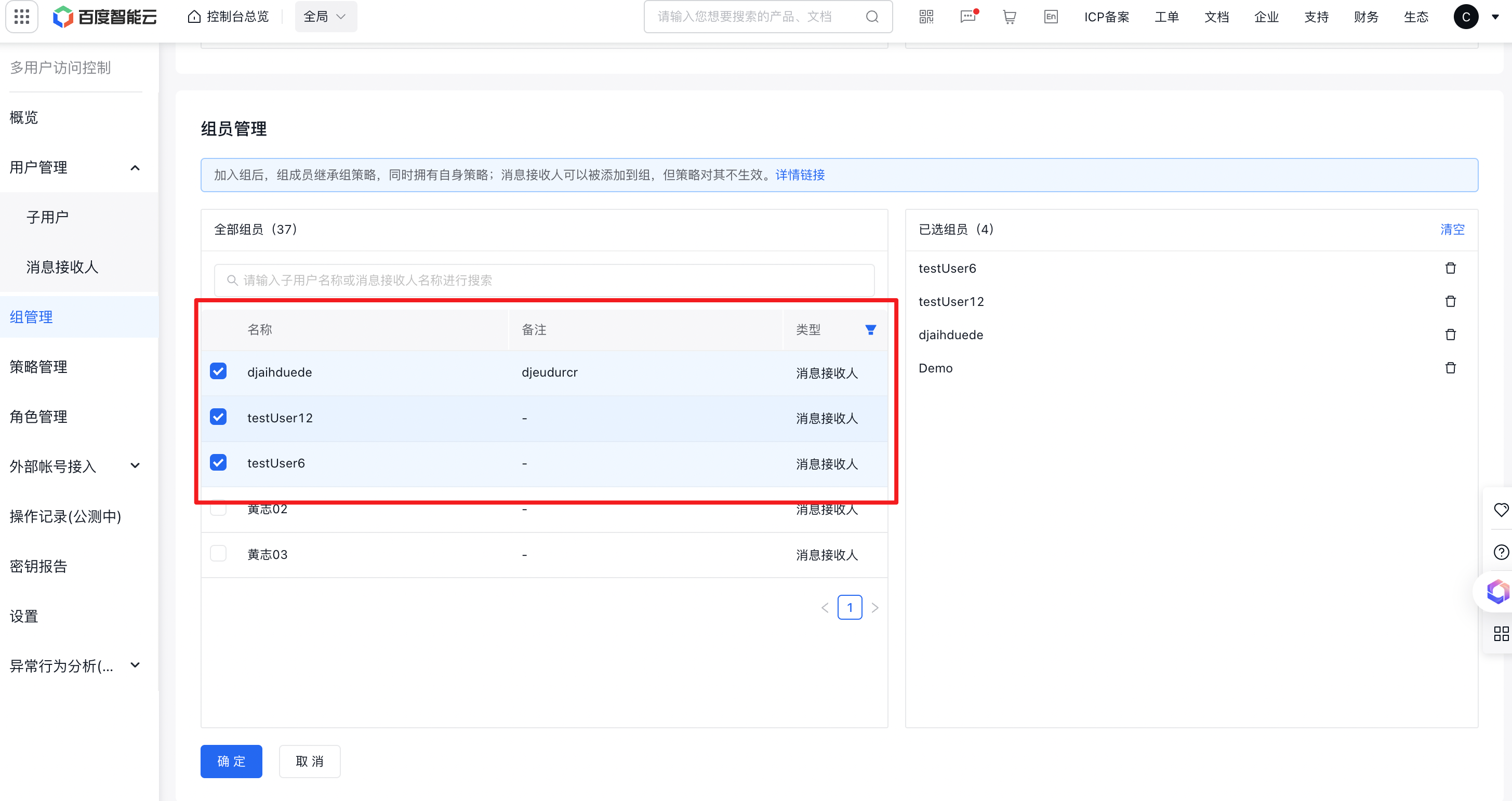
Note: Message contacts can be added to groups, but permission policies do not apply to them. To enable a user to possess both permission policies and message contact capabilities, it is recommended to use User Management > IAM User.