

Create groups and grant permissions
Updated at:2025-10-27
A group is a collection of IAM users, typically grouping members from the same business unit or those requiring similar permissions. This streamlines management, as permission changes for individuals only require adding or removing them from the group rather than updating permissions individually.
Create groups and grant permissions
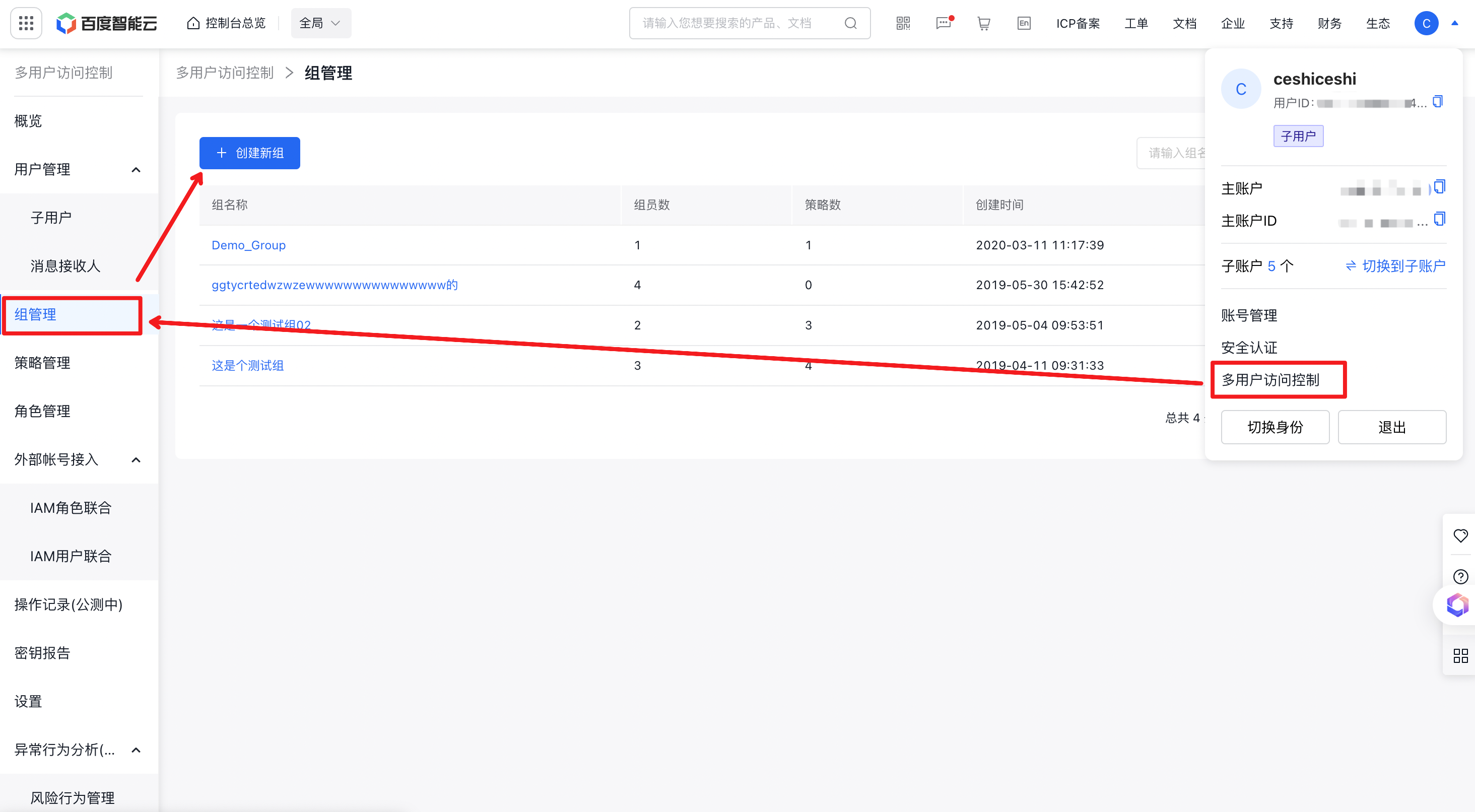
- Sign in to the Baidu AI Cloud console, move the cursor over the avatar in the top-right corner, select Identity and Access Management - Group Management from the dropdown menu, and click Create New Group.
- Enter the group name and remarks on the provided form page.
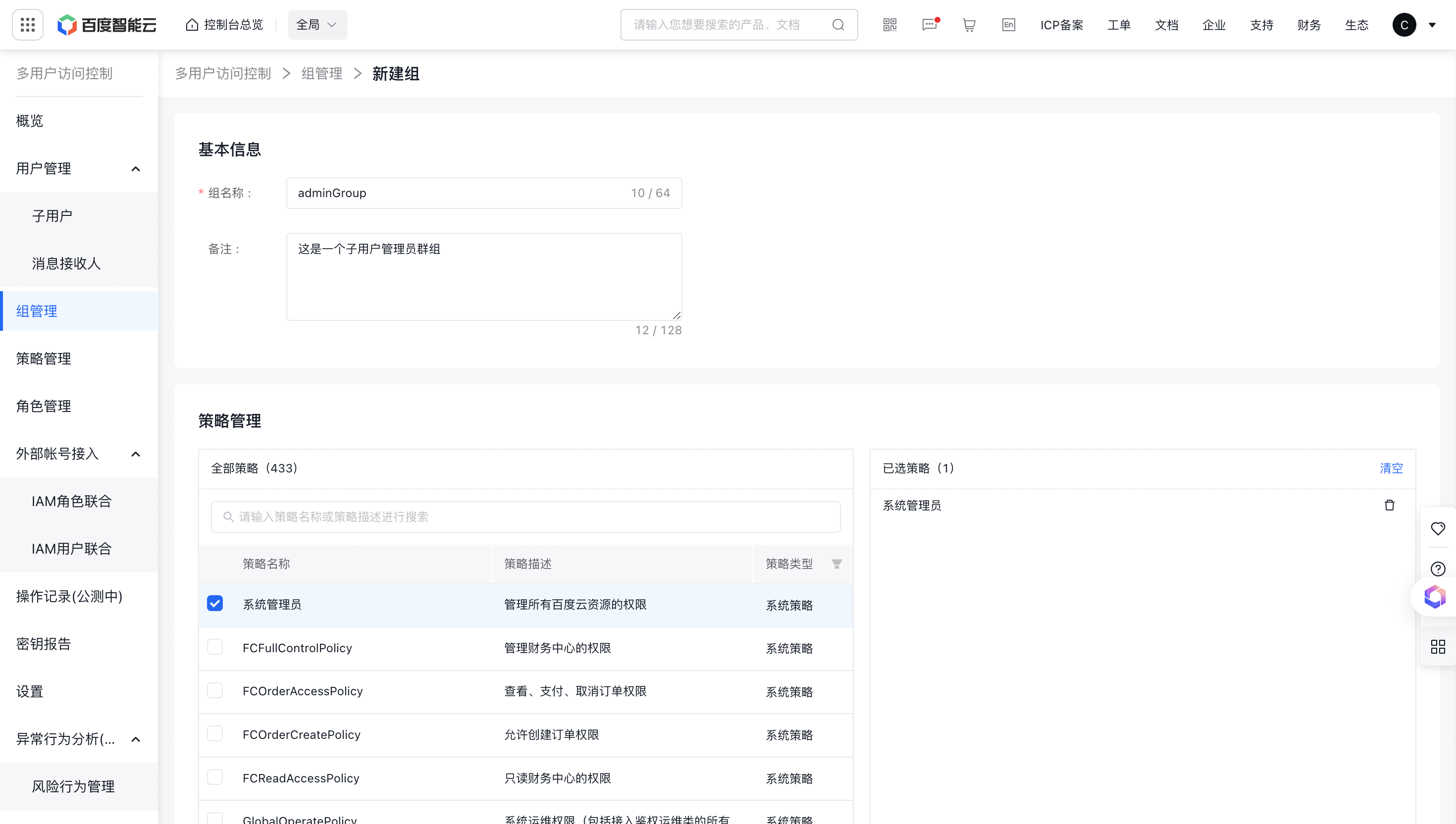
- In the Policy Management module, select the permissions to be granted for this group.
- In the Group Member Management module, select the IAM users to be added to the group, then click OK to complete the group creation.
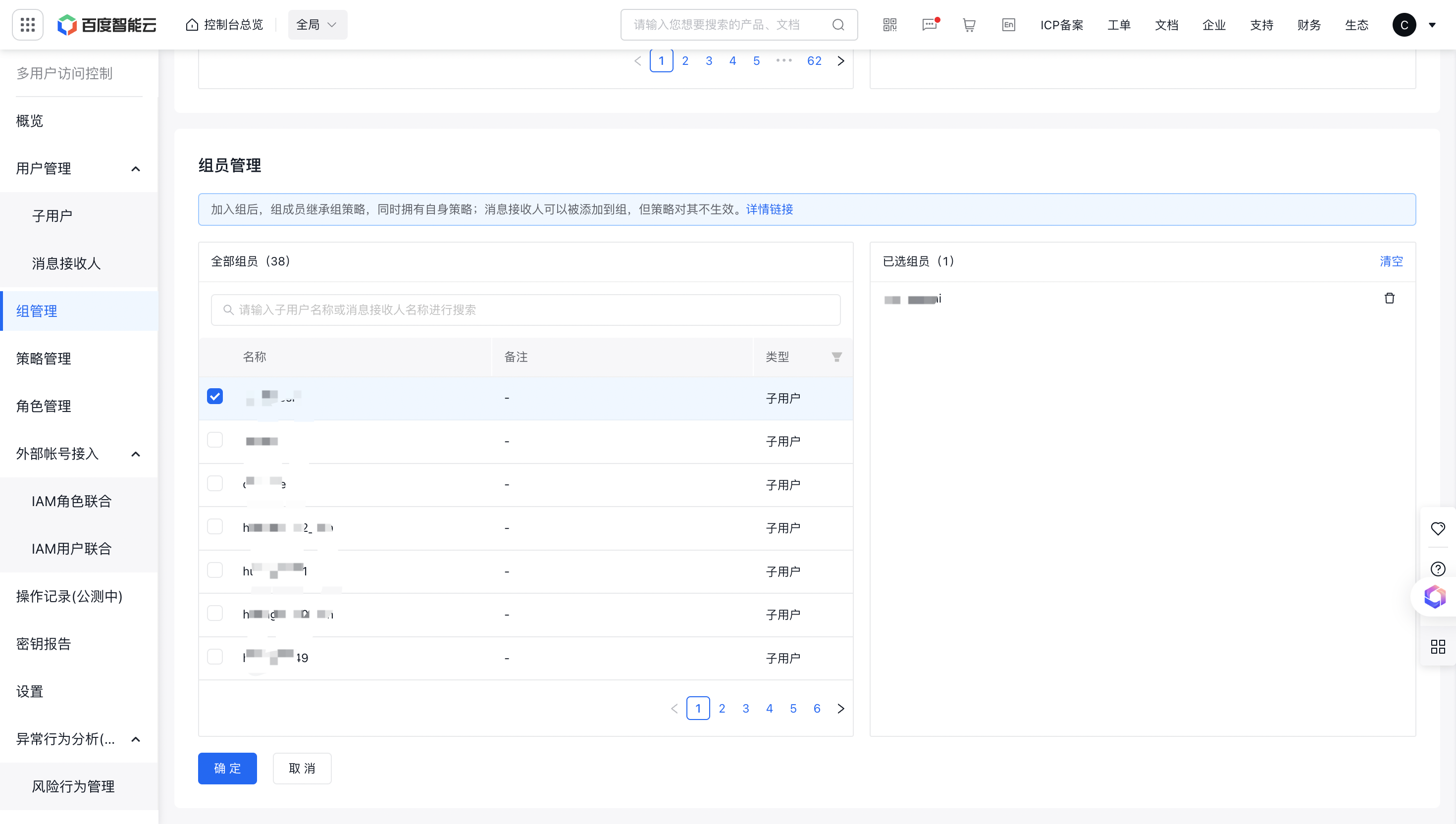
You may also defer adding permission policies or IAM users to groups. After creating and saving a group, return to the Group List page, click Edit button to subsequently add permission policies and IAM users.