Risk Behavior Management

IAM IAM

  • API Reference
    • Common request header and common response header
    • Data type
    • Error code
    • Feature Update Records
    • General Description
    • Introduction
    • Service domain
    • STS-Related Interfaces
  • API Reference_IAM
    • Common request header and common response header
    • Data type
    • Error code
    • General Description
    • Group management API
    • Introduction
    • Policy management API
    • Role Management Interfaces
    • Service domain
    • User management API
  • FAQs
    • Common Questions Overview
    • FAQs related to IAM users
    • FAQs related to product permissions
  • Function Release Records
  • Operation guide
    • Account Security Audit
    • Enterprise Account Integration
      • Federated Login Overview
      • IAM Role-based SSO
      • IAM User-based SSO
    • Group Management
    • Message Center
    • Permission Policies
      • ACL
      • Authorization
      • Managing IAM Policies
      • Permission Policy Overview
      • Policy Authentication Evaluation Logic
      • Strategy type
      • Tag-Based Authorization and Authentication
    • Role Management
      • Common scenarios
      • Create role
      • FAQs
      • Managing Roles
      • Overview
      • Related concepts
      • Using Roles
    • Settings
    • User
      • IAM User Operations
      • Two-Factor Authentication
      • User management
    • User Anomaly Behavior Analysis (Public Beta)
      • Risk Behavior Management
  • Operation records
    • Cloud Trail (Public Beta)
  • Product Announcement
    • Baidu Intelligent Cloud Enables Login Protection MFA Multi-Factor Authentication Notification for All Users
  • Product Description
    • Application scenarios
    • Concepts
    • Currently Supported Product Lines
    • Product functions
    • Product overview
    • System Restrictions
    • Enterprise Organization vs Identity and Access Management
  • Product pricing
    • Product pricing
  • Quick Start
    • Create groups and grant permissions
    • Creating IAM User Administrators
  • SDK
    • Go-SDK
      • Error handling
      • Group management API
      • Initialize SDK
      • Install the SDK Package
      • Overview
      • Policy management API
      • Role Management Interfaces
      • User management API
      • Version Change Records
    • Java-SDK
      • Error code
      • Group management API
      • Initialization
      • Install the SDK Package
      • Overview
      • Policy management API
      • Role Management Interfaces
      • User management API
      • Version Change Records
    • Python-SDK
      • Error code
      • Group management API
      • Initialization
      • Install the SDK Package
      • Overview
      • Policy management API
      • Role Management Interfaces
      • User management API
      • Version Change Records
  • Testing Knowledge Base SDK
  • Typical Practices
    • Baidu Intelligent Cloud Partner Guide to Creating IAM Users
    • User Management and Permission Assignment
All documents
menu
No results found, please re-enter

IAM IAM

  • API Reference
    • Common request header and common response header
    • Data type
    • Error code
    • Feature Update Records
    • General Description
    • Introduction
    • Service domain
    • STS-Related Interfaces
  • API Reference_IAM
    • Common request header and common response header
    • Data type
    • Error code
    • General Description
    • Group management API
    • Introduction
    • Policy management API
    • Role Management Interfaces
    • Service domain
    • User management API
  • FAQs
    • Common Questions Overview
    • FAQs related to IAM users
    • FAQs related to product permissions
  • Function Release Records
  • Operation guide
    • Account Security Audit
    • Enterprise Account Integration
      • Federated Login Overview
      • IAM Role-based SSO
      • IAM User-based SSO
    • Group Management
    • Message Center
    • Permission Policies
      • ACL
      • Authorization
      • Managing IAM Policies
      • Permission Policy Overview
      • Policy Authentication Evaluation Logic
      • Strategy type
      • Tag-Based Authorization and Authentication
    • Role Management
      • Common scenarios
      • Create role
      • FAQs
      • Managing Roles
      • Overview
      • Related concepts
      • Using Roles
    • Settings
    • User
      • IAM User Operations
      • Two-Factor Authentication
      • User management
    • User Anomaly Behavior Analysis (Public Beta)
      • Risk Behavior Management
  • Operation records
    • Cloud Trail (Public Beta)
  • Product Announcement
    • Baidu Intelligent Cloud Enables Login Protection MFA Multi-Factor Authentication Notification for All Users
  • Product Description
    • Application scenarios
    • Concepts
    • Currently Supported Product Lines
    • Product functions
    • Product overview
    • System Restrictions
    • Enterprise Organization vs Identity and Access Management
  • Product pricing
    • Product pricing
  • Quick Start
    • Create groups and grant permissions
    • Creating IAM User Administrators
  • SDK
    • Go-SDK
      • Error handling
      • Group management API
      • Initialize SDK
      • Install the SDK Package
      • Overview
      • Policy management API
      • Role Management Interfaces
      • User management API
      • Version Change Records
    • Java-SDK
      • Error code
      • Group management API
      • Initialization
      • Install the SDK Package
      • Overview
      • Policy management API
      • Role Management Interfaces
      • User management API
      • Version Change Records
    • Python-SDK
      • Error code
      • Group management API
      • Initialization
      • Install the SDK Package
      • Overview
      • Policy management API
      • Role Management Interfaces
      • User management API
      • Version Change Records
  • Testing Knowledge Base SDK
  • Typical Practices
    • Baidu Intelligent Cloud Partner Guide to Creating IAM Users
    • User Management and Permission Assignment
  • Document center
  • arrow
  • IAMIAM
  • arrow
  • Operation guide
  • arrow
  • User Anomaly Behavior Analysis (Public Beta)
  • arrow
  • Risk Behavior Management
Table of contents on this page
  • Overview
  • Beta release notes
  • Create risk behavior
  • Managing risk behaviors
  • Alert notification

Risk Behavior Management

Updated at:2025-10-27

Overview

User Entity Behavior Analysis (UEBA) is a sophisticated security feature that examines user behavior patterns (including natural persons and device entities, collectively referred to as users) within a system to identify anomalies and notify system administrators.

Typical scenarios of abnormal user behavior include: account anomalies, AK anomalies, device anomalies, operational anomalies, host compromise, lateral movement, and more. This document describes how to create and manage risk behaviors across various scenarios, as well as how to receive alert notifications for these risk behaviors.

Note: Currently, only two risk behaviors are supported: unused AKSK and abnormal AKSK calls

Beta release notes

The user entity behavior analysis feature is currently in public beta and available only to accounts on the allow list. To participate in the beta, please contact your key account manager.

Create risk behavior

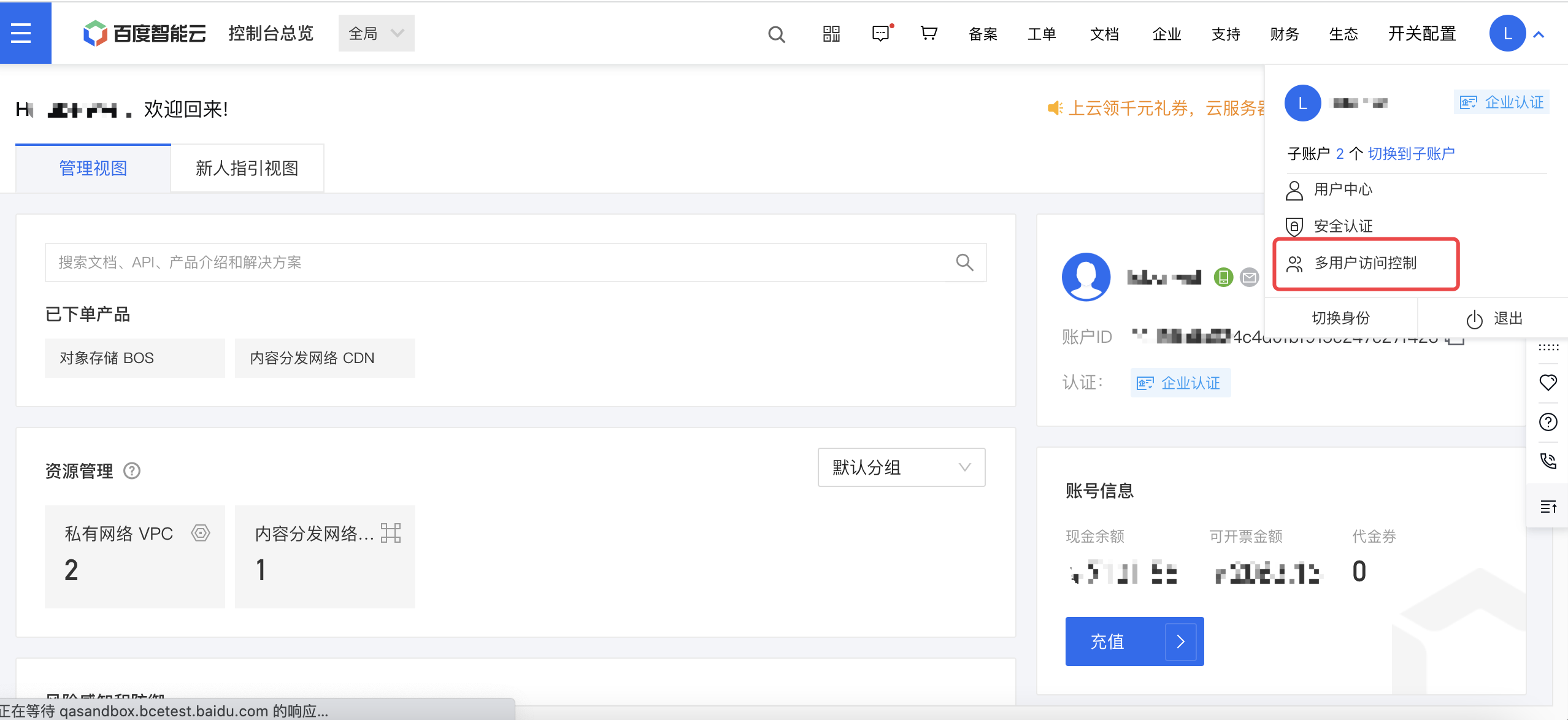
  1. Sign in to the Baidu AI Cloud management console, click the avatar in the upper-right corner, and select Identity and Access Management. image.png
  2. Navigate to Identity and Access Management > Anomaly Behavior Analysis > Risk Behavior Management.
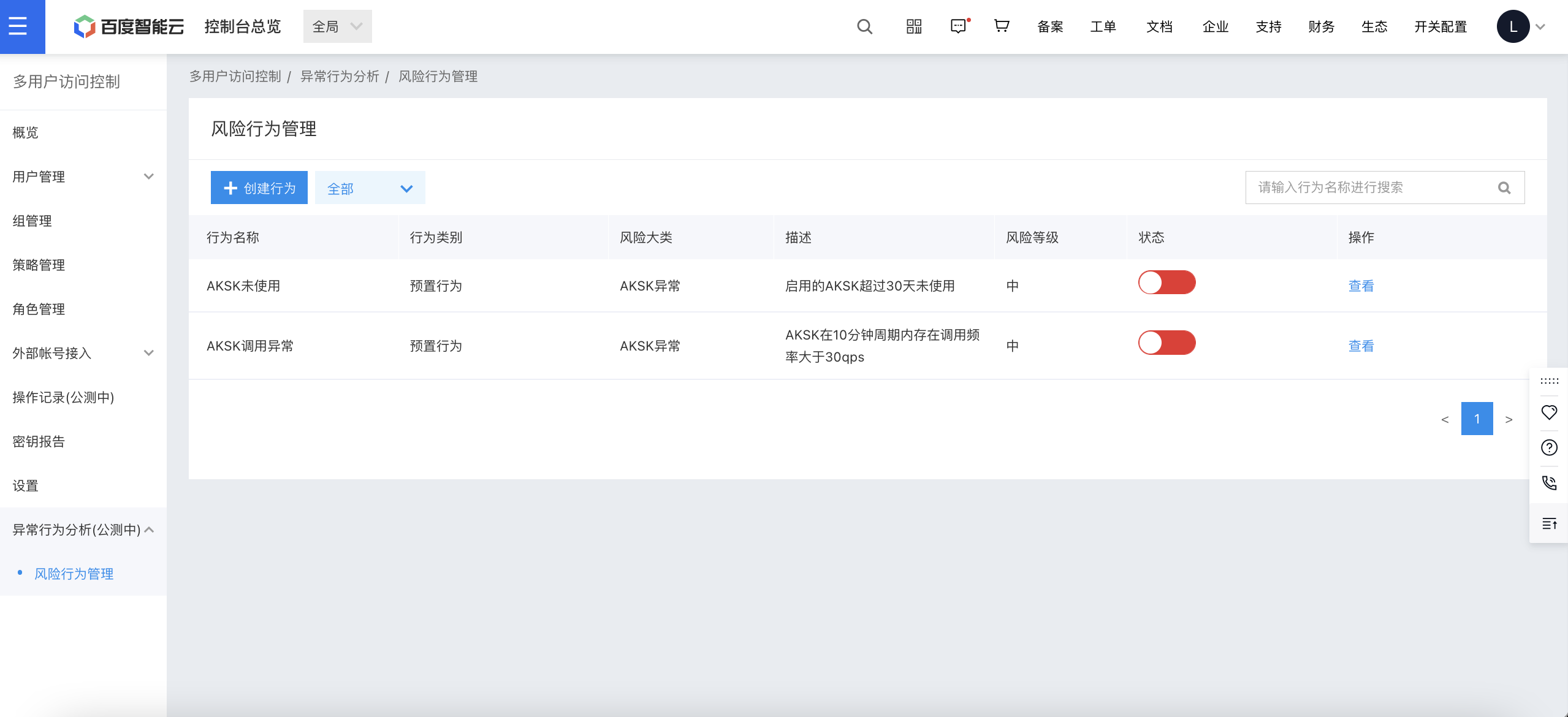
image.png

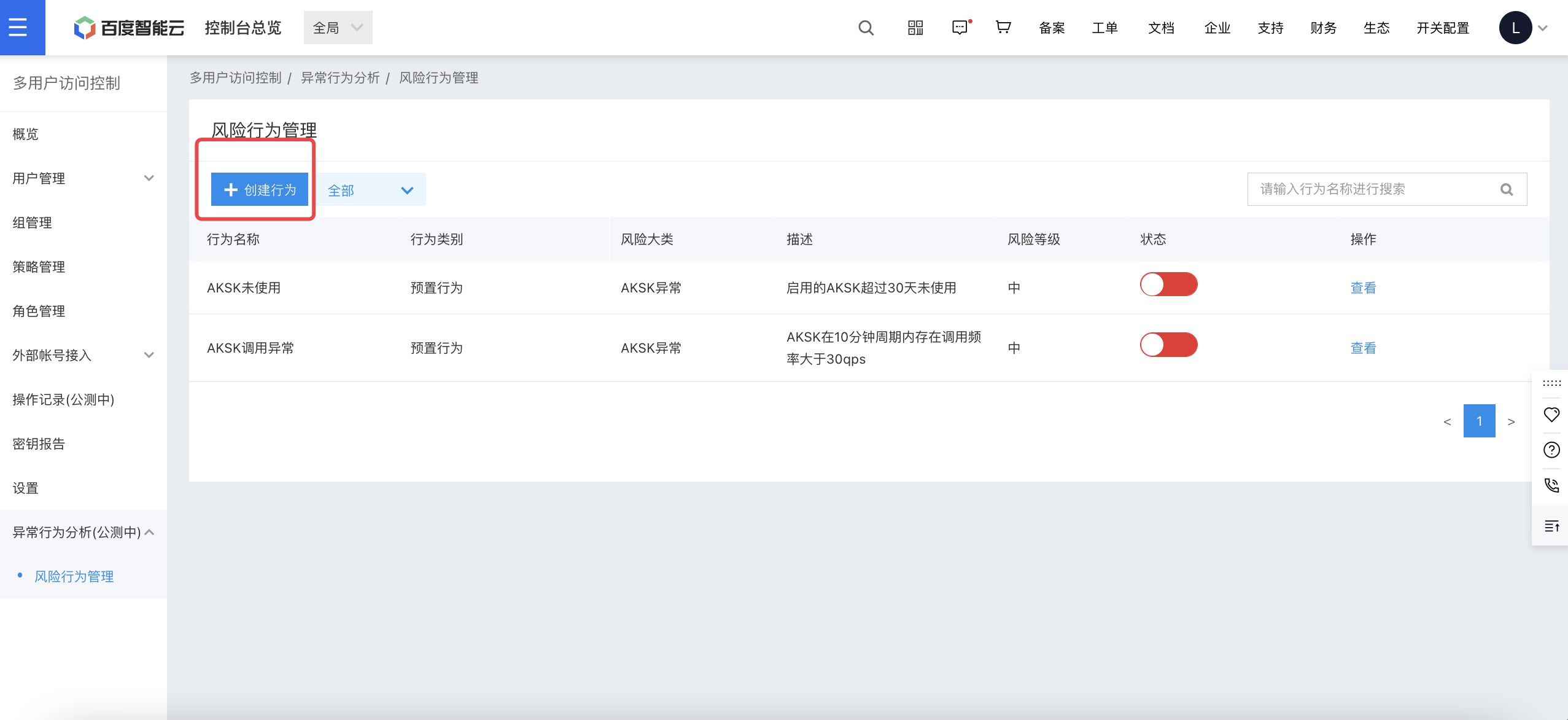
Risk behaviors include preset behaviors and custom behaviors:

  1. Preset behaviors refer to risk behaviors pre-configured by Baidu AI Cloud, which cannot be edited or deleted. 2. Custom behaviors are those configured by administrators based on actual business requirements for specific scenarios. Compared to preset behaviors, custom behaviors provide finer monitoring detail and more flexible risk behavior content customization.
  1. Click Create Behavior. image.png
  2. Select a behavior template, enter risk behavior configuration details, click OK, and complete the custom behavior creation.
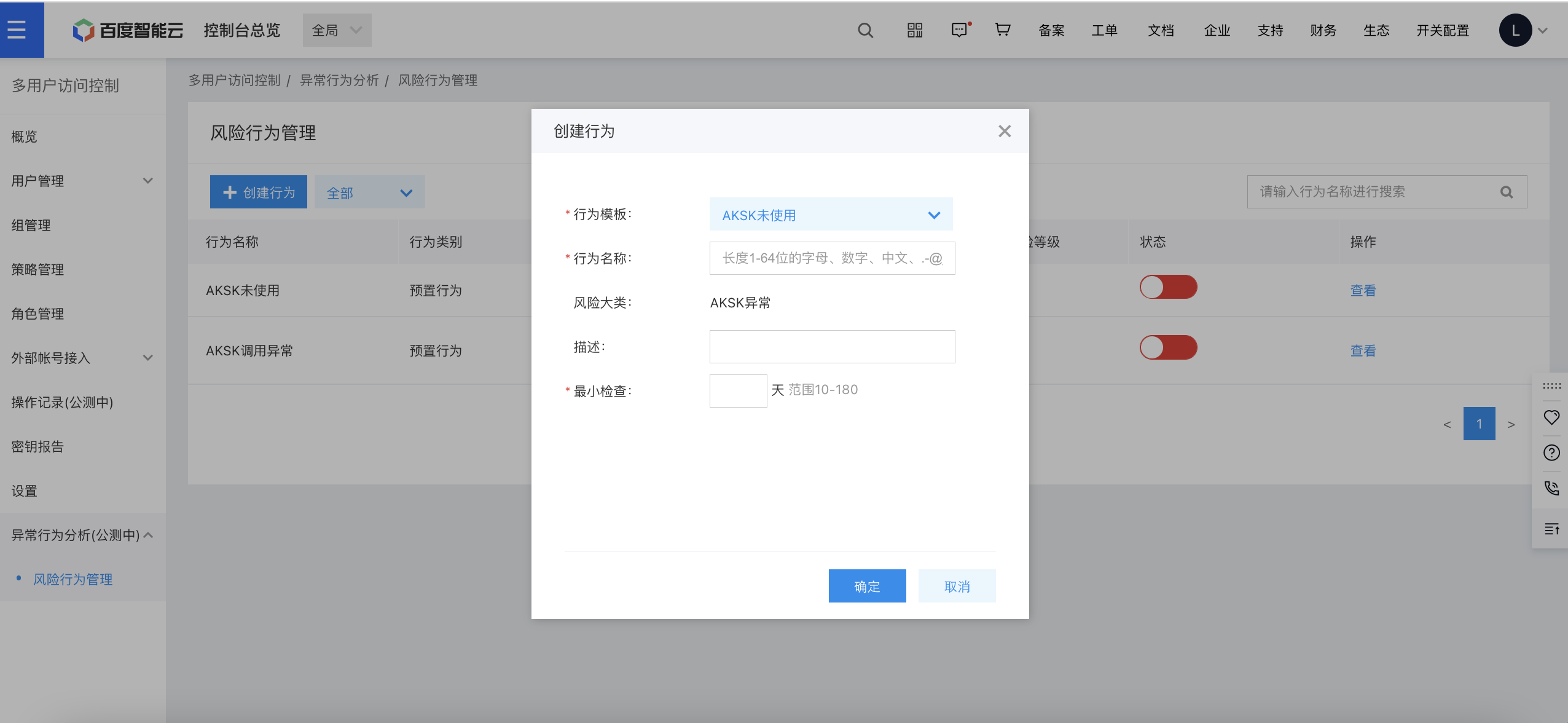
image.png

Managing risk behaviors

  1. For preset behaviors, only enabling or disabling the risk behaviors is supported.
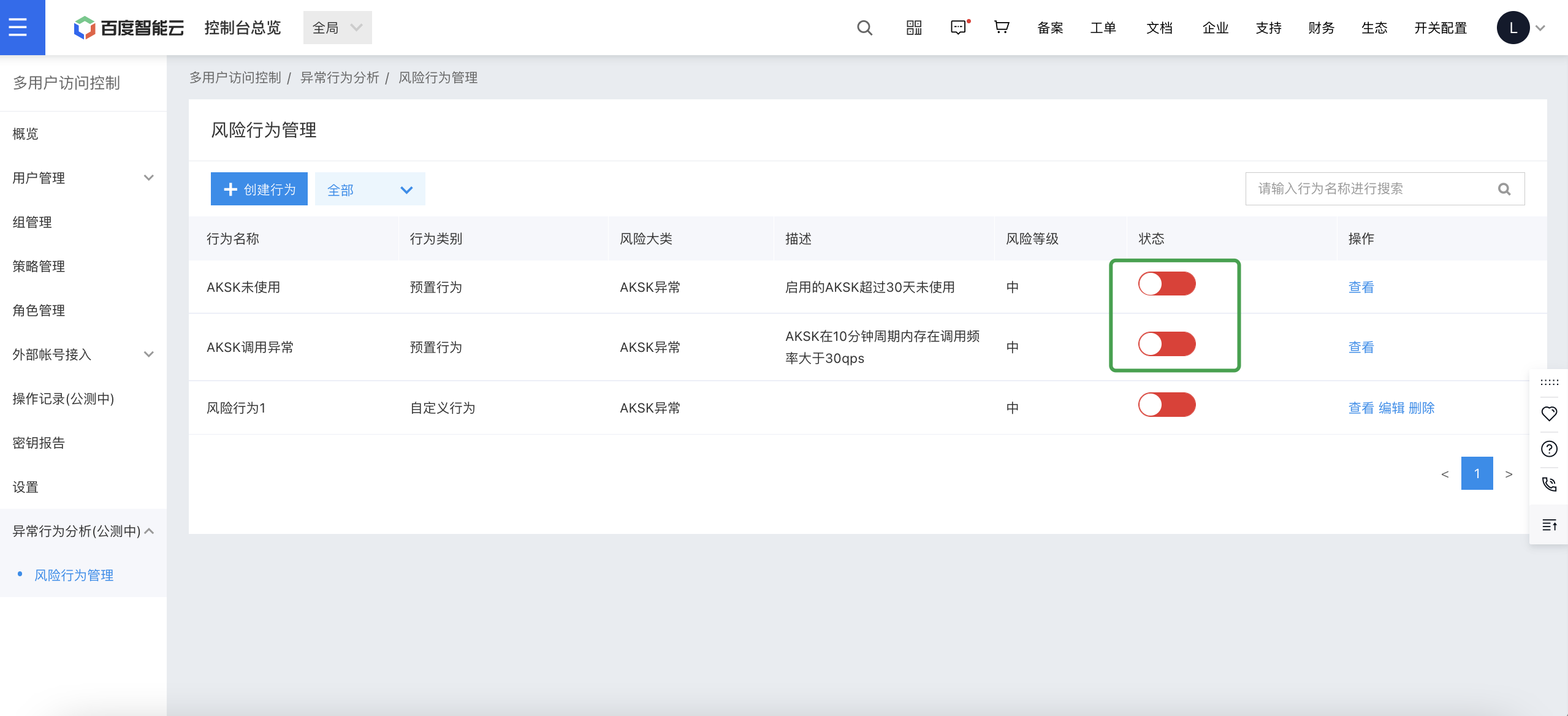
image.png

  1. For custom behaviors, users can enable, disable, edit, or delete risk behaviors.
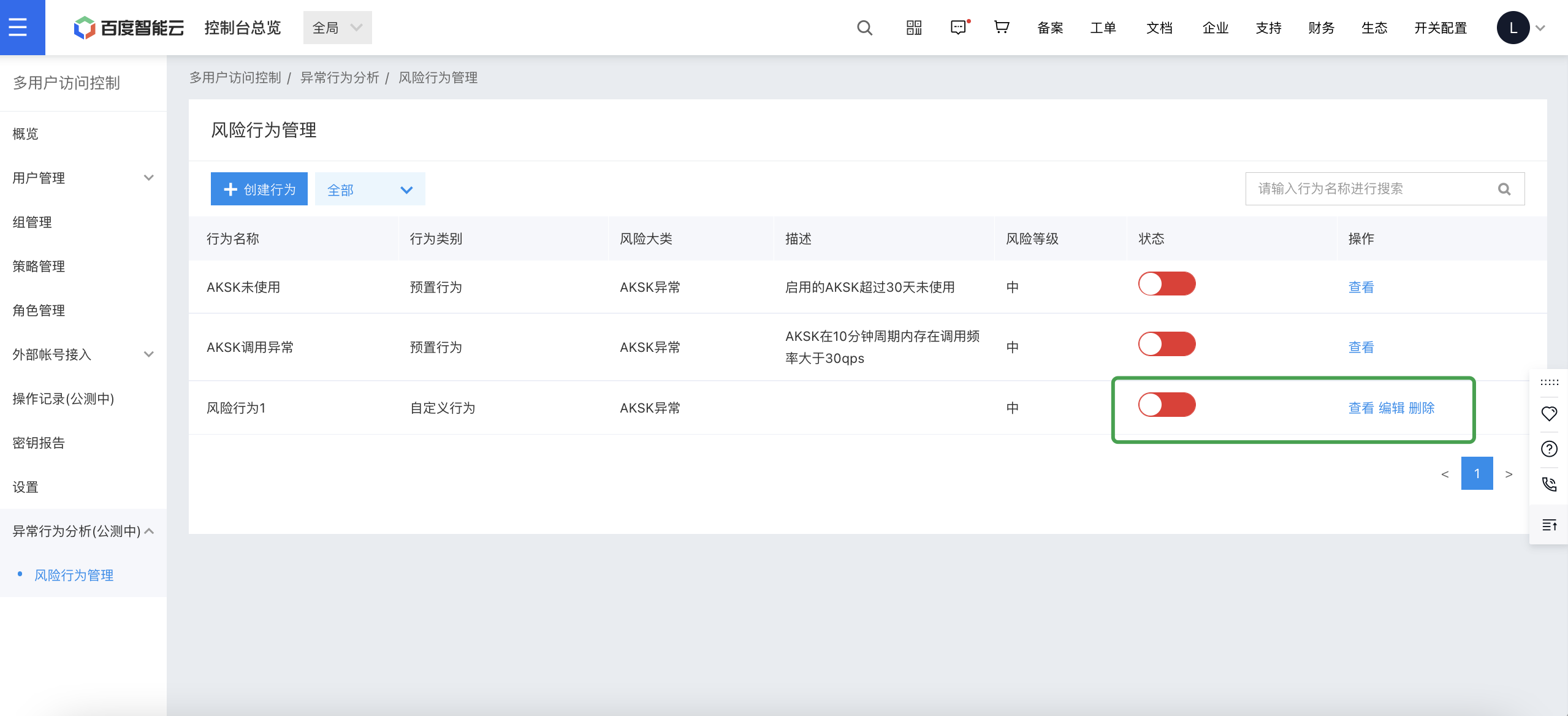
image.png

Alert notification

In Message Center > Message Receipt Settings > Security Messages, user notifications for abnormal behavior have been pre-configured, which supporting five notification channels: SMS, email, in-site messages, DingTalk bot, and WeCom bot. For channel configuration, refer to Message Center.
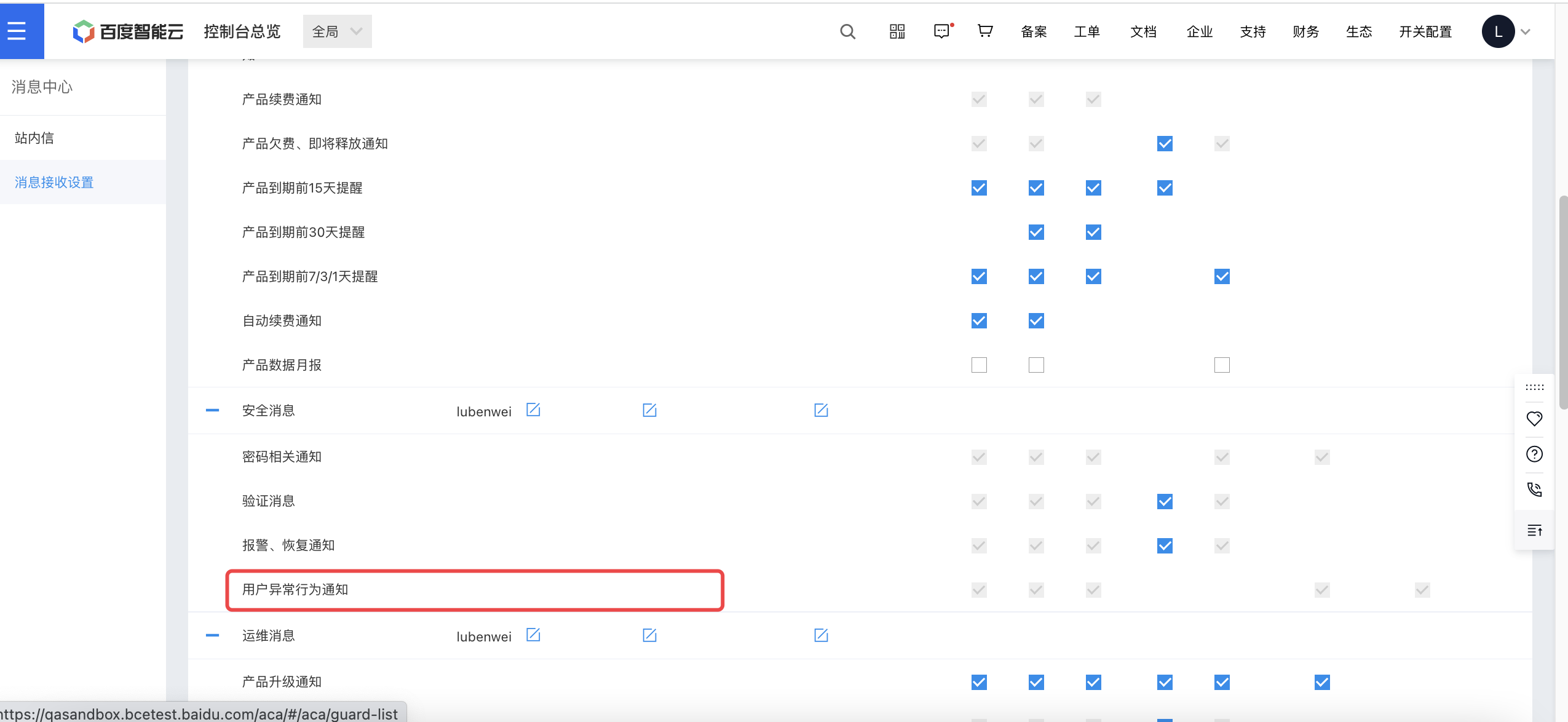
image.png

When abnormal risk behavior is detected, alert notifications will be sent through the configured notification channels.
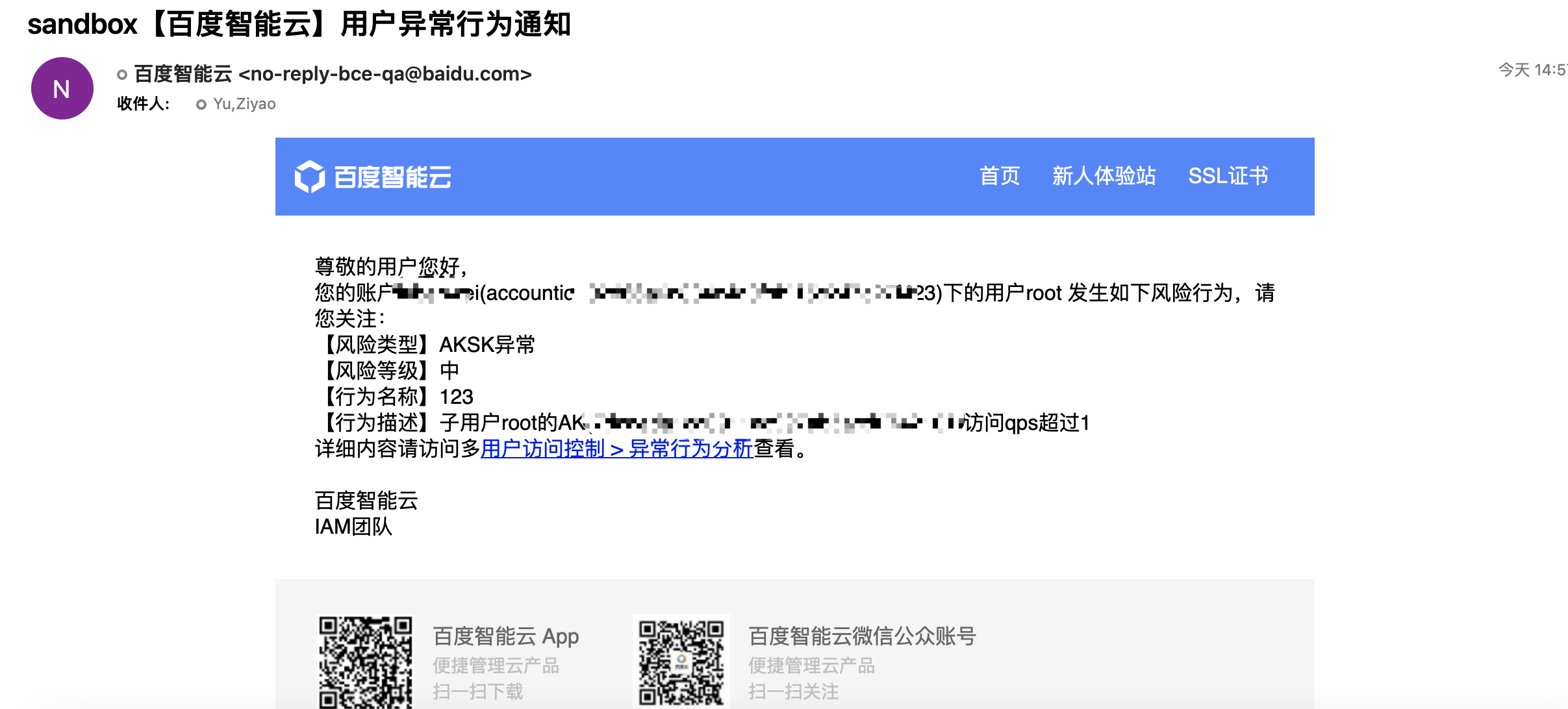
image.png

Note: For AK/SK anomaly alert notifications, only the specific anomalous AK will be notified via email.

Previous
User
Next
Operation records