

Settings
Set account alias
- Set up an alias for the account to generate a simplified IAM user login URL.
- If APP login is chosen, the corresponding main account field must also include the custom alias defined here.
Operation step
- Enter the console, hover over the avatar in the upper-right corner, and navigate to Multi-User Access Control - Settings.
- Edit the Alias Settings section
Example: If the alias is set to test_123, the PC login link simplifies to http://test_123.login.bce.baidu.com. For app login, enter test_123 as the root account alias.
IAM user security settings
Configure password policies
Custom password policies strengthen the security and validity period of IAM user passwords. Configurable password policies on Baidu AI Cloud currently support the following:
- Password length: Defaulted as 8 characters, within the range of 8-32 characters
- At least including: multiple choices, optional "uppercase letters", "lowercase letters", "numbers", "special characters (!" # $%&'() *+, -./:); <=>? @[]^_>{Ι}<)”; selecting a certain type of element means that the password must contain at least one such element. For example, if you select "uppercase letters" and "lowercase letters", the password must contain at least one uppercase letter and at least one lowercase letter;
- Password validity period: Defaulted as 0 days (permanent), range 0-1095 days. A pop-up will appear in the console 3 days before expiration, and please update the password promptly
- Password expiration policy:
- No login restriction, which indicates that IAM users can still sign in to the console after password expiration provided that they have to reset their passwords
- Login restriction, which indicates that IAM users can not sign in to the console after password expiration, unless that the administrator user resets the passwords;
- Password history check: Defaulted as once, indicating that the new password cannot match the immediately previous one (range: 0-24)
- Password retry limit: If the number of attempts with incorrect passwords exceed a threshold within one hour, the account will be locked for one hour. Defaulted as 5 attempts with the range of 0-32 (0 means no limit)
Save MFA status for 7 days
With login protection two-factor certification enabled, activating Save MFA status for 7 days enables checking "Trust this device, no verification required for 7 days" during login protection verification. Upon successful verification, no login protection verification is required by logging in with the same browser within 7 days
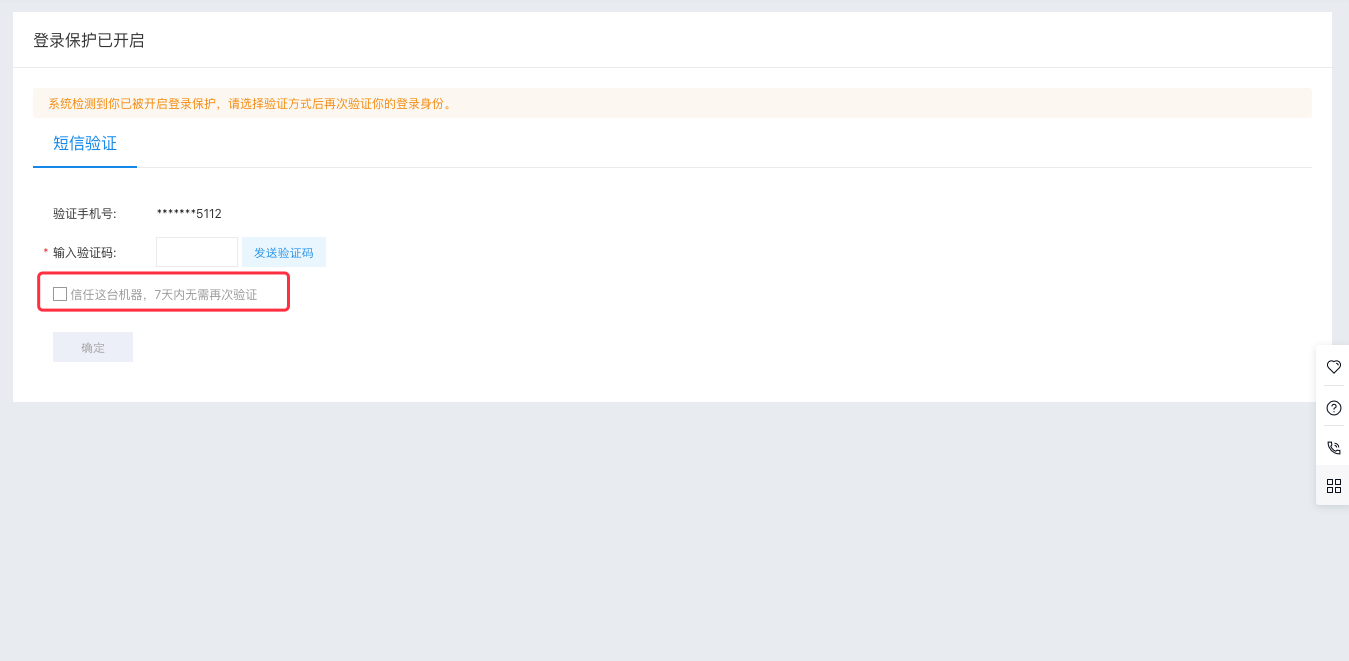
Description:
- This feature applies equally to both primary users and IAM users.
Set session expiration time
Login session expiration means the system will automatically clear a user's session information after a period of inactivity to maintain account security. Once the session expires, users will need to log back into the console.
Description:
- The time range for settings is from 15 minutes to 23 hours and 59 minutes, with a default expiration time set at 1 hour. Users can adjust it based on their specific needs.
- This feature applies equally to both primary users and IAM users.
IP allow list
Set up an IP allow list in IAM for all services. When IAM users log into the console or interact with Baidu AI Cloud resources using OpenAPI/SDK, their source IPs must be included in the allow list.
The current IP allow list feature supports:
- Restrict IAM user console login, i.e., limit console operations to IPs beyond the allow list
- Restrict programmatic access to cloud resources by blocking IPs not included in the allow list from accessing resources via OpenAPI or SDK. Below is a list of cloud services that currently support such programmatic access restrictions.
Users have the option to restrict access exclusively for IAM users, limiting them to either IAM login, programmatic access, or both at the same time.
IP allow list requirements
Input the allowed IP addresses or IP ranges.
- If no IP allow list is configured, the entire network is permitted access by default.
- To include multiple IPs, separate them using English commas or spaces.
- When specifying an IP range (e.g., 10.10.10.0/24), all IP addresses within 10.10.10.X will be accessible. CIDR notation is supported.
AccessKey leak monitor and alert
After configuring an IP allow list, users can also activate the AccessKey leakage monitoring and alert feature. If AccessKey usage originates from IPs outside the allow list and surpasses a certain threshold within a set time, BCM's event monitoring will issue alerts, helping customers quickly identify potential AccessKey leaks and protect cloud account assets.
AccessKey (hereinafter referred to as AK) leakage monitor and alert leverage the BCM event monitoring capability. To enable this, complete the following two steps:
- In the multi-user access control settings module, enable the AK leak monitor and alert;
- In the BCM [event monitoring](BCM/Operation guide/Event Monitor.md) module, configure event monitoring for the BCT service;
Enable AK leak monitor and alert
After enabling the IP allow list function, click the Enable button at the AK Leak Monitor and Alert option to complete the configuration under multi-user access control. The next step requires navigating to the BCM event monitoring module for further configuration.
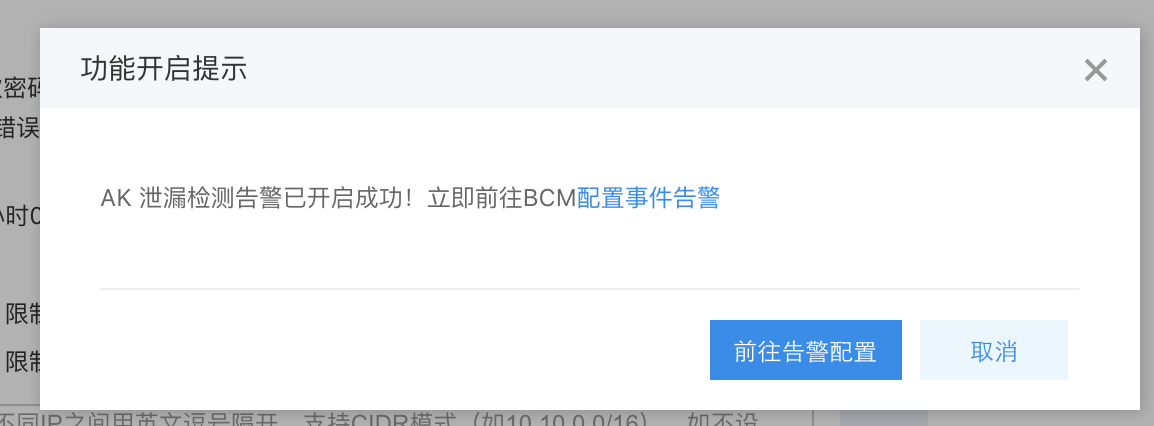
Configure event alerts
In BCM's event monitor, users are required to complete alarm strategy configuration and alert action configuration:
- Click Create Alarm Strategy;
- In the Policy Information section, enter the policy name, select the service as Cloud Audit BCT, leave the region as global by default, and retain other default options
- In the alarm action module, select the configured alarm actions to push alarm notifications to relevant contacts or groups. If no alarms have been configured, users can first add alarm actions. For details, refer to Configure Alarm Actions
Upon configuration, for AK calls originating beyond the IP allow list, as long as they satisfy the alarm trigger conditions, alarm notifications will be sent to the relevant contacts or groups according to the alarm actions configured in BCM. Upon receiving an alarm, relevant personnel are advised to follow the notification prompts and check detailed access records in the [Cloud Audit](BCT/Product Description/Product Introduction.md) service to confirm whether it constitutes secure access.
List of services supporting programmatic access with cloud resource IP restrictions
Calculation
| Product Name |
|---|
| Baidu Cloud Compute (BCC) |
| Baidu Baremetal Compute (BBC) |
| Application engine BAEPRO |
| Baidu container instance (BCI) |
| Cloud container engine (CCE) |
| Cloud Function Computing |
| Dedicated Cloud Compute (DCC) |
Network
| Product Name |
|---|
| EIP |
| Baidu Load Balance (BLB) |
| Intelligent Cloud DNS |
| Virtual Private Cloud (VPC) |
Storage & CDN
| Product Name |
|---|
| Content delivery network (CDN) |
| Baidu object storage (BOS) |
| Cloud File System (CFS) |
| Baidu Storage Gateway BSG |
Security & management
| Product Name |
|---|
| DDoS Protection Service ADAS |
| Baidu Cloud Monitor BCM |
| Baidu Cloud Security BSS |
Data analysis
| Product Name |
|---|
| Baidu MapReduce (BMR) |
| Baidu Stream Computing (BSC) |
| Baidu Data Science Platform JARVIS |
| Baidu Message Service KAFKA |
Database
| Product Name |
|---|
| Cloud database RDS |
| Cloud database SCS |
| Cloud Database HTAP for CockroachDB |
| Cloud database DocDB for MongoDB |
Website service
| Product Name |
|---|
| Cloud Host Manager HME |
| Baidu Cloud Virtual Host (BCH) |
| Baidu Cloud Domain (BCD) |
IoT service
| Product Name |
|---|
| Time Series Database (TSDB) |
| Rule Engine |
| IoT Parser |
| IoT Device |
| Intelligent Load Scheduling ILS |
| Intelligent Load Scheduling ILS |
| Hangu IoT Security System HISK |
Intelligent multimedia service
| Product Name |
|---|
| Document Service DOC |
| Live Streaming Service (LSS) |
| Real-Time Audio-Video Communication RTC |
| Video On Demand (VOD) |
Artificial intelligence
| Product Name |
|---|
| OCR Capability Engine AI_OCR |
| Facial Recognition Engine AI_FACE |
| Baidu Machine Learning AI_BML |
Blockchain
| Product Name |
|---|
| Baidu Blockchain Engine BBE |