

IAM User Operations
Updated at:2025-10-27
Sign in to the IAM user console
Before signing in to the IAM user console, you must set a password for the IAM user to enable login with a username and password, or link a Baidu account to the IAM user, allowing login using the associated Baidu account and password.
There are two methods for IAM user login. For detailed descriptions, refer to [Set IAM User Password](#Set IAM user password):
- Option 1: Sign in using the configured username and password. (Recommended)
- Option 2: Link a Baidu account and sign in using the Baidu account and its corresponding password.
Login operation
- Navigate to Identity and Access Management > User Management > IAM User to enter the User List page, click IAM User Login Link at the top of the list, or click the copy button and paste it into a browser for access.
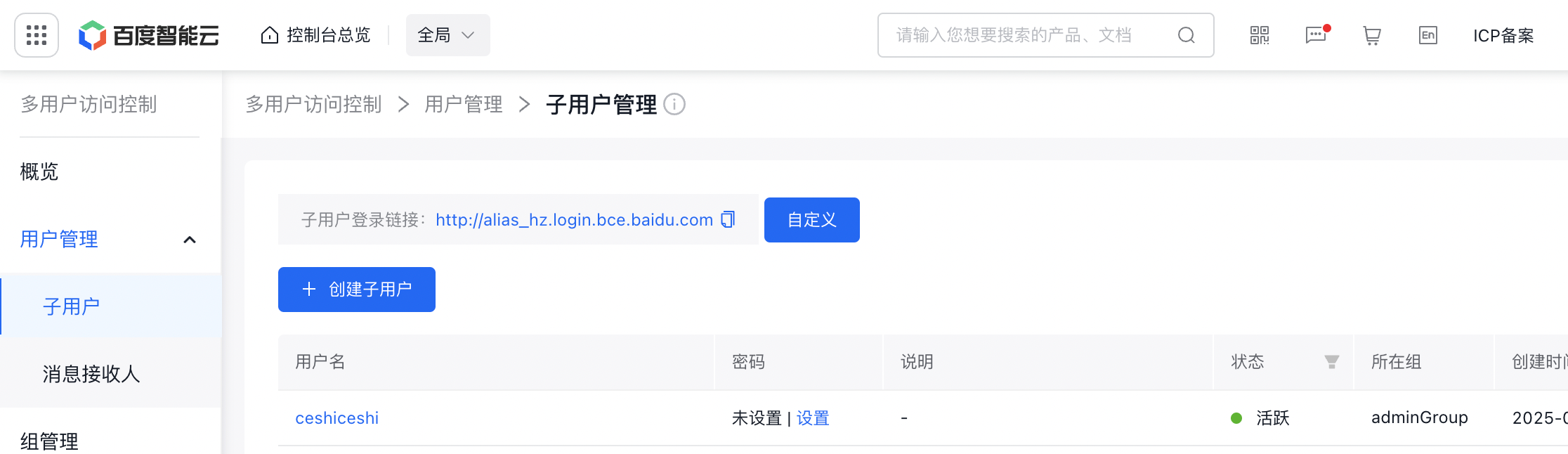
- By default, using the IAM user's username and password enables login to the Baidu AI Cloud console. If the IAM user has bound a Baidu account or is a Baidu employee account, they may click Baidu Account Login or Baidu Employee Login for redirect login.

Modify IAM user information
- Once signed in as an IAM user, visit the IAM user management console and click on the avatar to access the user center.
- Under Security Settings column, users can bind a phone number, email, or modify the login password
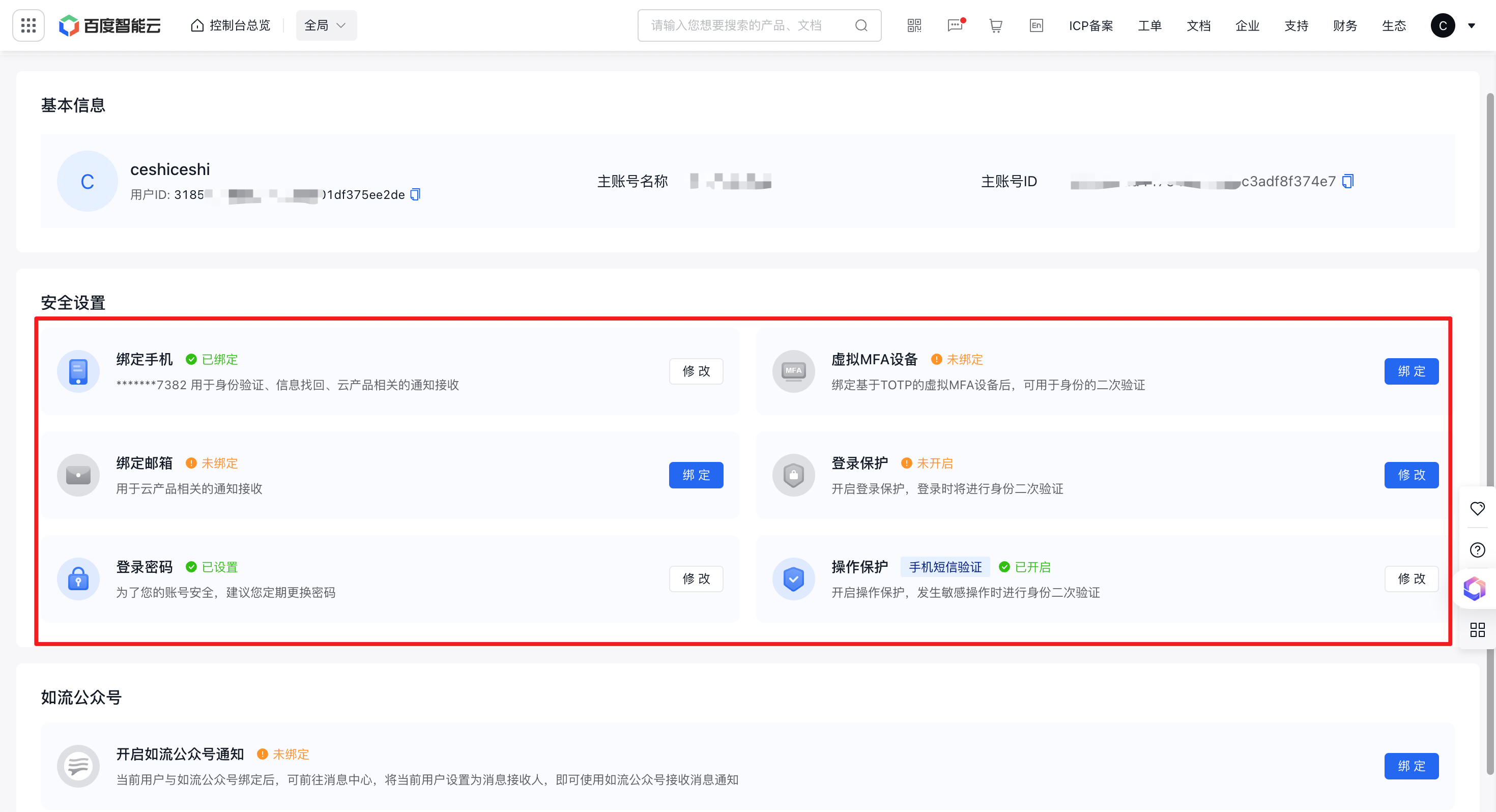
Note: Information such as IAM user's mobile phone number and email can only be modified by the IAM user after login. The root account cannot directly modify them