

Create LogStore
Updated at:2025-11-03
Project management
Introduce a feature to manage projects—use projects to organize LogStores into groups and support the creation of up to 100 projects.
Description: When creating and using a new project for log collection, the bound agent must be upgraded to version 1.6.0 or later; otherwise, log collection will fail (default projects are unaffected). Refer to help documentation for upgrade
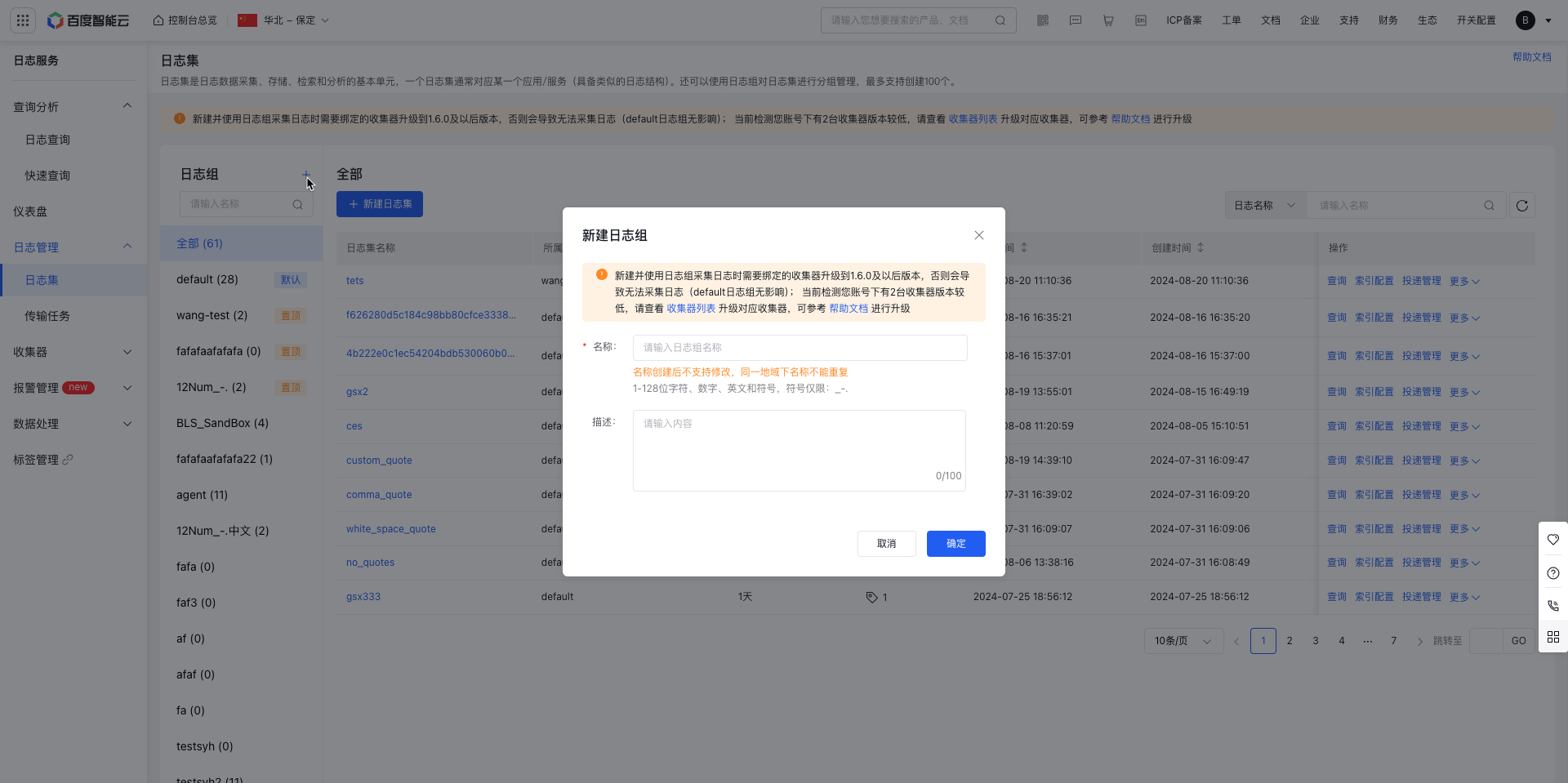
Create LogStore
LogStore serves as the storage unit for log data. Users can utilize the Agent or API to write log data into a designated LogStore, supporting up to 200 entries.
- Sign in to the Baidu AI Cloud official website, click Management Console in the top-right corner to quickly access the console interface.
- Go to Product Service > Baidu Log Service (BLS) to navigate to the Logging -> LogStore page.
-
Click Create LogStore to open the Create LogStore page, and then fill in configuration information including:
- Name: Set the LogStore name using 1-128 characters, including numbers, English letters, and symbols (limited to: _-.). Names cannot be modified after creation and must be unique within the same region.
- Select the project to be bound: By default, you may create a new project for association binding
- Storage period: Support customizable configuration for 1-3,650 days or permanent retention
- Tag: Tags can be bound to classify and manage LogStore
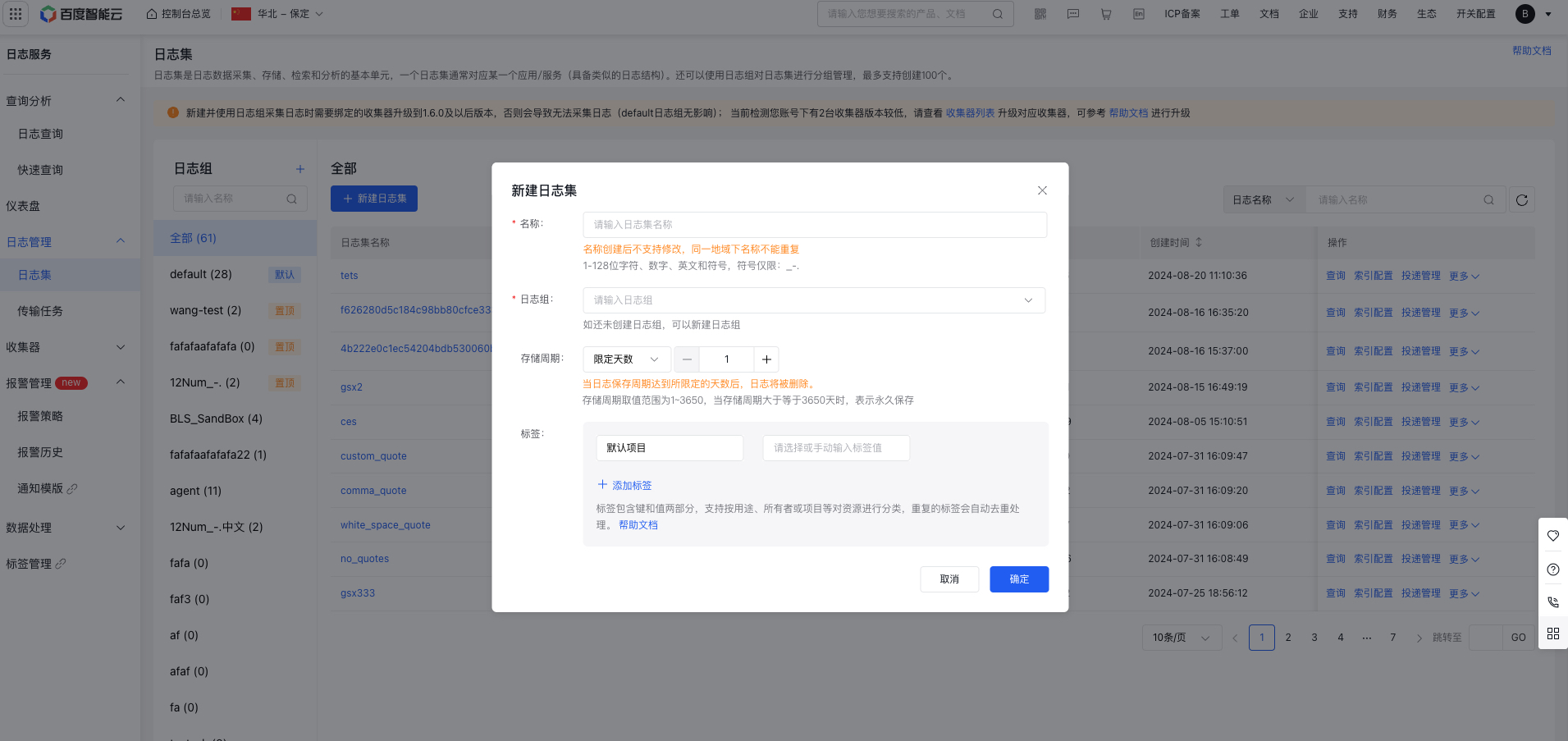
- Click "OK" after configuration to complete the creation of the LogStore.
- Return to the LogStore List page.