

Install agent
Updated at:2025-11-03
- Sign in to Baidu AI Cloud Console search for Baidu AI Cloud Log Service (BLS), and access the log service page.
- Users must activate Baidu AI Cloud Log Service (BLS) before using it for the first time. Click the Activate Service button to proceed.
- Click on Agent in the left navigation menu, then select Agent Installation to access the installation page.
-
The system automatically creates a certification Token and generates an installation command bound to this Token and OS. Use this command to install the log service agent on your host. BLS can be installed and deployed in Linux (CentOS, Ubuntu, Debian) and Windows systems. Click the Copy button to copy the installation command to your clipboard.
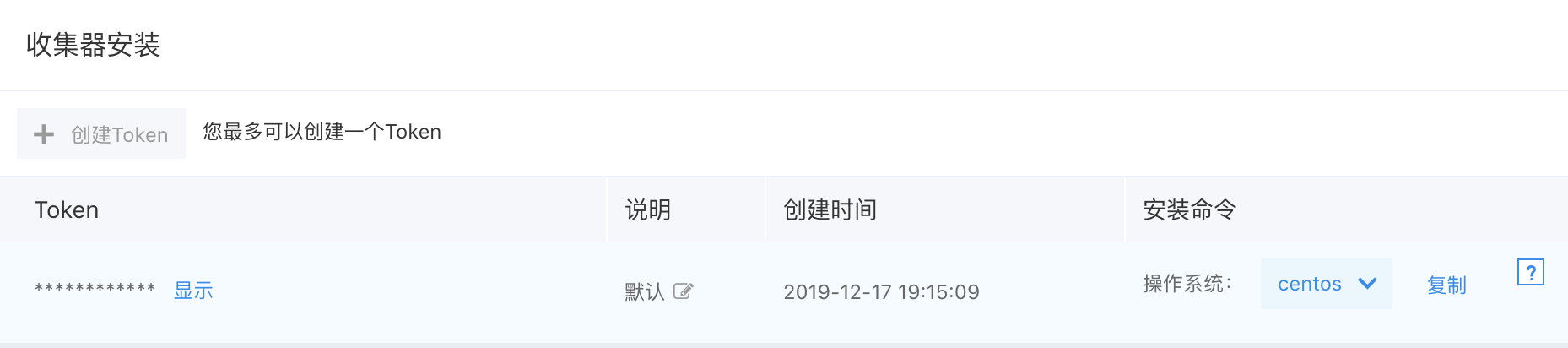
Note: If the Copy button for the installation command is not displayed, please refer to FAQ: Why is the Copy button for the installation command not displayed in the browser?
- Log in to the host and execute the installation command you just copied with root or administrator permission. (For installation details, please refer to Operation Guide)
- Follow the installation prompts to verify if the agent has been successfully installed.