

Add domain name
Updated at:2025-11-11
Log in to the Baidu AI Cloud official website, click on Management Console in the top-right corner to quickly access the console. Navigate to Product Service - Intelligent Cloud DNS to access the service page.
Add domain name
- Select Resolution Management, click Add Domain Name, enter the first-level domain name to be resolved, and then click OK
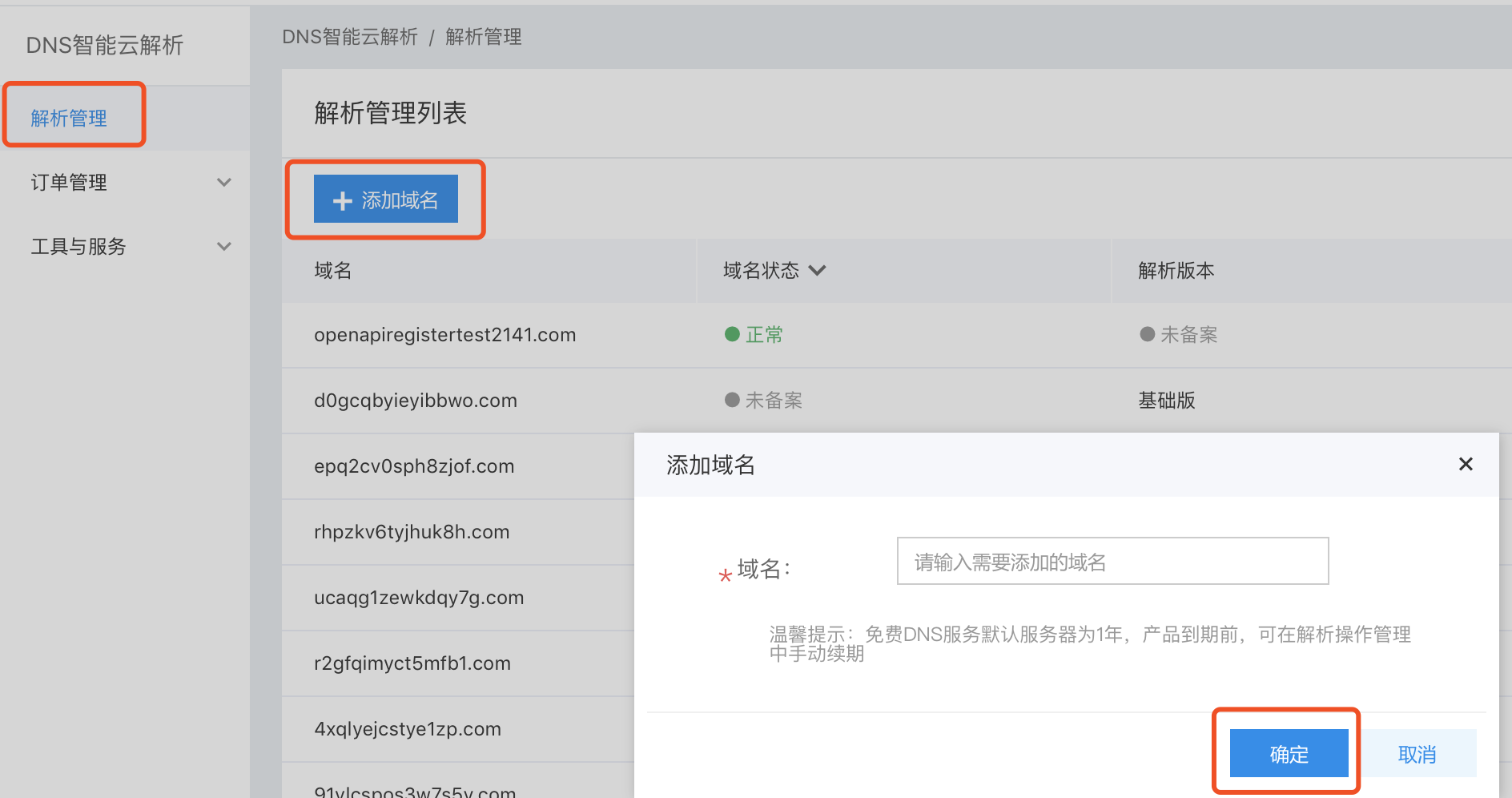
- In the resolution management list, users can view recently added domain names.
Recover Domain
This operation applies to domain names not registered on Baidu AI Cloud. When such a domain is added via the Intelligent Cloud DNS console, a notification will indicate if it has already been added by another account. The domain owner can use the domain recovery function to reclaim it under the current account. Note that when a domain is recovered, its previous resolution records will be deleted.
- Sign in to Intelligent Cloud DNS console.
- Click Add Domain Name button on the Resolution Service page;
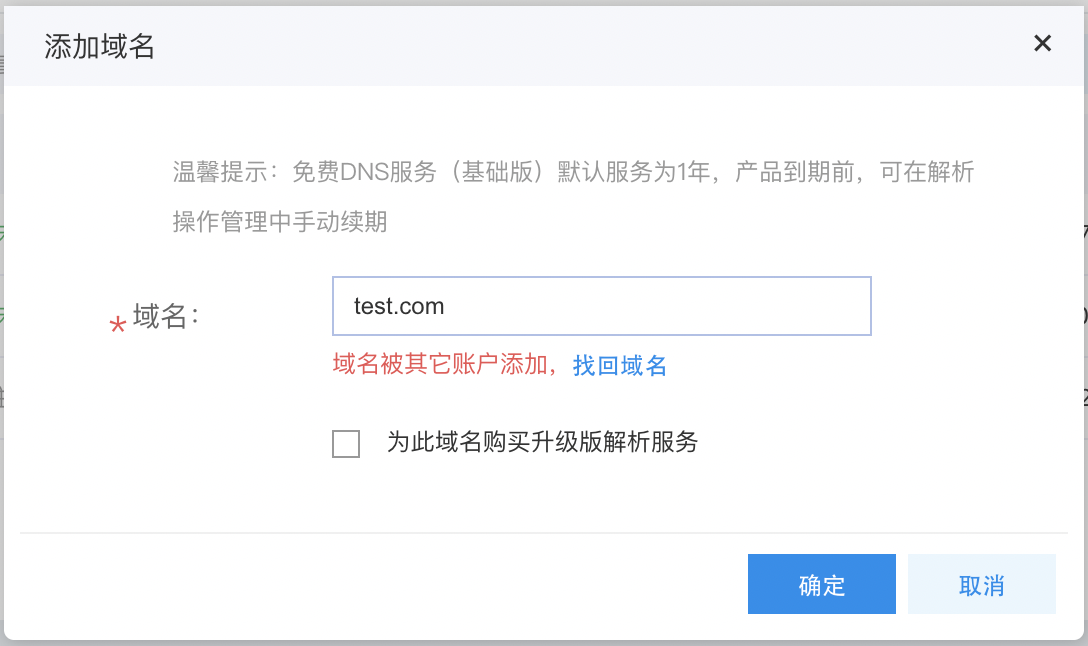
- The add domain dialog prompts that the domain has been added by another account. Click Recover Domain;
- It prompts for domain name holder authentication. Please copy the TXT Record value and do not close this dialog box;
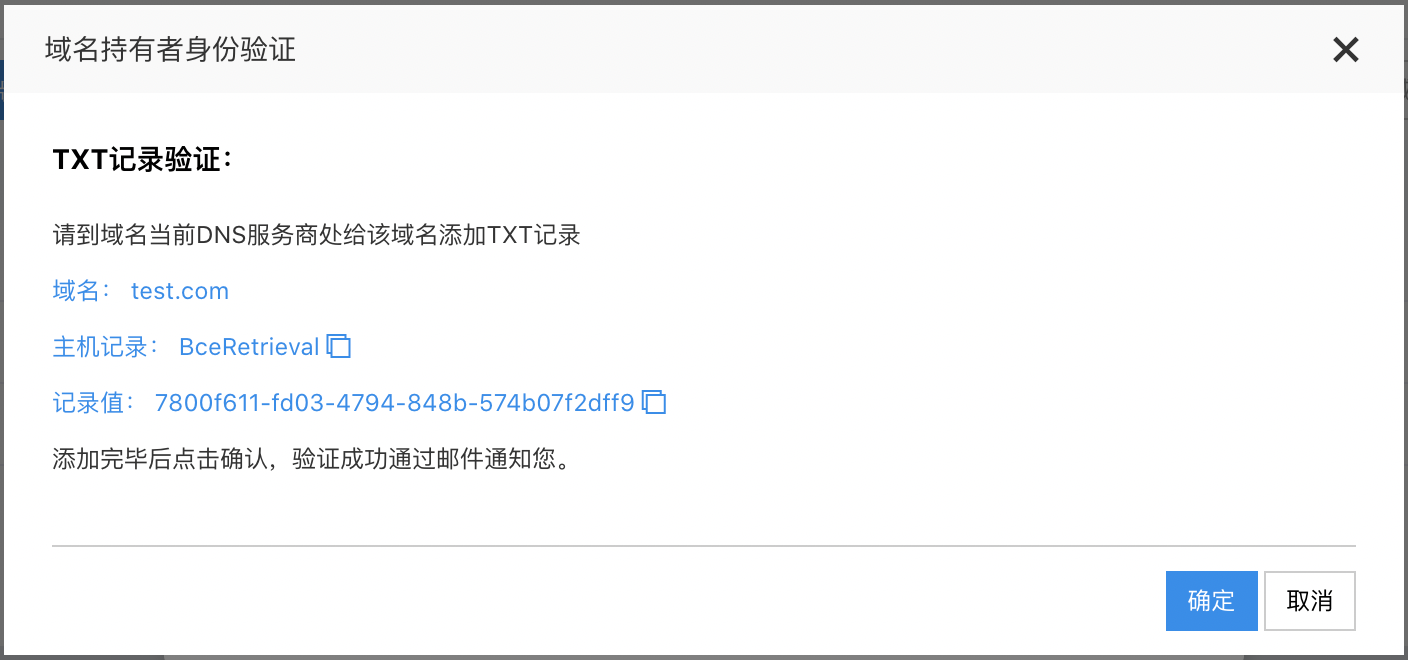
- Add a TXT record at the current DNS service provider of this domain name;
- After adding a TXT record with your current DNS provider, return to the Intelligent Cloud DNS Domain Holder Authentication page and click OK. Intelligent Cloud DNS will then automatically scan for the added TXT record. Upon detecting it, a "successful domain recovery" email will be sent, and the domain will be added to the account that initiated the recovery.