

Associate VPC
Updated at:2025-11-11
- Log in to the Intelligent Cloud DNS console and navigate to the Local DNS Service page.
- Find the private zone to be linked with the VPC, then click "Associate VPC" in its operation column.
-
In the Associate VPC dialog box, choose the VPC from the private network cloud list in the corresponding region and add it for association.
Notes If disassociation is required, deselect the corresponding VPC in the Associate VPC dialog box. The same domain name or subdomain cannot be associated with the same VPC.
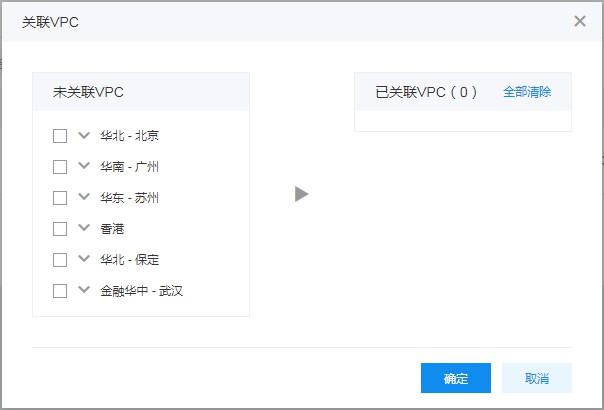
- Once configured, click OK to finalize the association.