

Create Site
Updated at:2025-10-20
Overview
This document details how to create sites through one sentence, voice, or file uploads.
Generate a site via one sentence input
- Enter initial requirement description in natural language into the dialog box on the MeDo Homepage. Example: "Create an outdoor activity sharing website".
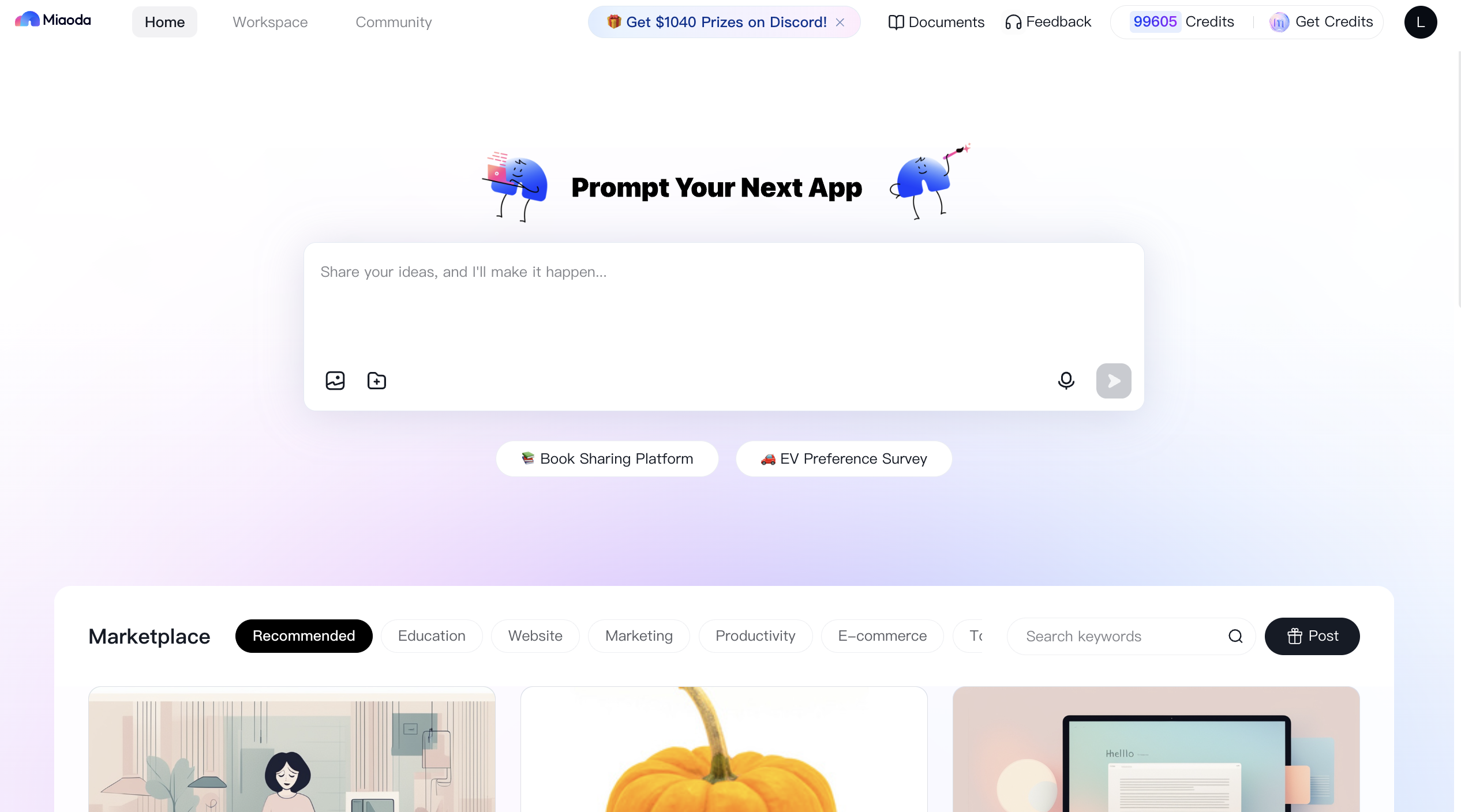
- Engage in multiple rounds of dialogue with MeDo to clarify detailed requirements.

- Click Generate Application and wait 5 to 10 minutes for the application to be generated.

Generate a site via voice input
- Enter initial requirements via voice input below the dialog box on the MeDo Homepage, and MeDo will convert the speech to text. Example: "Create an outdoor activity sharing website".

- Engage in multiple rounds of dialogue with MeDo to clarify detailed requirements.
- Click Generate Application and wait 5 to 10 minutes for the application to be generated.
Generate a site via file input
- Upload requirement documents via the File Upload icon below the dialog box on MeDo Homepage (currently supporting a single file up to 50 MB in txt, doc, docx, or pdf) and specify the type of application. Below is the detailed requirement of the document
Plain Text
1Requirement Document of Outdoor Activity Sharing Website
2 1. Platform positioning: Focused on sharing outdoor activity experiences, insights, and scenic views.
3 2. Core functions:
4 User registration and login: Supports quick login via email/social media accounts.
5 Activity sharing: Allows users to upload outdoor activity photos, videos, and text descriptions to share their outdoor experiences.
6 Interactive comments: Other users can like, comment on, and share posts.
7 Activity categorization: Displays by activity types (e.g., hiking, cycling, camping).
8 Map location: Displays the geographic location of activities for easy reference.
9 3. Social functions:
10 Follow & Followers: Users can follow each other to build their social network.
11 Private messaging: Enables direct communication between users.
12 4. Personalized profile:
13 User profiles display shared activities, followed users, and followers.
14 Users can edit profile details, including avatars, nicknames, biography, etc.
15 5. Search and filter:
16 Provides a keyword search function for users to easily find content of interest.
17 Supports filtering by activity type, time, location, and other criteria.
18 6. Recommendation system:
19 Recommends similar or interested content based on user behavior (e.g., browsing history, likes, comments, etc.).
20 7. Technical implementation:
21 Responsive design ensures optimal display across devices.
22 Optimizes loading speed and enhances user experience.
23 Ensures data security and privacy protection.
24 8. Operations and promotion:
25 Invites outdoor enthusiasts, KOLs, etc., during the initial phase to enrich content.
26 Promotes via social media, outdoor forums, and other channels.
27 9. Future expansion:
28 Functions such as online event enrollment and outdoor equipment stores can be added in the future to broaden platform services.
29 Develop and build the outdoor activity sharing website according to the above requirements.
- Engage in multiple rounds of dialogue with MeDo to clarify detailed requirements.
- Click Generate Application and wait 5 to 10 minutes for the application to be generated.
Create a site via images
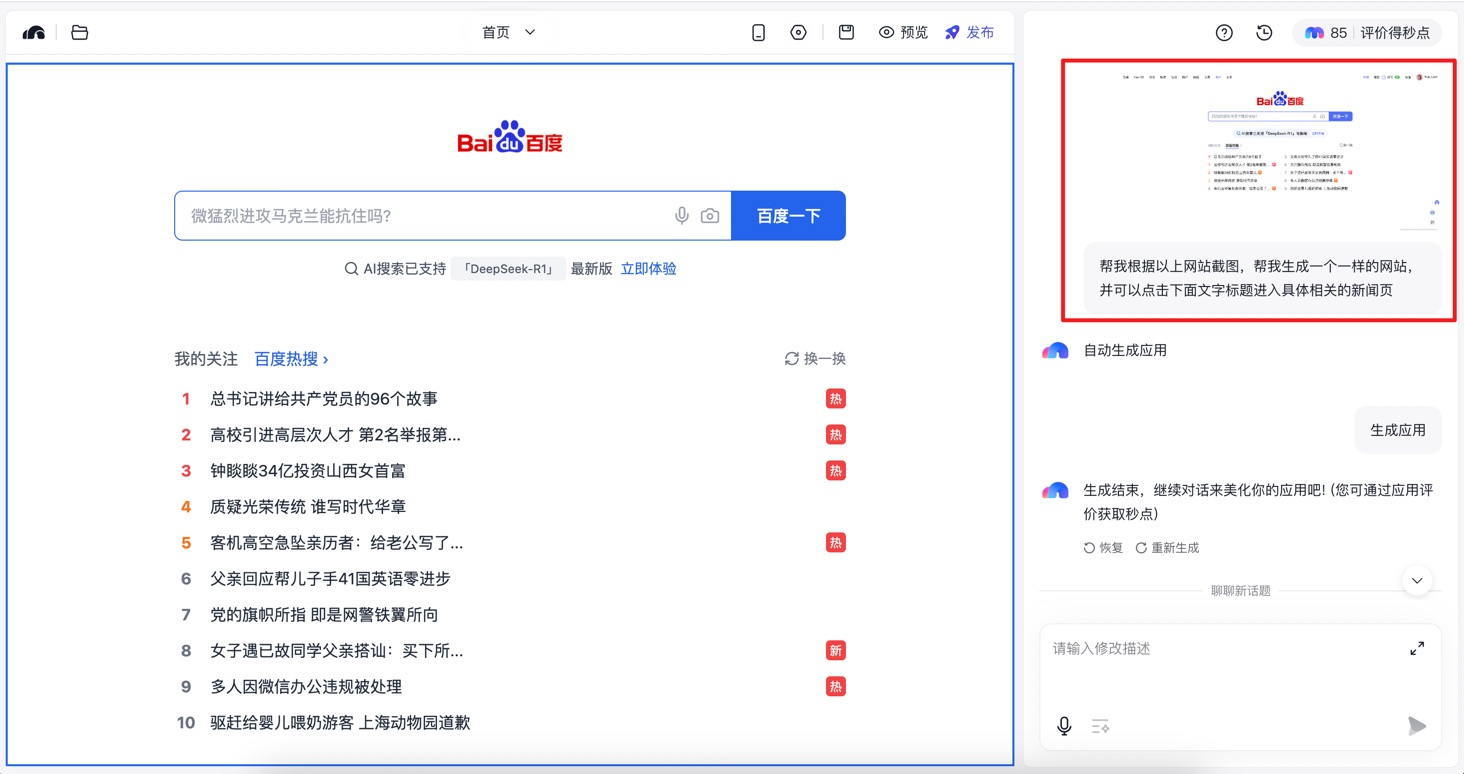
- It supports generating similar applications based on uploaded images: Generate applications with similar UI structures, color schemes, fonts, etc., based on the uploaded image content
Taking Baidu homepage as an example:
- Enter brief requirements in the dialog box on the MeDo Homepage and upload images
Plain Text
1Help me generate an identical website based on the provided screenshot, with clickable text titles that link to their corresponding news pages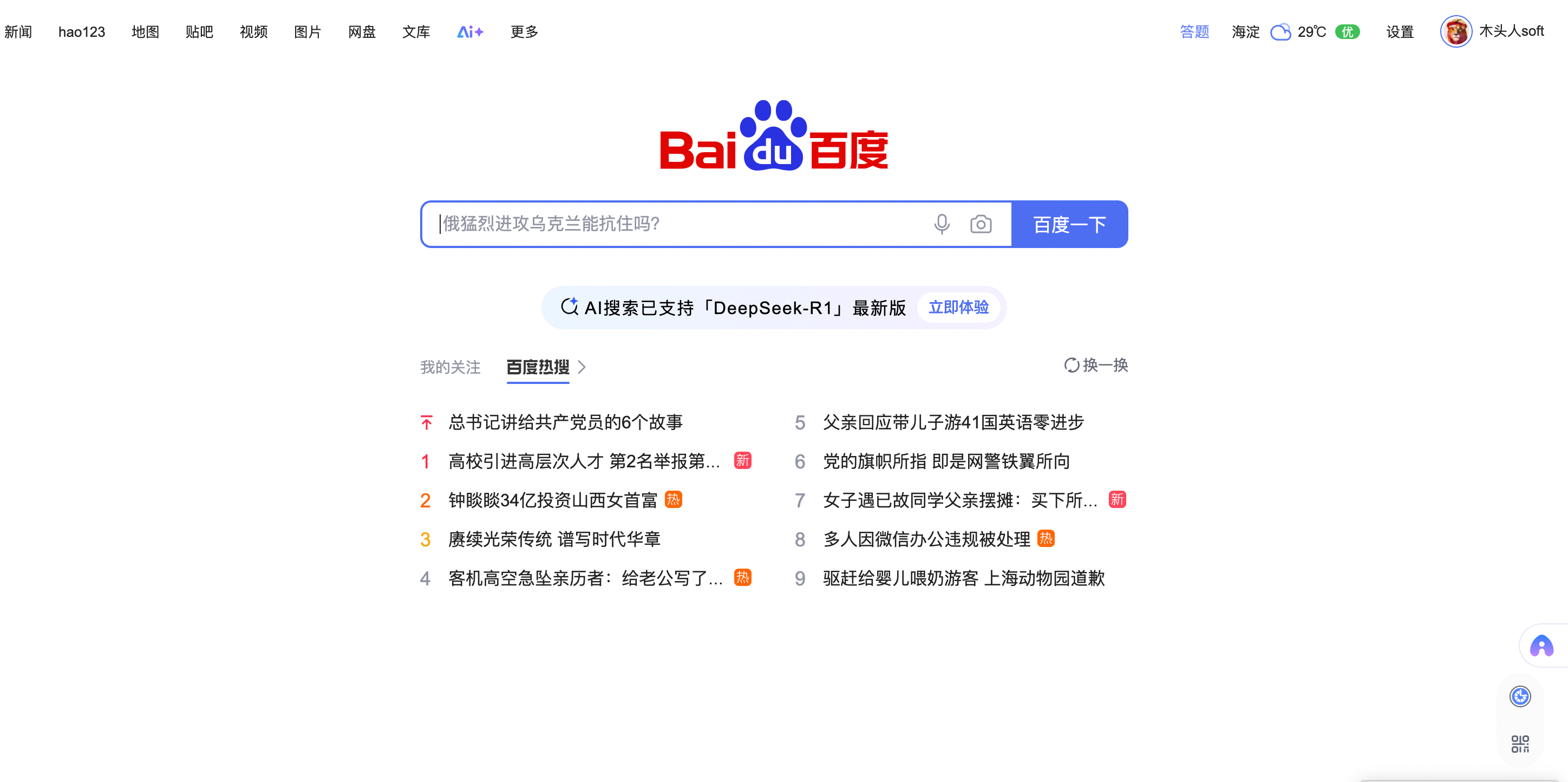 Example:

- Click Generate App and wait 5 to 10 minutes for the application to be generated.
- It supports generating applications containing original images: Embed original images as visual elements in the generated application, e.g., banners for promotional display (i.e., "include original images")
Taking MeDo Homepage as an example:
- Enter brief requirements in the dialog box on the MeDo Homepage and upload images. The Query is as follows:
Plain Text
1Generate MeDo Homepage using this image as the banner Example:

- Engage in multiple rounds of dialogue with MeDo to clarify detailed requirements.
- Click Generate Application and wait 5 to 10 minutes for the application to be generated.