

Account Permission Management
Descriptions of root account and sub-accounts namespace permissions
Namespace permissions are divided into read-write and read-only permissions. Namespace authorization is required for docker command line operations:
- Accounts with read-write access can manage namespaces and their images, grant permissions to other sub-accounts, and use Docker to push or pull images.
- Accounts with read-only access can view namespaces and images, and use Docker to pull images.
Root accounts and sub-accounts have distinct namespace permissions. The root account has access to all sub-account namespaces. This means sub-accounts can create namespaces, while the root account can perform CRUD operations on them. Sub-accounts can modify or delete namespaces they create but need authorization to act on namespaces created by others.
How to authorize sub-accounts
Go to the Namespace section in the left navigation bar, find the namespace requiring authorization, and click Sub-account Authorization for the respective namespace.

A pop-up window on the right will list all sub-accounts with CCR service enabled. Choose either Read-write or Read-only authorization as needed.

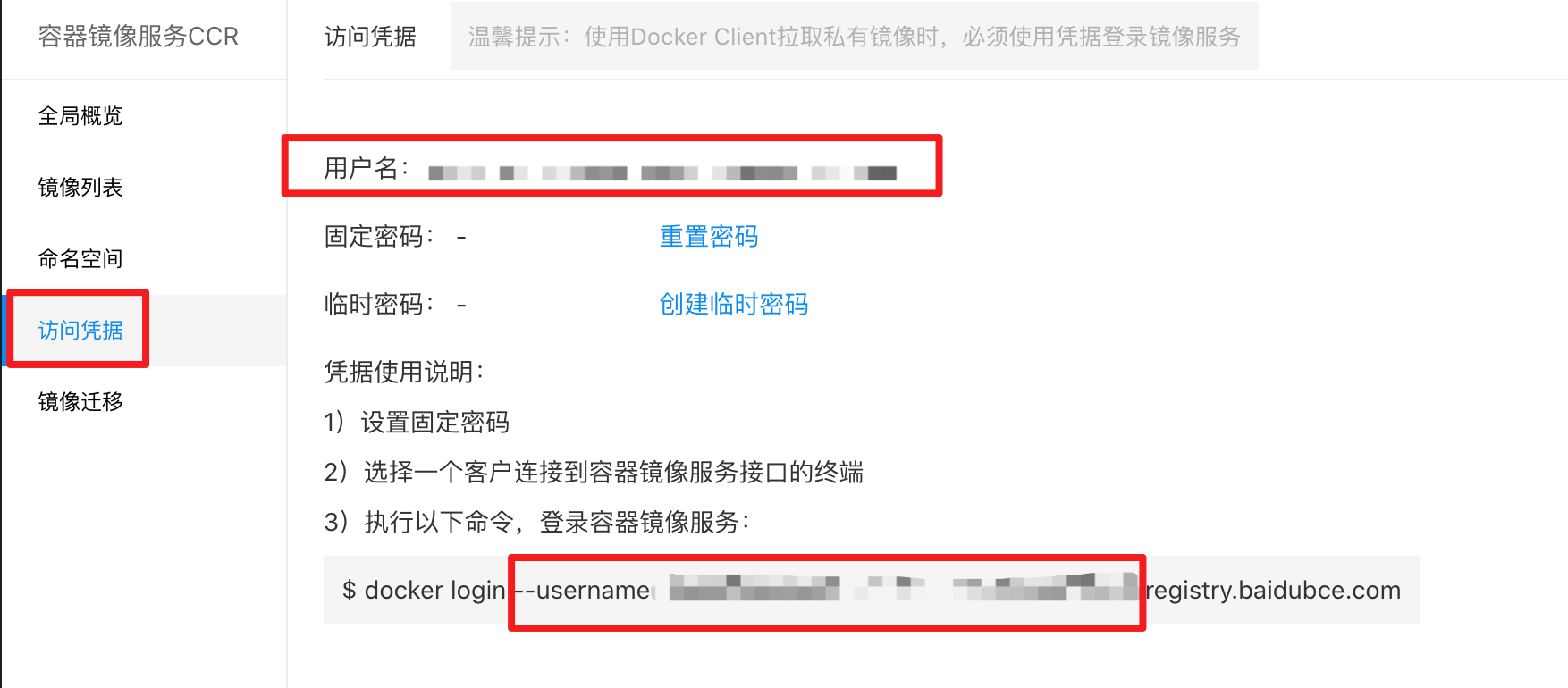
The username corresponds to the Docker login name, which can be found under Access Credentials - Username.
Account permission policy
CCR provides three types of permission policies for managing sub-account permissions regarding interfaces and APIs. Root accounts do not require explicit permissions. For sub-accounts, three types of authorization options are available for operations on the CCR interface.
- CCRFullControlPolicy: Full control permissions of CCR
- CCROperatePolicy: Permissions for CCR maintenance and operation
- CCRReadPolicy: Read-only access permissions of CCR
CCRFullControlPolicy
CCRFullControlPolicy: Permissions for operations on all pages and APIs, including:
- Create a namespace, authorize the namespace, generate temporary keys, initiate image scanning, create an image migration registry, create an image migration strategy, create an image migration task, and upload Helm packages;
- Delete namespaces, images, image versions, image migration registries, image migration strategies, image migration tasks, Helm packages, etc.;
- Update namespaces, images, image versions, image migration registries, start image migration strategies, stop image migration tasks, etc.;
- Retrieve namespace lists, images, image versions, image version scanning results, Helm, image migration registries, image migration tasks, etc.;
CCROperatePolicy
CCROperatePolicy: Support creating, updating, and reading on pages and APIs:
- Initiate image scanning, generate temporary keys, and upload Helm packages;
- Update namespaces, images, image versions, image migration registries, start image migration strategies, stop image migration tasks, etc.;
- Retrieve namespace lists, images, image versions, image version scanning results, Helm, image migration registries, image migration tasks, etc.;
CCRReadPolicy
CCRReadPolicy: Only reading on pages and APIs:
- Retrieve namespace lists, images, image versions, image version scanning results, Helm, image migration registries, image migration tasks, etc.;
How to add permission policies to sub-accounts
Navigate to User Center - Identity and Access Management - Edit Permissions to assign CCR permission policies or super administrator rights.
