Configure Event Notification Alert
Updated at:2025-11-03
Cloud Container Registry (CCR) Enterprise Edition integrates events like image uploads and security scans into Baidu Cloud Monitor's (BCM) event center. This enables users to monitor anomalies, such as image upload errors, in real time and receive notifications through alarm policies.
Prerequisites
- Successfully [Create Enterprise Edition Instance](CCR/Enterprise Edition Operation Guide/Create Enterprise Edition Instance.md).
Add the alarm strategy
- Sign in to the Baidu AI Cloud official website and enter the management console.
- Go to Product Services > Management & O&M > Baidu Cloud Monitor (BCM) to open the BCM console.
- In the left navigation menu, click Alarm Management > Alarm Policies to enter the alarm policy list page.
- On the Alarm Policies page, click Event Monitoring > Add Policy to create an alarm policy.
- Configure the alarm policy rules: Select Cloud Container Registry for Product Type. For other configuration details, refer to Manage Alarms.
- After configuration, you can view event alarm information on the Alarm Management > Alarm History page.
List of events integrated with BCM
Currently, events from the following CCR operations are integrated into the BCM event center:
| Event alias in Chinese | Event alias in English | Event Level | Solutions and suggestions |
|---|---|---|---|
| Image push success | ImagePushSucceeded | Notification | |
| Image push failure | ImagePushFailed | Warning | Refer to the CCR troubleshooting documentation for solutions. See [Image Push Failure Error Codes and Solutions](CCR/Enterprise Edition Operation Guide/Event notification/Image Push Failure Error Code and Handling Methods.md) for details. |
| Image security scan success | ImageScanSucceeded | Notification | |
| Image security scan failure | ImageScanFailed | Warning | Sign in to the console to view details |
| Instance synchronization success | ImageSynchronizationSucceeded | Notification | |
| Instance synchronization failure | ImageSynchronizationFailed | Warning | Sign in to the console to view details |
| Image acceleration version conversion success | ImageTransitionSucceeded | Notification | |
| Image acceleration version conversion failure | ImageTransitionFailed | Warning | Sign in to the console to view details |
View event information
- Sign in to the Baidu AI Cloud official website and enter the management console.
- Go to Product Services > Management & O&M > Baidu Cloud Monitor (BCM) to open the BCM console.
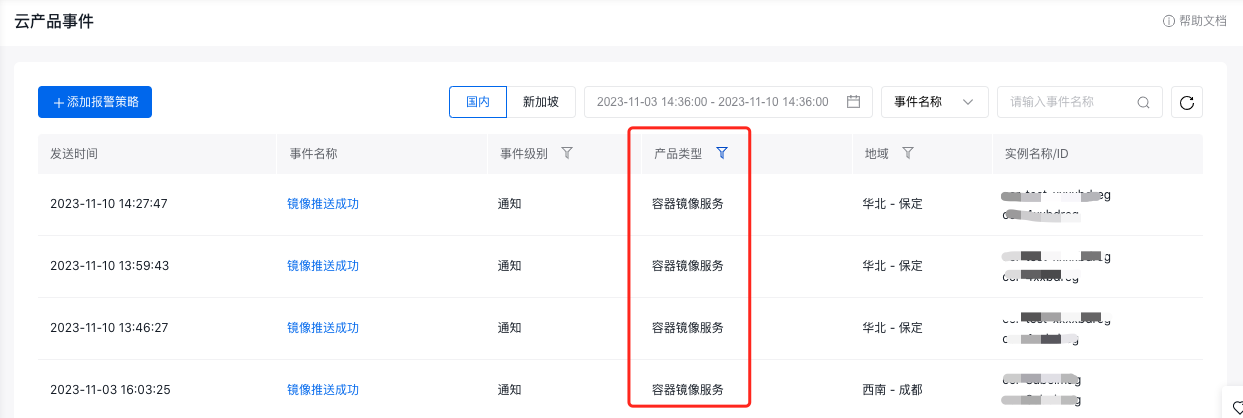
- In the left navigation menu, click Event Monitoring > Cloud Product Events to enter the event list page.
-
In the list, choose Cloud Container Registry under Product Type to view events associated with CCR.
-
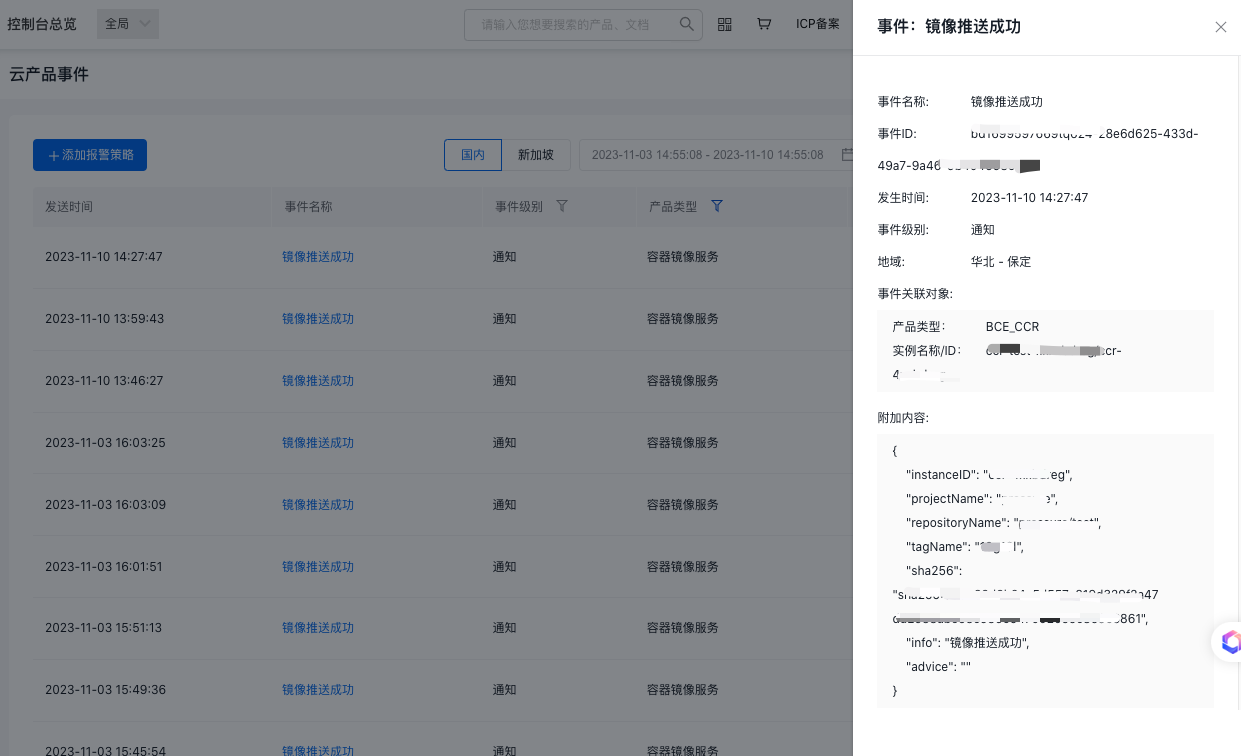
Click on the event name to see detailed information.