

Trail
Function overview
Trail sets are an advanced feature of Cloud Trail, helping customers with traceability and ensuring operational security for enterprise personnel assets. It includes details like operation log types and storage paths.
By storing all operation records in Cloud Trail, you can conduct security analyses, track resource changes, and perform compliance audits.
Create Trail
-
Log in to the BCT console, navigate to Trail in the left sidebar, and select Create Trail.
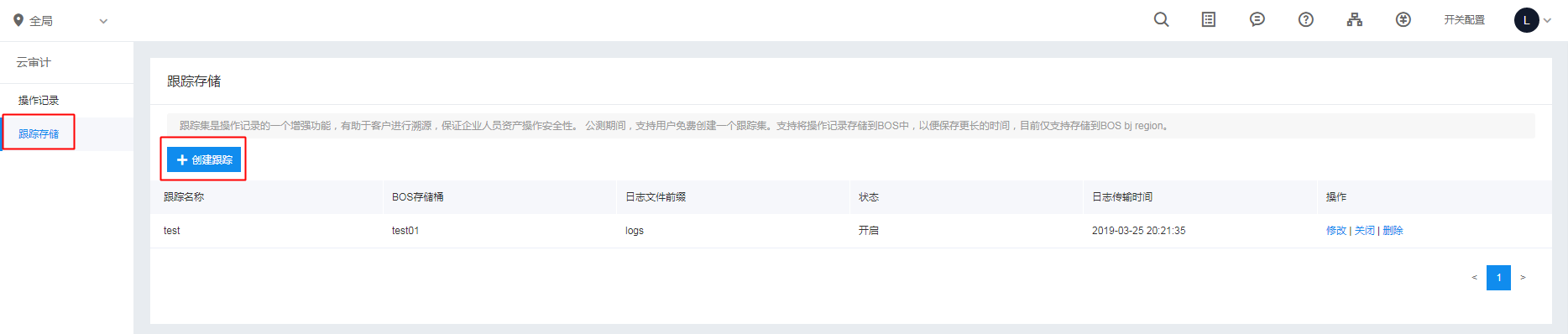
-
Enter Basic Information and Storage Location.
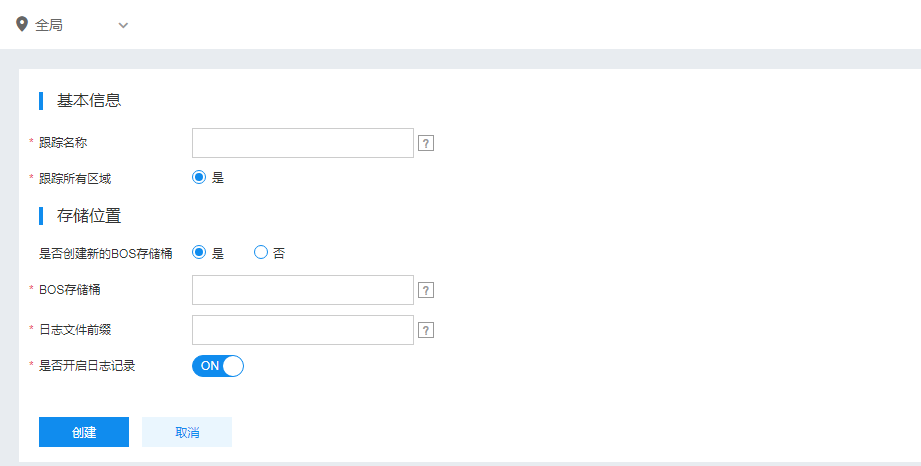
Filling description:
1[Basic information]
2
3-   Trail name: Must comprise uppercase and lowercase letters, numbers, and -_., with a maximum length of 40 characters.
4-   Trail location: Supports tracking across all regions.
5
6Storage Position
7
8-   Option to create a new BOS bucket: To create a new BOS bucket, provide a name in the text box; otherwise, select an option from the BOS bucket dropdown menu displaying available buckets.
9-   BOS bucket name: Must contain only lowercase letters, numbers, and "-", starting and ending with lowercase letters or numbers. The length should be between 3 and 63 characters. Once created, the bucket name cannot be changed and must be unique across all regions. Company or project names can be used as prefixes.
10- Log file prefix: Can contain letters, numbers, Chinese characters, underscores, hyphens, and periods. It must begin with a letter, number, or Chinese character. Folder names must be 1-65 characters long. - After the configuration is complete, click Create to successfully create the trail.
- By default, the created trail remains valid indefinitely and is billed based on BOS usage.
Trail management
Enable/disable trail
Users can enable, disable, modify, or delete the created trail from the Trail overview page.

Note:
- After deleting the Trail, you will no longer receive new audit events;
- Audit events delivered to BOS will be retained indefinitely.
Modify trail
Users can click Modify next to the Trail to edit the details of the created trail.
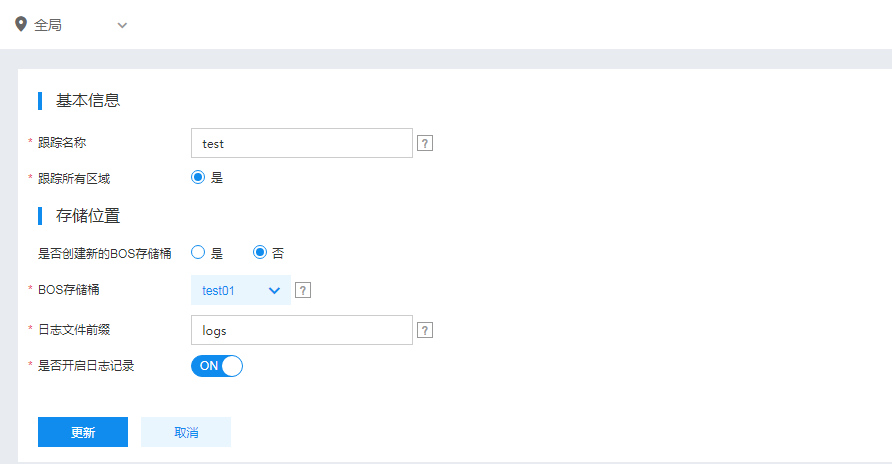
After making edits, click Update to finalize the trail modifications.